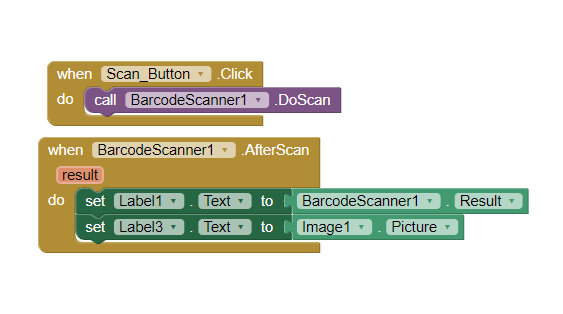
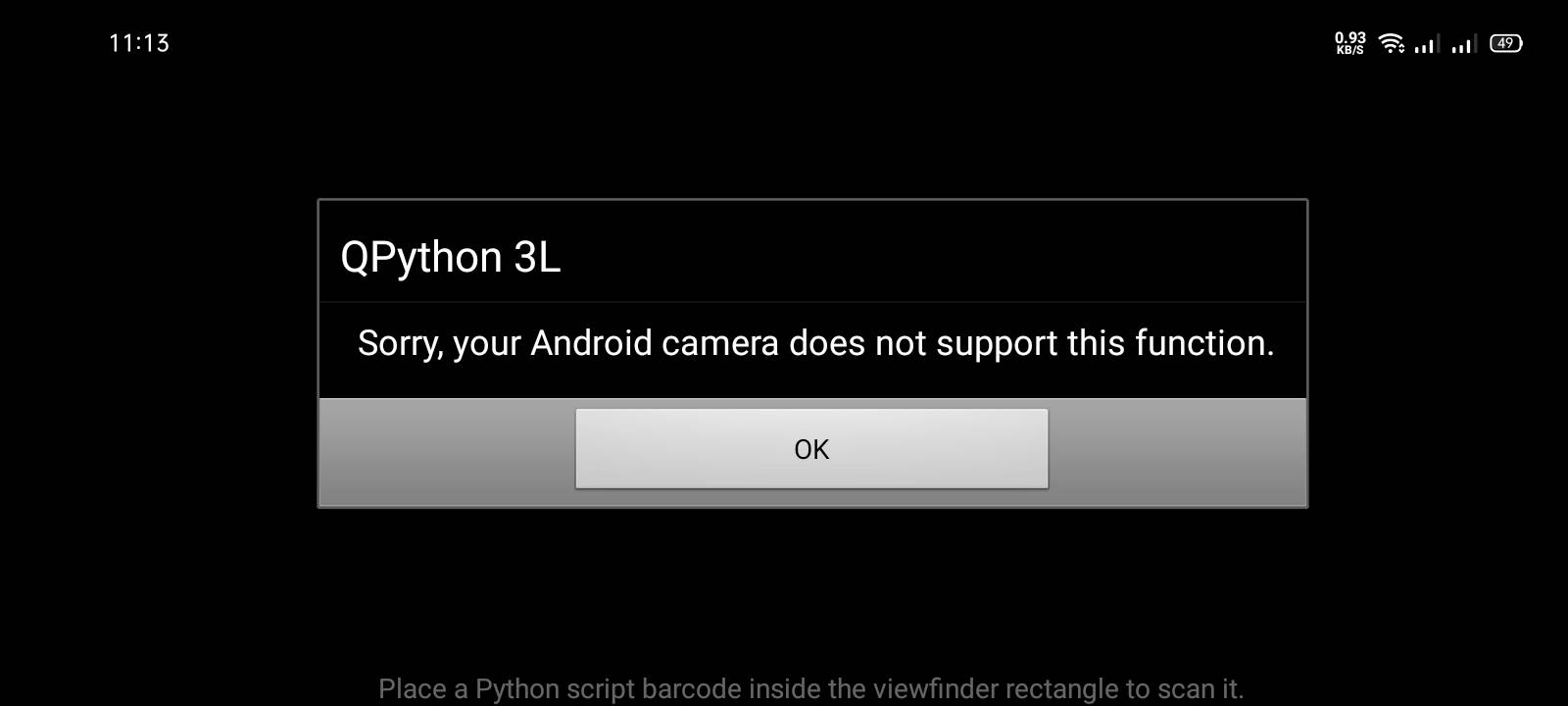
It depends on your device. Some cameras might not support this function of scanning QR codes. You might want to switch to another device and see if that works.
1 Like
Hello Joshua - Welcome to the forum.
Your Android camera may not be compatible with the App Inventor Scanner, but might be compatible with a different one.
Please PM any issues to be fixed and your suggestions to improve ScanView: 20-03-2025 Announcement: 07/07/2024 Help Needed ScanView Version 3? Hello Koders! I am now free to contribute to the community again, I am planning to release new...
Reading time: 19 mins 🕑
Likes: 172 ❤
All new ML Kit based Qr and Barcode Scanner extension supporting Code 128 ( FORMAT_CODE_128 ) Code 39 ( FORMAT_CODE_39 ) Code 93 ( FORMAT_CODE_93 ) Codabar ( FORMAT_CODABAR ) EAN-13 ( FORMAT_EAN_13 ) EAN-8 ( FORMAT_EAN_8 ) ITF ( FORMAT_ITF )...
Reading time: 1 mins 🕑
Likes: 18 ❤
1 Like
Another, from renown extension developer vknow360:
ChangeLog Version 4
Changes
Added logoPath parameter in GenerateBarCode method
Changed package name to com.sunny.qr from com.sunny.Qr
The extension does not ask for any permission and uses absolute file paths
Download Link: com.sunny.qr.aix (14.0 KB)
Note: Still you will have to additionally use a BarcodeScanner component
Credits: I am thankful to @Ayoub_Dev for the source of QrLogo extension .
1 Like
Your Android version?
Your device?
And Send Your AIA
@Im_a_Collage_Student
1 Like
Why are you requesting this info Alireza? We already have the relevant Blocks.
1 Like
Because any setting may have changed
1 Like
hello everyone, thanks for the reply. I found the problem why my scanner wont work, it is because I checked the BarcodeScanner1 's Properties called UseExternalScanner . anyways thanks for all the help! <3
2 Likes