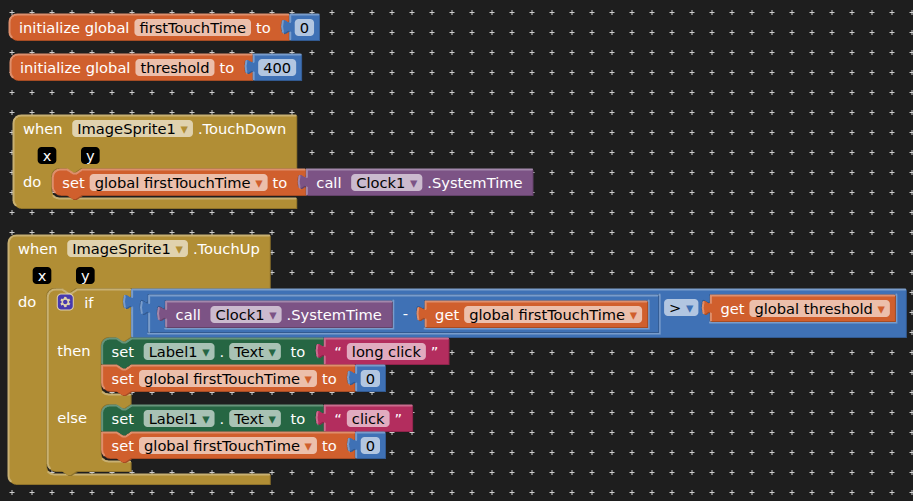
I can't see what I'm doing wrong, see below blocks.
I'm trying to learn to use the Canvas to count screen touches, to ultimately use BrightnessTools to toggle screen brightness from 60% to 0, and to 0 and 60% when double-touched.
If you mean your tap count to alternately rise and fall in a saw tooth wave, you would need an extra global variable to remember the direction (rise/fall) and change your limit tests to < and > against your upper and lower limits to decide when to switch direction.
I am not sure what you mean by double touch.
Two fingers simultaneously (needs an extension), or
One after another?
I'm trying to understand a text description of Blocks. The text references for Time are not clearly translating to the actual Blocks for me, still learning.
Do the tutorials to learn the basics and don't trust any AI...
A very good way to learn App Inventor is to read the free Inventor's Manual here in the AI2 free online eBook App Inventor 2 Book: Create Your Own Android Apps ... the links are at the bottom of the Web page. The book 'teaches' users how to program with AI2 blocks.
There is a free programming course here Course In A Box and the aia files for the projects in the book are here: App Inventor 2 Book: Create Your Own Android Apps
How to do a lot of basic things with App Inventor are described here: How do you...? .
When using the Clock, note the difference between Milliseconds from 1970 (returned by Clock1.SystemTime()) and Instants (returned by Clock1.Now()), a Java object holding secrets about your location and the time and Daylight Savings Time settings.
I find Milliseconds easier for math operations, since it's just a (really big) number.
You can represent the time of something that hasn't happened yet with 0 (~5 decades ago).
If you use an initially empty global list of tap Instants, an empty list would mean no taps have happened yet, and you can use length of list to tell you if you have enough taps to calculate Duration between tap Instants (select item1 from from list vs select item 2 from list). This makes it possible to detect triple and quadruple taps, if the list gets long enough.
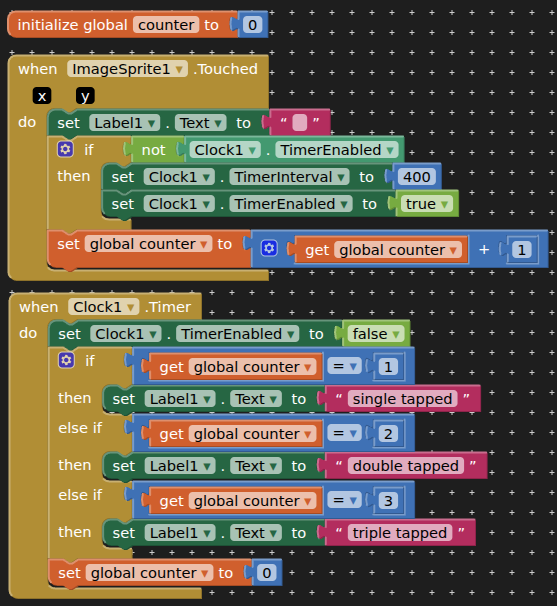
How it works: on first touch of the imagesprite the clock is started, because the timer is not enabled. Subsequent touches while the timer is running add to the counter (but do not run the clock again). When the timer stops (after 400ms) the value of the counter is captured and the number of touches is reported. 400ms is the usual time interval used for a double tap / double click (and also for long press / click).
This should work with any clickable components like buttons, images, perhaps even a listview (not tested)
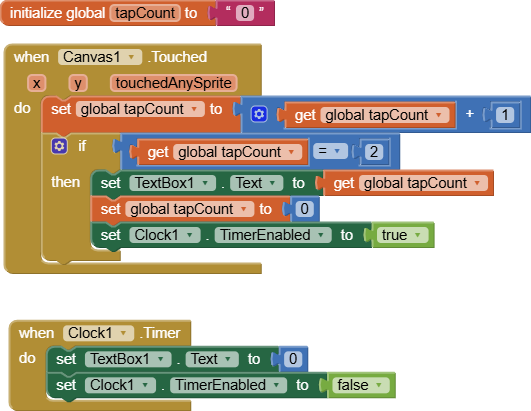
 Taifun.