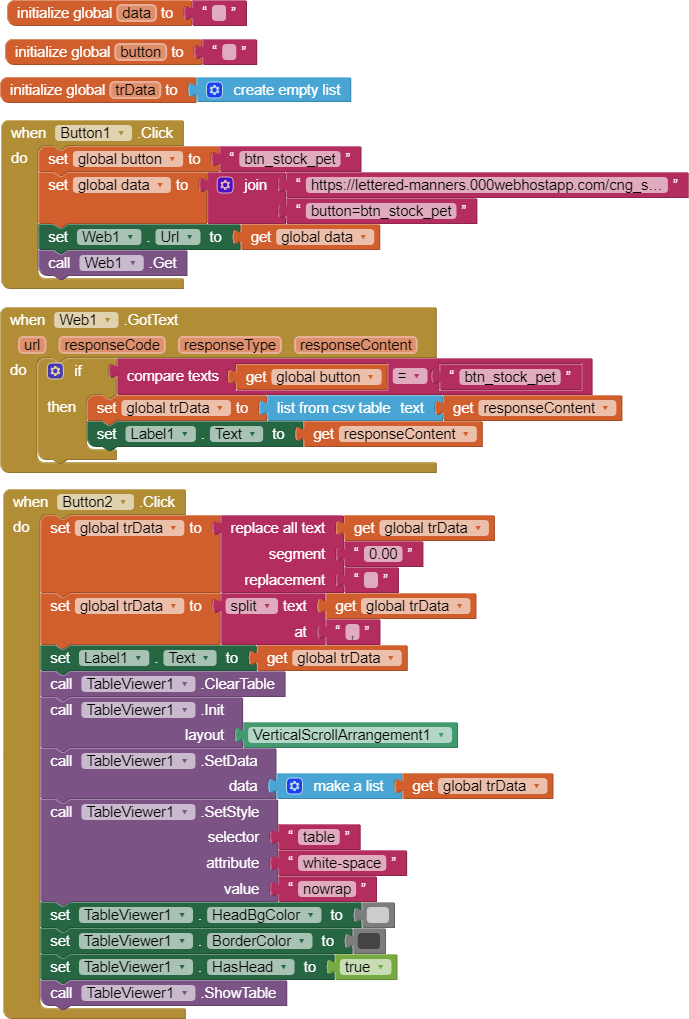
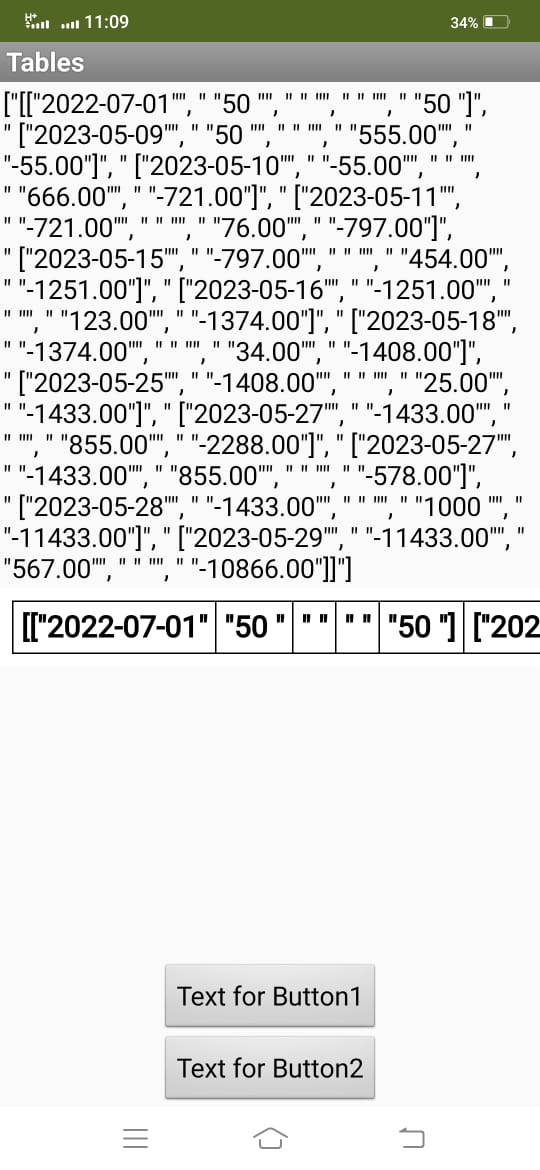
in tableviewer I need the fourth element of the list on the screen that changes with the scroll to be of a different color from the others
Can anyone tell me how to do it?
Only the fourth element of the list?
Show what you mean, what you want to achieve...
The fourth element of list or the fourth element on the screen after scrolling ?
yes is the fourth element on the screen after scrolling...
i need to change color every time of the fourth element on the screen after scolling
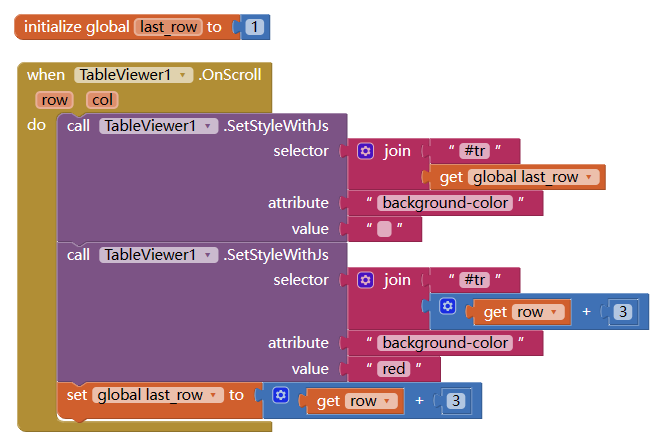
Thank you....
I can not find block SetStyleWithJs
download the latest version again
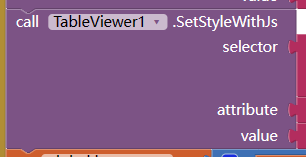
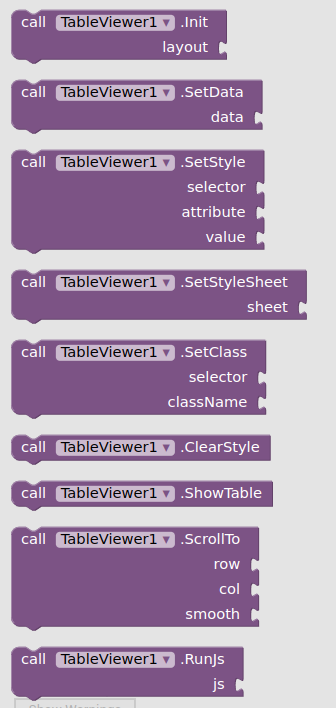
I have upload the newest one, but I don't know why after downloaded it still is the old.
Maybe the server cache or something.
Anyway, SetStyleWithJs is only an easy way of following code:
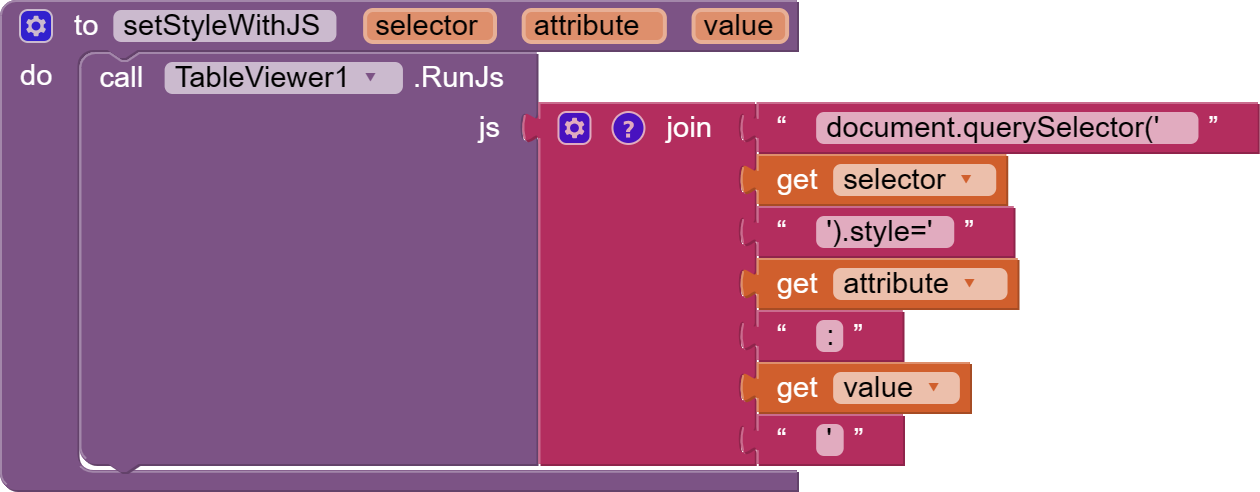
You can drag this snippet on your workspace directly.
====
edit:
I changed another web browser, I can get the latest version.
Try type-blocking? The blocks are not arranged in alphabetical order.
Hello @Kevinkun , have a nice day ahead.
Thank you for your response. I solved it with the help of this post from @Leonardo_Ucciardello [FREE] TableViewer - fully style customized to show table data - #197 by Leonardo_Ucciardello.
1 Like
Ok, it runs well
I had to switch to another browser as well to get the latest version as well....
Sir I am using first time this type of extension,
I have these block
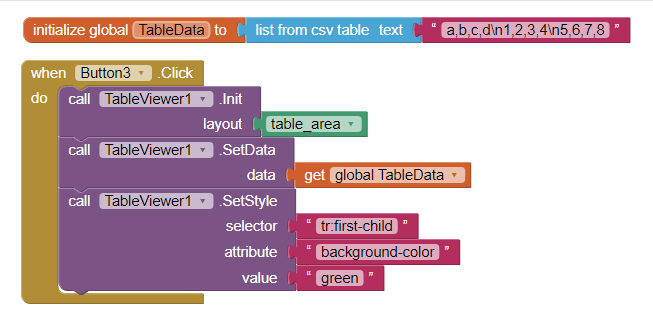
When I click Button3 then no data is displayed.
What I am doing wrong?
Please help
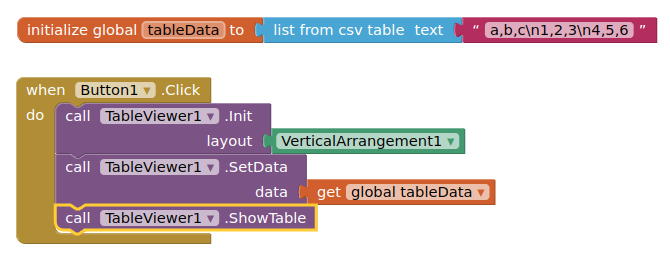
You did not use the ShowTable block
1 Like
Thanks Sir,
This time I have these blocks
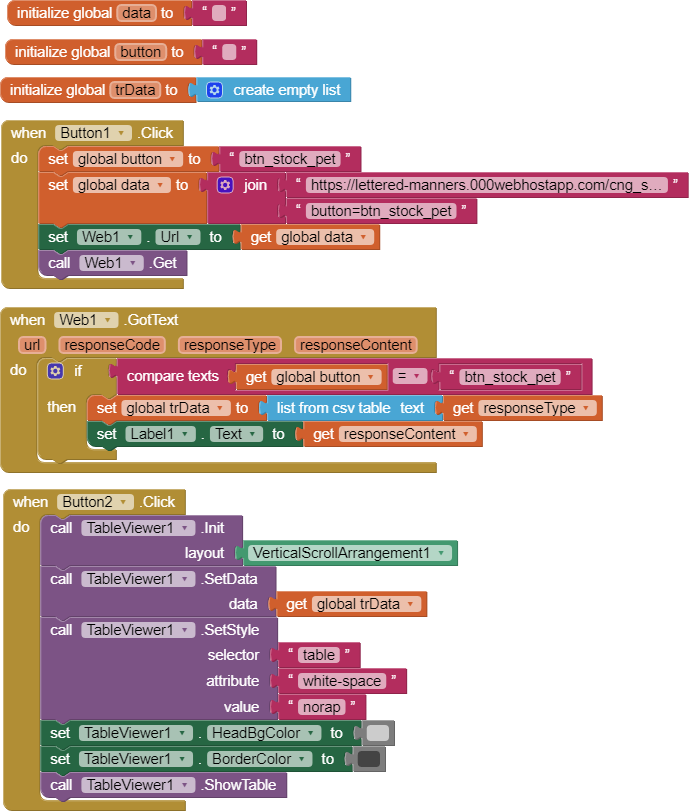
When I click Button1 then ResponseContent is shown in Label1
But
When I click Button2 then no data is shown in TableViewer1

Please help
- It is "nowrap" not "norap"
- You need to provide the extension with a list of lists. Check your response content and conversion to an ai2 list to ensure that this is so.
1 Like