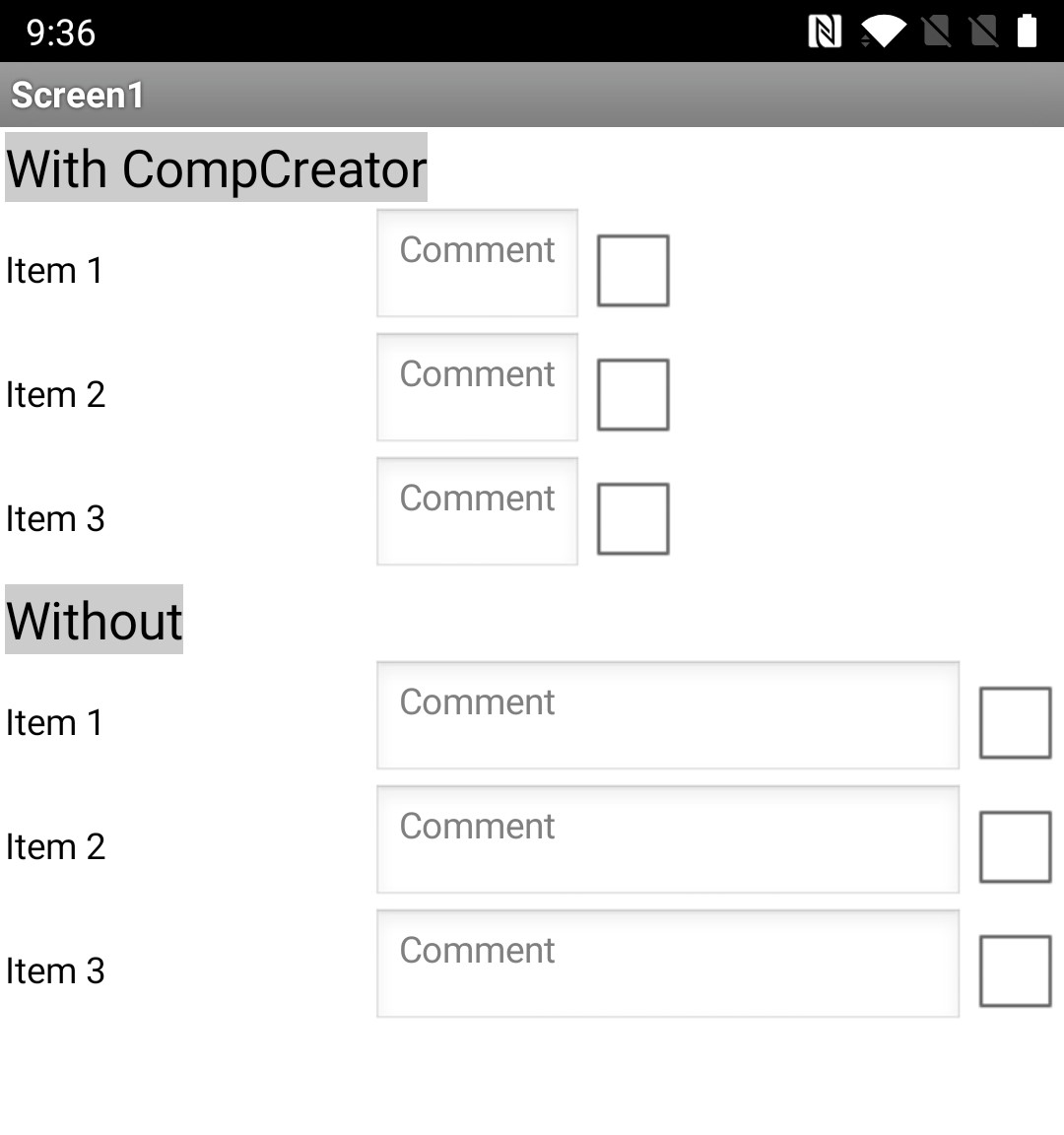
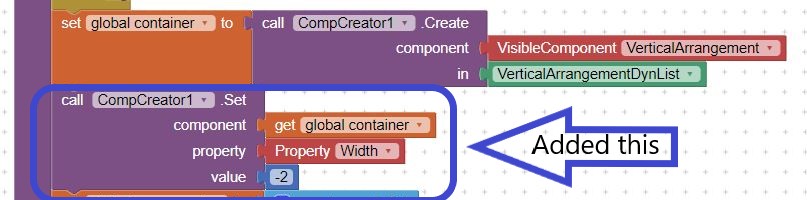
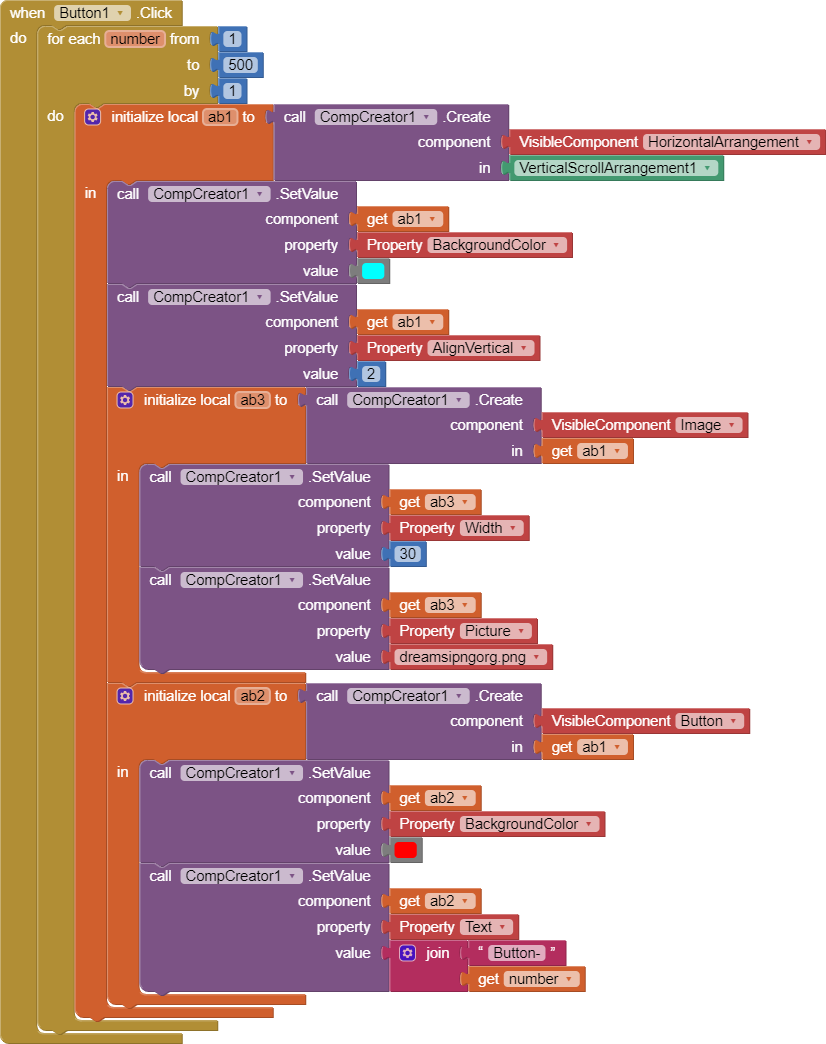
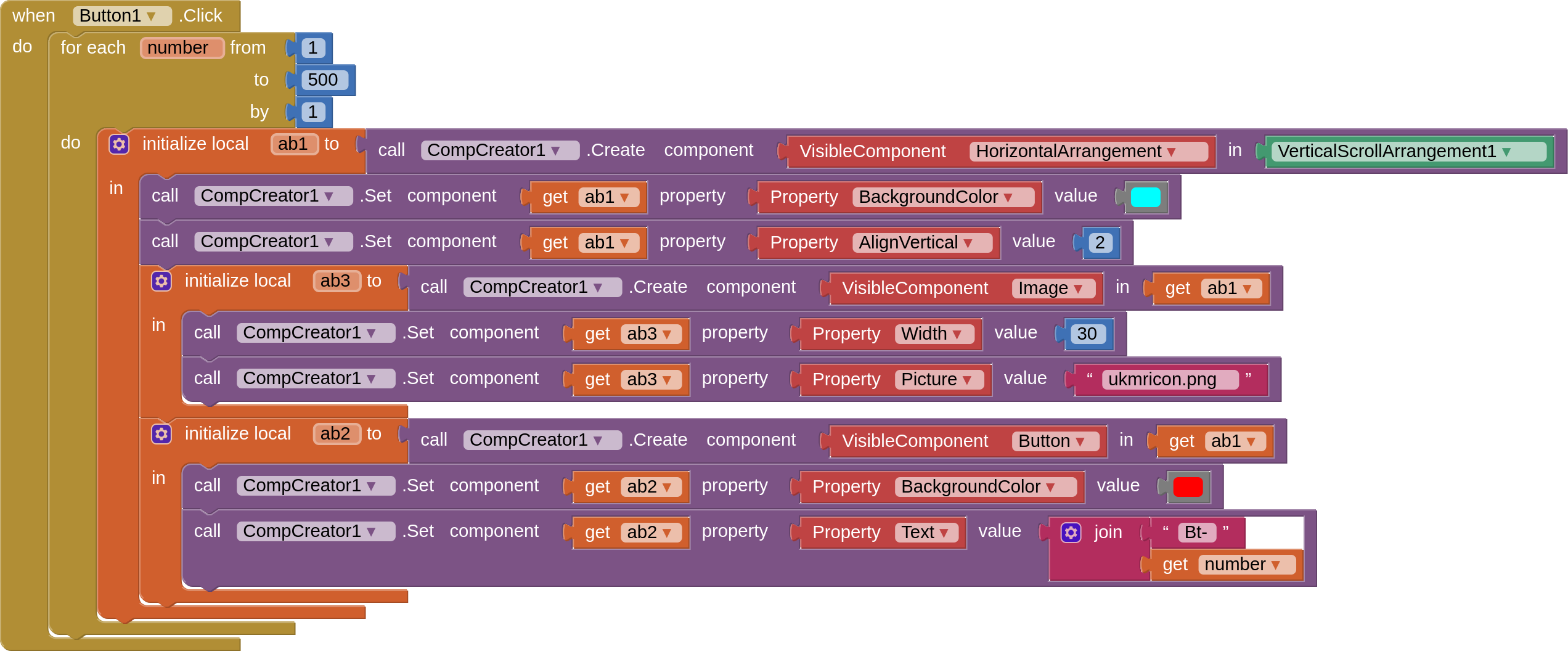
There is an "error" in your blocks. You create another vertical arrangement (without a fill parent width) in which to place your horizontal arrangement rows. This reduces the width of the textboxes. Just using the VA > VerticalArrangementDynList ensures the textboxes fill the parent.
Hello
Your work on this extension is great! really.
a curiosity... but you can't add the function.. When a dynamic component loses focus, does it create an action?
Like if I scroll through a verticalscrollarrangment and a dynamic component comes off the screen, does it create an action?
Hi,
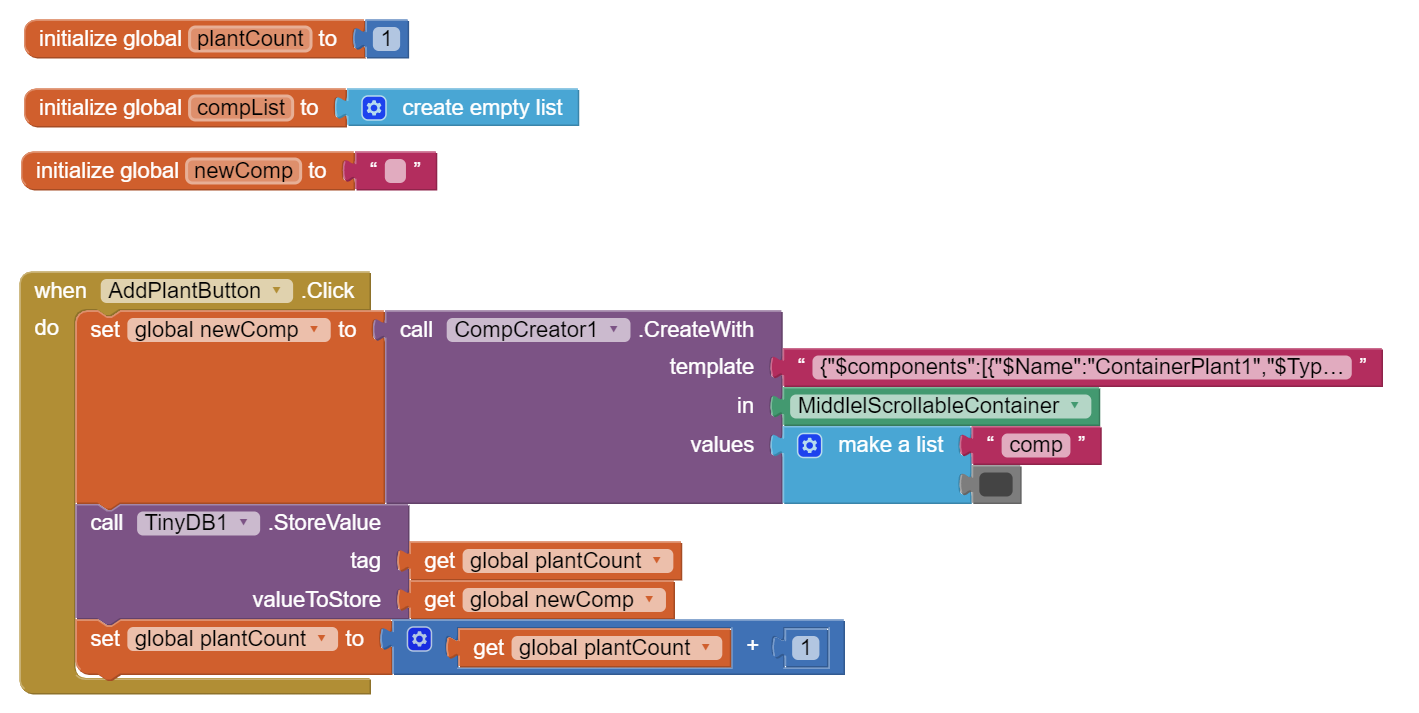
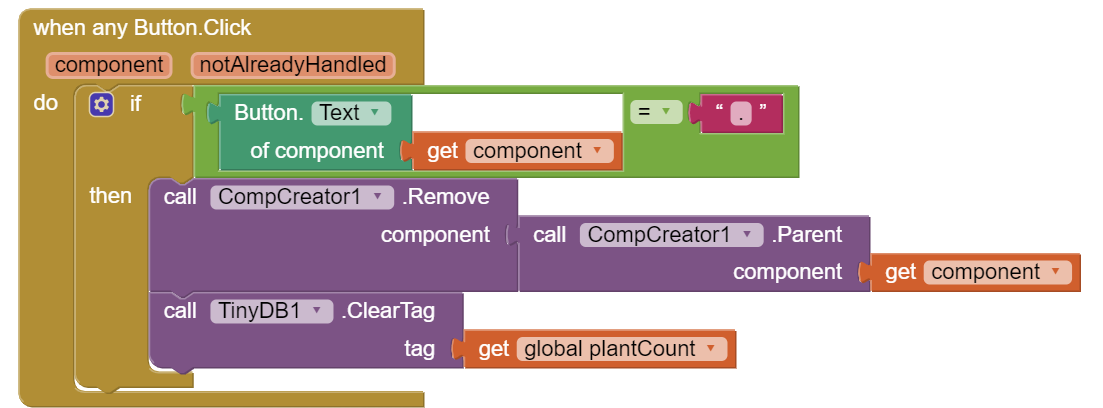
I am trying to create a tracking app for plants watering using CompCreator extension in order to be able to add, edit or delete plant profiles. As you can see from the following blocks, I am creating a new Component based on template, that will contain an image, 2 text boxes, a date picker and a delete button.
My question is, what can I do so the number of created containers with the afferent inserted data to be saved in TinyDB when I close the app so it can be there for when I open it again?
If you save a component in a tinydb, you can only call this component only if the app not closed. If closed and open again, the component will not exist.
and I did not notice what is the usage of this tinydb. Why you save it in tinydb?
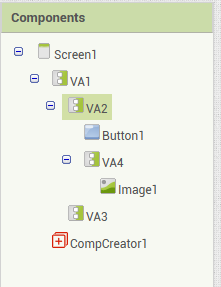
Children will return a list of components in a container.
Only a container has a Children.
e.g. VA1's Children is VA2 and VA3,
VA2's Children is Buttton1.
Parent will return a container in which the component is inside.
Screen is the root, no parent for him.
Nothing wrong with the blocks, might just be a bit too much for your phone to do all in one go. Works on my emulator, but takes a little time to do it.
Perhaps try creating the horizontal arrangements in batches of 100, with a little break in between