[FREE] BgRadio: Foreground Streaming Radio Service with Dynamic BigText Notification
 Overview
BgRadio is a high-performance, non-visible component designed for playing internet radio and multimedia audio streams seamlessly in the background. Built on top of a pure Android native MediaPlayer with 100% zero external library dependencies, it is perfectly tailored for Niotron and MIT App Inventor. [1, 2]
It features an intelligent Bypass & Fast HEAD Streaming Resolver that routes standard audio URLs directly to the hardware decoder while parsing complex playlist formats (.m3u, .m3u8, .pls, .asx) asynchronously with redirect tracking and Session Cookie persistence. It also includes an ESP32-aligned worldwide radio directory lookup engine and an advanced Android BigTextStyle notification manager.
-
Latest Version: 10.0
-
Price: Free
-
Permissions Required:
INTERNET,FOREGROUND_SERVICE,FOREGROUND_SERVICE_MEDIA_PLAYBACK,POST_NOTIFICATIONS
 Designer Properties
| Property | Type | Description |
|---|---|---|
| AvailableCountries | YailList (Read-only) |
Returns a complete pre-defined list of global country codes (e.g., TW, US, JP, ALL). |
| AvailableGenres | YailList (Read-only) |
Returns a comprehensive pre-defined list of main radio genres and music styles (e.g., Pop, Jazz, Classical). |
| PlaybackState | String (Read-only) |
Actively fetches the real-time playback state (Playing, Buffering, Stopped, Timeout Reconnecting, etc.). |
| LastPlayedUrl | String (Read-only) |
Retrieves the last successfully played audio stream URL from SharedPreferences for effortless persistent resume capability. |
 Component Blocks & Methods
 Functions / Methods
-
RegisterBroadcast()
Manually activates and registers the globalBroadcastReceiverto handle background playback and search intents safely across Android 13 and 14+ (using numerical exporting flag 2). [1]
-
UnregisterBroadcast()
Unregisters the global broadcast listener to free up device system memory when the app is no longer in use. [1]
-
BroadcastPlay(String streamUrl)
Triggers high-priority background service execution to play the specified audio stream. Smart Auto-Resume Feature: If an empty text""is passed, it automatically retrieves theLastPlayedUrlfrom internal hardware persistence for instant resume. [1] -
BroadcastStop()
Instructs the background foreground service to safely stop audio playback, release decoding resources, and terminate the notification drawer card. [1]
-
BroadcastSearchStations(String country, String genre)
Asynchronously queries the distributed worldwide Radio-Browser API to dynamically filter, parse, and return matching stations. [1] -
SetNotificationPayload(String topic, String message)
Configures the Android BigText Notification Style data. Allows developers to push multi-line, long-text status payloads (such as real-time program titles or descriptions) directly to the system drawer. [1]


 Events
-
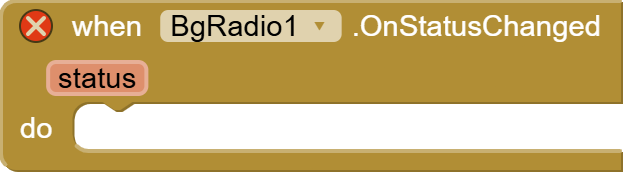
OnStatusChanged(String status)
Triggered dynamically when the internal playback loop updates. Expected outputs:Playing,Buffering,Stopped,Timeout Reconnecting, orConnect Error: .... [1] -
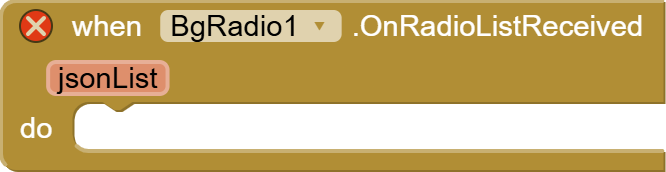
OnRadioListReceived(String jsonList)
Triggered when the worldwide background directory search finishes. It automatically rejects.m3u8video packets, isolates low-bitrate MP3/AAC streams (<192kbps), and returns a clean, structured JSON array string. [1] -
OnDebugLog(String logMessage)
Passes real-time execution steps, redirect paths (301/302/307/308 tracking), and file parsing headers from the Streaming Resolver engine for advanced logging. [1]
 Recommended Blocks Implementation (How-To)
-
Initialization & Lifecycle Safety:
Always invokeBgRadio1.RegisterBroadcastin yourScreen1.Initializeblock. This forces the system broadcast mechanism awake and guarantees reliable background play operations even after an Android system freeze or memory cleaning event. -
One-Tap Dynamic Toggle Button:
Utilize anif-elsestatement inside a Button click block:-
If
BgRadio1.PlaybackStateequalsPlaying, then invokeBgRadio1.BroadcastStopand update button layout to a "Play" icon. -
Else, invoke
BgRadio1.BroadcastPlaywith an empty string""to immediately resume the user's favorite radio station via auto-persistence hardware lookup.
-
-
Advanced Display Payloads:
Combine theSetNotificationPayloadfunction right before firing up a playlist. Feed a long text string into themessageparameter (e.g., "Now Playing: Jazz Midnight Special - Curated Chillout Lofi Beats"). The drawer notification card will gracefully scale to display the entire string without annoying truncations.
 Sourcing & Downloads
-
Developer / Contact: [halin / miracle ho]
-
Compiled Extension File (.aix): BgRadio.aix (50.3 KB)
-
Sample Project File (.aia): bgradio_ext.aia (59.4 KB)
Feedback, suggestions, and log reports from your OnDebugLog events are highly welcome below!
 (GitHub Link) This extension is 100% free. You can report issues, track redirect performance logs, or fork the repository directly on GitHub:
  Star if it helps your multimedia streaming projects!)* ---
