Introduction
WebRTC for App Inventor is an open source extension that brings real, native video calls to App Inventor. It's built with Rush, the open source extension builder I maintain. The PeerConnection component uses WebRTC, the same technology browsers use for video calls, so phones connect directly to each other. There is no calling service to sign up for, no per-minute price, and no vendor account. It works between two phones, and between a phone and a web browser.
You choose how the two devices find each other: the component hands you a few short texts to send to the other device, through any channel you already use. The included sample app uses the free Supabase extension, so a complete calling app needs no server of your own.
Features
- Calls: one to one audio and video, phone to phone or phone to browser.
- Video on screen: show either video in an arrangement. Put both in the same arrangement and your own video becomes a small picture in the corner, like every calling app.
- Call controls: mute, camera on and off, switch between front and back cameras, loudspeaker or earpiece, video size and frame rate.
- Data channels: send text messages alongside the call, or use a connection for data alone.
- Any signaling channel: Supabase, Firebase, your own server, anything that carries text.
- Follows the screen: the camera pauses while the app is in the background, and the phone's call audio settings are restored when the call ends.
- Permissions handled:
StartLocalMediaasks for the camera and microphone, andScreen.PermissionDeniedfires if the user refuses.
Specifications
| Package | dev.dreamerslab.webrtc |
| Version | 1.0.0 (2026-10-16) |
| Size | 25.6 MB (WebRTC's native code for four processor types) |
| Minimum Android | 8.0 (API 26) |
| AI Companion | not supported, test with an APK build (see below) |
| License | MPL-2.0, free for any app, including closed source and commercial ones |
| Built with | Rush 2.0.0 |
| Source | GitHub |
Downloads
- Extension: dev.dreamerslab.webrtc.aix
- Sample app: VideoCall.aia, a complete calling app with both extensions included
- Web client: samples/web-call, a web page that calls the sample app from a computer's browser
- Try it from a browser: zainulhassan815.github.io/webrtc-appinventor, enter the same Supabase project and room as the app
Try it in five minutes
- Create a free project at supabase.com. No tables are needed.
- Import
VideoCall.aia(Projects, Import project). - Select
Supabase1and setProjectUrlandPublishableKey(in Supabase: Project Settings, API Keys). - Build the APK and install it on two phones.
- Type the same room name on both, tap Join, and you're in a call.
Important: the AI Companion can't run this extension. WebRTC ships as an Android library that the Companion can't load, so test with Build, Android App (.apk).
How a call connects
Before two devices can call, they swap a few short texts. WebRTC calls this signaling:
- Both devices start their camera and microphone with
StartLocalMediaand wait forLocalMediaStarted. - The caller runs
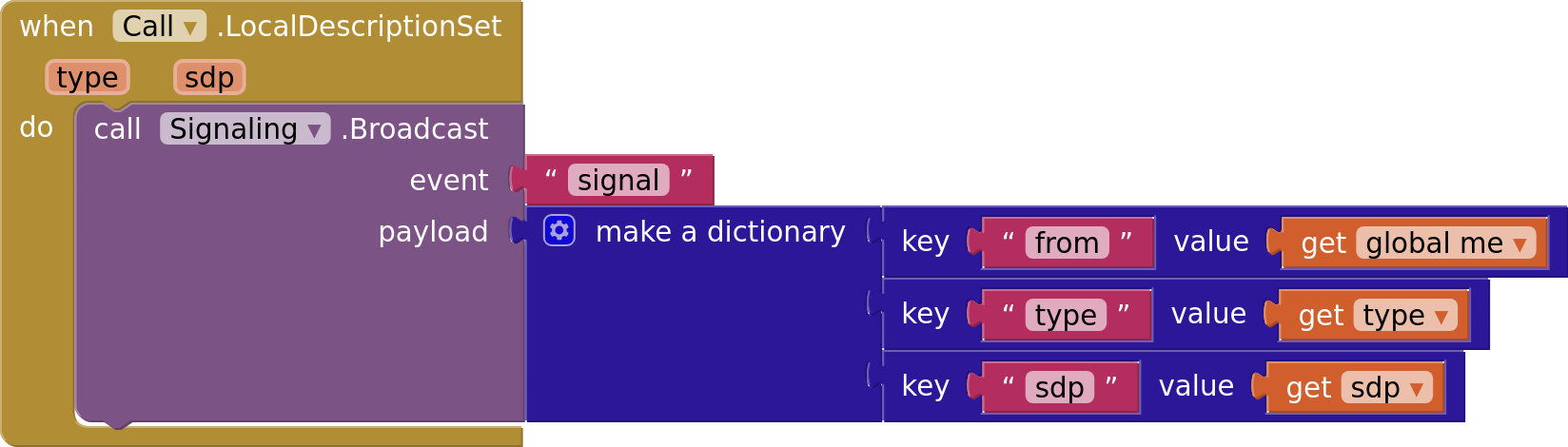
CreateOffer.LocalDescriptionSet(type, sdp)fires: send both to the other device. - The other device passes them to
SetRemoteDescriptionand runsCreateAnswer. ItsLocalDescriptionSetfires with the answer: send it back, and the caller passes it toSetRemoteDescription. - Meanwhile
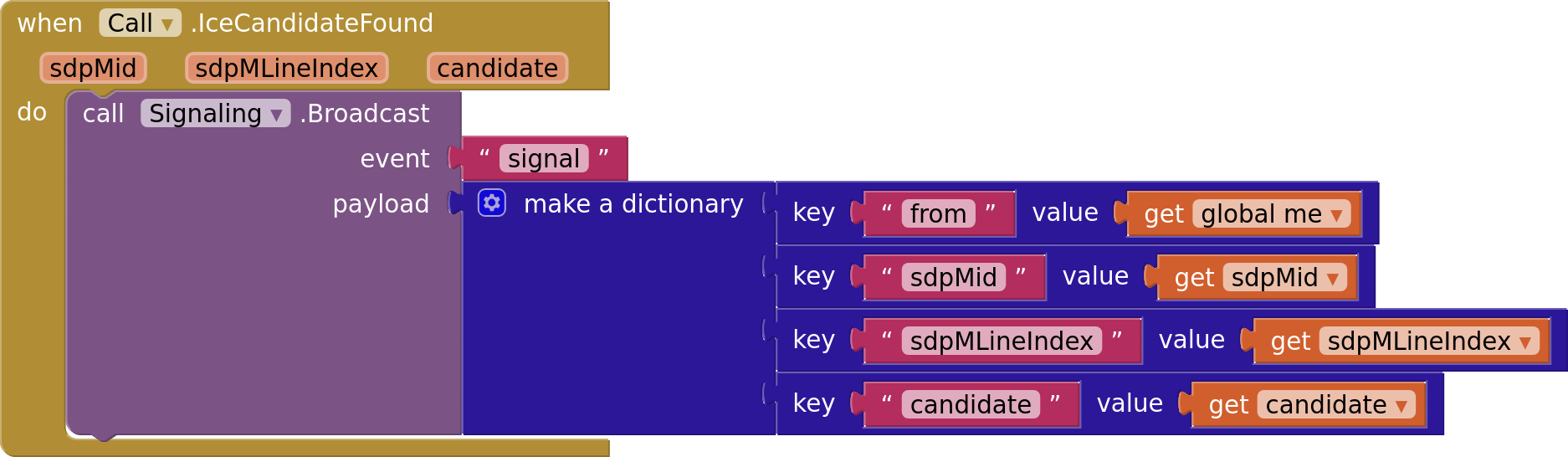
IceCandidateFoundfires a few times on both devices. Send each candidate to the other device, which passes it toAddIceCandidate. Candidates that arrive early are kept until they can be used. ConnectionStateChangedreportsConnected, and video and audio flow directly between the phones.
The sample, step by step
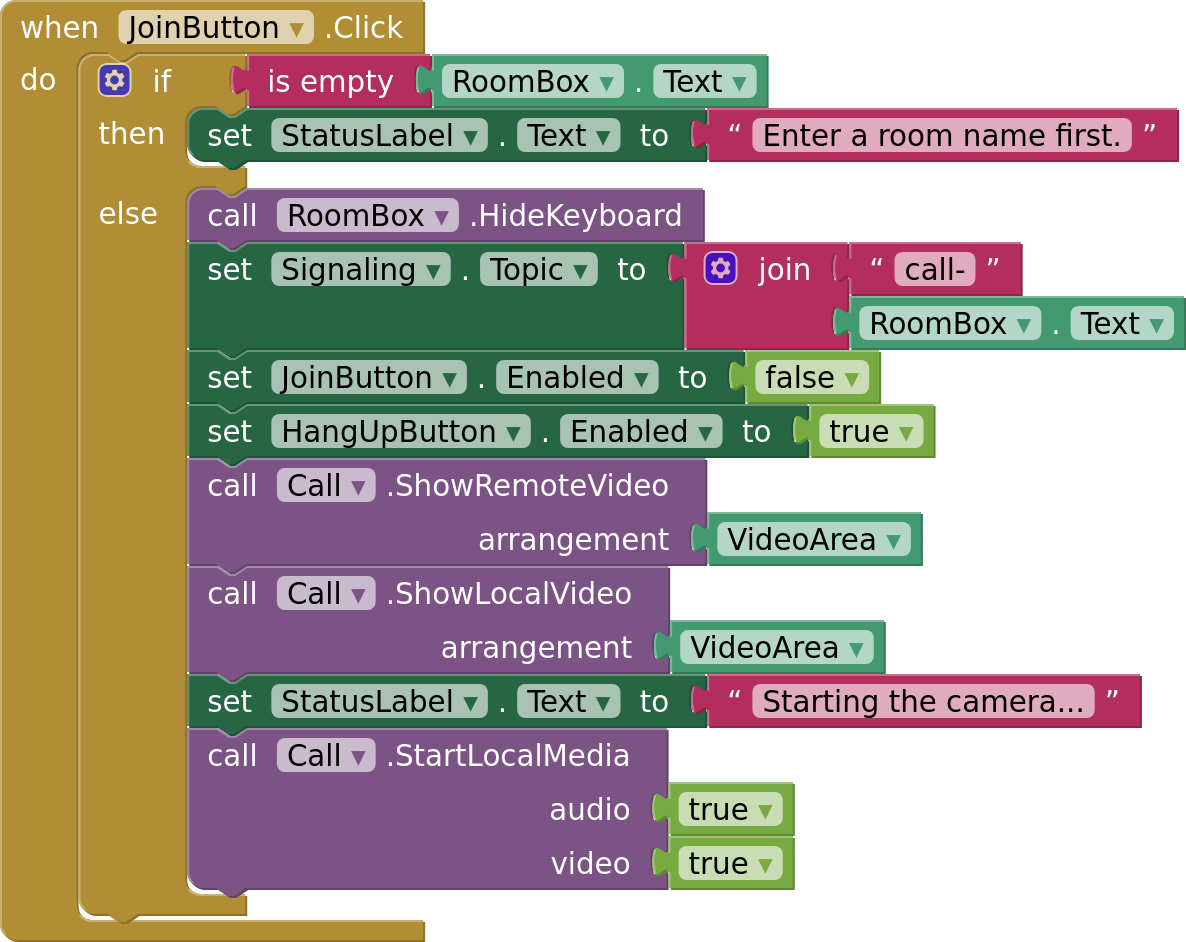
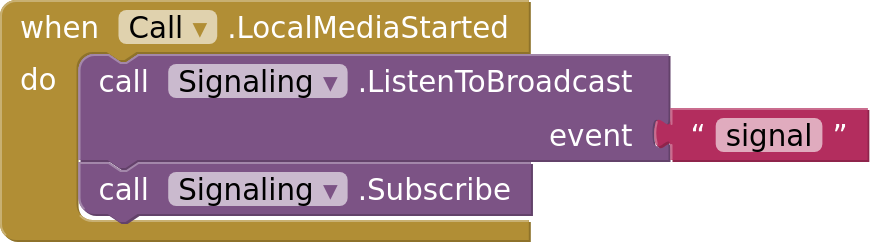
The sample sends everything as broadcasts on a Supabase channel named call-<room>. Here are its key blocks; the full walkthrough is in docs/sample.md. Every image below contains its blocks: drag it into your workspace to use it.
Join shows both videos in one arrangement (your own becomes the corner picture) and starts the camera and microphone:
When they're ready, join the channel:
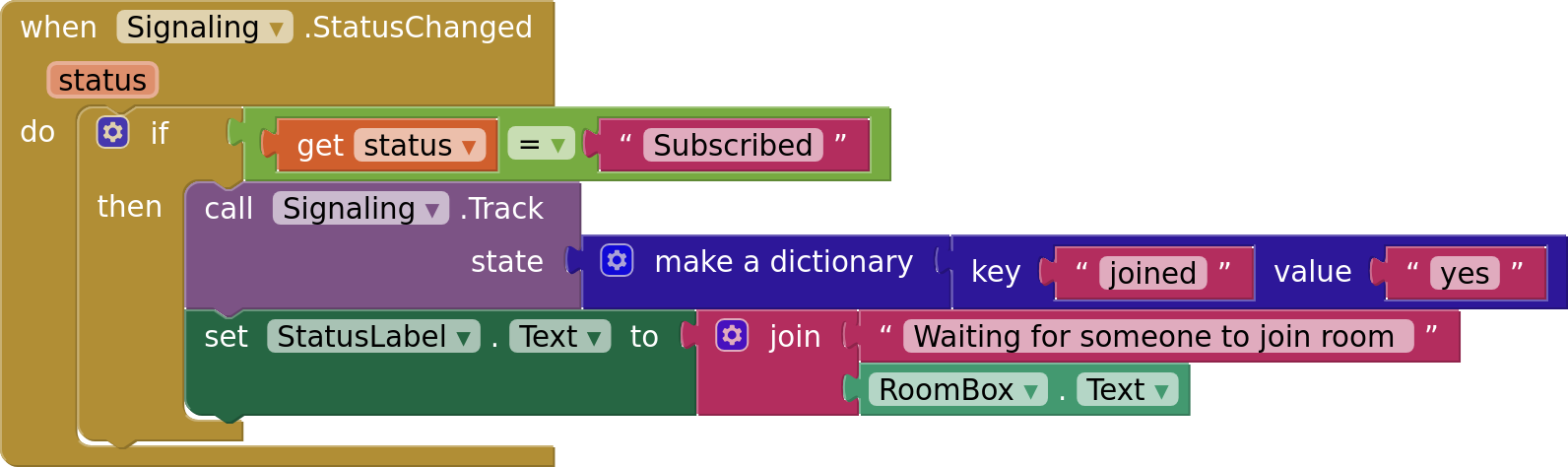
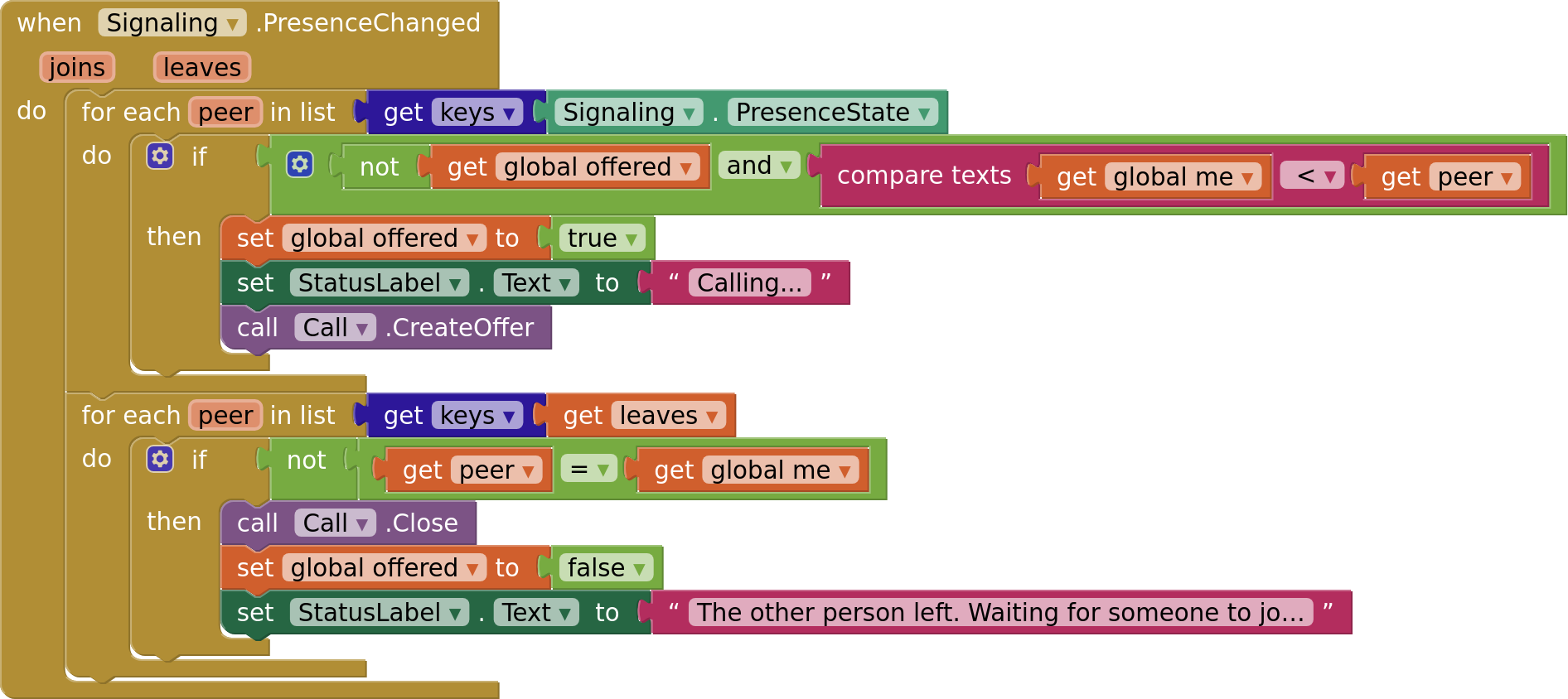
Who calls whom: both phones see each other through presence, and only the one with the smaller id sends the offer, so they never both call at once:
Sending the call setup: every description and candidate goes out as a broadcast:
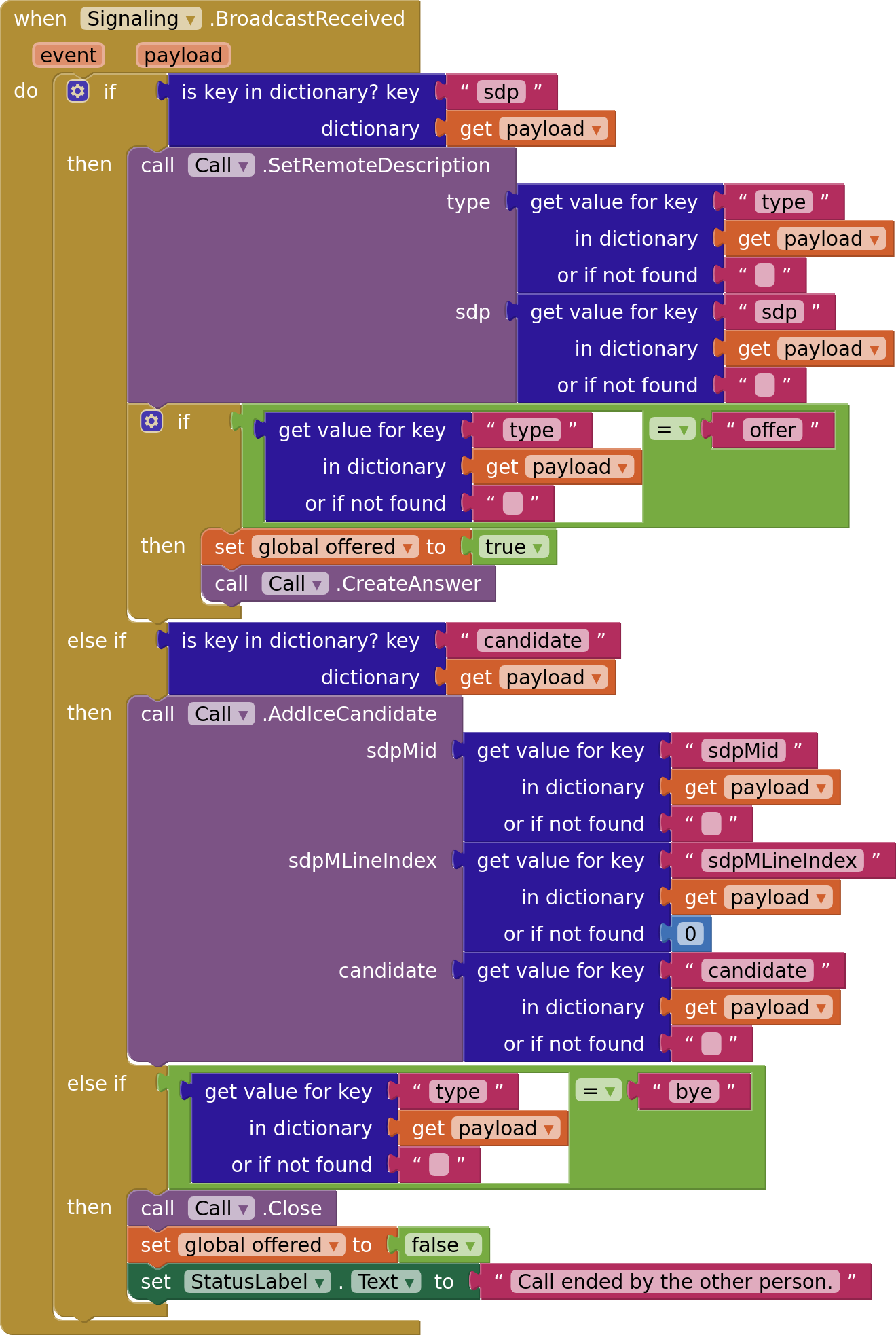
Receiving it: everything that arrives goes back into the component. An offer gets an answer, and bye means the other person hung up:
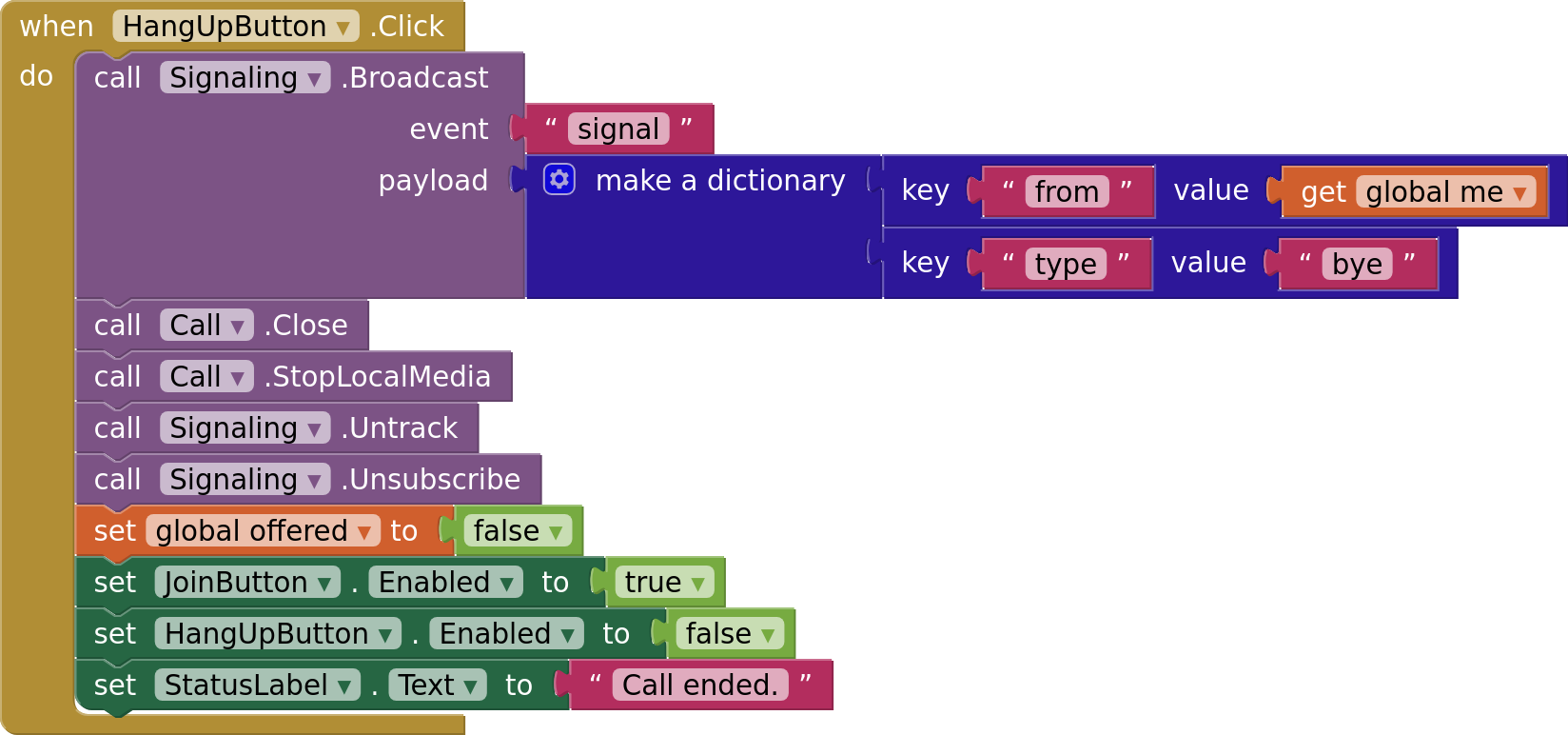
Hanging up:
Calls across different networks
Phones on the same Wi-Fi, and usually phones on home and office networks, connect through the default STUN server. Some networks, such as many mobile carriers and strict firewalls, block direct connections. Calls through them need a TURN server, which relays the video. Add it to IceServers as a list of dictionaries with urls, username and credential. Hosted TURN services and coturn, which you run yourself, both work.
Blocks
Every block, with its image and description, is on the Blocks page, grouped by camera and microphone, video, connecting, data channels and errors. Each image there contains its block, so you can drag it straight into your workspace.
Good to know
- App size: WebRTC adds about 25 MB to an APK, mostly native code for four processor types, of which a phone uses one. App bundles (AAB) for Google Play deliver only that one.
- One call per component. For a second call at the same time, add a second
PeerConnection. - Rooms in the sample are public: anyone with your project's key who knows the room name can join. For private calls, use the Supabase extension's
Privatechannels with policies. - Errors: blocks that fail fire
Error(operation, message). Without anErrorhandler,Screen.ErrorOccurredfires instead.
Not supported yet: calls that keep running in the background, ringing when the app is closed, reconnecting after the network changes (Wi-Fi to mobile data), Bluetooth headsets, group calls and screen sharing. Tell me which you need most.
Tested on
- vivo V2332, Android 16
- Google Pixel 7
- Chrome on Windows (the web client), calling the phones
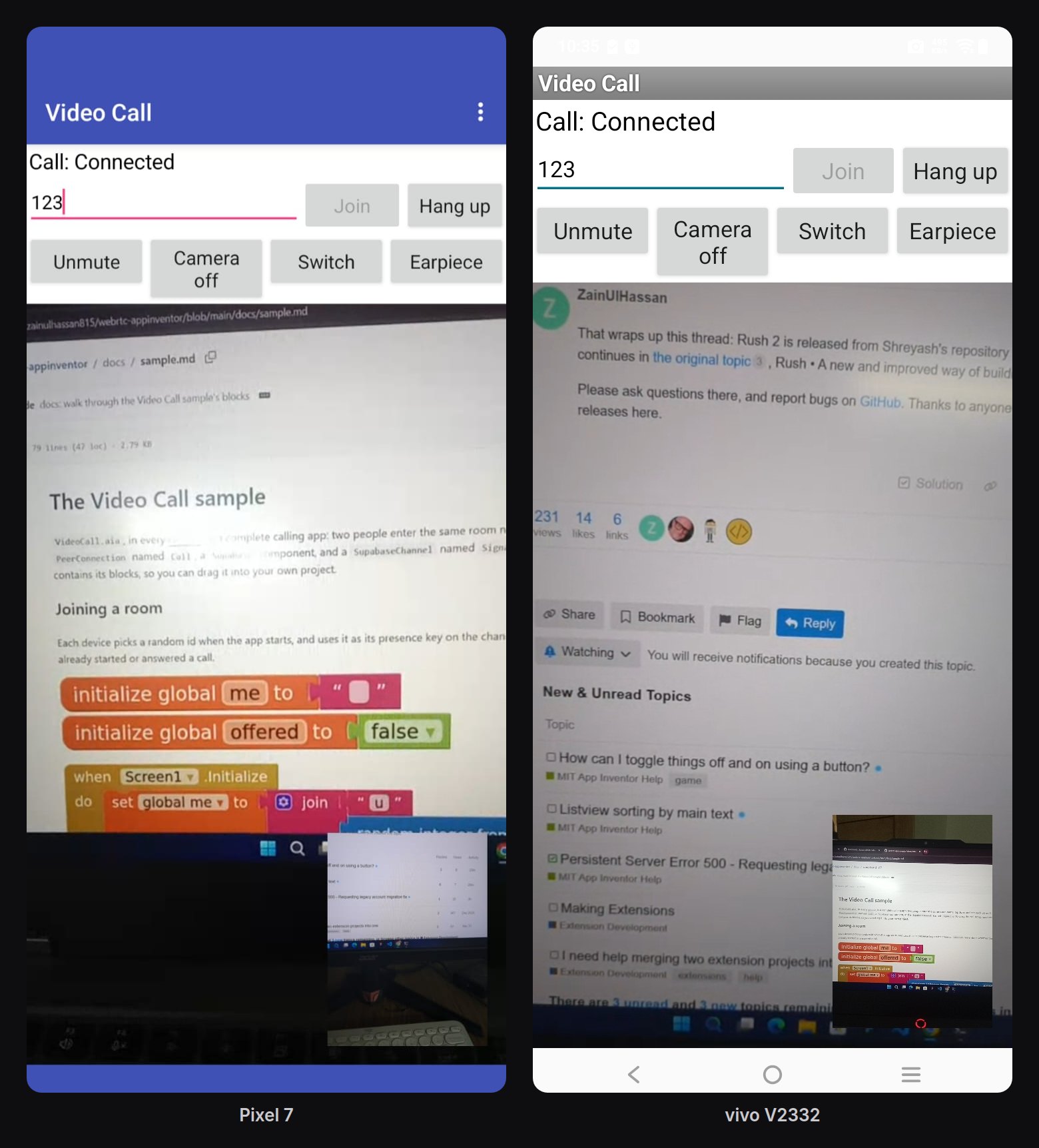
- Built on ai2.appinventor.mit.edu: a call between the vivo and the Pixel over Wi-Fi
How this differs from what exists
- WebViewer with PeerJS or Jitsi: works inside a web page, so the video, camera and audio live in the WebViewer, with no blocks for them. This extension is native: real camera and audio control, and video in your arrangements.
- Extensions built on a calling service (such as Agora): you need an account with that service and pay its prices past the free minutes, and calls run through its servers. Here calls go directly between the devices, and you choose how they connect.
Changelog
1.0.0 (2026-10-16): first release.
Credits
- WebRTC, through webrtc-sdk/android (BSD license)
- Built with Rush
- Signaling in the sample: the Supabase extension
The extension is free and open source (MPL-2.0). Source, issues and the full documentation: https://github.com/zainulhassan815/webrtc-appinventor
Questions, bugs and ideas are welcome here or on GitHub.