Introduction
Supabase for App Inventor is an open source extension that connects your apps to Supabase, a popular backend with a generous free plan. It's built with Rush, the open source extension builder I maintain, which packages the complete supabase-kt client into the extension so it runs alongside your other extensions without conflicts.
With it, your app can sign users in, keep their data in a real Postgres database protected by row-level security, update every phone live when data changes, store files and photos, and run code on a server. All from blocks, and it works in the AI Companion too.
Features
- Supabase: sign up and sign in with email and password, with a code sent by email or text message, or anonymously; reset forgotten passwords. Users stay signed in between app starts. Change the email, password or profile, and turn an anonymous user into a full account.
- SupabaseDatabase: queries as dictionaries with keys from a dropdown, checked before they're sent: filters with any, all and not, ordering by several columns, pages with a total count. Count, insert, upsert, insert or skip, update and delete; call your own database functions; use other schemas.
- SupabaseChannel: get notified the moment a row is added, changed or deleted, send messages between users, and see who is online, on private channels only your users can join.
- SupabaseStorage: upload, download, list, search, move, copy and delete files in a bucket; read file details; make temporary links to private files, and upload links for others.
- SupabaseFunctions: call Edge Functions with JSON or text, headers and any method, in any region.
How it works
Talking to a server takes time, so results arrive in events, like Web.GotText. Data blocks take a tag, any text you choose, and the result event gives it back, so one event handler can tell your requests apart. Rows, users and messages are dictionaries, and lists of rows are lists of dictionaries.
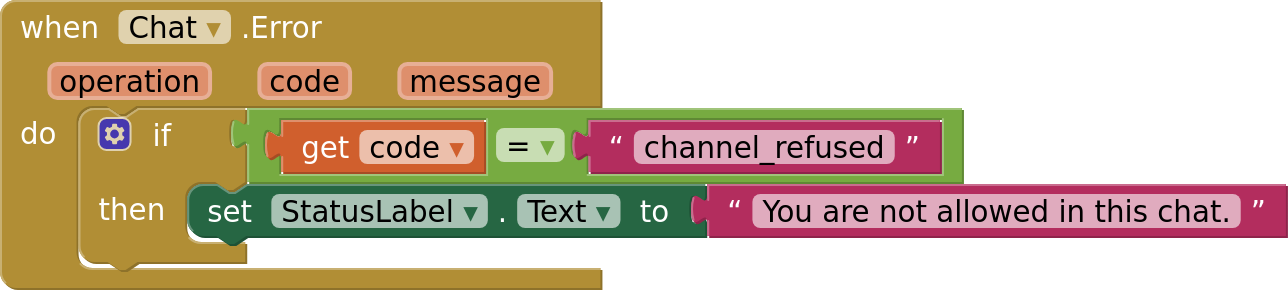
If something goes wrong, each component fires an Error event with a short code, such as invalid_credentials, and a readable message.
Blocks
Every block, with its image and description, is on the Blocks page. Each image there contains its block, so you can drag it straight into your workspace.
Blocks in use
These come from the Live Notes sample project.
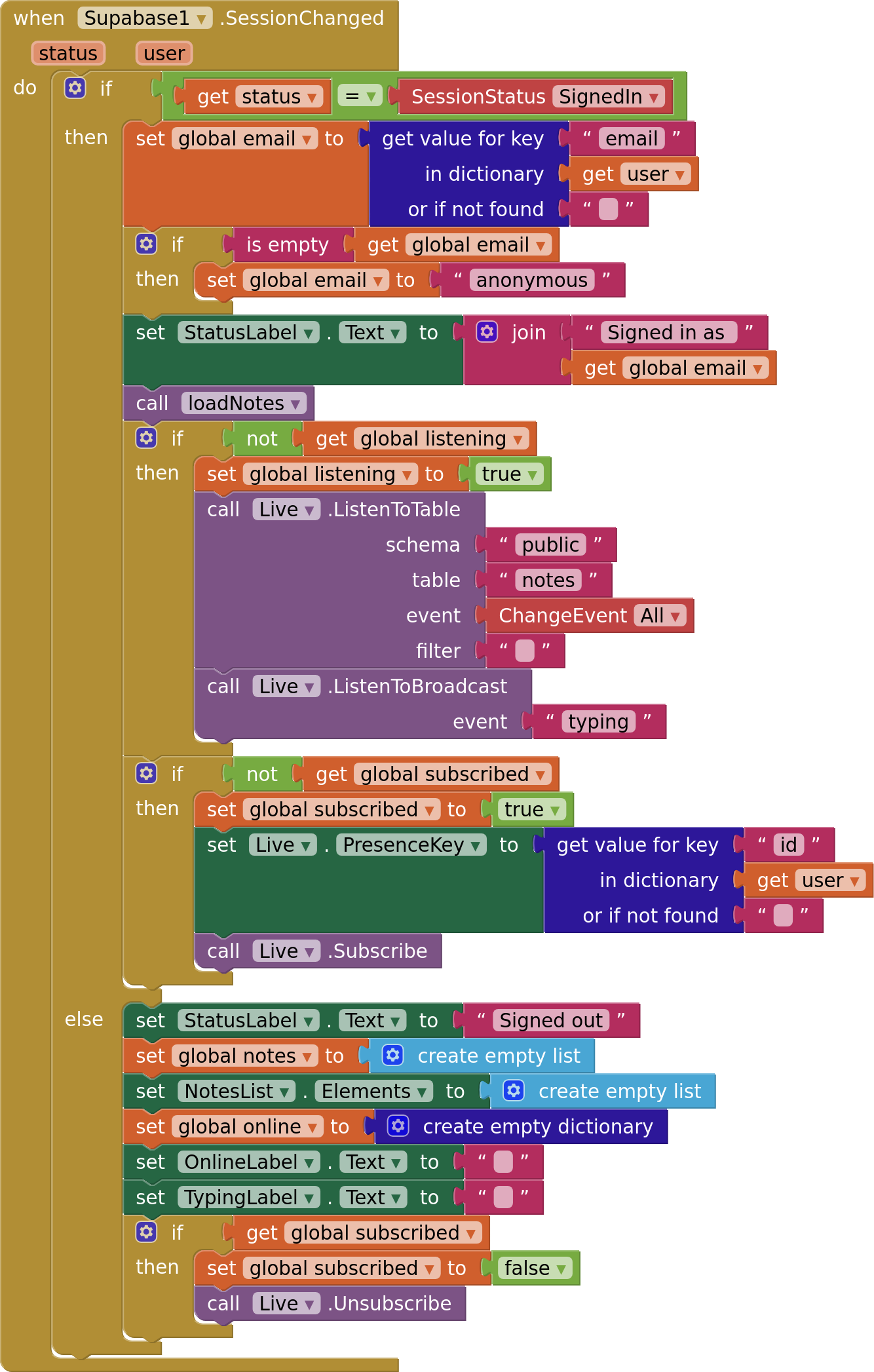
React to who is signed in, including a session restored when the app starts.
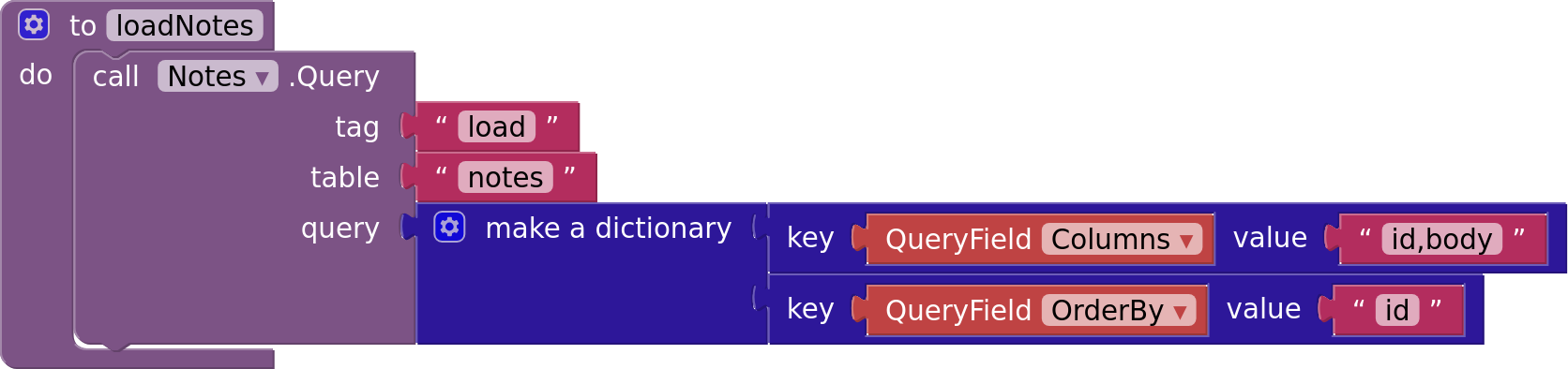
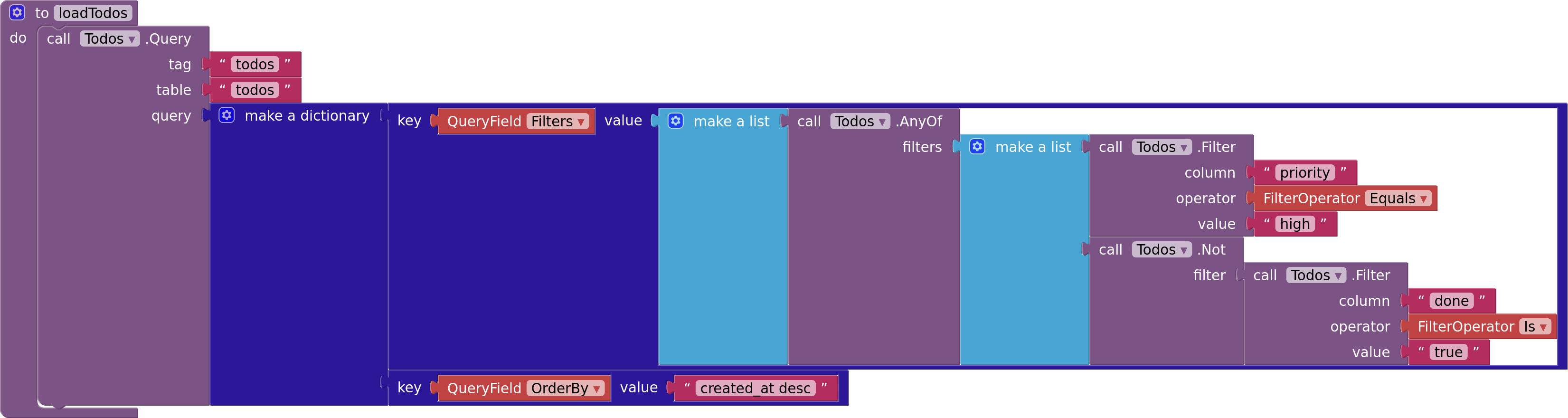
Read the notes with a query: a dictionary whose keys come from the QueryField dropdown.
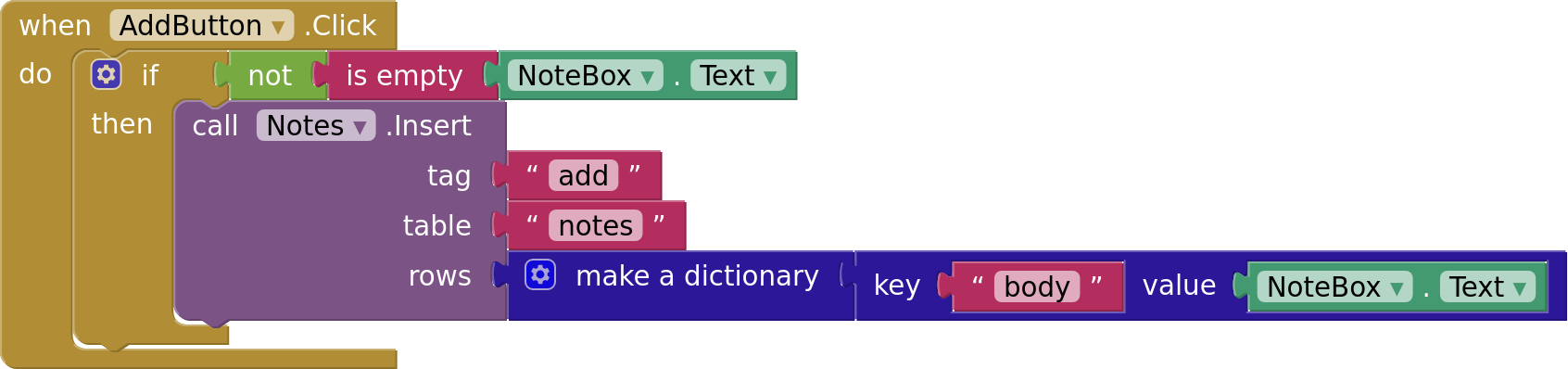
Add a row. The tag "add" comes back with the result.
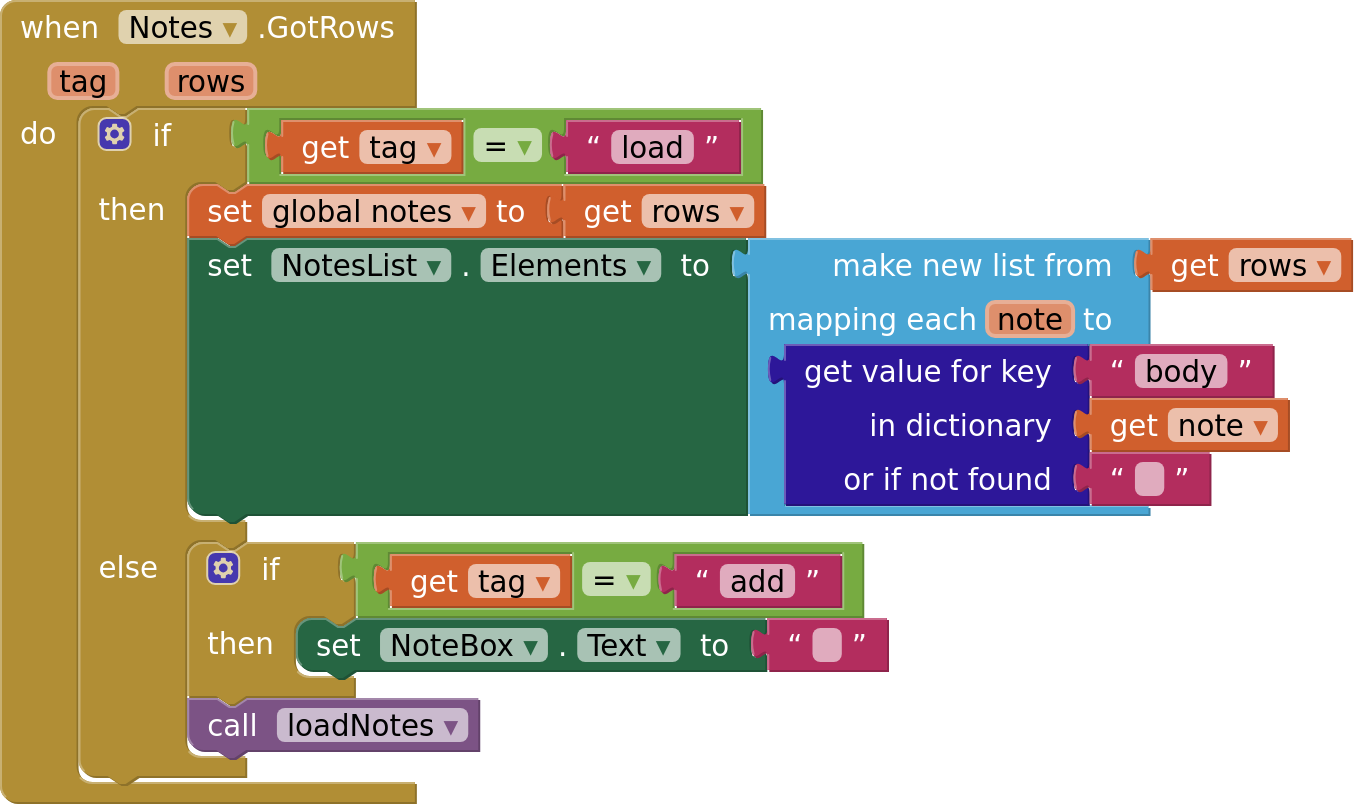
Handle the rows: show them for "load", reload after "add".
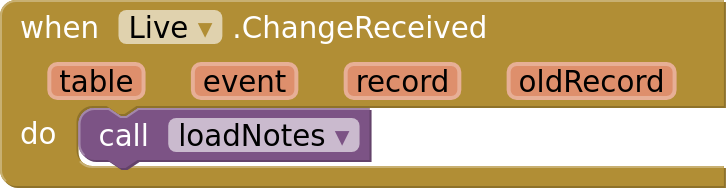
Reload when any phone changes a note.
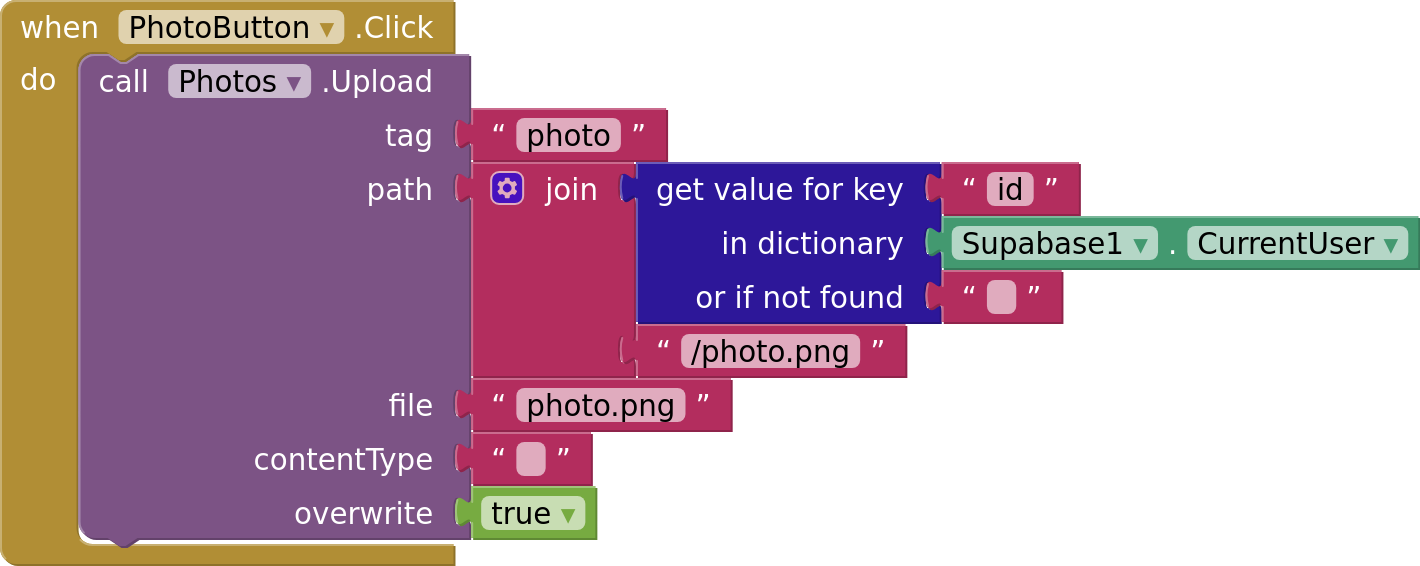
Upload a media file of the app to the user's folder.
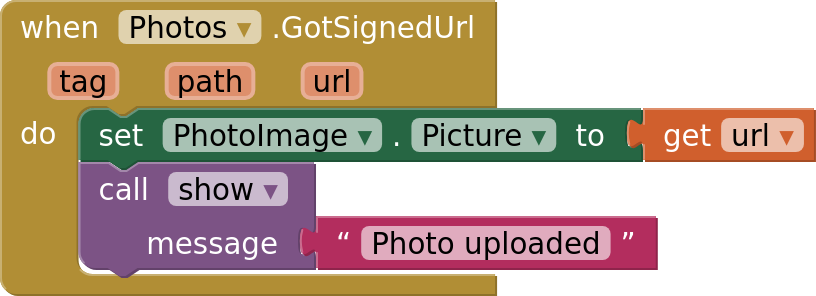
Show the uploaded photo through a temporary link.
Screenshot
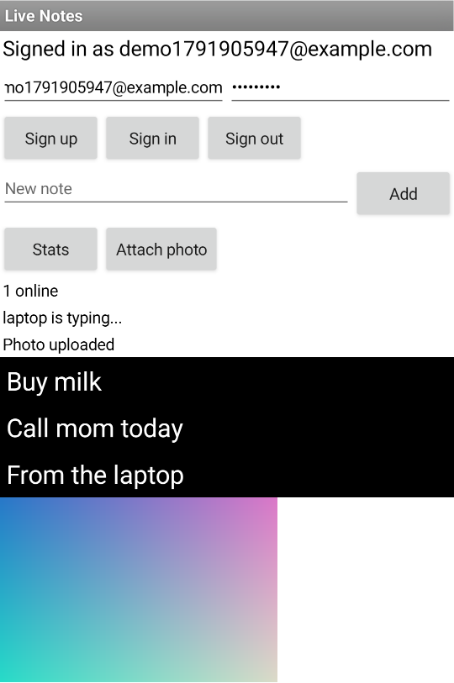
The Live Notes sample on a phone: signed in, notes kept live, one other user online and typing, and an uploaded photo.
Sample project
LiveNotes.aia uses all five components: sign-up and sign-in, a notes list that updates live on every phone, tap to delete, who is online and who is typing, note stats from an Edge Function, and a photo upload.
- Create a free project at supabase.com and run schema.sql in its SQL Editor.
- Import LiveNotes.aia and set ProjectUrl and PublishableKey on Supabase1 (Project Settings → API Keys).
- For the Stats button, deploy the note-stats function from the repository:
supabase functions deploy note-stats --project-ref <your-project-ref>. - While testing, turn off Confirm email (Authentication → Sign In / Providers → Email), so new accounts are signed in right away.
Security
- Only use the publishable key (it starts with
sb_publishable_). - Turn on row-level security for every table and write policies that decide what each user may read and change. The sample's schema.sql shows how to give each user access to only their own rows and files.
Requirements and testing
- Android 7.0 (API 24) or newer.
- Tested with MIT App Inventor (nb206) in the AI Companion, in compiled apps and in installed apps.
- Tested on: vivo V2332 (Android 16) and an Android 15 (API 35) emulator.
- Kodular and other App Inventor based builders haven't been tested yet. The extension ships no AARs and adds nothing to the manifest, so it should work, and I'd love to hear your results.
Changelog
View
1.2.0 (2026-10-15)
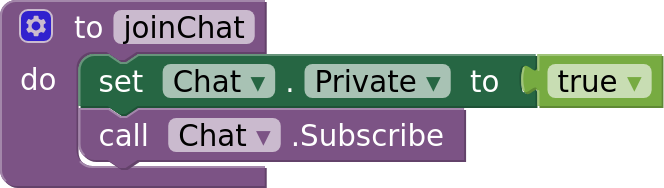
- Private realtime channels: the
Privateproperty, andchannel_refusedwhen a join is refused. - Sign in with a code:
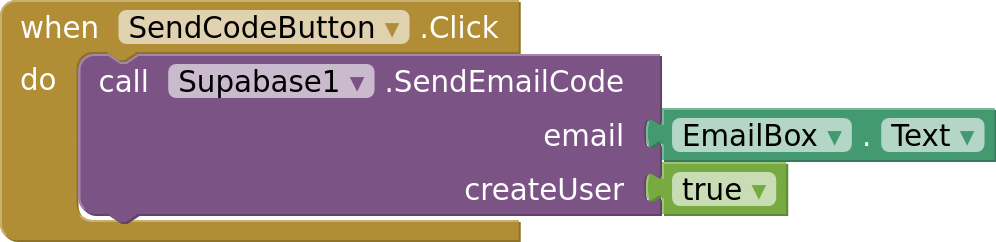
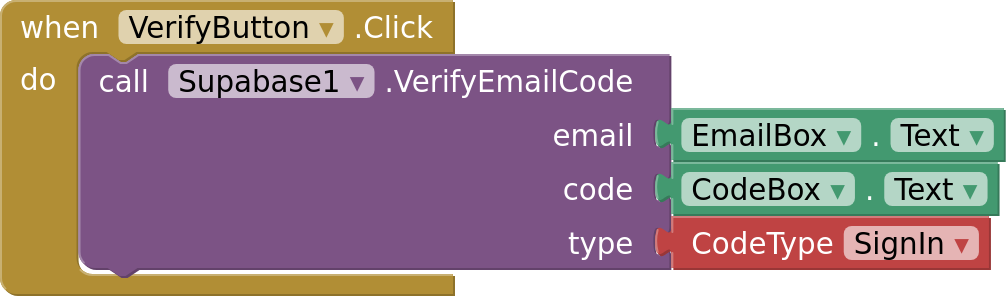
SendEmailCode,SendSmsCode,VerifyEmailCode,VerifySmsCode. - Password reset:
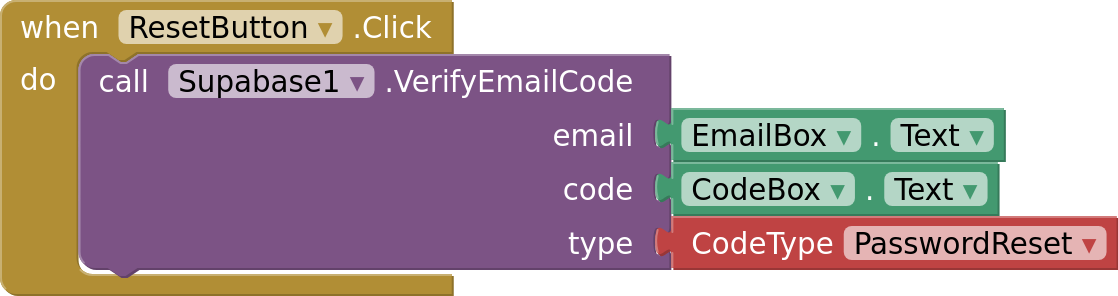
ResetPasswordandCodeType.PasswordReset. AnyOf,AllOfandNotfilters.
1.1.0 (2026-10-14)
- Queries as dictionaries:
QueryandQueryPage(with the total count), keys from theQueryFielddropdown, checked with errors that say where the mistake is.Selectkeeps working in existing projects. - Ordering by several columns, other schemas, and
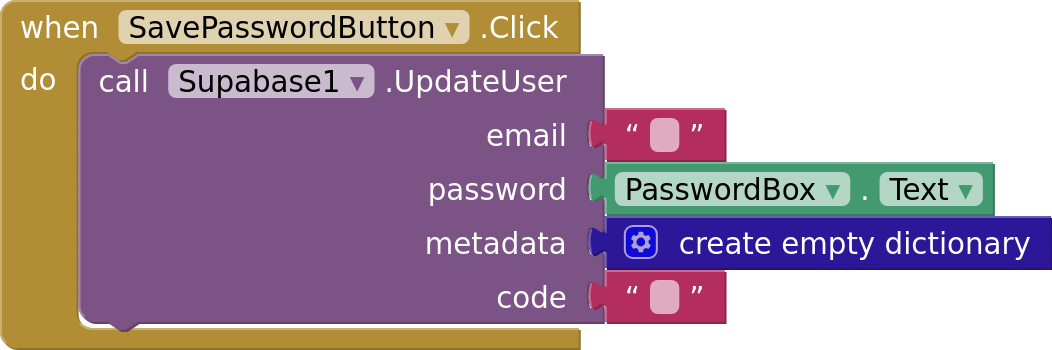
InsertOrSkip. UpdateUser,ResendConfirmationandReauthenticate.SearchFiles,FileInfo,SignedUploadUrlandUploadWithToken.PresenceState, and aRegionproperty for Edge Functions.
1.0.1 (2026-10-14)
- The license is now MPL-2.0: apps that use the extension can keep their code private.
- LiveNotes.aia contains only the project's own files.
1.0.0 (2026-10-13)
- First release.
Downloads
- Extension: dev.dreamerslab.supabase.aix (attached below, and on the release page)
- Sample project: LiveNotes.aia (attached below, and on the release page)
- Documentation: guides for every component and every block
- Source code: github.com/zainulhassan815/supabase-appinventor
Credits and APIs
- Supabase and its API.
- supabase-kt (MIT), the Kotlin client the extension is built on, with Ktor and OkHttp (Apache-2.0).
- Built with Rush.
Supabase and MIT App Inventor are trademarks of their owners; this is a community project, not an official one.
Price and license
The extension is free. It's open source under MPL-2.0: you can use it in any app, free or commercial, and your app's code stays yours. If you change the extension itself and share it, those changes stay open under the same license.
What's next
Coming in v1.3: sign in with Google, GitHub and magic links, two-factor authentication, upload progress for large files, and image thumbnails.
The full list is on the roadmap. Questions, bug reports and ideas are very welcome, here or as GitHub issues.