I am preparing to piece together a fairly complex app
im looking for help on managing the real estate in blocks builder.
is there a way to hide sections of block?
my initial though is to build several independent apps and then backpack them .
any other advice such as a good flowcharting techniq or app
highlights:
build a list of devices and configuration settings(about 50 per device)
periodically poll the devices for data and store the data
display the data in graph
place the data on a map (Yusufcihan dynamic components to crate the labels for the map)
Arrange the data on the map (KIO4 mover)
there is more, but this is enough for topic.
Unfortunately, all you can do is collapse events and procedures. That helps reduce browser load but loses functionality of the browser extension you could use as a FIND feature.
I usually use the Blocks Editor Cleanup Blocks feature often, and my scroll wheel for fast up/down scrolling. I gave up on 2D organization.
Firefox is said to be the fastest browser for AI2.
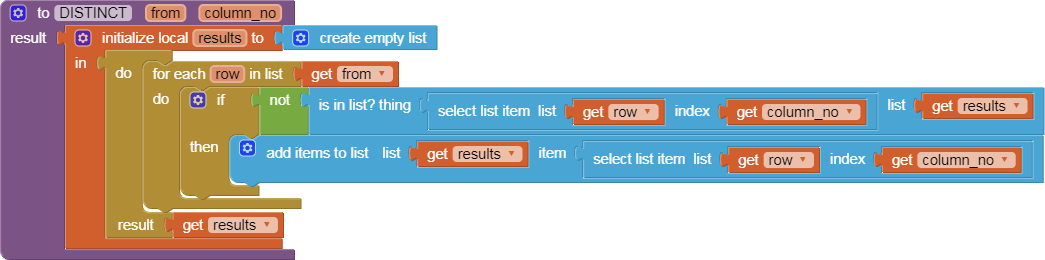
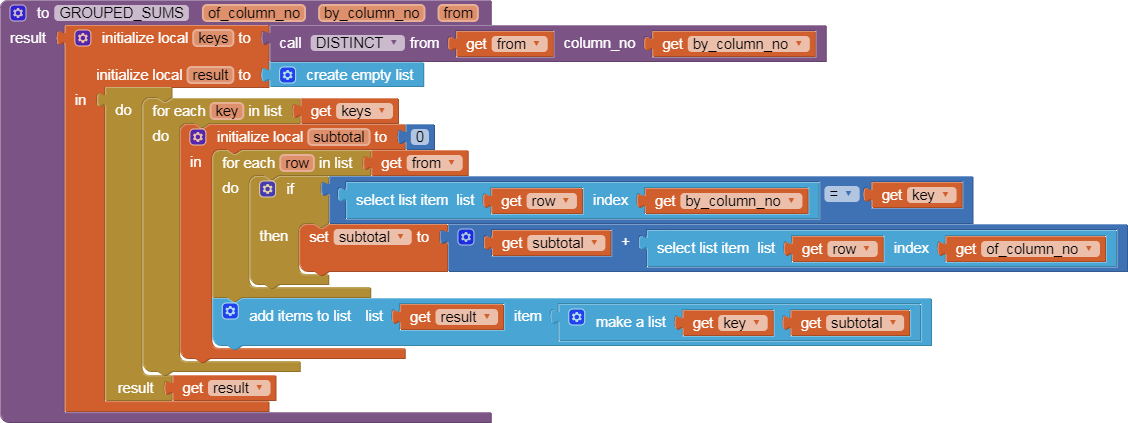
Learn the value procedure sandwich to help in DRY (Don't Repeat Yourself):
Take procedure and event block image downloads as you go, appropriately named.
The preceding two images are off my hard drive, and can be dragged directly into the Blocks Editor. This gives me fine grained backup.
Be aware that recent Android versions restrict inter-app file access for security reasons.
See the first 2 links at
Also, switching screens or apps breaks BlueTooth connections.
Consider TinyDB NameSpaces combined with building up compound tags.
Investigate dictionaries to hold different device attributes.
They can be turned into JSON text when you force them into text, and can be reconstituted using the Web component's DECODE block(s).
Avoid using multiple Clocks for this. Instead, use one periodic Clock and multiple deadline (SystemTime) variables (maybe sorted in a list) to tell you what behavior needs to be triggered at each deadline.