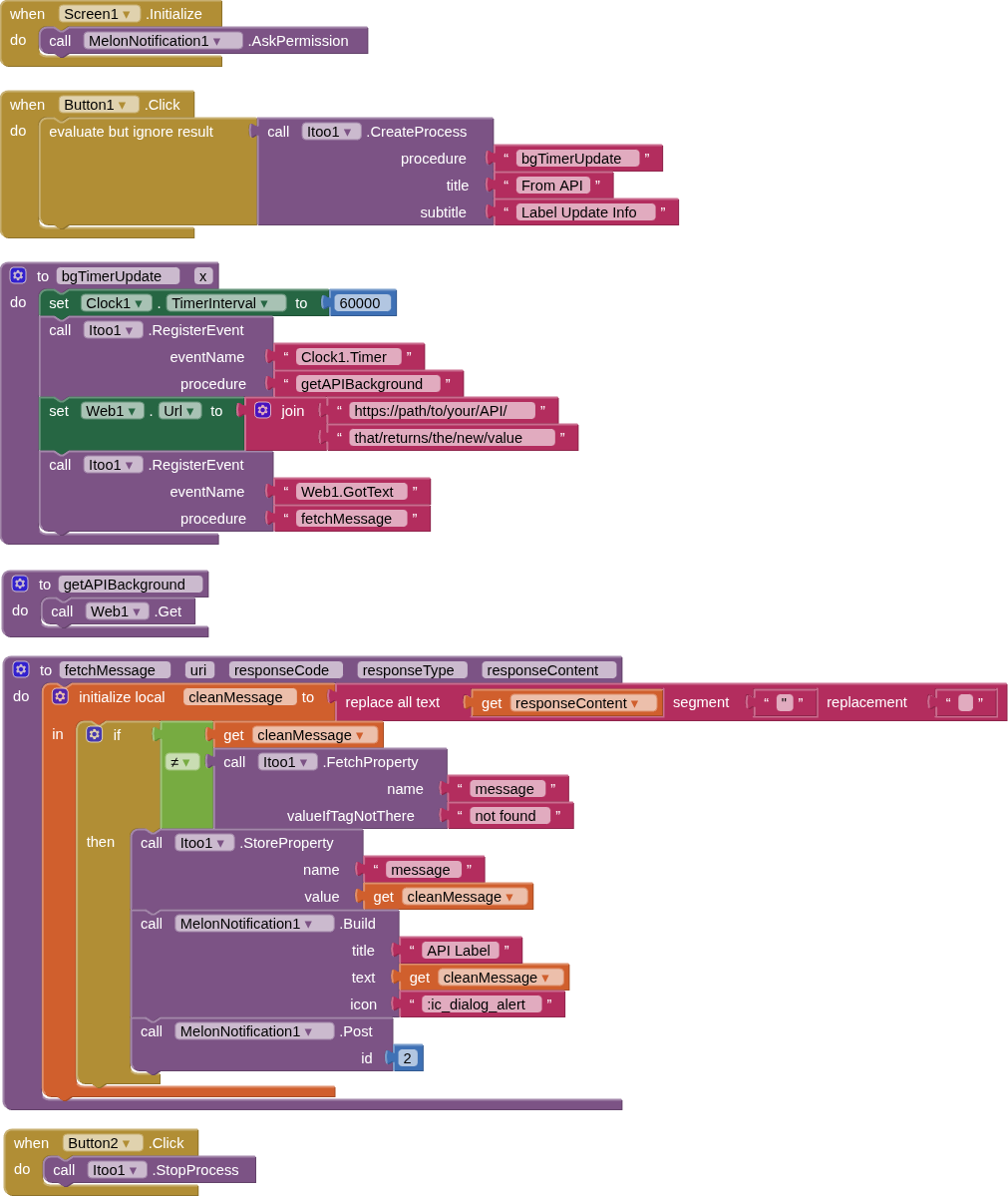
a solution using only the itoo extension, which works, biut drains the battery and requires a persistent notification, but is free, or
the professional solution, which uses the advanced alarmmanager extension without persistent notification, which is able to execute some logic in rhe background periodically as you need it, but is paid and is available for only 15 USD
with solution 1 how can i made that fetch data from web in background and if data changed send notification ???? (and i read the docs there are block that shows process is running all the time how can hide that ??? ) ( and is this block in your solution 2 ?? ) can you help me wz blocks in solution 1 plz ???in every change in web data send notification
i dont have afirebase and i dont want that .. all i want is from my web1 when its gots text it runs in background and notification sent to the app if there are any changes in data of web1 which is in my example in label 1 as shown in my blocks
theere is ablock called create process how can i hide that or how can i instread of that calling web data every hour and shoow create process every hour ???can that happened
it doesnt work for me :(c --- it first when opening app shows my app keeps stopping app info or close app and when click in info and make notifications on it doesn`t show again ,,, but no notification sent
okay i put it but same error at first my app keeps stopping app info or close app and when click in info and make notifications on it doesn`t show again ,,, and also no notification sent
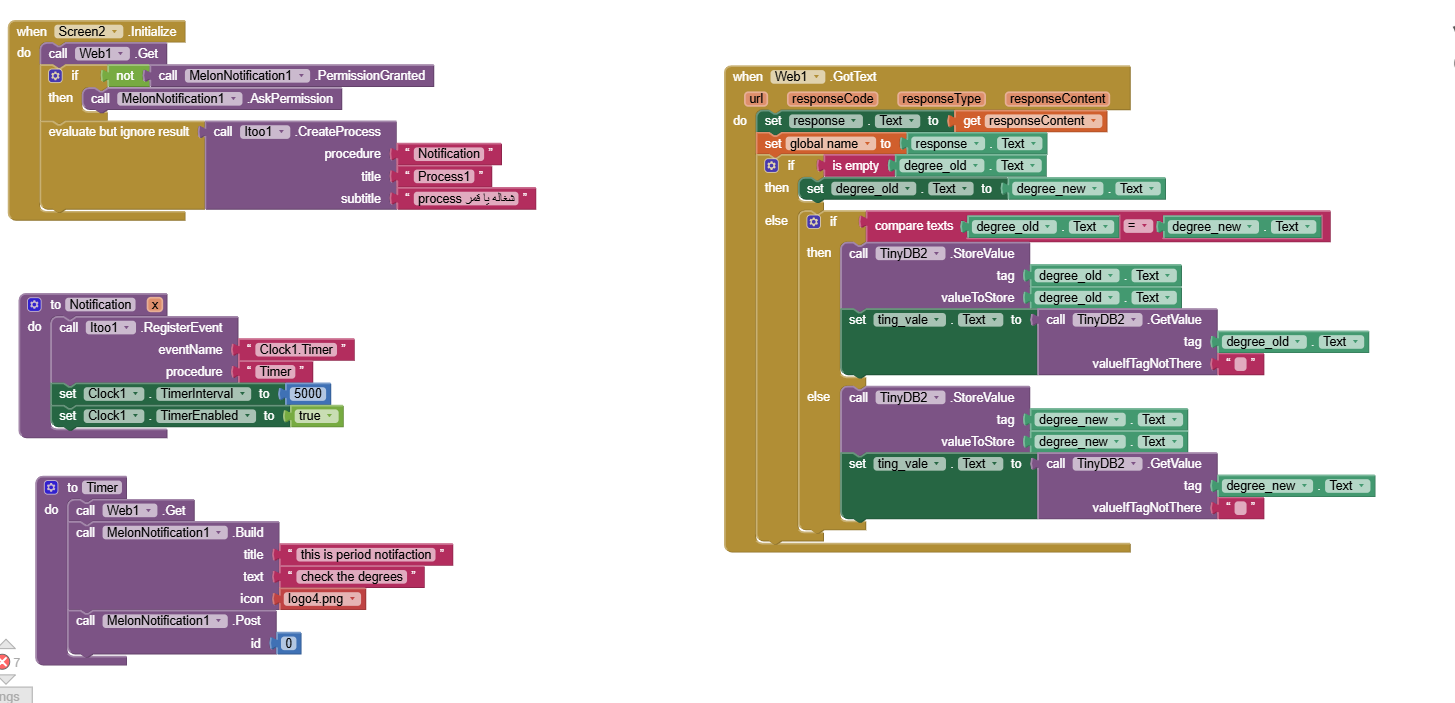
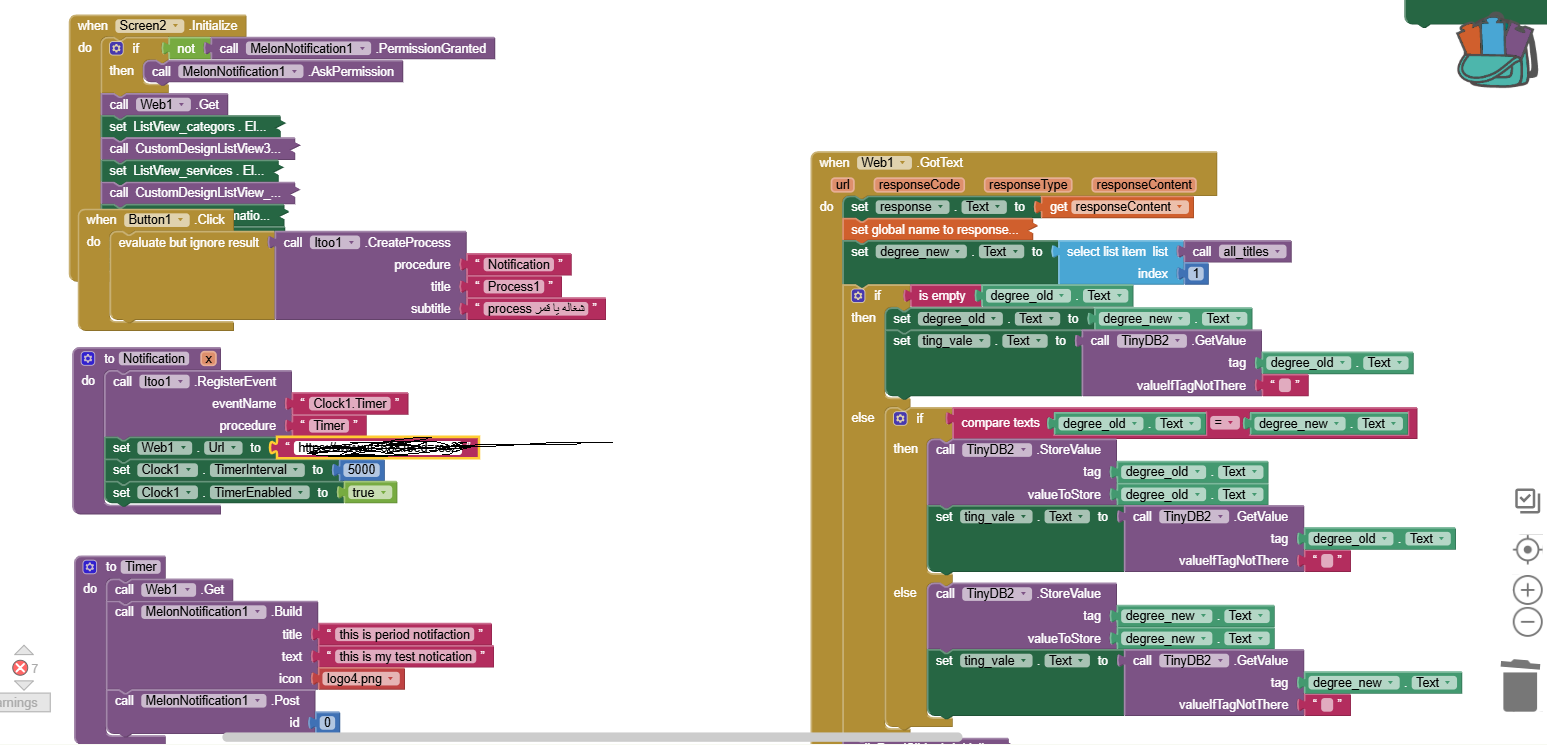
i put the value from web in label and store as you see --- all i want is to send notification when the value changed -- also the web must work in background