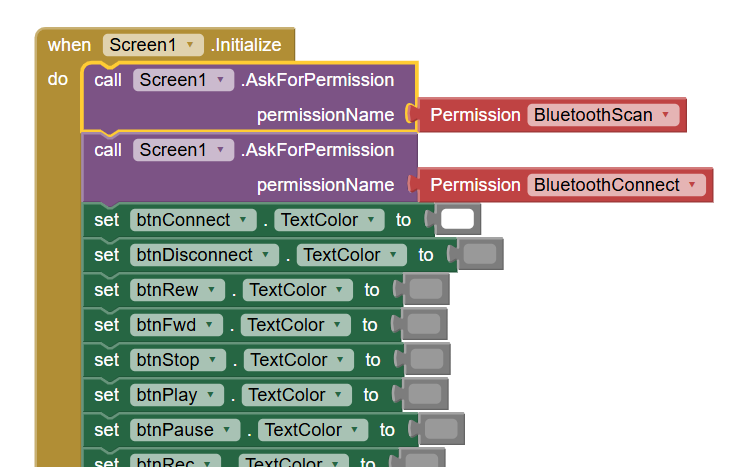
I built an app that controls a BLE remote control using an Arduino Nano 33 BLE.
The app works just fine in the AI Companion, but the .APK file that is built, won’t connect and it makes the app unresponsive.
The second issue is that, even if I only ask for BluetoothConnect permission, the built APK asks also for location, which I never specified in the code.
Dear @Wilhelm_Tomasi ,
the location permission shall be granted for a proper BT comm's, as well as the BT itself.
This is an Android/Google policy (but don't ask me why ).
It is not clear your statement: "it used to work before". Do you mean that a previous version of your app was already working as .apk ? if yes, then some questions arise:
-have you changed your phone?
-have you updated the Android version on your phone ?
-is still your phone paired with the Arduino (Nano33) system ?
-are you sure about the UUID's ?
In addition to these doubts, with the aim of verifying if the communication is still working (also including the Nano side) please use the Serial Bluetooth Terminal app (free on Playstore) so to discriminate where is the problem (i.e. Nano or App).
Last hint, fro the moment: it s not only necessary to ask for permission, but before attempting a communication you shall ckeck for "permission granted", else any attempt to start a communication will not work.
A rich library of case-studies can be found in the FAQ (thanks to @Abg) :
When I say “It used to work before” I mean all APK I previously built are working even today. I have four versions of it, 3 of them I haven’t touched since 2023. They all fail now if I build them as APK, but they keep working in AI Companion. I don’t know why…
The only changes that I made to the app is the aspect of the buttons. I didn’t touch the code.
OK, please be aware that on the companion "everithing" is emulated on App side, therefore the BT is not real. This difference can be the root cause.
And this also seems to free the Nano side from being the source of the problem.
If the old versions of your apk's are still working, if not recompiled, this seems to highlight that the updates made to Android and/or the updates made to AI2 (i.e. not your modifications, but those to the AI2 platform) have generated the issue.
This let me suggest you to focus your attention to the permissions (asked AND granted).
To this purpose, please uninstall completely previous versions of the apk from your phone(s), then reload the apk on it (them), so to make a "brand new" pairing and to force Android to ask you (before the first start) to grant the missing permission(s). I believe it worths a try.
Kind regards.
EDIT:
The only changes that I made to the app is the aspect of the buttons. I didn’t touch the code.
Yep, I agree, it seems unrelated to the malfunction, but this isn't the root cause, the problem arises from some new "characteristics" of the AI2 environment (that have been forcely introduced to follow the restrictions applied by Android )
Useless note: I'm afraid that the Android's "Arcadia period" is finished and we'll see more and more restrictions every day...
I don’t think I was clear enough: the old APKs that I built in 2023 still work now, so it’s not Android preventing them from working. It’s the APKs that I am trying to build now that don’t work anymore.
Nice to read that it is working now and really thanks for having shared your solution !
Just to be a bit more clear: what I meant was that, by compiling the old app, the new compiled version shall comply with new restrictions of Android. And, in effect you have been forced to add a new "instruction", the BT Scan, which was not requested by the previously compiled versions (because probably already included by default into the manifest, but keep it as just an idea, because I'm absolutely not an expert on manifest files).
In addition to this you've asked why the localization is now requested: the reason is the same: for example I have the same app running an an Android 9 in which the localization is not requested, but when running on an Android 11 the localization is requested....it's a hard life
Warm reagrds.
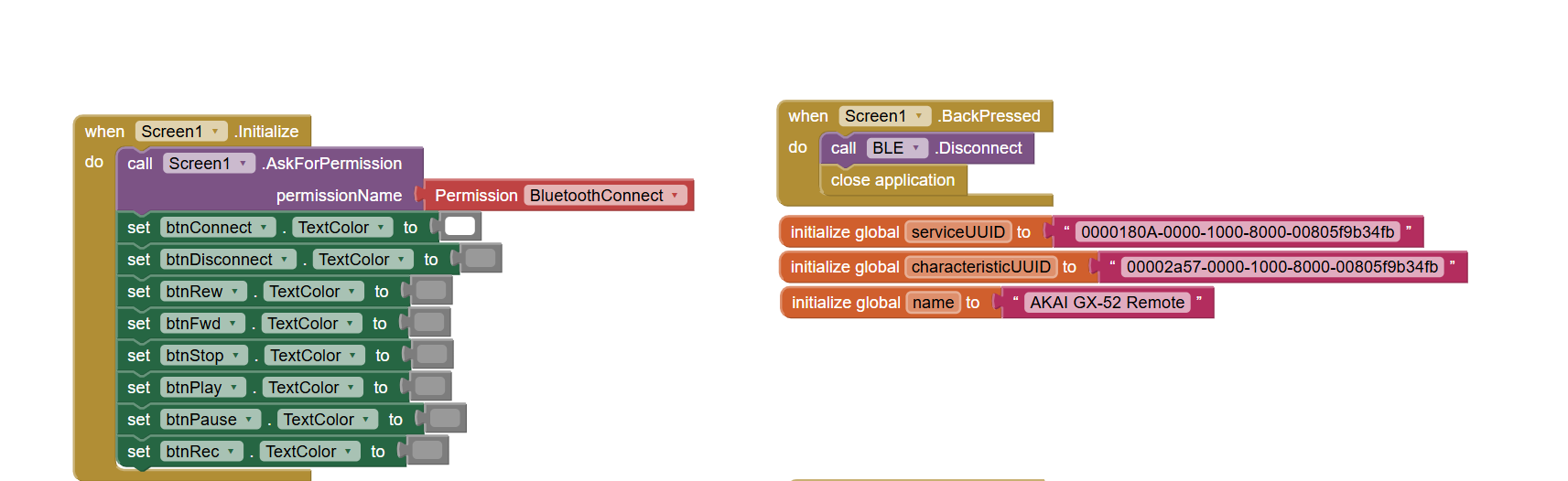
 ).
).