And I don't know why it doesn't work . I would like any type of help . P.S. for who was helping me in the google genie topic : That one for now is solved
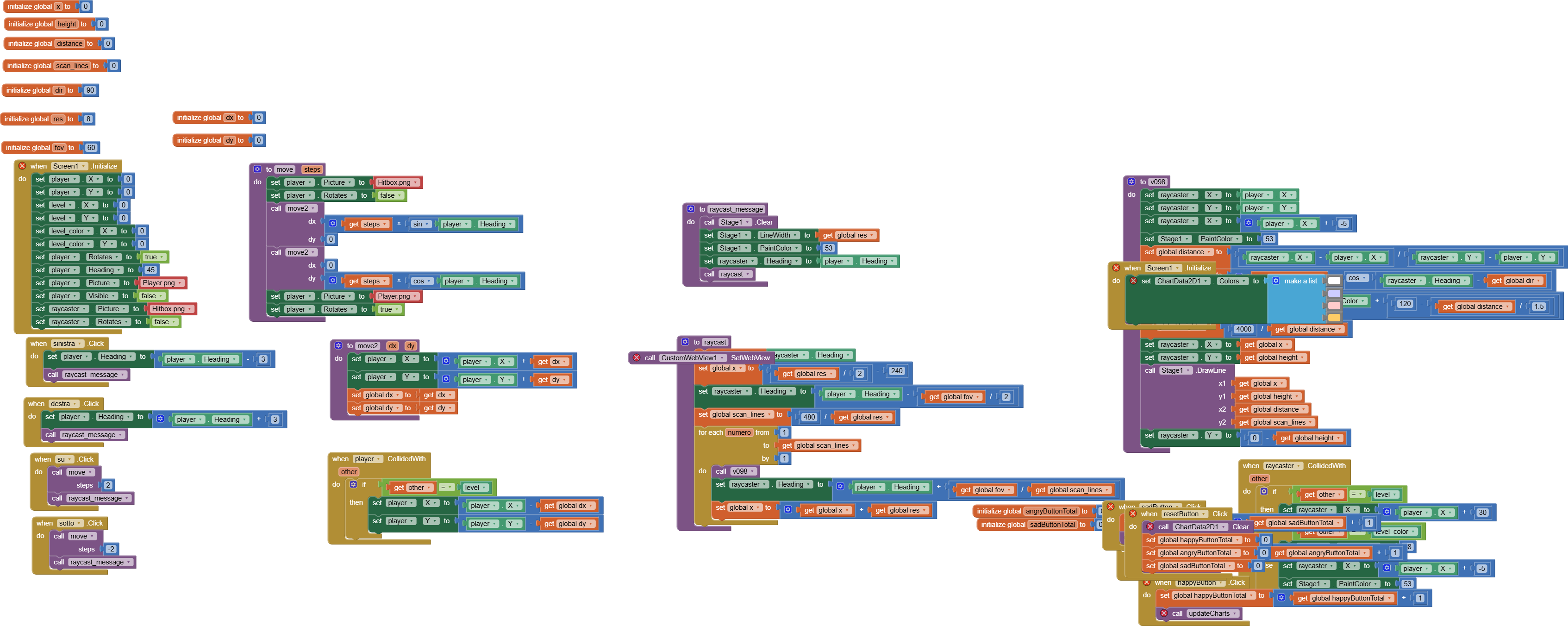
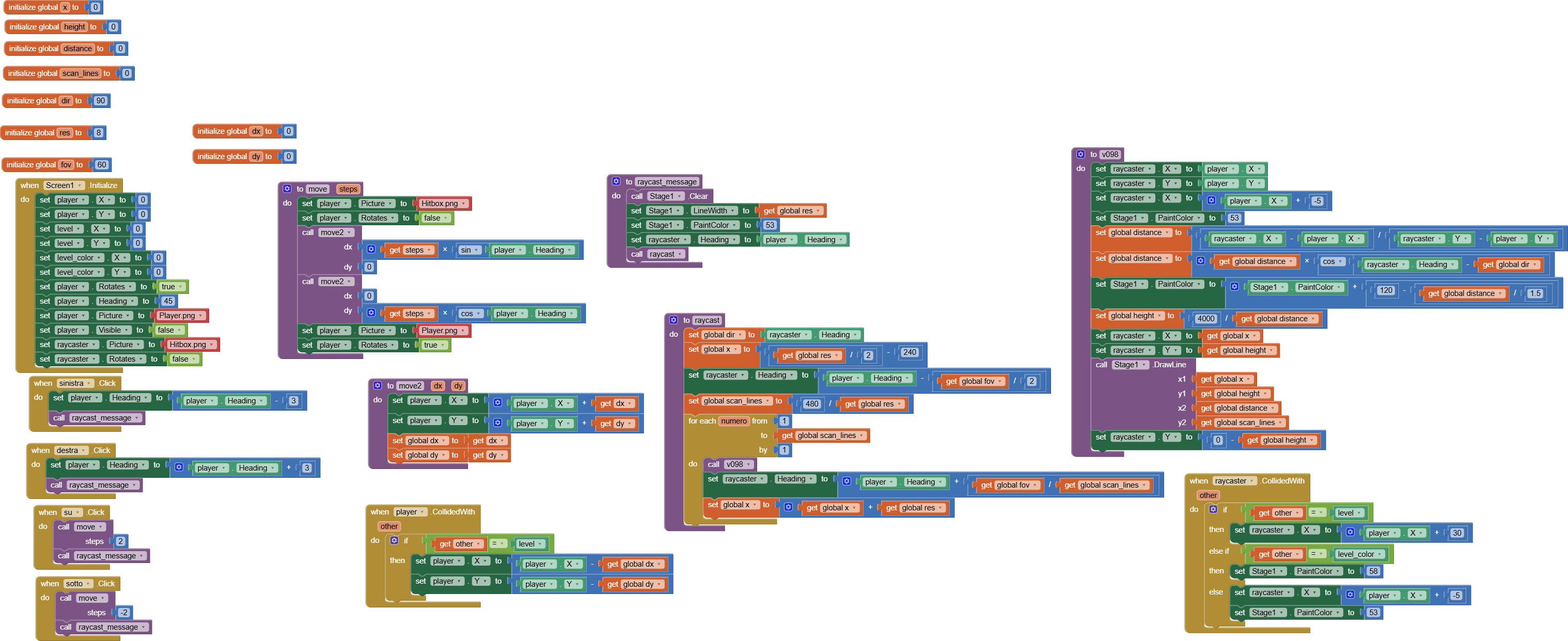
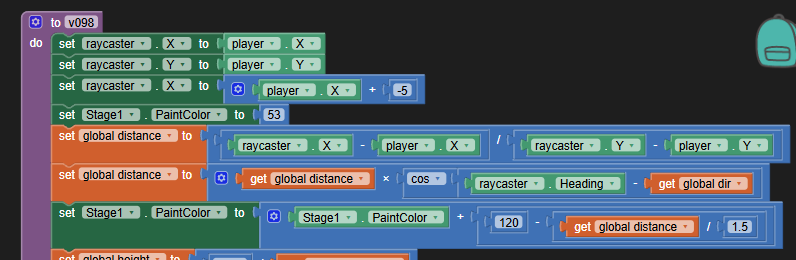
Trace what happens when the first block to compute global variable distance runs.
A division with denominator raycaster.Y - player.Y will always crash because the two Y values are set equal at the top of this procedure.
I see unexplainable decisions elsewhere in this project:
Stage1 is a Canvas. AI2 Colors are 4 byte RGBA values. If you want to build a color, use the makecolor block and feed it the color component values.
What did you expect to see painting with this color?
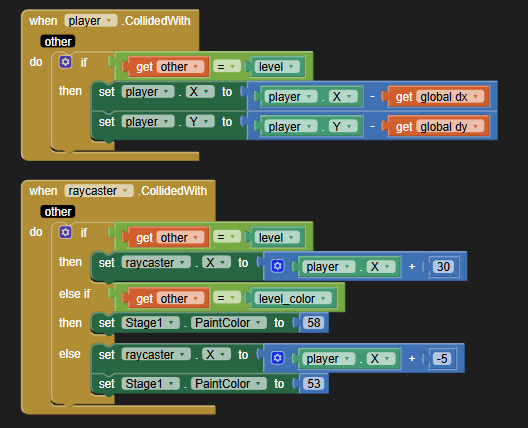
Let's discuss collisions:
You have two small sprites, player and raycaster.
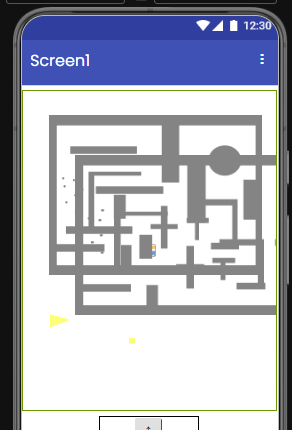
Here's your canvas, outlined in green:
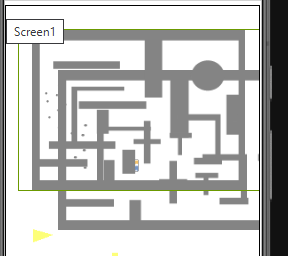
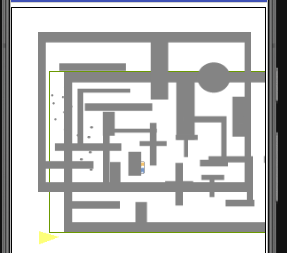
Here's your big fat sprite level1, filling the upper part of the Canvas:
Note that the maze is a background image of the level sprite, not the canvas.
You also have another big fat sprite, level_color, overlapping the level sprite partially, both at z=1:
If your intention is to shoot rays of dots from the player, they will not respect the drawn walls on your sprite images, because they don't test canvas pixel color values.
There are two Canvas blocks for that, and you use neither.
This is probably a translation error from Scratch to App Inventor . I am an ex-Scratcher and when I changed to App Inventor there were many differences ... for example there are not the "pen extension" component or the "distance from (Sprite) " block . Also ...
In the original tutorial , witch I added the link in the first post , there was color value of pen setted like 53 . Maybe is different with App Inventor , so , as you said , but I didn't knew , sorry
Probably is another difference from Scratch to App Inventor ( I didn't even suspected they are so different languages ! ) , because Scratch is based on sprites and ... well ... the communication of sprites
I know . I wanted this because in Scratch there the sprites have "costumes" . Probably is one of the last but not least translation mistakes ...
Ok . Is very similar to the "level" sprite if you wanted to say that
Like I said before is probable that is , so , also this a mistake in translating . If you have seen the video ( and probably you have seen it as I see by your reply ) yes , I want the "laser" of raycaster sprite like in the tutorial , for raycasting
And finally ...
Thank you for the suggestion . But what of the extension from that library should I use ?
And is it possible to ... save or "recycle" this ? Because later I hope I will do a tutorial for App Inventor's , because the tutorial for App Inventor doesn't exist . And because of the Appathon it will be even more useful
... How can this help me ? I don't need a bugged tutorial or a "fill shape" one because that's not raycasting . If you see how this can help me , please say it
And the messages aren't really needed if there it's the "collision" block .
To remove the Pixel color extraction example (old and bugged) in the FAQ because is still there . Then I suggest to whrite , like in a book , the things :
Working little trick to be able to draw things in a hidden canvas and save the picture
The trick is to make a horizontal arrangement and make it fill parent on its width.
Then Inside it put an arrangement to the left and a canvas to the right. The arrangement on the left should have width 100% (not fill parent). That will push the canvas outside the screen, but will still count as visible.
Howto : make transparent background colour in canvas
Setting the Canvas.PaintColor property to the number 16777215 works for specifying the color to transparent, which behaves like an eraser for anything that's been drawn on the canvas already.
And to put directly the link :
(ANIMATION IMPROVEMENTS - Google Docs)
Instead of putting the topics of old Google Groups .
And ( HOWTO: 4. "Fancy" Crop a Canvas Background Image - Tutorials and Guides - MIT App Inventor Community ) : not HOWTO 1 because the topic I suggested contains the links of all the previous HOWTO .
Many of Scott's YouTube videos are very old and ... erm ... of not so high quality . That's not all : Google Groups topics are very old ... it where made even before the community was "born" ...
Even , for Pixelation there is also another method I found if you really want to know ...
If you want to replicate the scratch project you linked... you have to follow the tutorial from the beginning, step by step.
Doing this you will find that ai2 is "quite different" from scratch.
For example the collision detection between sprites is different ( you can't detect the collision af the sprite player "inside" the sprite layer )


 HOWTO: 4. "Fancy" Crop a Canvas Background Image - Tutorials and Guides - MIT App Inventor Community ) : not HOWTO 1 because the topic I suggested contains the links of all the previous HOWTO .