
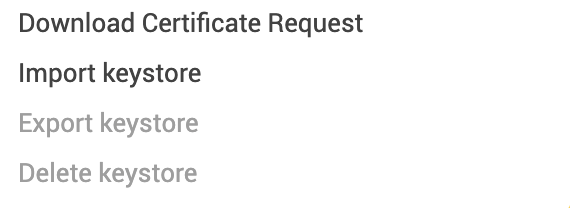
Hello, my app despite changing no settings has a different key than before, and it looks like mit app inventor had/has never stored the key. It is the same account and the export keystore button is greyed out, and it remains greyed out after countless time creating .apk and .aab files. Can someone help me on this?
1 Like
Seems no-one has a definitive answer for you yet. Have you made any progress ?
Have you searched the community for similar issues ?
1 Like
Hello,
I'm looking for help because I have a project published on Google Play.
I delete my App Inventor keystore due to my own mistake.
I need to create a new keystore, but with an expiration date of than 1 year. (Not accepted by Google Play for updates )
By default, App Inventor generates a keystore, but it's not valid for resetting Google Play. (The original PEM file I extracted has a 1-year expiration date, which Google Play doesn't accept for updating my app.)
Please, I need help (how to create a custom keystore with a 25-year expiration date) compatible with App Inventor.

Rgds Alberto
The fastest way to create a keystore without much hassle is to go to either https://creator.kodular.io/ or https://builder.niotron.com
- Log in (if this is your first time, follow the steps below)
- Create Project
- Build the Project
- Now you can export keystore if not reload the page and try again