Writing to cell when the cell already has data snaps it to the next available cell. How to >I avoid this?
How are you attempting to write to a google sheets cell?
Please show all your relevant blocks
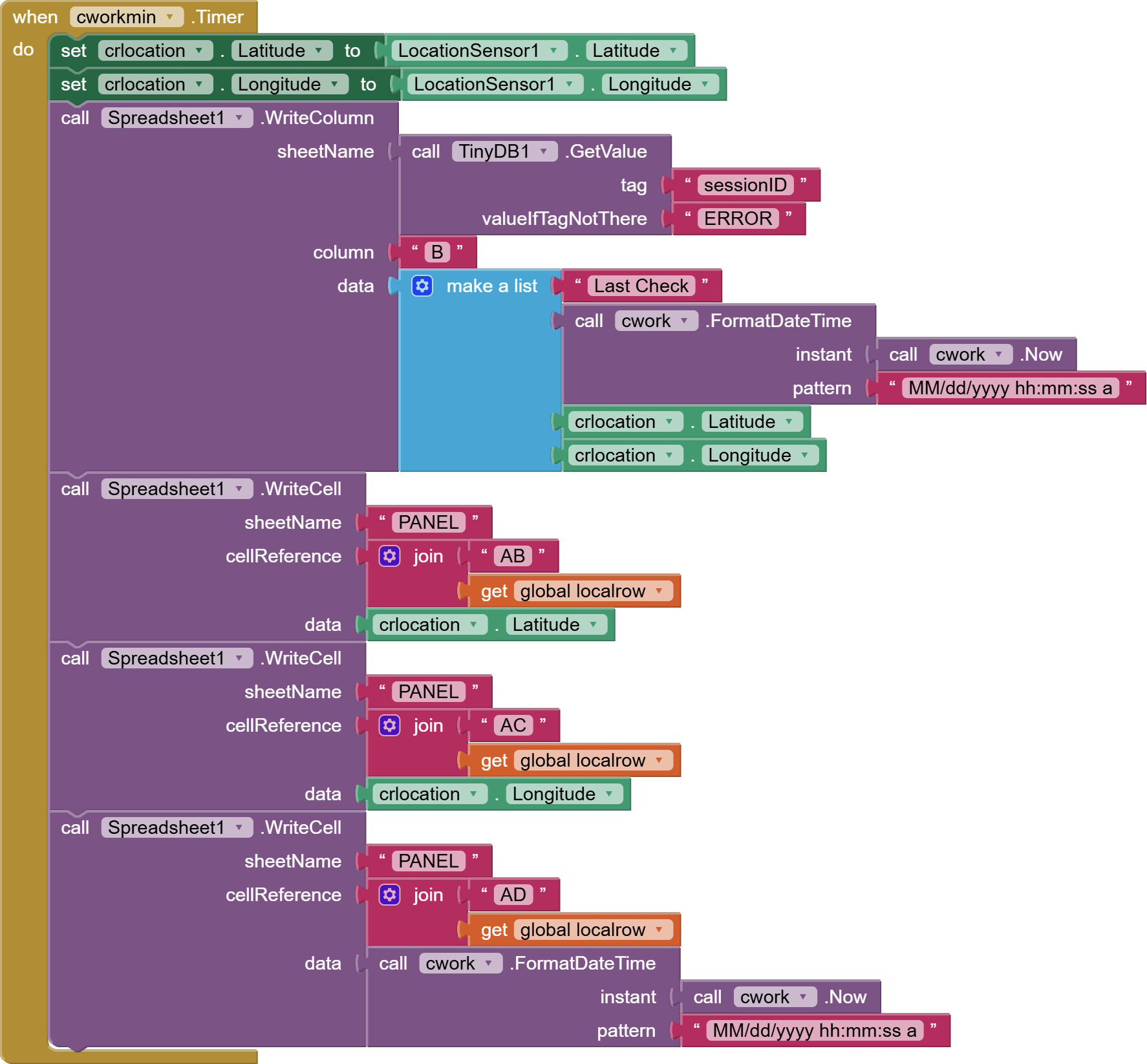
This writes to the google sheets the current location of the player and the last time it was refreshed. Localrow is the row on the table the player occupies.
Did you try writing your three data items to a range ABn:ADn in row n,instead of making three calls (which might be tripping over each other) ?
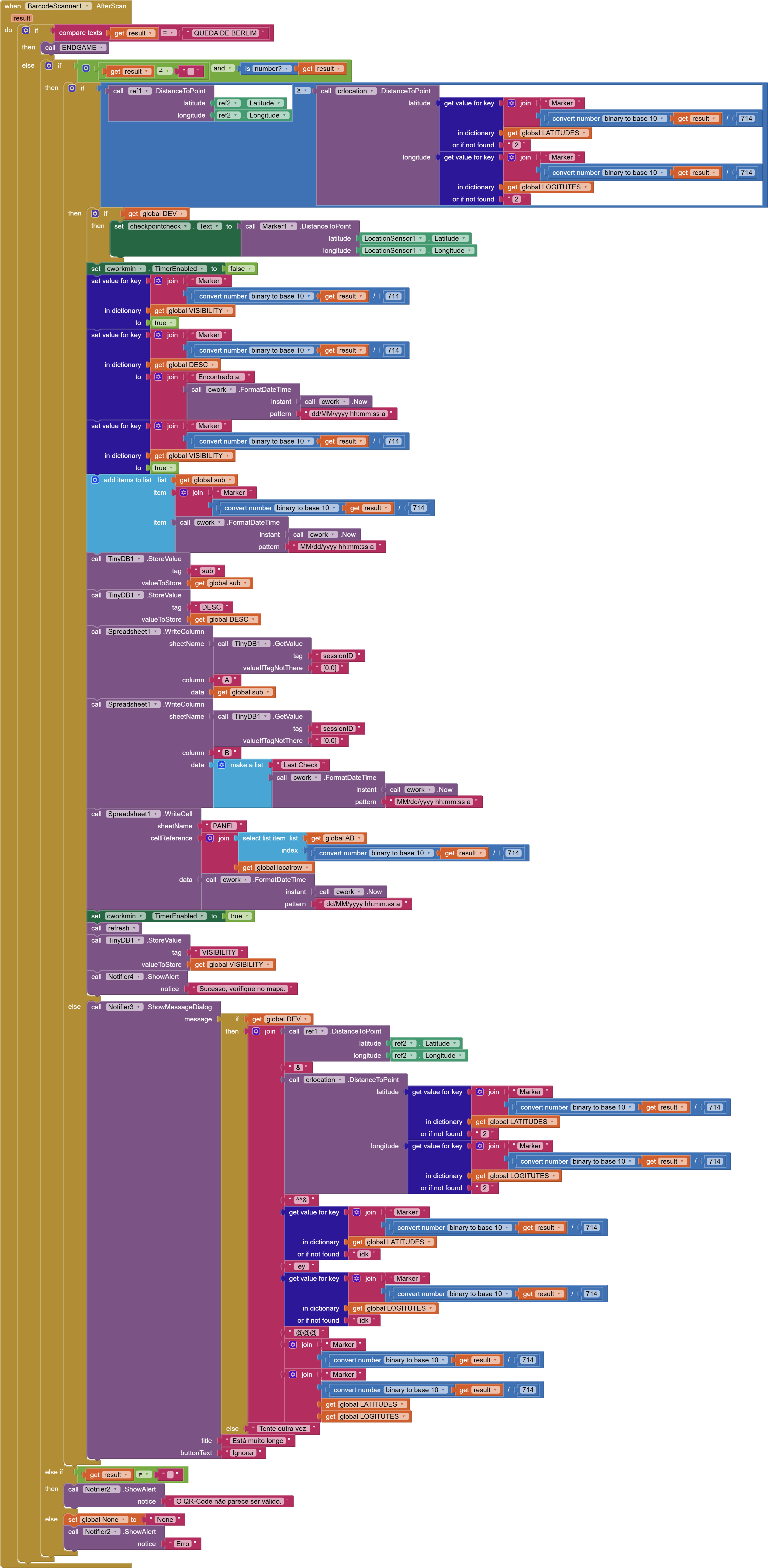
Writing in range does the same, not being able to overwrite cells.
So this skips to AEn ?
no, skips to the next row (Cant show since its my coordinates)
OK, so data is posted to the next row not the next cell in the same row.
Check the row number you are supplying (global localrow), does it match the row number where you want the data.
(post deleted by author)
Reemptying the row makes it write in the correct spot. localrow is constant, defined in a different screen that has already been closed by now, saved to a tinyDB.
Can you try deleting the content of the cells first, before trying to add new information ?
how would you delete it via the appinventor? there is only writecell. manually deleting is not an option since ill have 90 writes per minute (no problem if data is lost)
WriteCell Set to blank, or would this just put blanks in the row below ?
That seems to work, but now I have to set up a delay for every instance… Thank you!
What we do not know is if this is a bug with the Spreadsheet component.
I am on the wrong machine for testing, and also do not currently have a spreadsheet setup with the spreadsheet component for read/write. Likelihood is that if I did set it all up, overwrite would work for me, and we would be no further forward!
Maybe someone else can check this out.