Good day to the entire community.
Out of necessity, I had to install the APK through the "Windows Subsystem for Android" on my CPU, and it runs fine, but very slowly.
Currently, I'm running my applications on APK emulators on Windows 11 Pro, but the problem is the ads.
I've always been curious about:
Why is an application containing FirebaseDB, when installed on a CPU, so much slower than on a mobile device?
Any suggestions for installing it on the CPU so it runs as fast as it does on a mobile device?
Regards
TIMAI2
December 11, 2025, 9:46pm
2
Try Genymotion or BlueStacks
I currently use BlueStacks and I used Genymotion at one point.
But I'd like to install it and not depend on them because both bombard me with ads for children's games, which doesn't look professional.
I'd also like to know why it's so slow after installation. Could it be because I installed it with
Windows Subsystem for Android (WSA)?
SteveJG
December 12, 2025, 12:37am
4
Probably because WSA uses lots of resources and has been reported sluggish Google Search
and is deprecated. You possibly have a Win11 pc that is underpowered too.
Enjoy it.
SteveJG
December 12, 2025, 12:53am
5
Emulators emulate and use lots of resources.
So: to Run an Android app on a Windows PC in an emulator and get better performance you can possibly
Get a PC with lots of RAM 32Mb or more might be good and run your emulator.
don''t program your app with App Inventor; especially if you use lots of graphics. AI's worst feature is Canvas graphics are s l o w.
Use Android Studio or a compiler faster than AI
get a better ISP if you do a lot of calls to web controls, video, etc.; any app that calls api' etc and you should improve slightly.
Not aware of anything that will get better performance better than a recent Android phone. Are you?
I don't think RAM is the problem since I have 16 GB.
*When I run it in the BlueStacks emulator, it runs fine.
*But when I install it via WSA, it takes a long time.
Even though both have the same amount of RAM.
On top of that, it works fine on mobile devices with 6 and 8 GB of RAM.
Furthermore, I ran a test and timed it, and the WSA installation takes about 3 to 4 seconds to retrieve data from FirebaseDB.
Perhaps it's because I'm running it on Windows 11 Pro, but that's the only way to install it with WSA, and it seems to no longer work with other versions of Windows.
Does anyone know of another method to install it on the CPU?
TIMAI2
December 12, 2025, 1:38pm
7
As suggested, given that WSA is now deprecated, use an alternative.
There is not much point in "flogging a dead horse"
that it be an installable
TIMAI2
December 12, 2025, 1:58pm
9
Er, what is WSA, if it is not an emulator?
What is the issue with installing an emulator like Genymotion (no ads with this one) ?
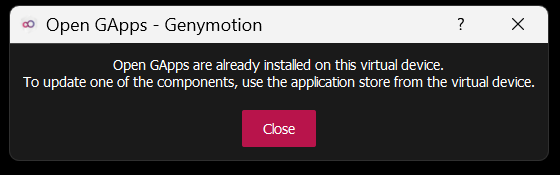
Installing Genymotion was always a struggle because of the IP issue and its frequent crashes.
I hope Windows releases something similar.
Use virtualbox and genymotion, it should work out of the box.
It's a dilemma installing and running it: first VirtualBox, then Genymotion.
There should be better options.
I'll go with wsabuilds.
Has anyone used it?


 What other alternative do I have that isn't an emulator?