Hey guys! MIT App Inventor newbie here. I just want to know why this happens..
Image here.

I also got the blocks from a website with this tutorial

link to website below.
https://csplayground.io/drawing-canvas-mit-app-inventor-tutorial
Hey guys! MIT App Inventor newbie here. I just want to know why this happens..
Image here.
link to website below.
https://csplayground.io/drawing-canvas-mit-app-inventor-tutorial
that slider was supposed to make the color yellow, but failed so yeah.. Thank you to anyone who'll be able to help me with this!
Dear @Antoinne welcome to the Community.
Probably it depends on the min and max value that you have set at design level for the sliders.
Every RGB channel requires a number ranging from 0 (min) to 255 (max).
Have you set those limits ?
Cheers.
EDIT: but if you set a fixed value to the variable "colour", does it work correctly ? i.e. the colour shown is what you want ? Are you working with the companion or do you create an apk, then you load it on a device ?
It does not work.
Hello Byron
Welcome to the forum. Let's take a look at your code - what, specifically does not work?
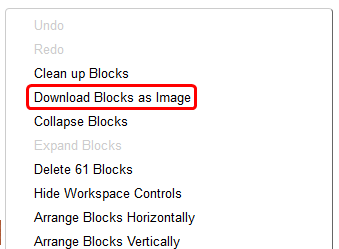
Right-mouse in the Blocks work area and select "Download Blocks as image"
...then post the image here:

thanks for trying to help me but I got it.