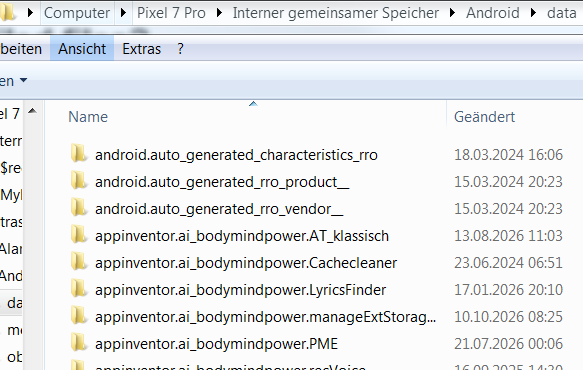
I created an App Inventor app back in 2020 for Android, when you had to have the Companion app and you couldn’t compile to an .apk. The app is still on my device, but it’s long gone from the cloud projects. I’m guessing it exists on my device as an .aia (or similar file) that the Companion app is interpreting, but I can’t find any file on the device. I’ve found what appear to be project folders on the device in /Android/data, but they are all empty, and yet, the app still runs fine.
Where can I look for non-compiled, interpreted files on my Android device?
it was possible to compile an apk and install it on your device in 2020
I really don’t think it was, not in the version of the cloud editor I was using. Or I suppose I just missed the option (very very doubtful, because I definitely would’ve looked for it). Either way I never produced an .apk.
If I remember, you used the companion app on the device to scan the QR code from the cloud editor, it pulled down the project, and then it allowed you to create basically a separate individualized shortcut to the companion app with that project preloaded. So you could tap on the new icon to open and run the app.
The device is a Samsung A35, currently running Android 16.
I won't argue the point further, but it was possible to compile an apk for Android devices With MIT AppInventor in 2020.
Okay, all I can do is take your word for it, but it’s certainly not what I remember. At the time I was using it, the BlueTooth module wasn’t even integrated yet, it was a separate beta extension. So who knows, maybe it was even prior to 2020 when I was using it.
Were you / are you using MIT AppInventor as your "cloud editor" ?
Is / was there another way to create an app in App Inventor?
Erm, the Samsung A35 wasn't released until 2024 ?
Yes, both the companion app and the bookmark migrated over to a new device in 2024. But I just moved to a new phone, and it was not as successful this time.
If you completely uninstall the Companion app, what happens to this "shortcut" ?
I’m not going to try, because it’s the only working version I can run, atm. But I have little doubt that it would stop working. If I inspect the shortcut, it even has “Companion App” buried into the metadata.
Has your account and your projects been successfully migrated to the new ai2a server?
No, apparently not. When I go into my account now, there are no projects listed. That’s why I’m trying to recover the one on the device. I don’t think I even got any sort of notification that there was a migration.
Since the app still opens on your new device, there must be a compiled version of the app present that was transferred from your old device to the new one.
Connect the device to the computer via USB and then open the following folder: /storage/emulated/0/Android/data/.
There, you will find all the apps installed on your device. If you no longer know the package name, sort the apps by date and look for apps from 2020.
It does not open on my new device. That’s the issue. It still opens/runs on my old device. It doesn’t run on my new device specifically because there wasn’t an .apk to transfer to my new device.
As I said in my original post, I’ve looked in /Android/data in adb and an onboard File Manager, and the app folder(s) for my app are completely empty (one had an /assets folder that contained some of images in my app… but no other code files). That’s why I believe it’s not compiled, and exists as an interpreted file somewhere else.
Send you account details and the name/s of some of your projects to @jis by private message, he will see what he can do to recover and migrate your account.