After several hours of trying, I gave up. The blocks in the image work except for the COPY. I need to record some sounds and save them with a name based on the recording's content (DB peaks). How should I write a copy that works?
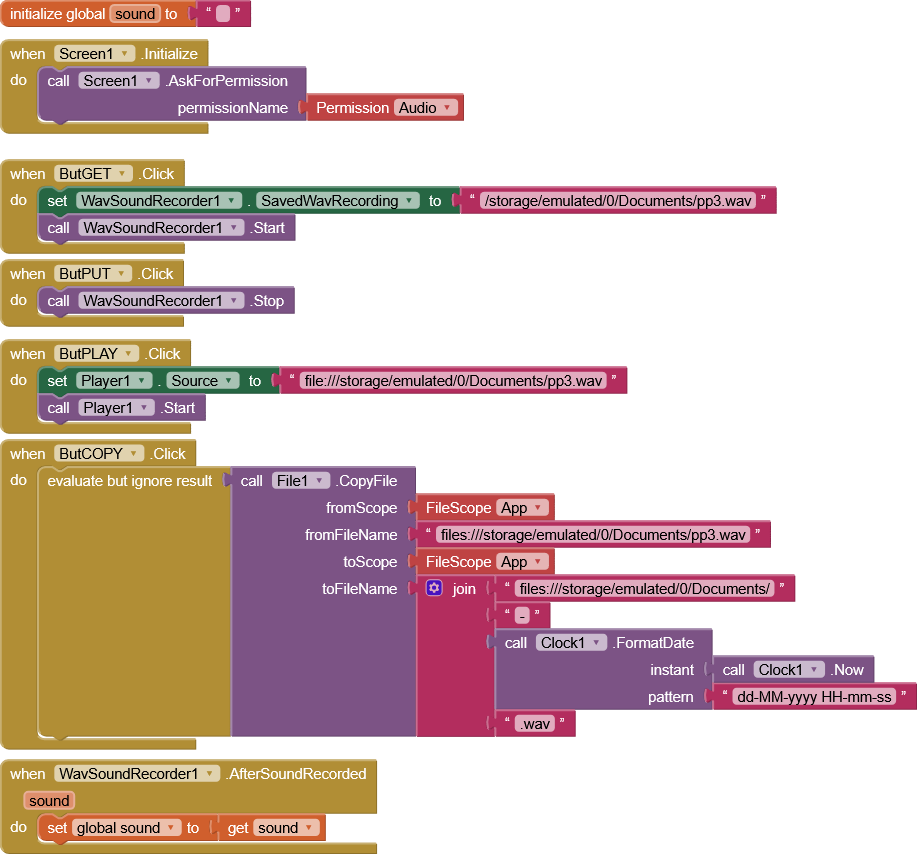
You appear to have your filescopes and filepaths incorrectly set.
Why not simply save the file with the date included, you would then not have to copy it?
Any particular reason for saving the file to shared storage, as opposed to the ASD ? (where you have read/write permissions)
What android version are your working on / targeting ?
Also please provide a link (not a download) to the extension you are using.
You may check the aia
To TIMAI2
The reason I need to copy the file at the end is that, as I mentioned in the topic, I'd like to include in the file name the number of times the sound exceeded certain DB thresholds (detected with SoundPressureLevel).
If you tell me how to record, save, and copy, I can use ASD. I've tried several times but haven't succeeded.
Android version 12.
I got the extensions from community topics or from Taifun, but honestly, I don't remember exactly.
Could you correct the blocks for what I'm asking?
Thanks
To Django..
I don't neet so sophisticated extention.
Thank you.
From the extensions directory App Inventor Extensions | Pura Vida Apps
- WAV sound recorder Extension by G10DRAS
Taifun
I don't get why an extension (DjWavRecorder) with 22 Blocks is so sophisticated when the extension Taifun linked has 14 blocks and got no update since 7 years. But It is your choice.
You do not do that in your current blocks...
I am also unable to get your current extension to save a recording to any location on my Android 16 device.
Will attempt with @Django_s_Android_App 's more up to date extension
This works:
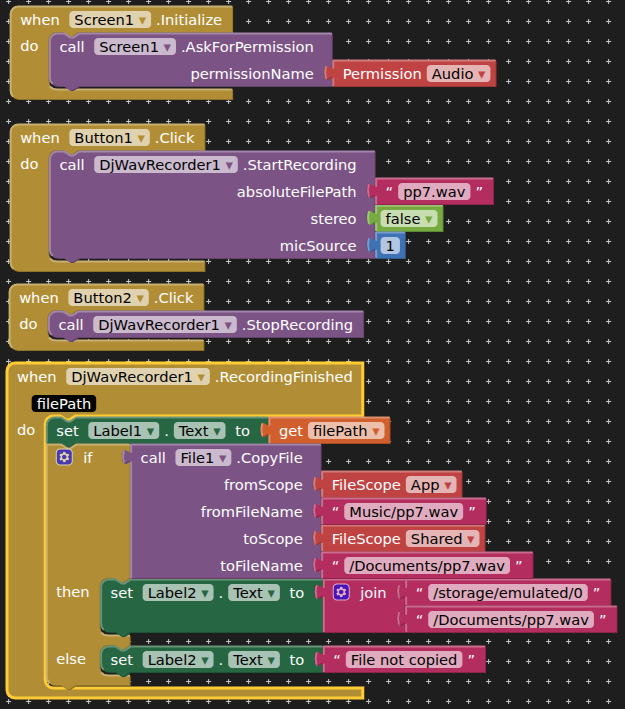
saves to ASD then copies to Documents (tested companion app)
1 Like
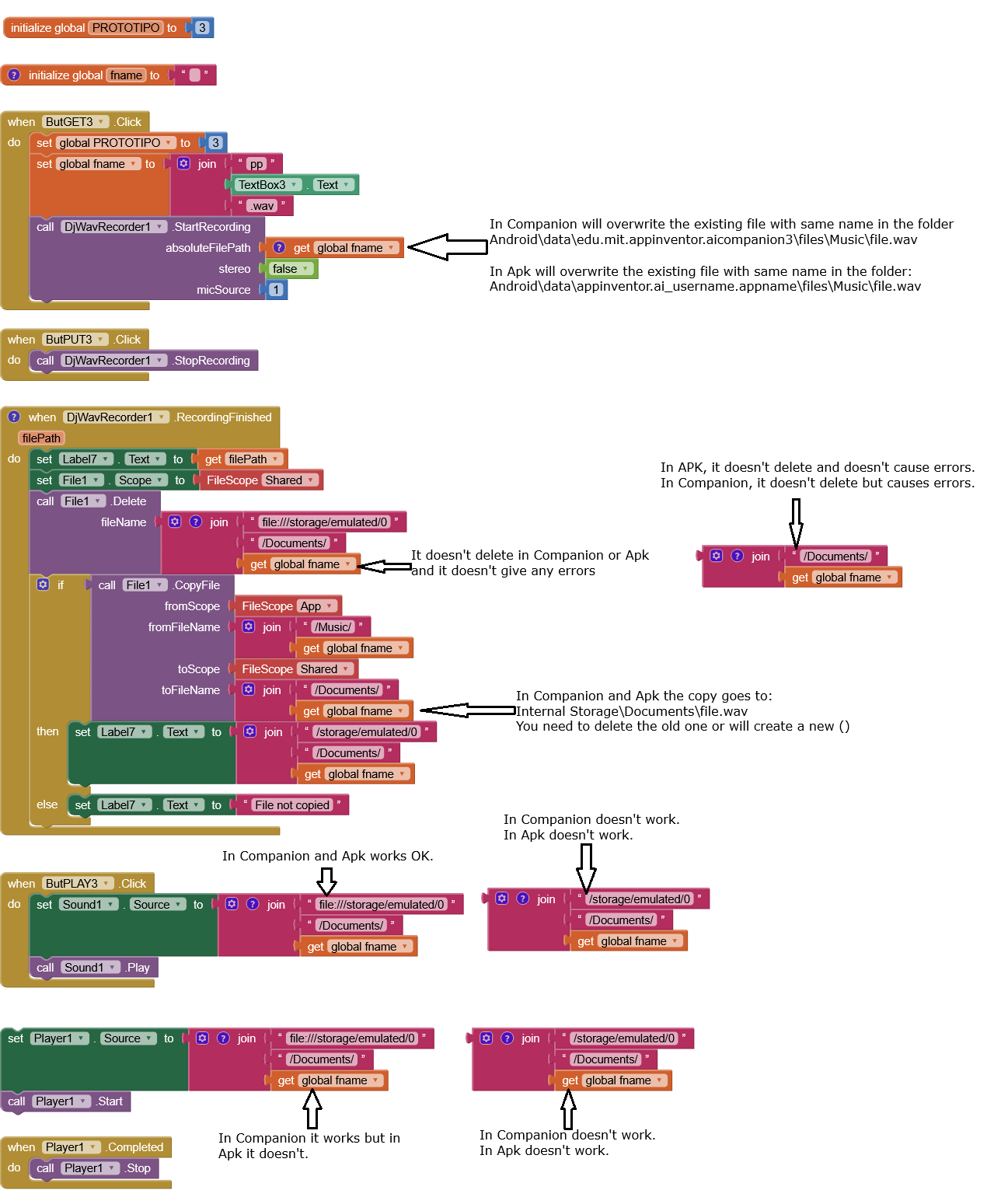
My musings have led me to the conclusions I report in the image. I still need to figure out (among other things) how to delete the recordings produced, and how to get Player to work.
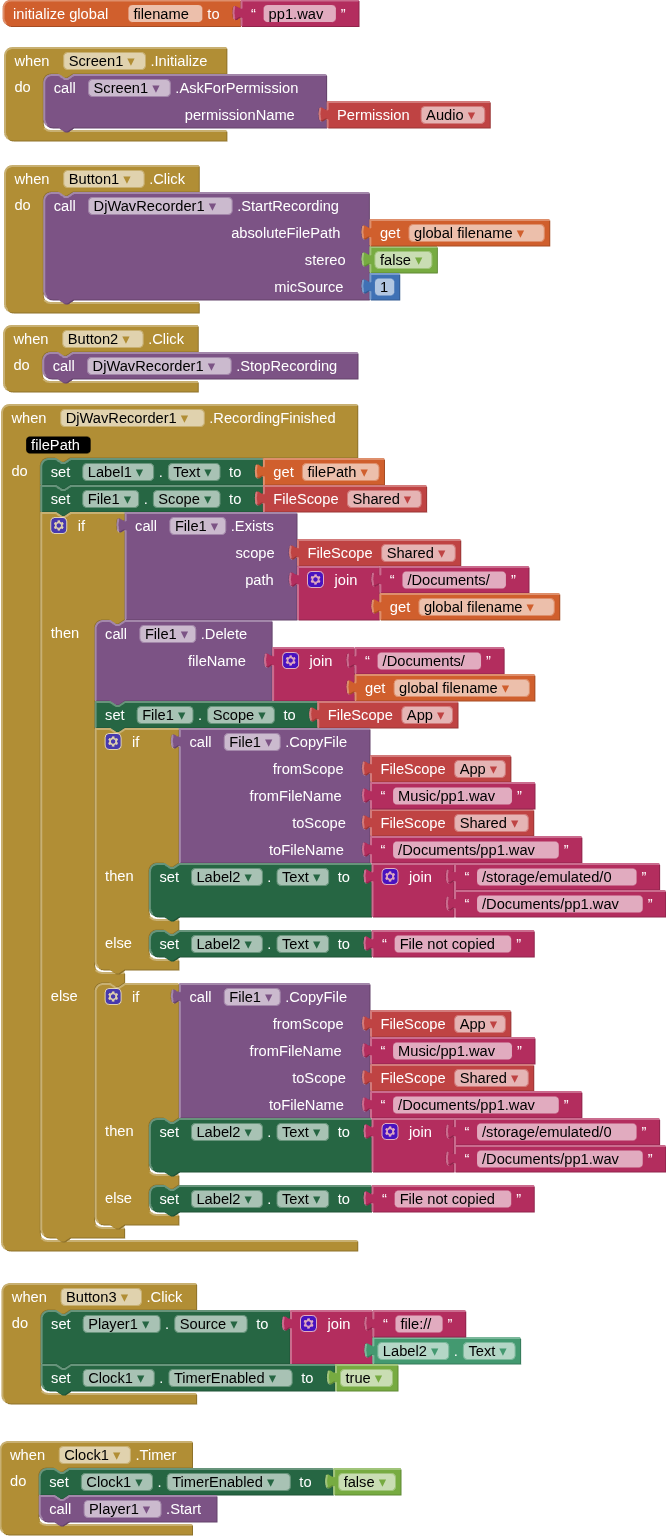
This works (you are asked for permissions first time of running, and may need to delete any files created in Music and Documents, not had the patience to fix this bit)
Regarding

is this a good thing or a bad thing ? If a bad thing, then delete/rename the file after copying
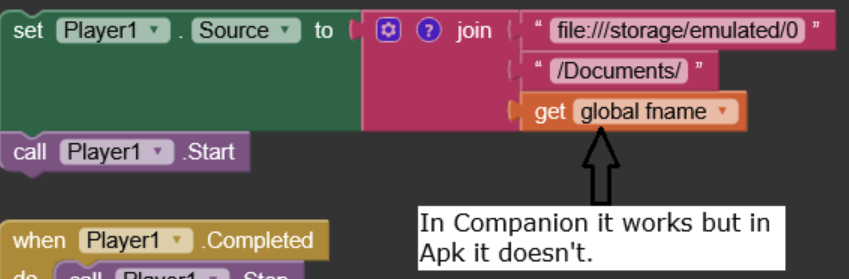
Because if the file was previously created with Companion, it originates from another app, so the APK cannot access it. The file must first be deleted using Companion.
Btw, the File component needs/uses a relative path.
Thanks everyone for the suggestions. I was able to do what I wanted using Aix DjWavRecorder and following your suggestions.
I can't easily wrap my head around all the obstacles to using the right paths. But with a little effort, I finally got there.
I update the app and run it each time, rebuilding its APK. At some point, it refuses to delete files previously created by the same app modified. What's preventing it from recognizing the same files? Is it the revision change? Or what?
If uninstall the app and doesn't delete the WAV file beforehand, it is a new app and therfore this app cannot overwrite/delete the file.
This topic was automatically closed 7 days after the last reply. New replies are no longer allowed.