Use asd , you can read and write without permission with your app and windows and android filemanegers
that doesnt help me, because i cannot access ASD, so i cannot watch the file on PC.
Did you try ? I can with android 11
Of course, this is possible even on Android 11+, but you have to use a special file manager like Total Commmander to see it on the device and on the computer you can see it via USB connection.
If that weren't possible, nobody would be able to clear the Companion assets / ASD on Android 11+ without uninstalling the companion app or deleting storage & cache in the app settings.
Connect phone via usb, select Android, Data, your app folder, Files. You can drag your windows csv in Files and read it with your app.
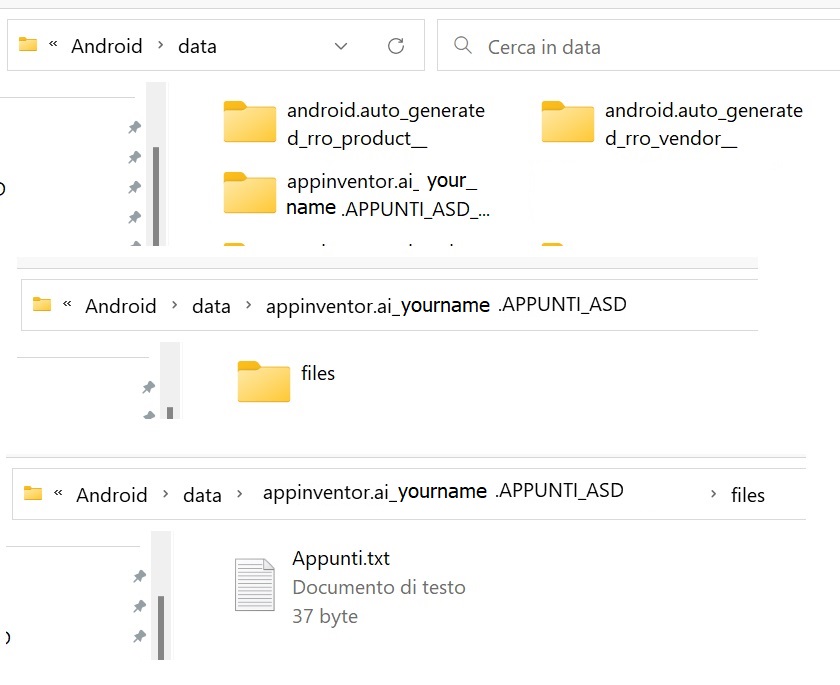
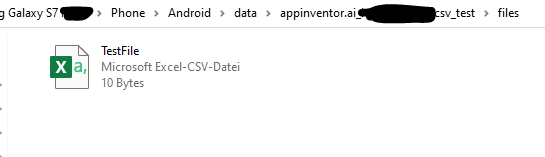
The C in CSV stands for Comma (,)
not semicolon ";"
thats no problem for me. my excel uses Semicolon for seperation.
You don't need SAF and Taifun ext for saving/reading ASD
Using semicolon you can not use AI2 blocks for csv tables
1 Like
so should i use taifunfile-component to copy my file from ASD to privDir; using file-component to append the .csv; copying from privDir back to ASD with taifun-component? Because editing .csv with file-component in ASD doesnt seem to work
Sorry, but unfortunately everything.
- SAF is not required to write to or read from the ASD. So use the File component.
- SAF is required if you want to write to or read non-media files from non-shared folders on Android 11+. In addition, SAF is required if non-media files that were NOT created by the app itself are to be read from shared folders.
- Read all comments in the topic "SAF extension". There are numerous block examples on how to use the blocks correctly.
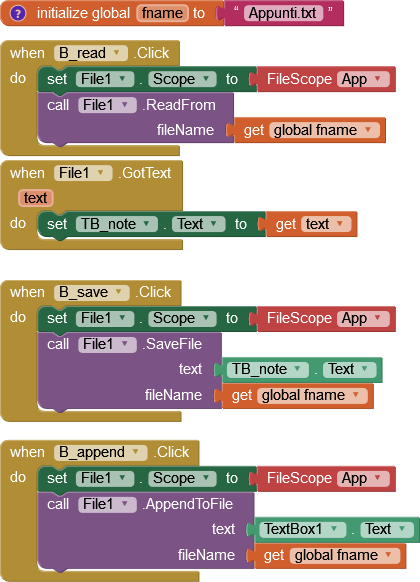
Please note that AI2 does not share Excel's liberal interpretation of semicolons on import:
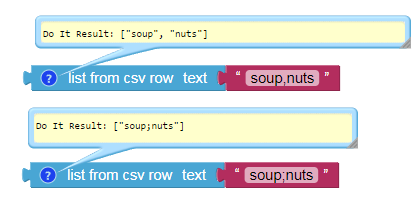
Consider using .txt instead of .csv on your file name suffix to avoid confusion.
1 Like
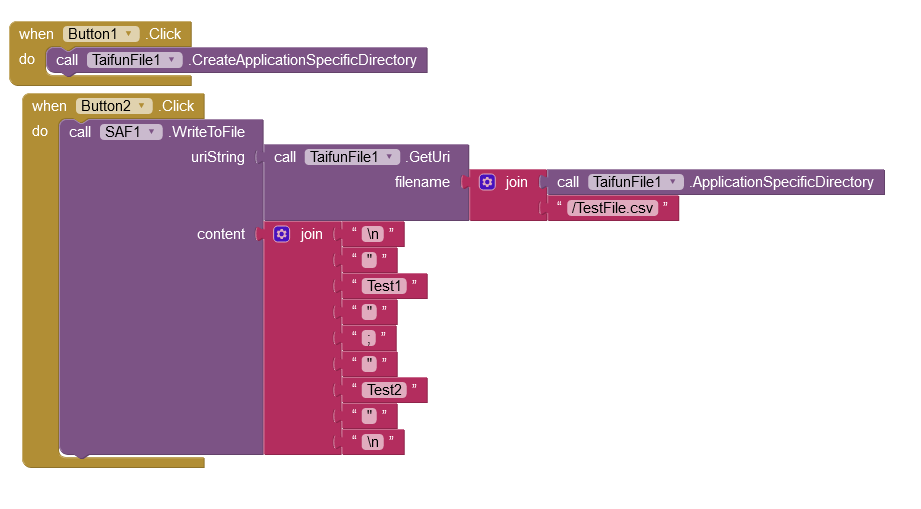
thx for help. In the end those are the blocks who do what i wanted to to (for everyone with same problem):
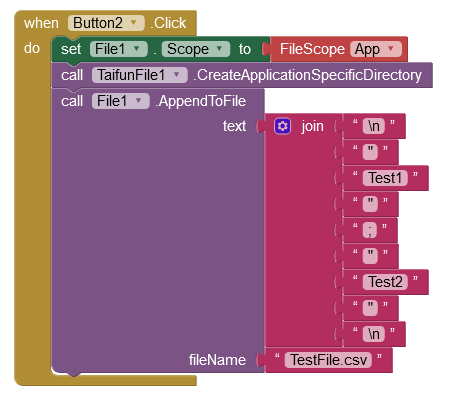
(How i modify the data external: copying .csv to PC; modifying on PC; changing with "old" .csv. otherwise i get an read-only-error)
You don't need Taifun ext.

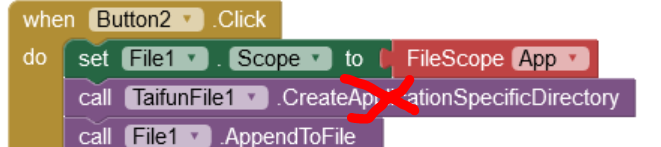
The ASD is created automatically on all Android versions by AI2.
I just meant, that I cannot change the .csv at my phone because (dunno why) it says that its read-only.
This topic was automatically closed 7 days after the last reply. New replies are no longer allowed.