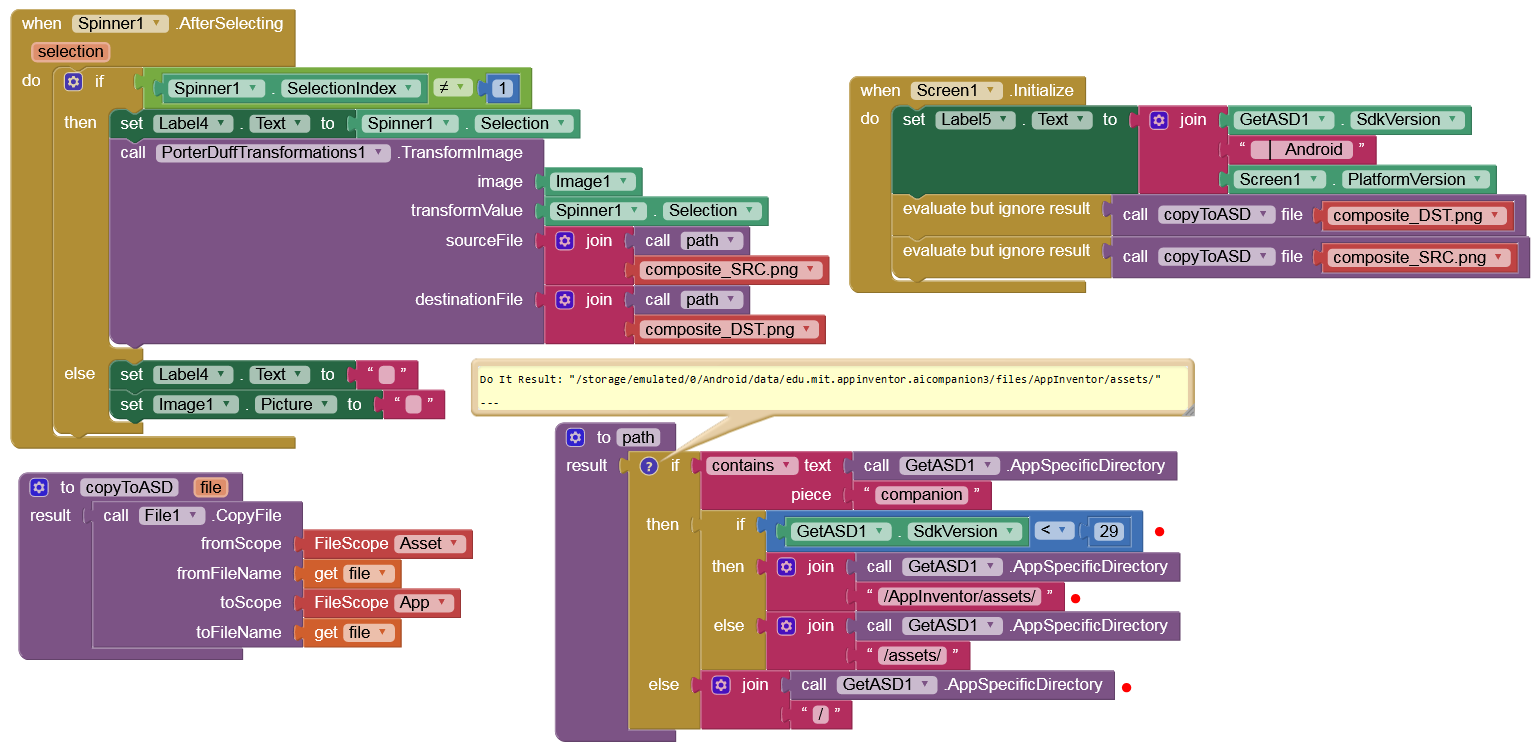
Your wish is my command 
Extension
PDEV2.aix
Example Blocks in Companion
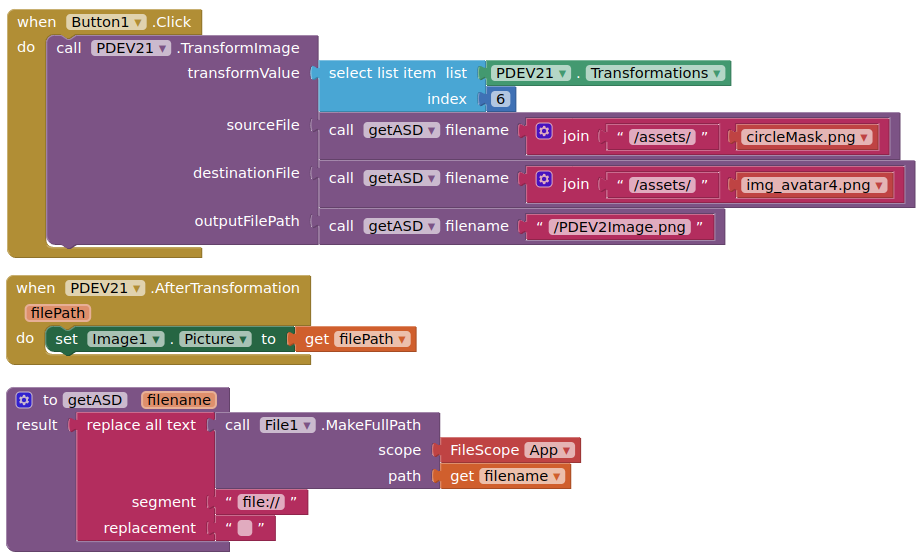
Screen

This just a stop gap version, there is more to come with V1.x & V2.x.
Your wish is my command
Extension
PDEV2.aix
Example Blocks in Companion
Screen
This just a stop gap version, there is more to come with V1.x & V2.x.
Thank you very much friend, it is what I needed, I love you :3. Now I just need to find an extension for flood fill that works on android 10 jsjsjsjs
EDIT:
I modified your example aia (PorterDuffExperiment.aia) a bit so that it should work on all Android versions (Companion & APK):
Awesome 
I don't understand this error

I clearly have the component right here....
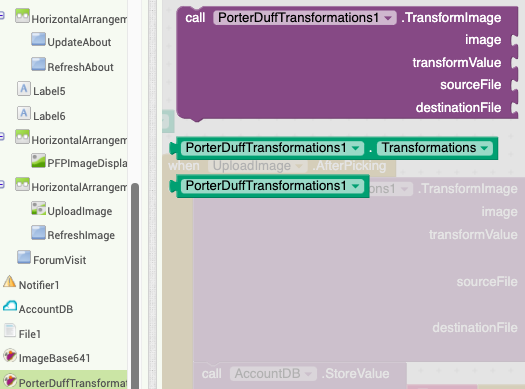
Looks like you are using ios.
ios cannot use extensions, at this time.
dang
How do you get those "get filename" blocks? Sorry I'm new and was wondering where those blocks came from along with what seems to be a procedure block with that "filename" option beside it
Use a procedure block, and then use the mutator block (small blue square) to add an argument to the procedure (which you can name as you want)
https://ai2.appinventor.mit.edu/reference/blocks/procedures.html
pls help me i get an error like this every single time " Attempt to invoke virtual method 'int android.graphics.Bitmap.getWidth()' on a null object reference
Note: You will not see another error reported for 5 seconds."
Please show your relevant blocks, or share your aia project.
i deleted them and tried a new way. I didn't have the the time 'cause my projects deadline is tomorrow
Not working not making the logo circular
I am uploading it my internet got broken in between.
Aia :
ProfilePicture.aia (121.2 KB)
Again, provide an aia project, and your images, that demonstrates this behaviour.
Edited above
Where is the image you want to transform ?
I want to store circular image of any image in the firebase please suggest anyother way if this won't worked.
From the first post above
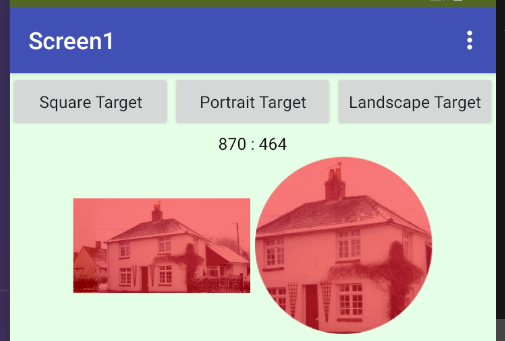
I took pity, and have created an aia project that demonstrated the workflow required to use the PorterDuff extension to make a circular image from any image of any aspect ratio. I also use my ImageConvertor extension. It will make the circle from the centre of all images. I have set the output image size (and mask) to 256x256 pixels, and these must be png images to maintain the transparency. You should be able to supply the blocks with any image, but you will need to convert contenturis to filepaths if using the filePicker component (just use the imagePicker or activityStarter).
circularImageWorkflowFinal.aia (467.4 KB)