I am working on an project using ESP32 and Firebase Realtime Database. My app was working fine 3 months ago, but now I am facing an issue.
Problem:
The app is not displaying any values from Firebase (latitude, longitude, etc.).
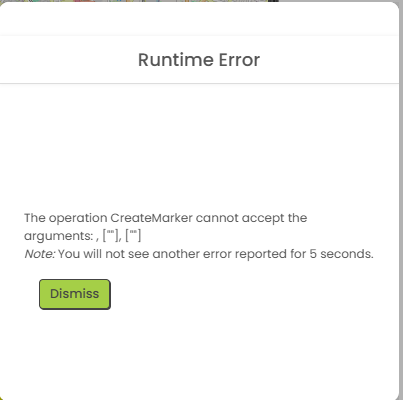
When I click a button to show location on the map, I get this runtime error:
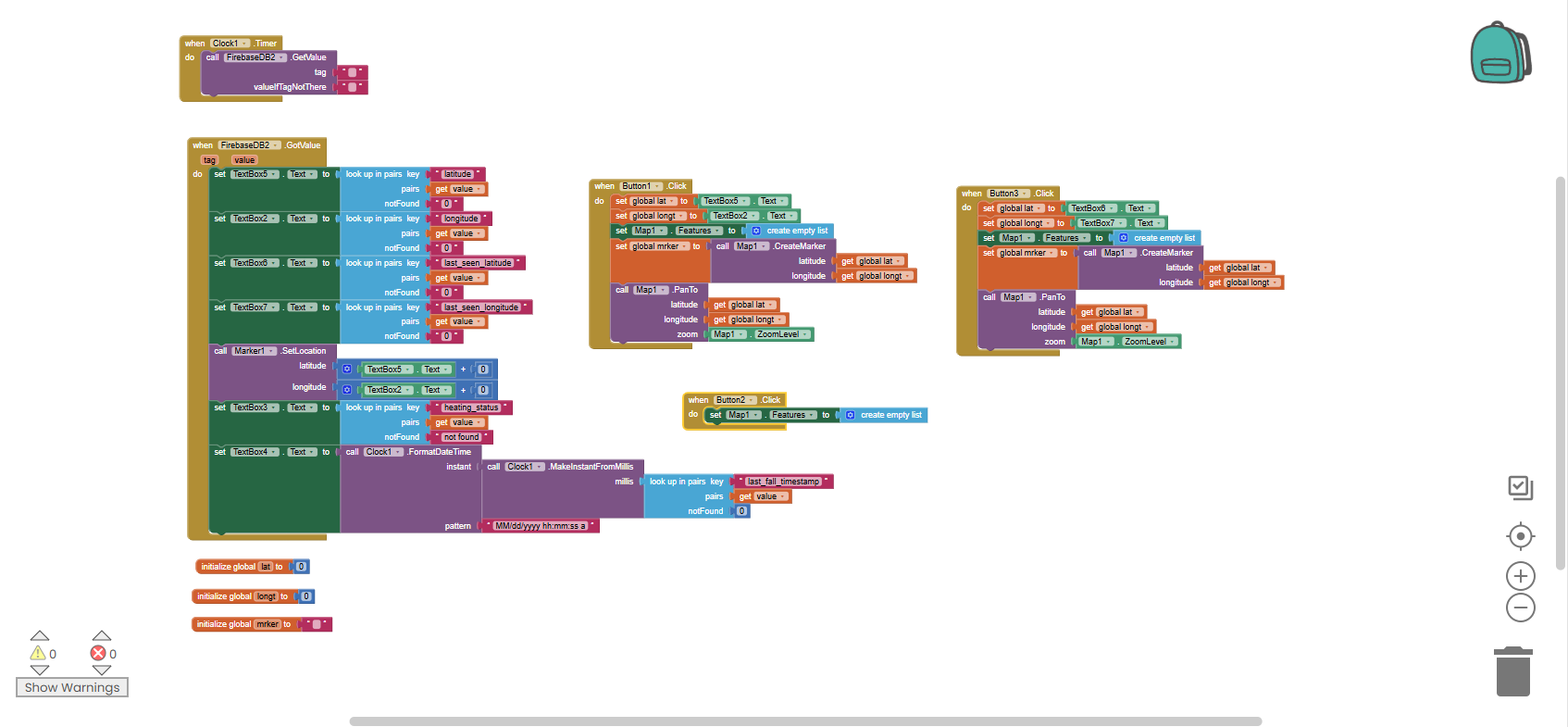
Your error clearly says you have not received any value in the global lat and lan variable. Did you check it? Always debug every variables to know the process flow is working flawless
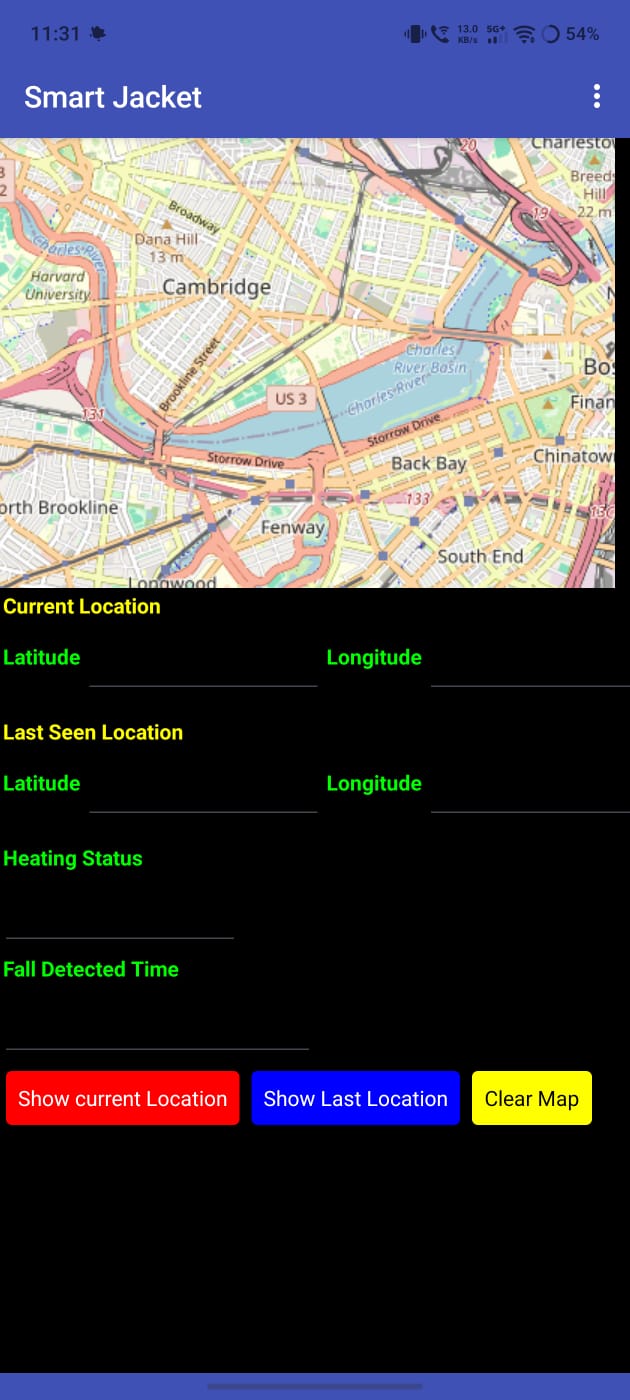
When i open the app, Usually the lattitude and longitude valuewill be fetched from firebase and gets displayed in the text box
Then when i click the show current location button, The value from the latitude and longitude text boxes will be mapped into map co-ordinates and the marker will be displayed in the map.
But now, I am not sure why the latitude and longitude text boxes values are not displayed when i open the app. Since these two text boxes values are not set, When i click the button , It shows this error.
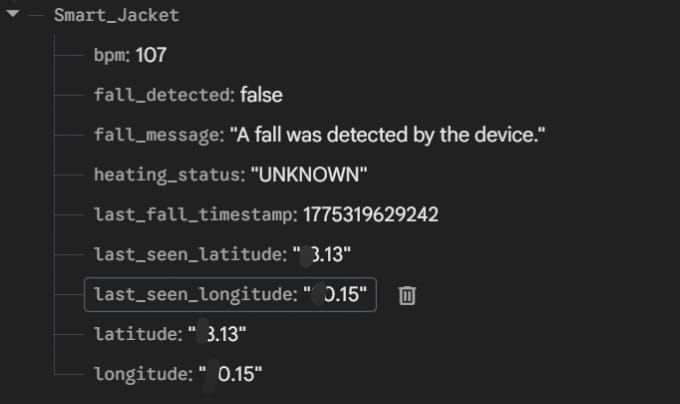
The project bucket in firebaseDB section that i have set is Smart_Jacket
When i open the app, Usually the lattitude and longitude valuewill be fetched from firebase and gets displayed in the text box
Then when i click the show current location button, The value from the latitude and longitude text boxes will be mapped into map co-ordinates and the marker will be displayed in the map.
But now, I am not sure why the latitude and longitude text boxes values are not displayed when i open the app. Since these two text boxes values are not set, When i click the button , It shows this error.
The project bucket in firebaseDB section that i have set is Smart_Jacket
I tried using Do It as well, But i didn’t get any value when i kept the Do It in firebaseDB.
I had a similar problem. I used to leave the Firebase component's project bucket empty (because I use my own database, not the default App Inventor one, which is common in many projects, so it's better for each to have its own bucket).
But now my app wasn't reading anything… until I put a forward slash “/” as the project bucket.
The issue was related to Android 15. After updating my phone to Android 16, the problem got resolved. I didn’t initially identify the cause, but after testing on another device, I realized it was due to the Android version.