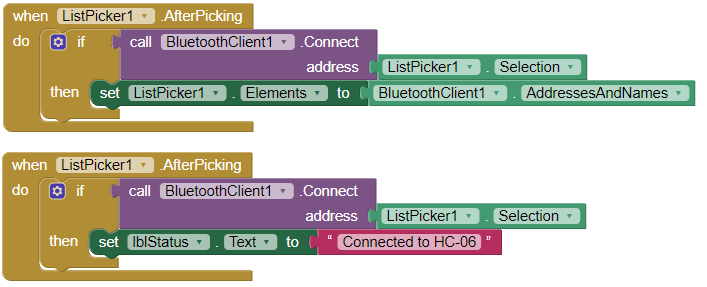
I'm not sure what might still be causing this problem, but i think i found an error (probably unrelated) in the ListPicker1.AfterPicking block. There was a second ListPicker1.Elements block as well as in the ListPicker1.BeforePicking block. I replaced the first original block with the second block.
After looking again at the Arduino code, i think that it is not possible for data to be sent and received at the same time on the Serial channel, since the entire code is running in a loop. So, first, there is always a check done for any data received (command) from the app and then the sensor output data are printed out to be sent to the app for display.
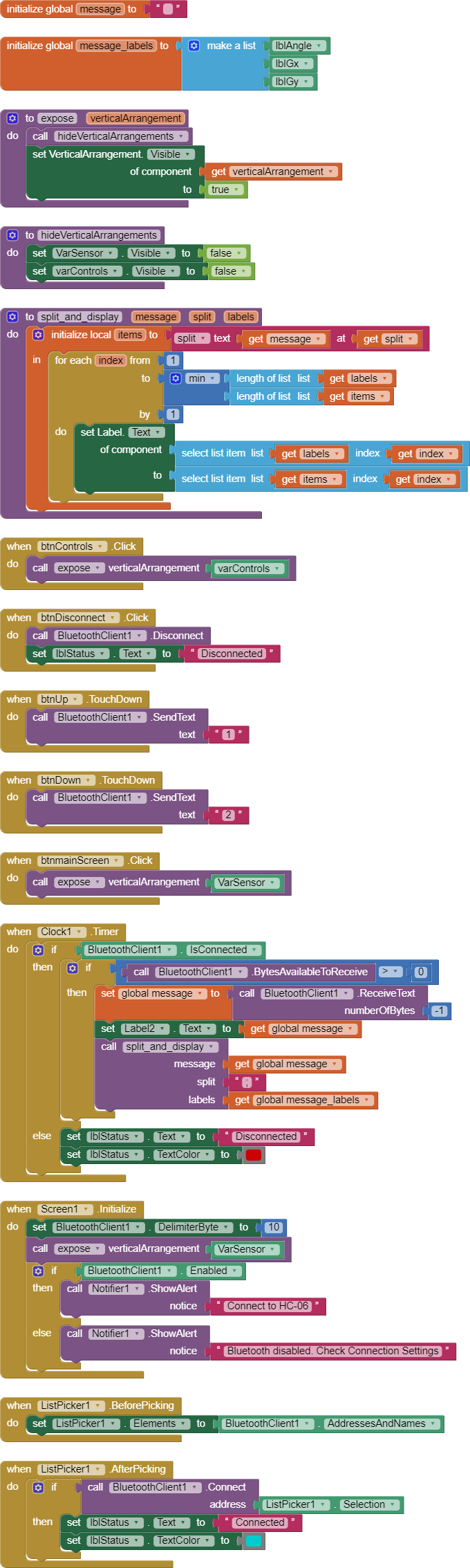
Here is the current state of my app (click on the image to enlarge and see all the blocks). Every time i tried to incorporate the block "set Clock1.TimerEnabled false" somewhere, it ended up with some issues with not being able to read the sensor data.
The Arduino UNO setup is only powered via its USB port through a data cable connected to the PC. No added capacitors. Just a standard HC-06 module connected to the UNO along with a sensor.
There is no communication interference with the Arduino setup. I only have those few electronics turned on and it is right next to my phone. Motors are not connected at this point. I am using the onboard LED of the Arduino to simulate turning on or off the motors. I also tried another HC-06 and also an HC-05 module. Same results. The Arduino is not overheating. The room is also at a relatively cool temperature so i don't think that's the cause. The HC-06 is sending data as expected at 300ms interval from the Arduino and displayed without issues in the app, so i doubt that it's a fault in the HC-06 hardware.
I think the problem might be in the Clock1.Timer block. From my testing, while the app is connected to the Bluetooth module and everything is working in the app, if i simulate a disconnection error, by simply removing the USB cable, then the entire Arduino UNO turns off, but the app is unable to detect the disconnection. My phone uses Android 9 and it is unmodified and working with no issues.
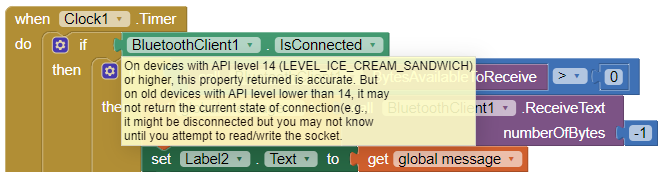
After disconnection of power, the incoming sensor data label stays the same in the app and the status of the connection still shows "Connected". The Else condition in the Clock1.Timer block is therefore not being processed for some odd reason. The clock apparently still assumes that the Bluetooth client is still connected, or the BluetoothClient1.IsConnected block is still returning true. Maybe it's a bug in MIT App Inventor 2??
I have tried to come up with a solution, since it seems that for some reason the app and/or my phone is not detecting when the connection has failed.
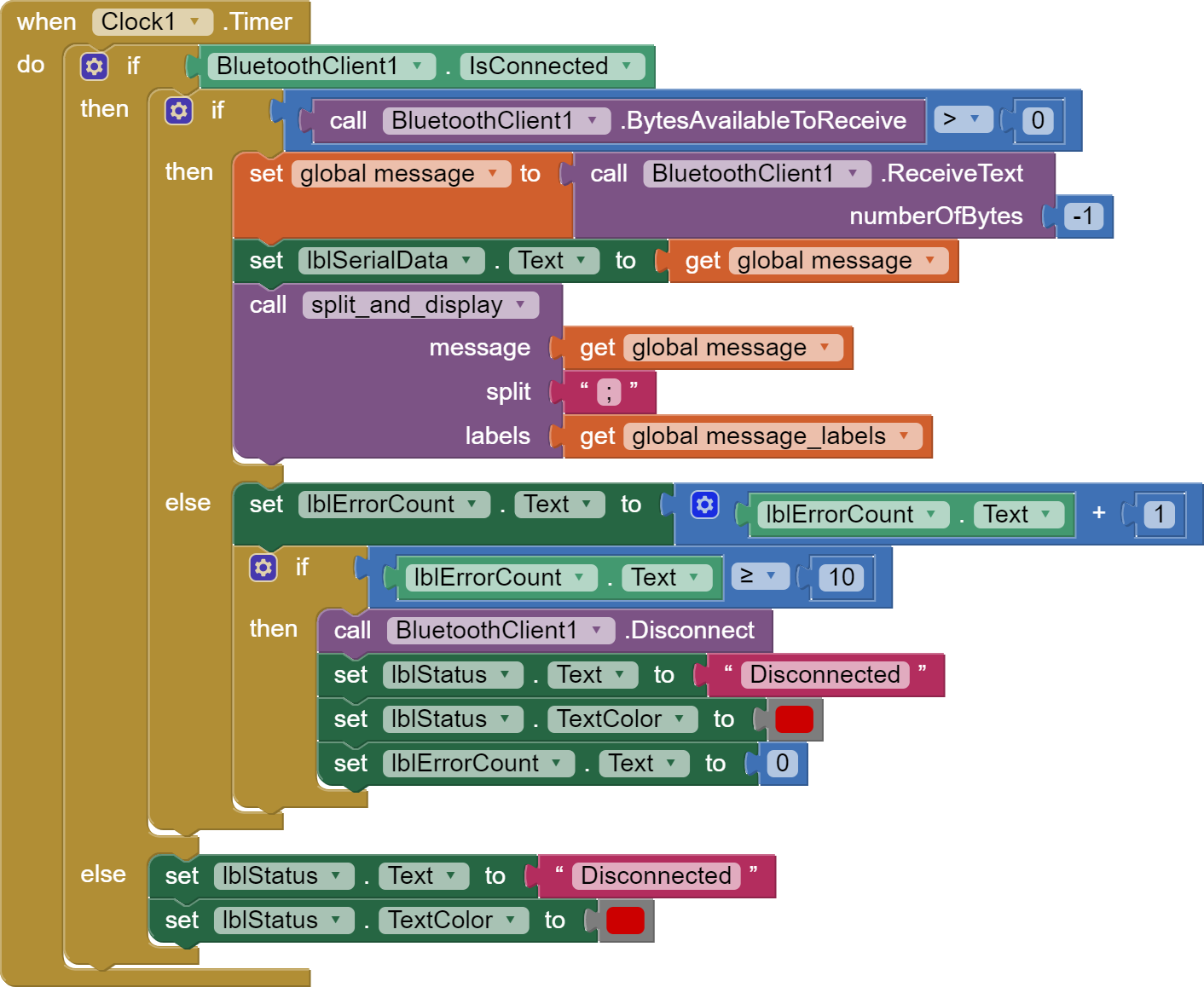
I only changed the Clock1.Timer block. The label ErrorCount text is set to 0 in the Designer window. If there are 10 or more connection errors, then the status of the connection is set to Disconnected. The clock fires every 100 ms and data is sent from the Arduino every 300 ms, so i think 1 second should be enough to determine if the connection has been interrupted when no data is being received. But even when the connection is successful, no sensor data is received and no commands sent from the app are working. I don't understand why this change broke the app.
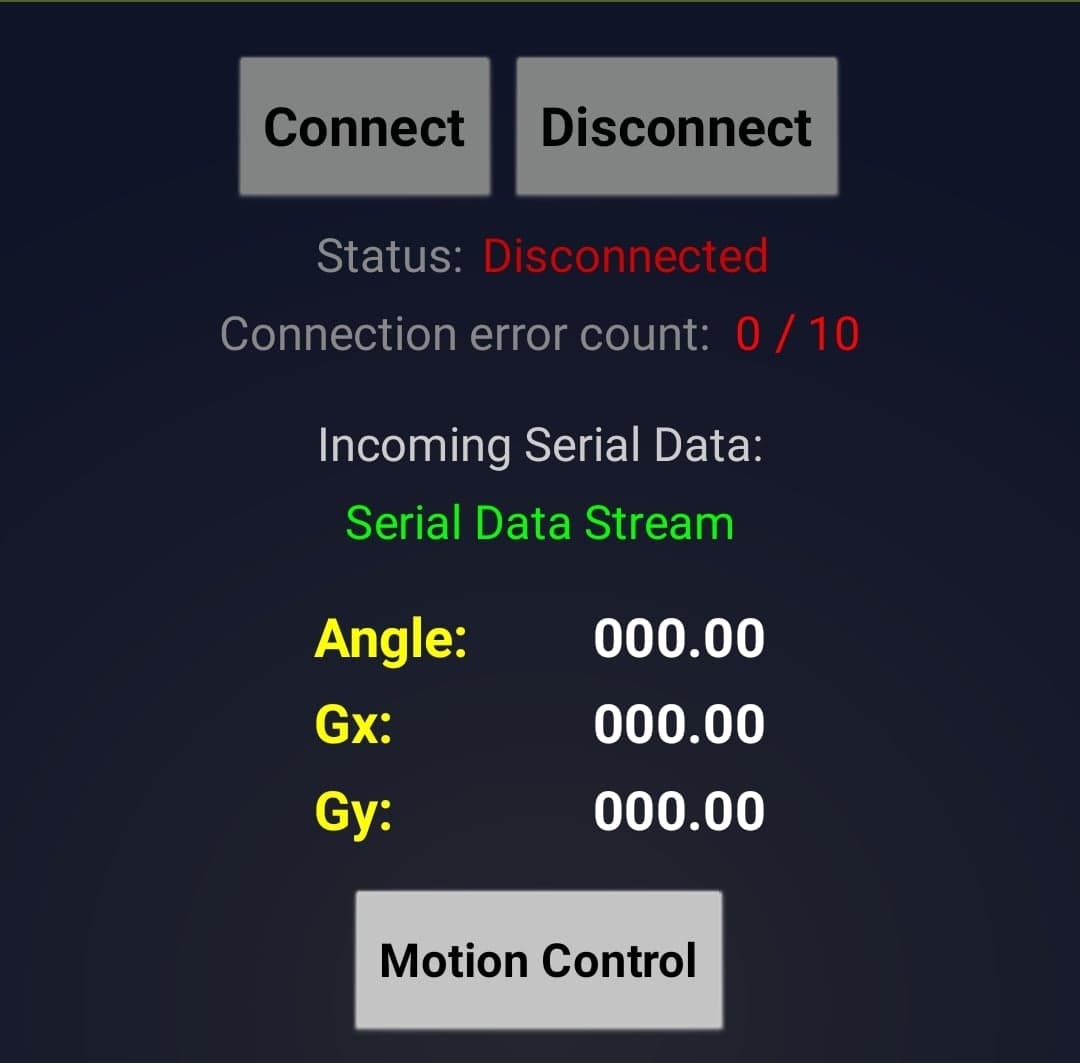
When the app connects, the Connection error count quickly increases from 0 to 10 and then the connection status shows Disconnected. During that time, there is no sensor data received in the Serial Data Stream.
I did a search and found this thread Change Text when Bluetooth disconnected so it seems like this problem is actually a limitation of Bluetooth and AI2. Although, there should be a workaround to make this work?