The lack of movement ability of the object in one direction but the ability to move in the opposite direction in abacus

Moving upwards uses similar logic to moving downwards, except our neighbor on the track is earlier in the list, and we calculate the gap differently between sprites.

1 Like

Hello again, if possible ،please complete the blocks of .aia file for me to activate the second column of beads . Thank you
abacus_two coloumn.aia (204.7 KB)

I took a look at How to Use an Abacus (with Pictures) - wikiHow
to refresh my memory of how an abacus works, and I think this whole
approach is too superficial, concentrating too much on individual bead physics and not enough on the underlying logical model.

There are only a small number of possible configurations of beads on each wire (2 on a short top wire), and 5 on a longer bottom wire.

The transitions between configurations can be triggered by a single touch to a bead. That touched bead and all the beads between it and the empty center of the track should move to the opposite end of the track, adjacent to any beads already on that end of the track.

Knowing the number of beads at each end allows you to check the math of whoever is manipulating the beads. It also allows you to directly move the Sprites on each wire to their proper coordinates, based on the underlying bead counts and Sprite and Canvas dimensions. It also obviates the need for stopper sprites.

In fact, you could do this with stacks of Buttons, changing the background image of each button to show either an empty stretch of wire or a bead. The lower wire would need 9 buttons (for alignment purposes), and the top wire two buttons.

Another alternative would be to grab 5 images from that abacus web site, representing the 5 possible states of a lower wire, and use those as alternative background images of one Canvas per wire. Then you would not need any Sprites at all, only depending on your knowledge of which of the 5 background images is in place and how far down the Canvas Touch happened.

image

image

image

image

image

1 Like

Hi .thanks.
AbaPlayer.aia (211.8 KB)

In a race to the bottom, here is an example of using buttons for a single abacus track, including counting and sound effect!

abacusButtonLogic.aia (11.4 KB)

1 Like

Hello, thank you. It's a good idea (using the background change of beads). Of course, this can be done by clicking and we wanted to do it with drag.

I repeated the two-procedure (bush-up and bush-down )and put the new bead names in a new list and put them in the new two-procedure(ABG power user .aia file above).
I created two new push-up and push-down procedures for each column of beads.
And the second column was also activated by drag.

1 Like

Hello. I am planning to make a seventy-beaded abacus for teaching math. So I will create seven convas and ten beads in each. The number of objects added to the page is large. The size of file project is about three and a half megabytes. Why is the program running slowly? My phone android version is 8and samsyng A7.

You could reduce the number of assets by @40% by using a two row abacus.

Have you resized your images to a minimum? My guess would be they only need to be @ 50x50 pixels.

Here is a red one (768 bytes):
red

Are you drawing the frame or using images for it. Would lighten your app if you draw it.

1 Like

I would go to a zero-sprite approach, drawing beads on each of the seven thin Canvases at the top and bottom. AI2 has blocks to draw polygons point by point. It's just a matter of adding the right y-offset to each point to put it at the right spot on the Canvas.

You would lose the beautiful shadow effect, though.

2 Likes

How do you drag a polygon, redraw canvas each time ?

There are two possible approaches.

  • calculate each drag event how far you have gone since the start of the drag, and from the last redraw, to see if it's time to redraw with one more bead sent in the direction you're dragging, or
  • use the touch down and touch up events' coordinates to decide how many beads to move.

There is another possibility I have not mentioned yet:

Represent each stack of n beads as n Images sandiwiched between n+1 Canvases, only one Canvas Visible at a time. All the Canvases would be set to Fill Parent. The moment a Canvas gets dragged, it sets itself Invisible and makes the next Canvas visible, depending on the direction of the drag. That would look like a bead hopping across the Canvas.

1 Like

This is a zero Sprites total redraw approach.
I switched from dragging to touching because it felt more natural to a touch screen, and was simpler to code.
abacus_n_columns.aia (6.0 KB)

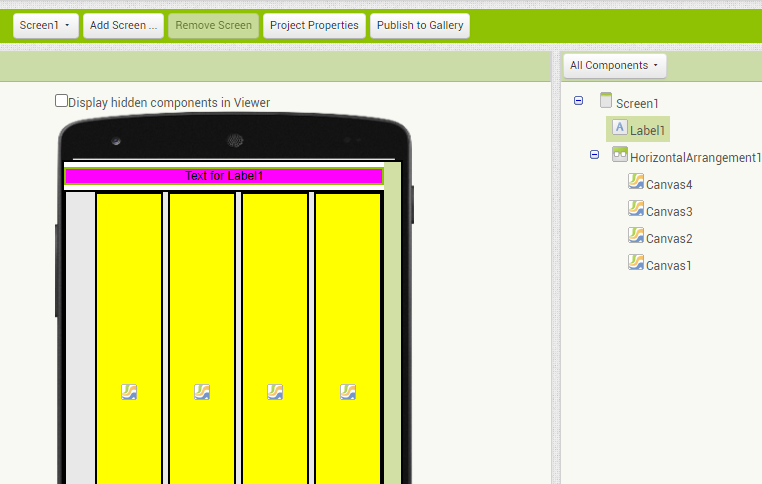
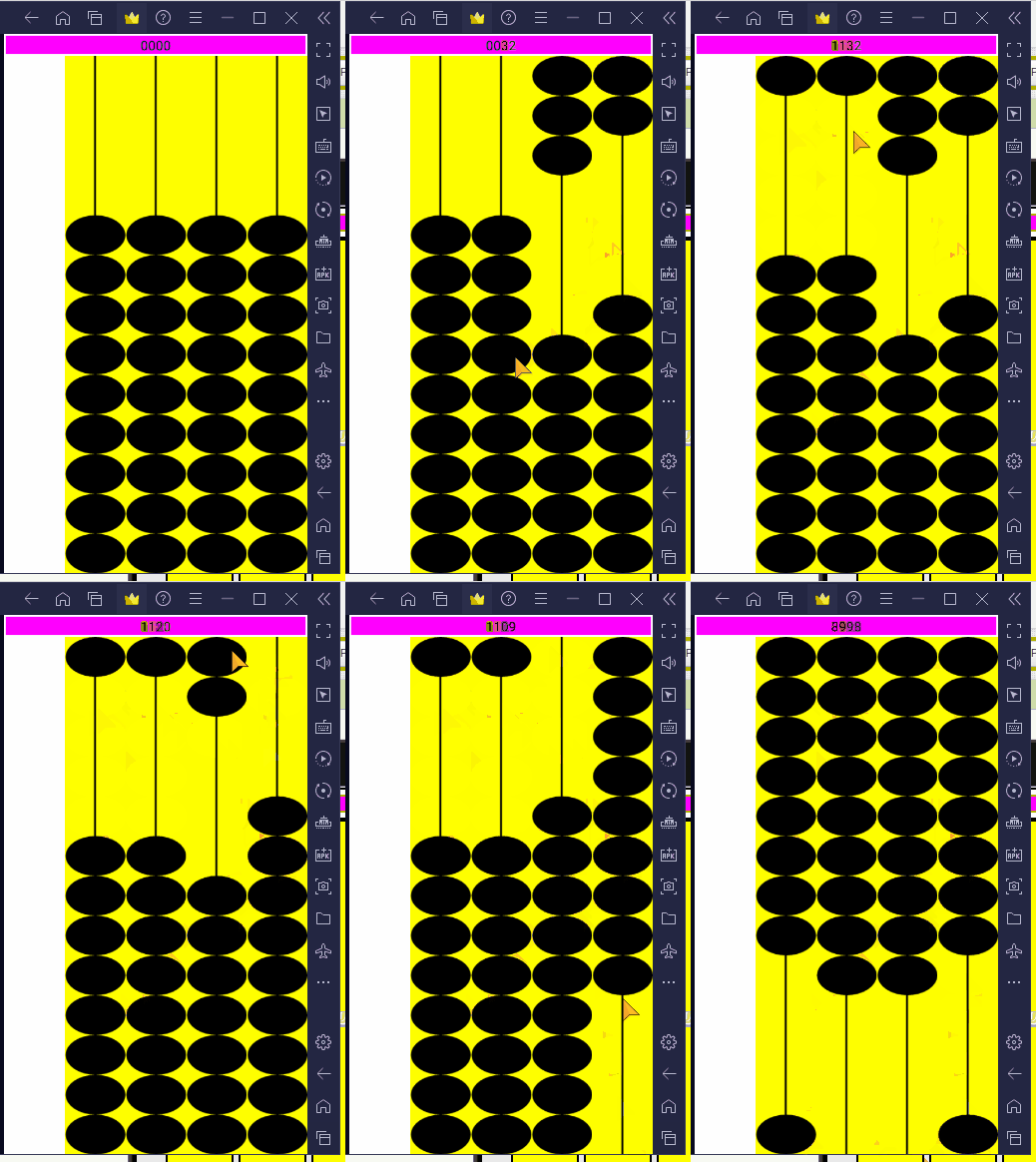
sample run

1 Like

Nice work, but more of a touch than a drag...? @mah_bagh is being specific about that.

1 Like

I'll leave that for @mah_bagh to tweak to taste.

1 Like

Hello to all my friends, I reduced the size of the images and the speed of the program became suitable. Thank you.

Hello and thanks, it's very very interesting and great.It is very interesting to create objects with blocks(zero Sprites), and therefore there will be no limit to their number. Thank you for your time. Thank you🌹

Hi, I think the drag mode is closer to the real abacus than clicking. Thanks

OK, have got a single track of abacus (2 row) working to be able to drag drawn counters (beads). Not using canvas.clear, but overpainting the original counter - requires a solid background colour.

Just now need to:

a. Figure out how to stop them "bumping" into each other
b. Move more than one at once
c. Do the counting

dragADrawnShapeOnCanvas.aia (4.8 KB)

1 Like

I stopped when I realized it is an abacus, not a choo choo train.

This topic was automatically closed 7 days after the last reply. New replies are no longer allowed.