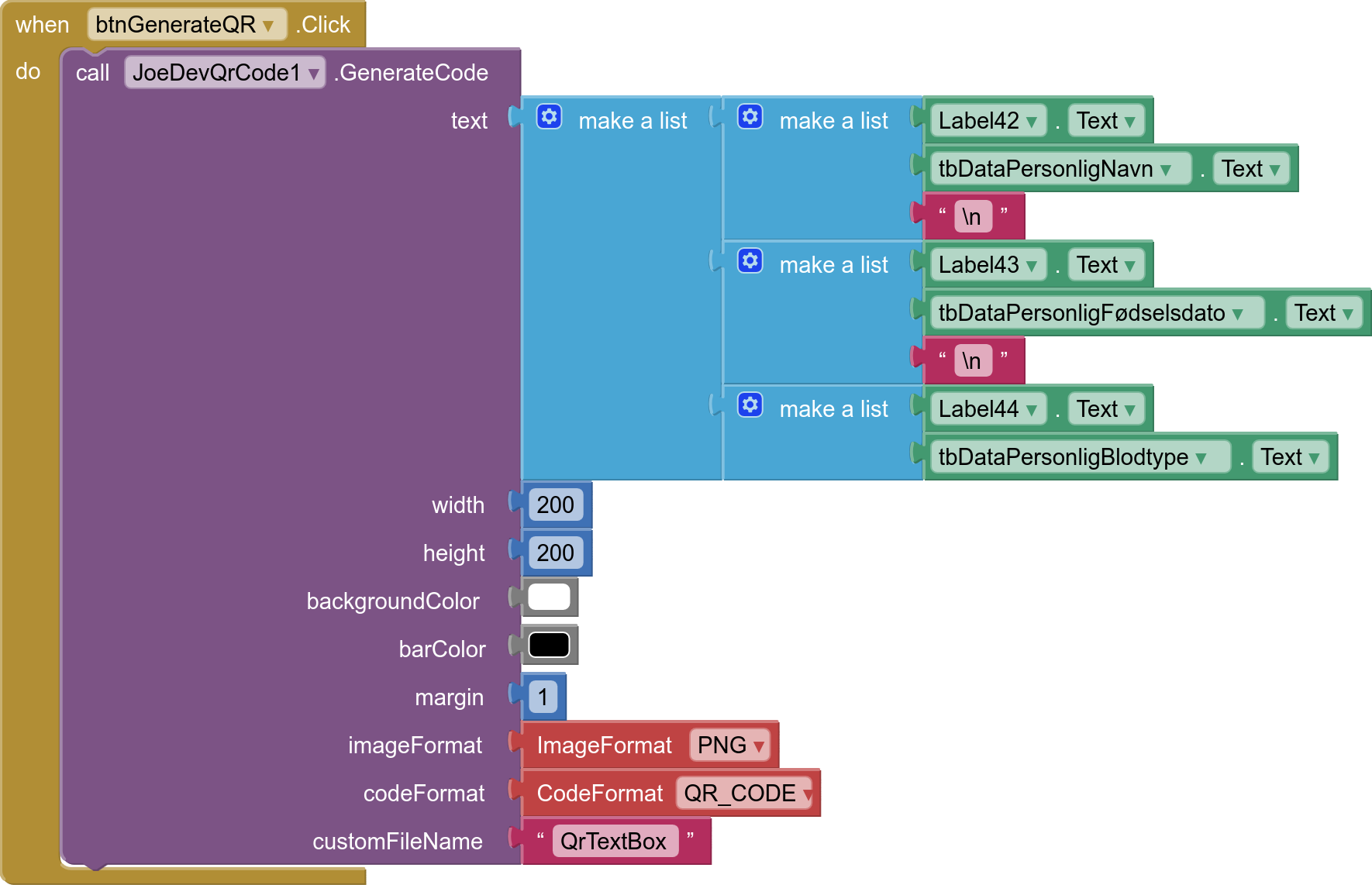
Hello everyone, what is the easiest way to make an qr code from 4 textboxes, and be shown in a image. Så someone can scan an get the info from the qr code.
There are several extensions available to generate qrCodes, or online website qrcode generators, take your pick.
Its need to work offline. Its a prepping app im working on and it needs to work without network to the phone.
Then you will want an extension.
I tried joes but i could get i to work.
It would really help if you provided a screenshot of your relevant blocks, so we can see what you are trying to do, and where the problem may be.
To get an image of your blocks, right click in the Blocks Editor and select "Download Blocks as Image". You might want to use an image editor to crop etc. if required. Then post it here in the community.
Taifun
Trying to push the limits! Snippets, Tutorials and Extensions from Pura Vida Apps by  Taifun.
If you can't add the list block, you could concatenate it.
- Do you expect to get the result as a list or as you would expect to get when scanning the QR code?
Example:
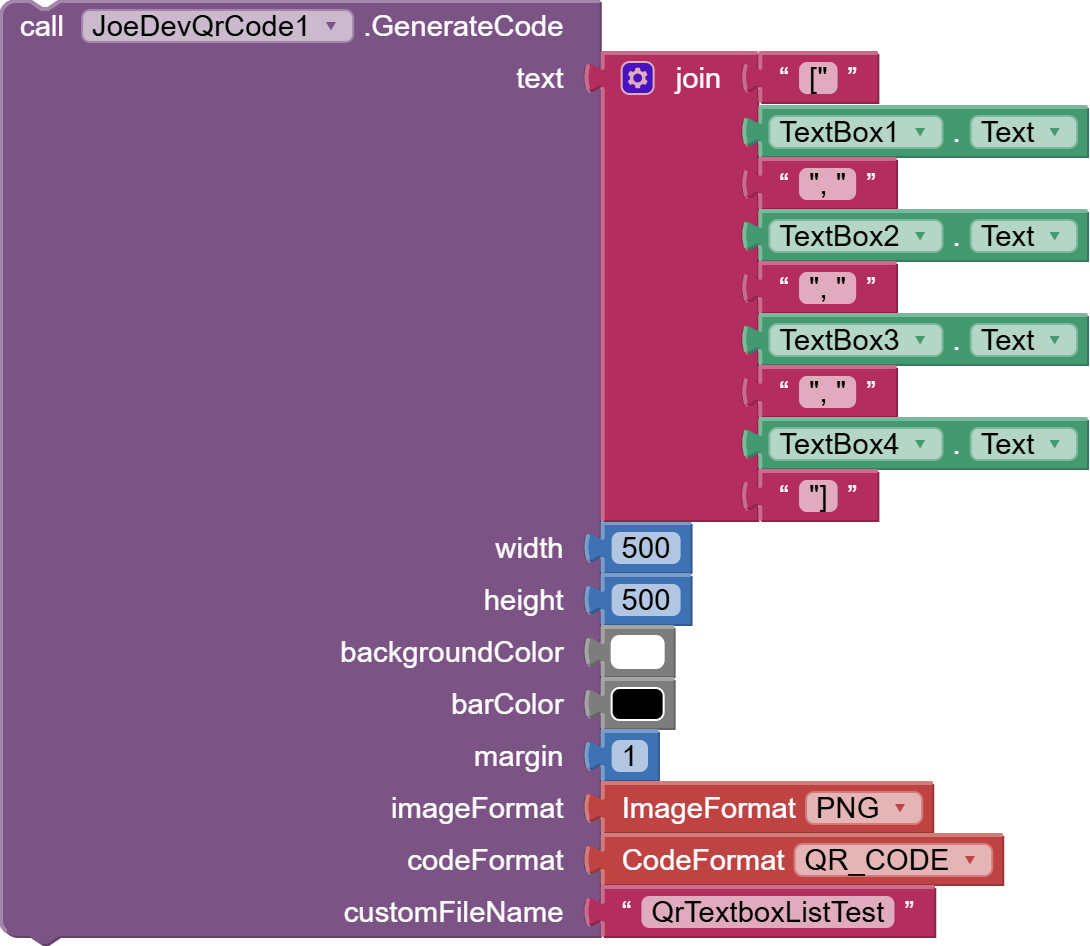
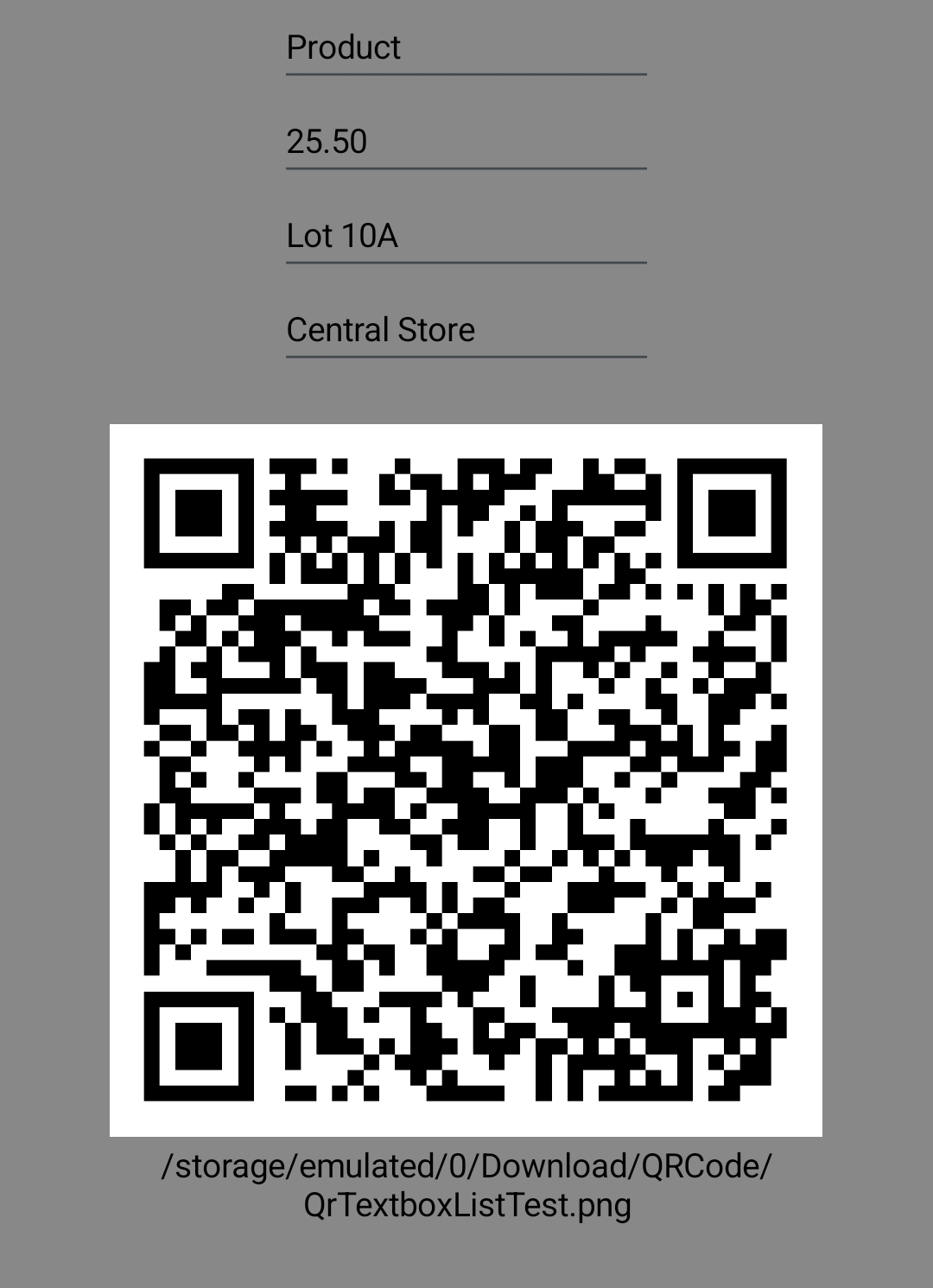
Result:
["Product", "25.50", "Lot 10A", "Central Store"]
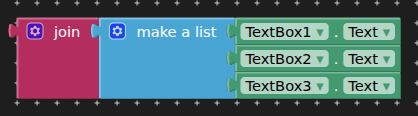
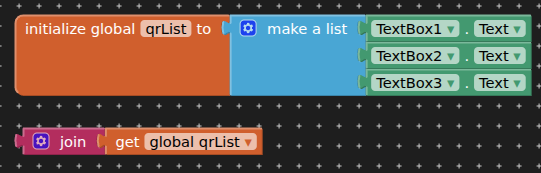
I just tried passing the list directly and it does create the QR code and display the list, I don't know why it didn't work for Kent.
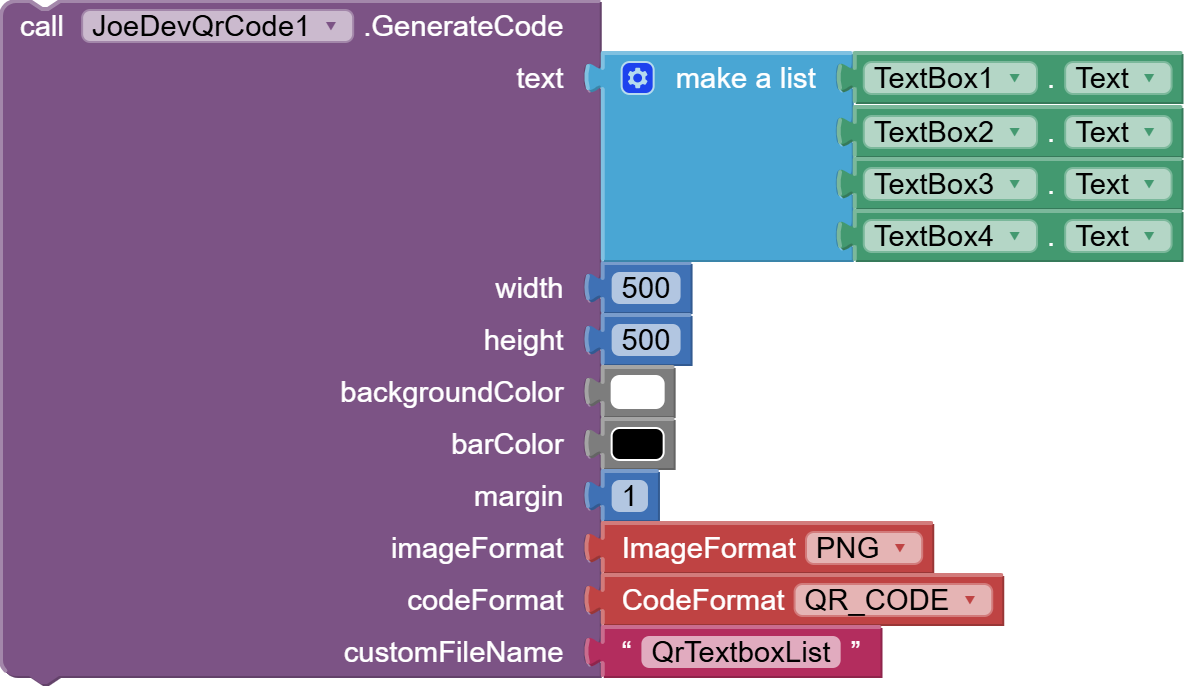
Perhaps it doesn't have the updated extension, or it could also be that it didn't add this component:

Its the same i have tried, like the picture with lists. But the qr code are not showing. I had added the barcodescanner component.
Does it not work in companion?
Try the example aia provided in the first post for the extension.
Yes, it works with companion.
Thats the one i used until now, whitout doing anything, and it doesnt work.
Try this:
QrCode_TextBoxList.aia (60.4 KB)
@TIMAI2
@Joejsanz
Anyone?
Thank you it works, are there anyways to make new lines so its like
label TextBox
label TextBox
label Textbox
Are there anyways to remove the ] [ " , from the text?
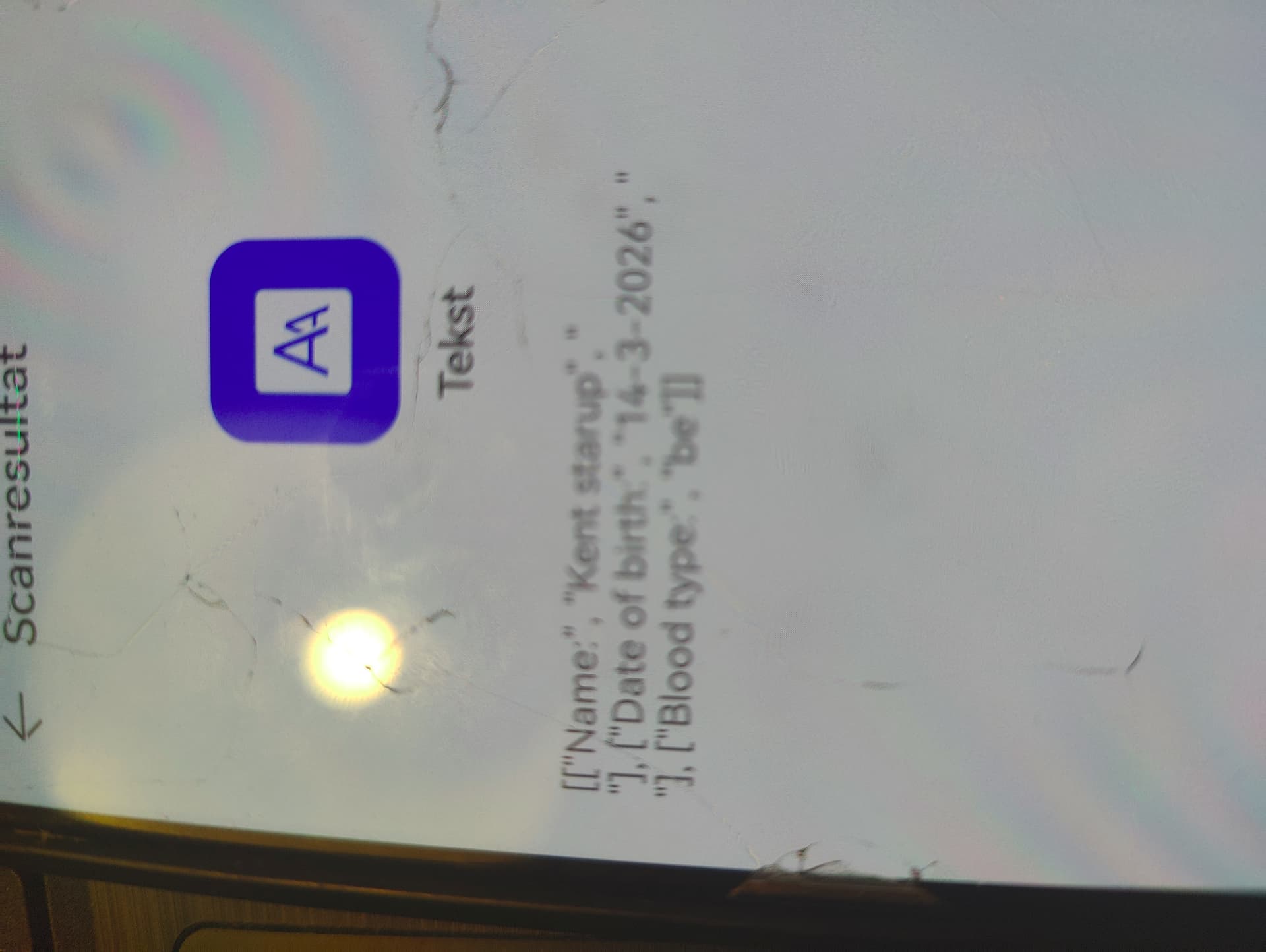
I know the pic is bad but it still give the idea.
Pic 1 is the reading of the Qr Code (only for testing)
Pic 2 is the blocks