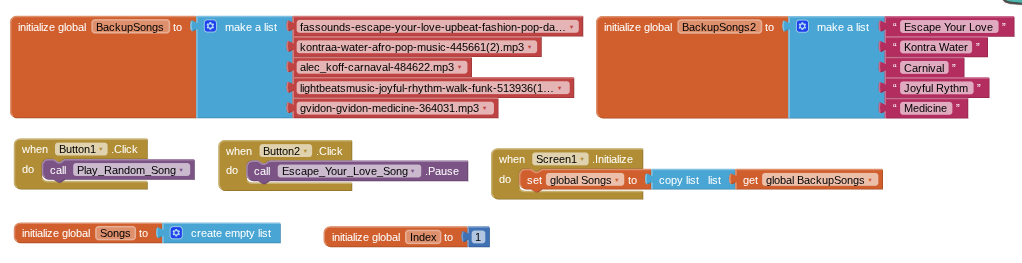
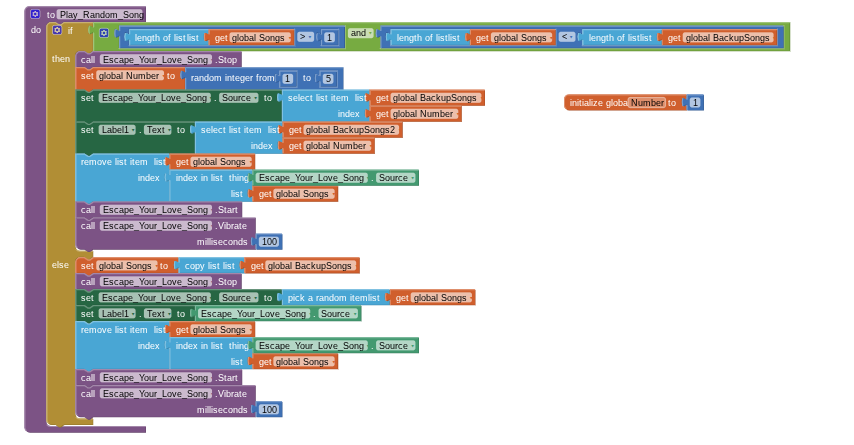
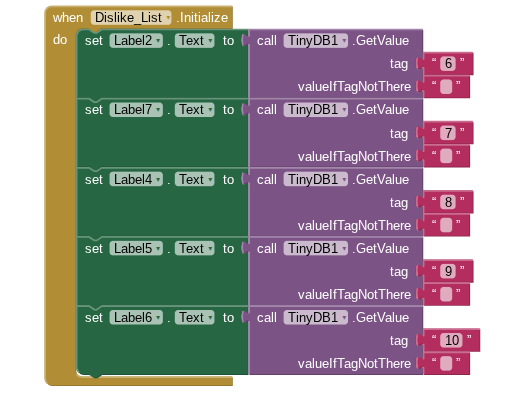
I am creating an app called music matcher for my STEM final that is due tomorrow and I am running into some problems in the coding process. My first problem is that the song names are not matching the songs and here is the code I have for it:
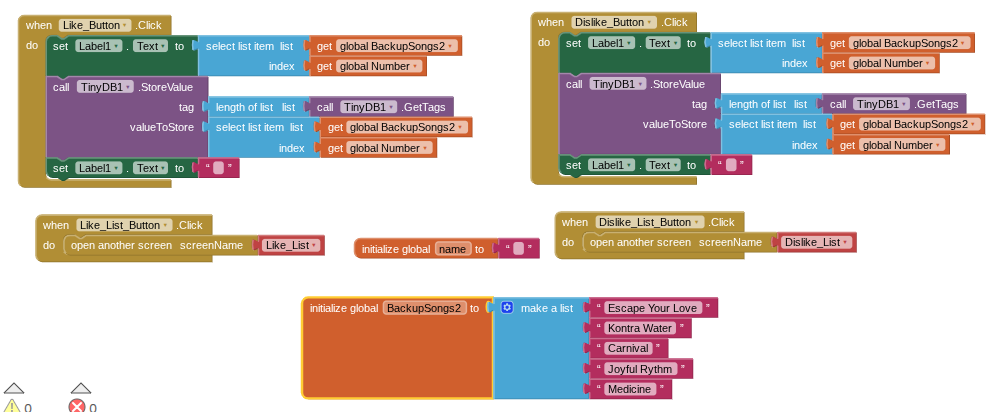
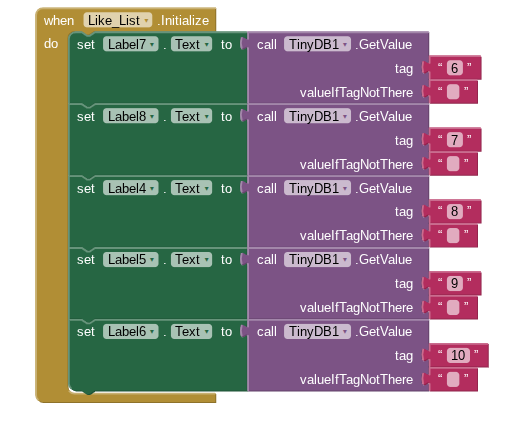
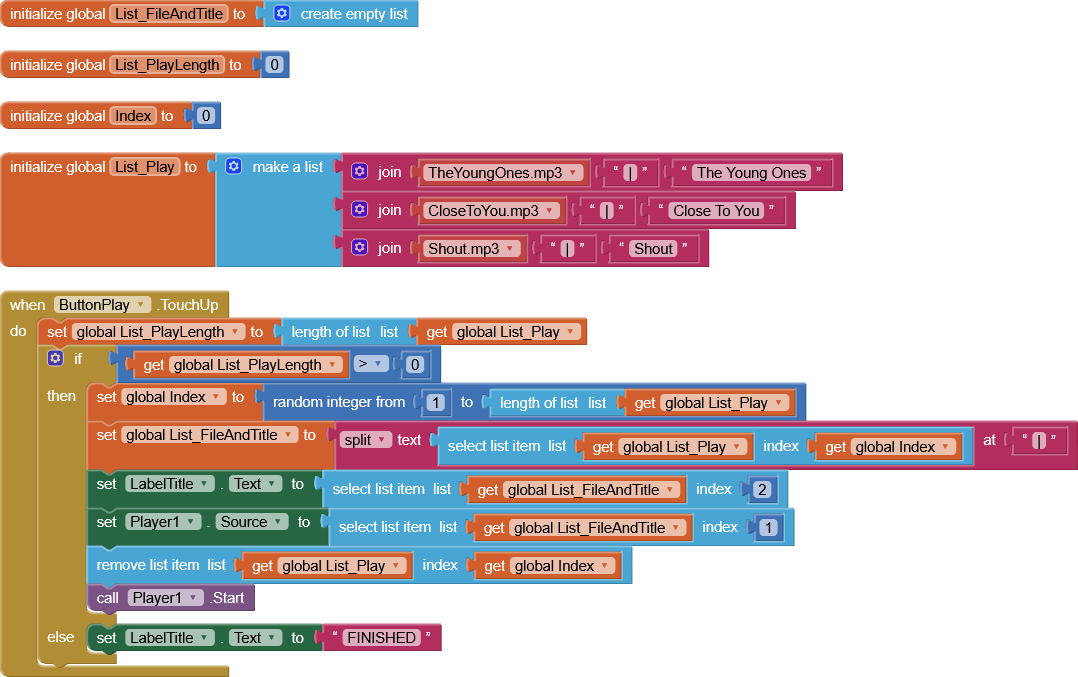
My second problem is that I cannot transfer the name of the song that is currently playing. I am able to transfer the whole list but I want only the one specific song playing to show up not the whole list. Many tutorials I have watched transfer the users input never the information off of a list. This is my current code for that:
Please do not judge me if I made a vital error that was obvious, this is my first time ever coding my own personal app and I am still confused on how to code.
Dear @Luke-1 , let me suggest you to not use multiple screens (you'll fall into several problems) but to use virtual screens, instead (i.e. making visible/invisible horizontal and/or vertical layouts).
The annexed.aia shows you how to change between virtual screens applying fading options by means of an extension, called "phase", made by @shreyash SmoothFade.aia (1.4 MB)
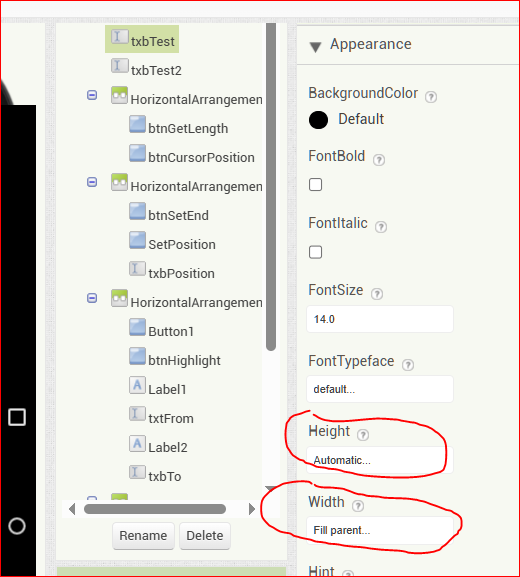
LIsts can be shown by using textboxes. You can assign the rows of a text box from the elements of a list, then show the text box whose height and width can be set according to the dimension you need (or want).
In addition, whether you want to perform cursor controls on a text box, you can use another powerful extension from @Taifun (TaifunTextbox1).
Best wishes for your "due tomorrow"