Hello.
I use TaifunSqlite1.Export. When writing a record to dbKnihy.db, it is OK in assets, but the export to the file on the sdcard is not performed. where can the error be?
Ondrej


No (it is written / saved in the root dir of the ASD):
/storage/emulated/0/Android/data/edu.mit.appinventor.aicompanion3/files/test.db
Extension version? (Version 2a works fine.)
com.puravidaapps.TaifunSqlite.aix
Hello.
I'll ask one more time, I guess I don't understand it properly...
My Sqlite database is in the mobile directory /MojeSubory/dbKnihy.db which is in the global variable gDBName.
To start the app, I call IMPORT

I assume that then dbKnihy.db will be saved in the directory:
/storage/emulated/0/Android/data/edu.mit.appinventor.aicompanion3/files/MojeSubory/dbKnihy.db.
All db updates take place in this directory while the app is running.
Only when I call EXPORT, then the file dbKnihy.dd is saved on SD in the address book:
/storage/emulated/0/MojeSubory/dbKnihy.db.
Is that so?
Ondrej
And again:
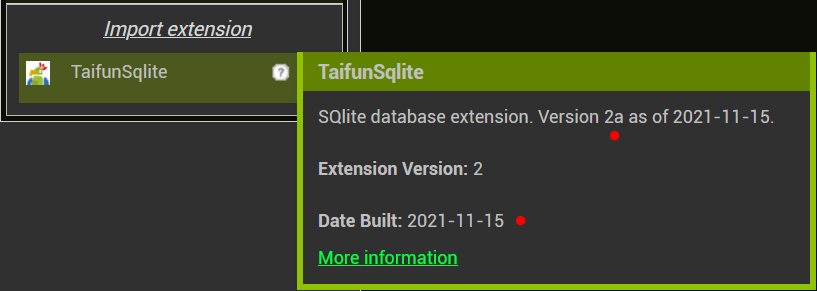
SQlite database extension. Version 2a as of 2021-11-15.
Extension Version: 2
Date Built: 2021-11-15
Where does the database come from.
How was it stored there:
/storage/emulated/0/Android/data/edu.mit.appinventor.aicompanion3/files/MojeSubory/dbKnihy.db 
From the documentation App Inventor Extensions: SQlite | Pura Vida Apps
Export database.
Note : Starting with SDK30 Android restricts accessing the file system. Therefore starting from Version 2 of the extension the database will be stored in the ASD - application specific directory /storage/emulated/0/Android/data//files . As fileName just use the filename without slashes.
You then can copy the database to shared storage using the file component... see also Some basics on Android storage system
Taifun