Alright, if this works or helps me figure it out thank you and TIMAI2 sm
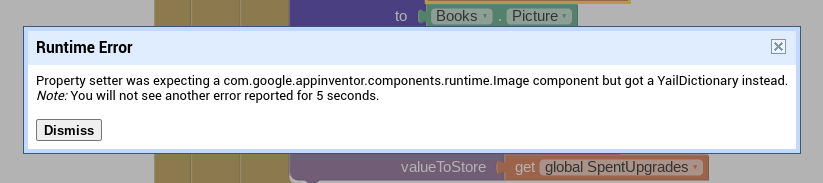
Maybe I did this wrong but I am still getting similar error messages. I have a variable that initializes a dictionary, it stores the image of all my image components, and I have an any image setting all image components in list to " ". The main problem I have is persistence, I want the data to persist but the only way I can find to have persisting data is to save a component to tinyDB and that won't work. I think what I need is how to save an image that is supposed to be gone and how to make it disappear on startup.
while calling from tinydb (since it is in int) you must use selcect list item list
List --- reqired global variable list
index ---- call from tiydb
show me what have you tried also click the tinydb to do it.. Make sure you have cleared the tinydb (since this is new attepmt)
I had a terrible dictionary experiment but after I tested this
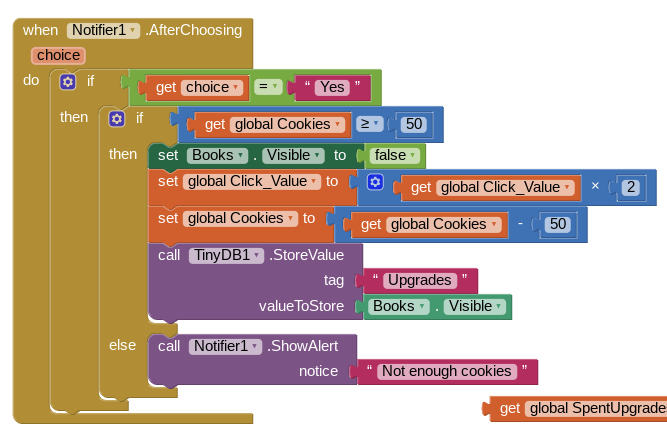
I realized it isn't saving (This image's visibility is false) it is actually saving (False) so when my set any image of component equals false is run it is being told (set component: False to False) rather than my list of images to False. I have no clue how to solve this.
in order to help you better pls show us your method of saving into tinydb.. as well screen init along with initialistion of global list

Terrible dictionary experiment

Original variable
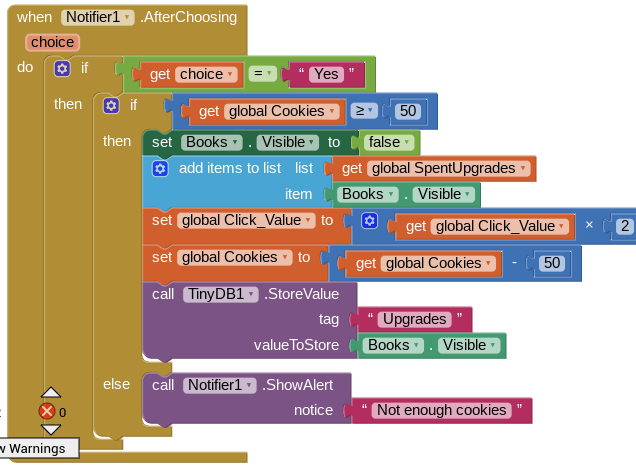
Original upgrade bought string w/how and what I am saving
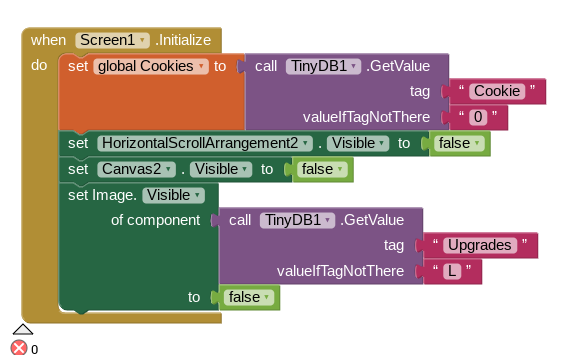
Original screen initialize
My experiment with setting image to " " didn't fare much better since it saving only false applies to that experiment too, it just saves " "
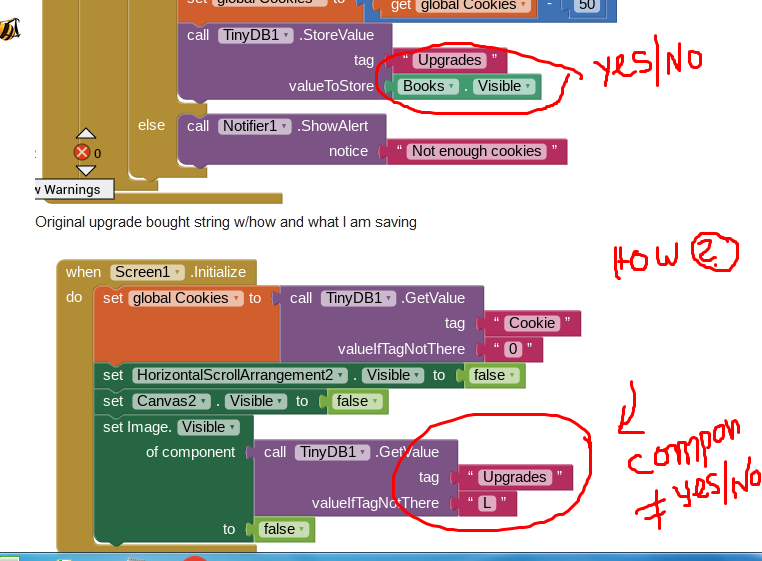
sorry, forgot to reset one thing.
I want it to save the component's state but it is accidentally saving the boolean. It then calls the boolean when reset and gives me this error

Again you are wrong? My question is, Why do you use Add items to the list?

Based on your blocks it sems you want to set visibility for single image component..
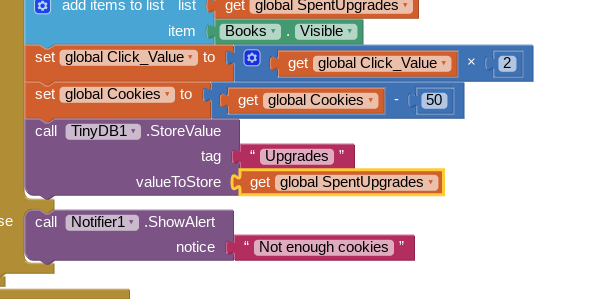
do this
In the above event set the global SpentUpgrades to Books Visible
and store this variable into tinydb (actually directly you can store into tinydb, No need of this variable)
In screen init
dont use Set image block instead directly use the set name of the image component visible to call tinydb value
then in
I am going to have several upgrades so I want a running list of all the images. What you have said will work but I am trying to save myself time and effort later since I will have a ton of them.
there is no relevant blocks for it. thats why you are getting this.. wait let me show you some example
I suggest you simplify, work on each part of the workflow separately, then combine them.
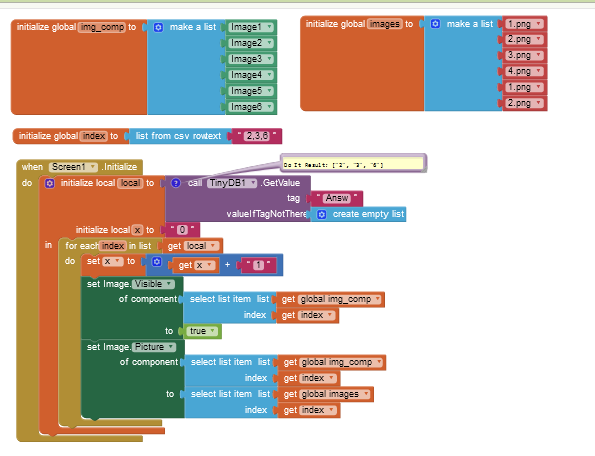
I meant like this
I'm trying to guess your problem domain from the nouns you use:
- cookies
- upgrades
- books
Are you trying to code an RPG (Role Playing Game) where the player can customize his avatar by purchasing upgrades with cookies and accumulating skills through acquisition of books?
Something like that
Ill try that in a sec

It was so promising.
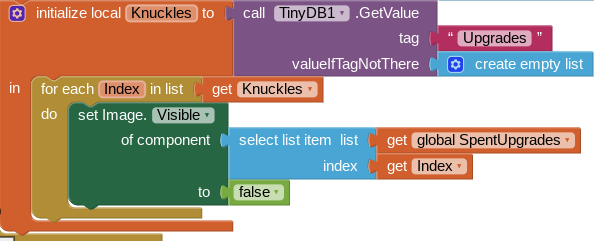
It is so close to success.
This may be the last hurdle between me and a working saving system.
Your value under tag 'Knuckles' is not a list of numbers.
From the error message, it was a list of dead component names.
Indexes have to be numbers.
They may be asleep but I wonder what is in their TinyDB. I have component names which isn't working for obvious reasons. Perhaps I could have an upgrade id system?
You need to map text names to your components if you want to save component names to TinyDB.
Here is an example using Sprites and JSON ...