I need some help. I’m using a Canvas and setting my Sprite positions using percentages. However, when running the app on a mobile phone, it seems that the phone’s system UI (such as the navigation bar or system buttons) takes up some screen space. This causes the Sprites to shift from their intended positions and overlap with each other, so the app cannot work properly.
Is there any way to fix this issue? What would be the recommended approach? (The misaligned Sprites are buttons that need to be placed at exact positions.)

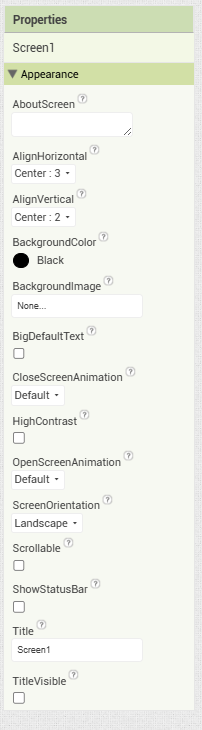
Turn off the screen1 flags for showing title bar and system controls.
Also, capture component sizes in a Clock Timer after the screen real estate has been allocated, or dynamically.
1 Like
I don’t fully understand this, sorry. I’m not very good at coding—I just want to give it a try. ***I set it up like this, but I’m not sure if it’s correct. I understand how to make the Clock update, but when I do it, everything seems to overlap. It might be because the navigation bar is pushing the sprite.
I’ve fixed it now by adding to the X-axis. Thank you very much for your advice.