SMB Manager Version 2 File Upload doesn't work

I tried to upload a file via the SMB Manager Version 2 by Jörg Hüneburg.

Is there any documentation on that extension? I coudn’t find any on the web.

I tried the network path with /server/folder/ didn’t work.

\\server\folder\ didn’t work because \t in my strings was changed to whitespace or sth. similar.

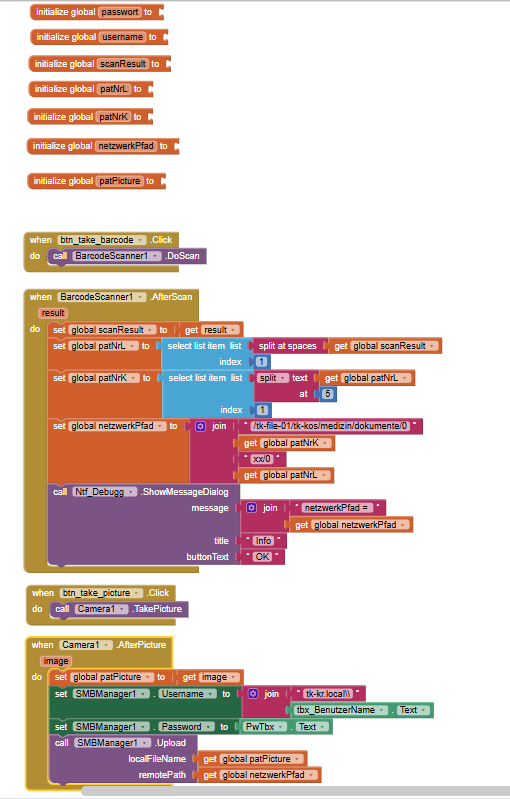
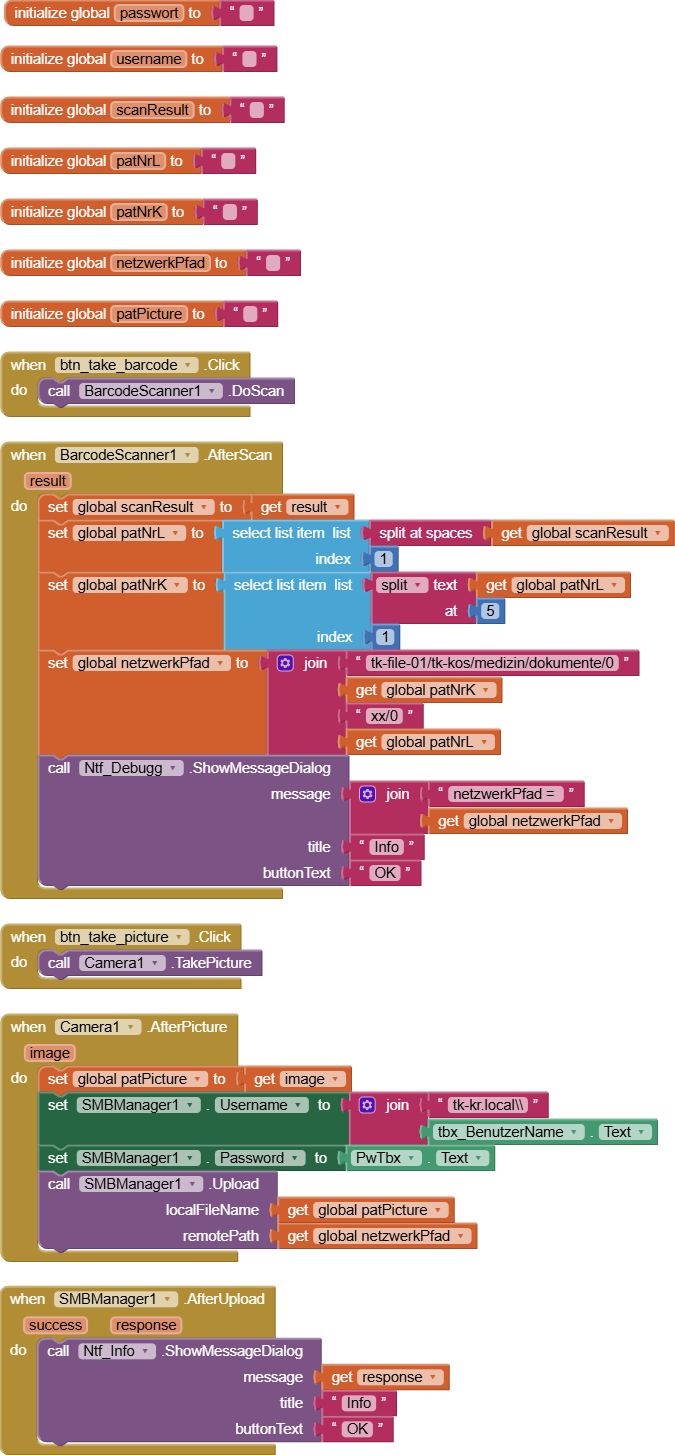
My code: I want to enter unsername and passwort in textboxes, then get a part of the netzwork-path with the barcodescanner and then make a picture which gets uploaded to the network-path-folder. Please help with the extension and string escaping.

See example usage image here:

and read through the topic here:

1 Like

Hi TIMAI2,

I configured the network path as per documentation tk-file-01/TK-KOS/Medizin/Dokumente/024167xx/02416713 and the local filename is set to the image taken by the Camera1 but the error message is this: localFileName and/or remotePath not found. I let logcat run via adb during scanning the QR-Code, taking the picture and trying to automaticlly upload the picture. Have you any idea where I should look for the root cause?
log.txt (14.8 KB)

You should be using an IP address ?

Sorry I don't have a running smb share here to test.

Hi TIMAI2,

thank you for your quick response.
I tried with IP instead of Hostname but I got the same error message.

OK, I have a couple of smb shares up and running now (neither have user/password access). These are connecting with the extension.

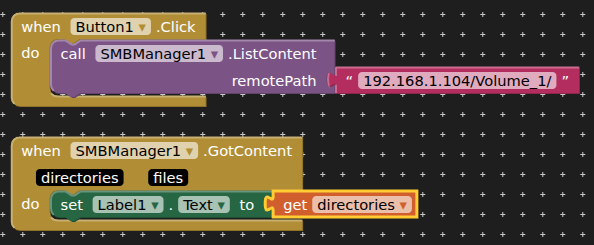
Basic path: IP address/folder/ - e.g. 192.168.1.104/Volume_1/

Note the forward slash at the end (important!)

The smb share is returning content for this:

Will test a file upload next.

If your shares are on a windows10/11 pc you have also to install the additional feature “smb1.0/cifs” ( in windows 10/11 )

P.S.

set also username and password in smbmanager block

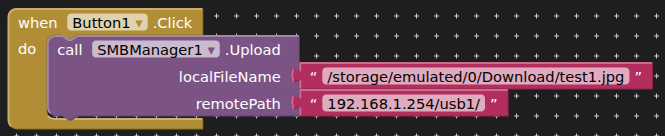
Successfully uploaded a file:

Strangely, trying to download that file results in a failed to open due to a read-only file system!

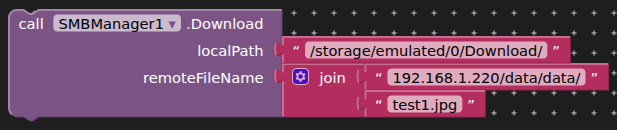
Closer:

but creates a 0 bytes file :frowning:

More background here: