I am wanting to create an app that can run in the background but create a screen touch for the foreground app.
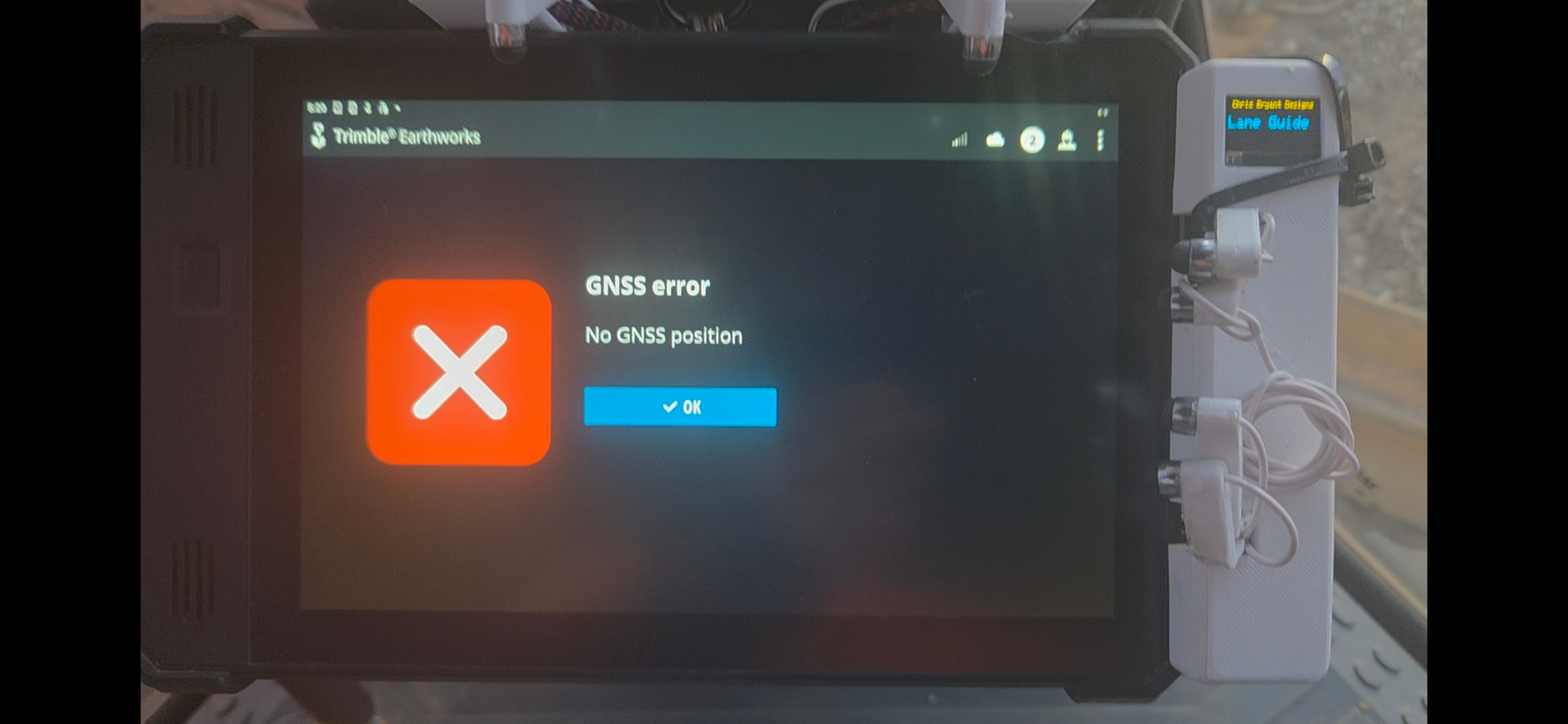
In essence, I run some proprietary software on earthmoving equipment and there is no way to interface with it other than the tablet touch screen. When the machine is moving, it is difficult for my big sausage fingers to touch the small icons reliably and normally I end up doing some other random function because I've missed the correct icon. The concept (I haven't written anything yet) is that I have a couple of mechanical push buttons on the machine itself for the most used items, then via an esp32, I can bluetooth/WiFi to the mit app and the app can then “touch” the given coordinate on the screen for the open software. I have done many projects with esp32 communication to app inventor but I have never tried to create a simulation screen touch. I just need some guidance as to how this is done.
I had a similar problem with my kitchen TV, fed from a desktop PC on the other side of the table and out of reach.
I used Chrome Remote Desktop from the Google Play Store.
I set up the Windows PC to talk to the app on my phone over the local network, and drag the remote cursor over the remote screen rendering on my phone, an inch from my nose.
It's awkward, but enough to start streaming and maintain start/stop control from my phone.
P.S. This is horribly insecure, and my kitchen PC is only used for streaming.
I shudder to think of doing this with construction equipment.
Android developers simulate touch events primarily by programmatically creating and dispatching MotionEvent objects to specific views or by using shell commands for external simulation.
Programmatic Simulation (Within App)
Developers use the MotionEvent.obtain() method to construct events and view.dispatchTouchEvent() to send them. This requires simulating a complete gesture by sending an ACTION_DOWN event followed by an ACTION_UP event with a short time delay.
long downTime = SystemClock.uptimeMillis();
long eventTime = SystemClock.uptimeMillis() + 100;
float x = 100.0f; // X coordinate
float y = 200.0f; // Y coordinate
int metaState = 0;

// Simulate ACTION_DOWN
MotionEvent downEvent = MotionEvent.obtain(downTime, eventTime, MotionEvent.ACTION_DOWN, x, y, metaState);
view.dispatchTouchEvent(downEvent);

// Simulate ACTION_UP
MotionEvent upEvent = MotionEvent.obtain(downTime, eventTime + 100, MotionEvent.ACTION_UP, x, y, metaState);
view.dispatchTouchEvent(upEvent);
External Simulation (ADB)
For testing or automation outside the app code, the Android Debug Bridge (ADB) is used. The input tap command simulates a standard tap at specified coordinates.
# Simulate a tap at coordinates (x, y)
adb shell input tap <x> <y>
Legacy Testing Utilities
The TouchUtils class in the Android Testing Support Library provided methods like clickView() and drag(), but this class was deprecated in API level 24. Modern testing should utilize the Espresso UI testing framework instead.
Dear @Chris_Bryant, please paologise me if I haven't correctly understood your requirements, but I'm not of English native language.
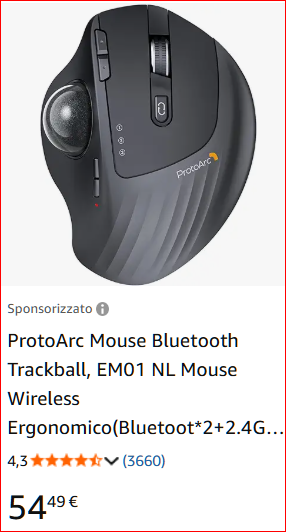
Having said that, if you need to "move the cursor" on the Android pad, why not using and already made trackerball, like the following? (a quick search on Amazon)
You can stuck it (with screws or glue or double adehesive rubber band) somewhere on your hearthmoving machine dashboard, so you can address the icons (hopefully) more precisely than with your giant fingers...
I agree that the DIY is more challenging and more fun, but if this solves your issues.....
Awesome idea. I am already doing it this way but I am now wanting to streamline the concept to make it more “factory”. This is a quick 3d print with small servos to prove concept and to also see if it would be useful or not. Turns out it is more that useful and our entire fleet want it
FYI, all of these servos are run from only one push button. There is an unused button on the machine controls that i have connected to and I just utilise single, double, triple or long click to change functions.
That is actually a great idea for a few other projects i have but this one i am trying to eliminate the need to take your hands off the controls to change functions. As you can see, there is a fair bit going on already and to remove your hand even for a second can be problematic.
Yes in theory you should stop, set functions, then go again but doing this hundreds of times each shift does give you the shits.
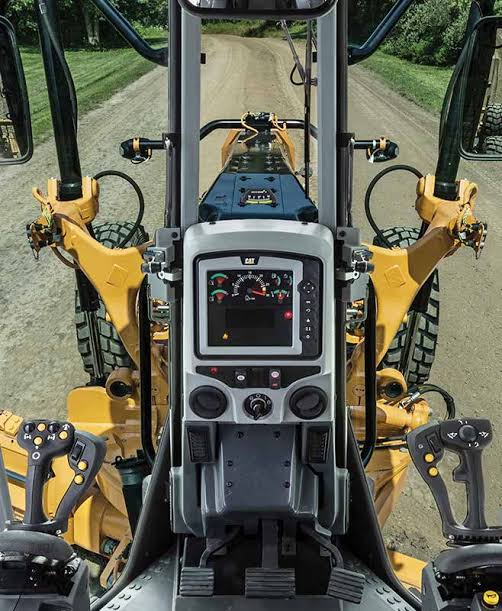
This is the inside view of a cat 150 motor grader. They build the roads you drive on. The interface is for the grade control system settings. There are already buttons to enable/disable automated machine control, i just want to have an unused button toggle through the units grade pre-selects (swap grade at the end of a run etc)
Regardless of how I initiate the routine, the end result is that I still need to “click” the icon on the touchscreen in the proprietary software. I am also coming up with other restrictions on further research as the tablet is very restrictive on what you are “allowed” to do, even once in developer mode
So I found a solution, no app needed. The tablet is MDM locked by the proprietary software so any form of accessibility was going to be an issue. However, I did learn about “absolute mouse” technology primarily used in touchpads. This allows you to write to specific coordinats and click although you need to write some calibration code as it does not use pixels or screen percentage as coordinats.
I simply coded an esp32 to be a “BLE Bluetooth mouse” so the tablet thinks it is just a standard mouse and connects easily (and automatically once paired) and then I just send the “mouse click” through as though a normal mouse had moved and clicked at that location. Works a treat.
 or glue or double adehesive rubber band) somewhere on your hearthmoving machine dashboard, so you can address the icons (hopefully) more precisely than with your giant fingers...