Is there a way we can set the Minimum Deployment Target to iOS 16 or 17? On older iOS devices (iPhone < 10 with iOS < 16, especially my iPhone 6s with iOS 15.8.6), the layout and handling (switching screens) of my apps is completely different than on newer iPhone models with e.g. iOS 26.x. So I have to exclude older models from the App Store.
Adjusting the Info.plist later might be somewhat complicated.
We implemented a similar feature on Android where users can configure the minSdkVersion at build time instead of hardcoding it.
Perhaps we could consider introducing a comparable setting for iOS, allowing the Minimum Deployment Target to be configurable during the build process rather than modifying Info.plist manually afterward.
This could provide more flexibility and maintain consistency across platforms.
If it's already supported in other AI2 distributions, it may be possible to introduce a similar configuration layer in the iOS build system rather than requiring manual Info.plist edits.
I’d be happy to look into how they implemented it and see if we can adapt a clean approach here.
I have a question related to the content of your message rather than the title. Please let me know if I should start a new thread instead of asking my question here.
You say that the layout is different depending on the iOS version. Can I please ask a bit of details on this? Does this mean that the layout I set in the designer can look different on different iOS versions? I am using all options for setting width and height of components in the designer. For some I use "automatic", for some I use "fill parent" for some I use the dimension in "pixels" for some I use the dimension in "percentages". Is any of these problematic? Should I avoid any of these?
I also use a few vertical scroll arrangements, and my overall screen is not scrollable.
Can I also ask how the switching screens is different? Is it about how the old screen visually disappears and how the new one appears?
Sorry about these general questions, but I am in the process of developing an app with the aim of working on both Android and iOS and it would be good to know the problematic parts to avoid using.
Yes, I tested my app(s) on different iPhones / iPads with different iOS version (iOS 15.8.6 - 25.x). And there are significant differences that can't be masked by scrollable arrangements. Of course, it also depends on the size of older devices. You'll need to test your app yourself on various physical (real) devices.
Will this option be available? If not, I have no choice but to add the following note to the app description in the App Store:
"Note: This app is designed for devices running iOS 17 or later.
On older iOS versions, the user interface may not display correctly."
That would obviously not be a good solution.
______
As I have explained and demonstrated elsewhere, it's not just about the layout, but especially about switching between screens. This is absolutely unacceptable on older devices (iOS versions).
Yes I have something in the works. It won't make the release going out this weekend, but I can probably put it on the ios build test server so you can try it out.
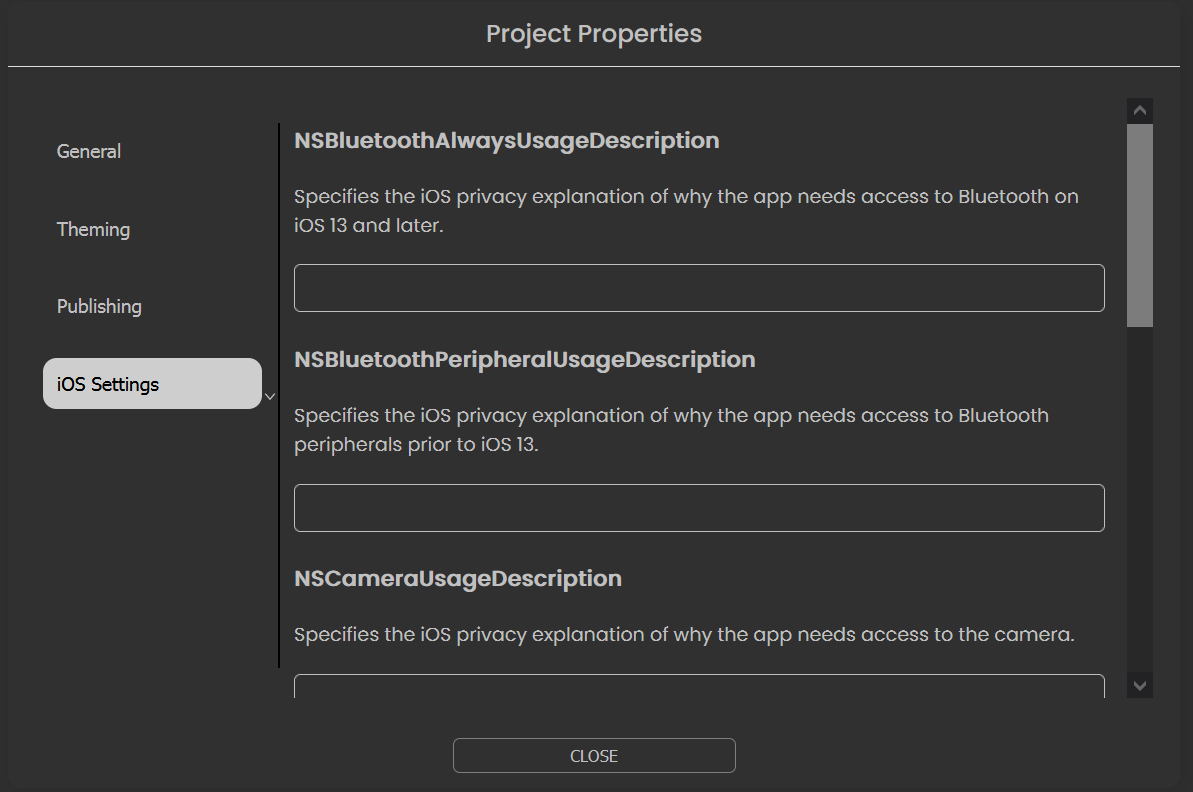
I just pushed the update to https://iosbuildservertest.appinventor.mit.edu/. You can find the IosMinSdk property under the iOS settings in the project properties. It is just a general textbox for now, so you need to make sure it conforms to what Apple expects. I set it to 18.0 just to test that App Store Connect would show that value after uploading a build. Once you import a project, you'll have to wait for us to push this feature to the main server in order to go back.
NSBluetoothAlwaysUsageDescription
Specifies the iOS privacy explanation of why the app needs access to Bluetooth on iOS 13 and later.
NSBluetoothPeripheralUsageDescription
Specifies the iOS privacy explanation of why the app needs access to Bluetooth peripherals prior to iOS 13.
NSCameraUsageDescription
Specifies the iOS privacy explanation of why the app needs access to the camera.
NSContactsUsageDescription
Specifies the iOS privacy explanation of why the app needs access to Contacts.
NSLocationWhenInUseUsageDescription
Specifies the iOS privacy explanation of why the app needs access to user location.
NSMicrophoneUsageDescription
Specifies the iOS privacy explanation of why the app needs access to the microphone.
NSSpeechRecognitionUsageDescription
Specifies the iOS privacy explanation of why the app needs access to speech recognition.