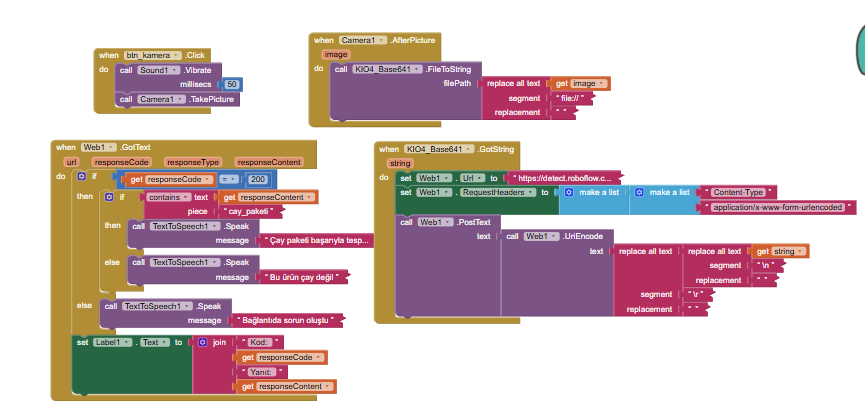
Hello everyone, I am developing an app for visually impaired people using MIT App Inventor. I am trying to send an image from the device camera to my Roboflow model using the KIO4_Base64 extension.
My steps:
Take a picture.
Replace file:// with empty text in the generated file path.
Convert the image to string using KIO4_Base64.FileToString.
In the GotString event, I use multiple replace all text blocks to clean the base64 string by removing \n and \r.
I use the Web component to send a PostText. My request header is Content-Type: application/x-www-form-urlencoded.
I apply the UriEncode block to the cleaned base64 string right before posting.
Despite this, I constantly receive this error from Roboflow: 400 Could not load input image. Cause: Malformed base64 input image.
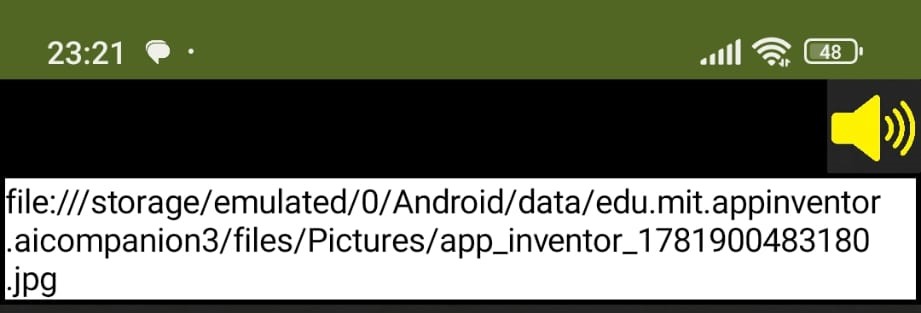
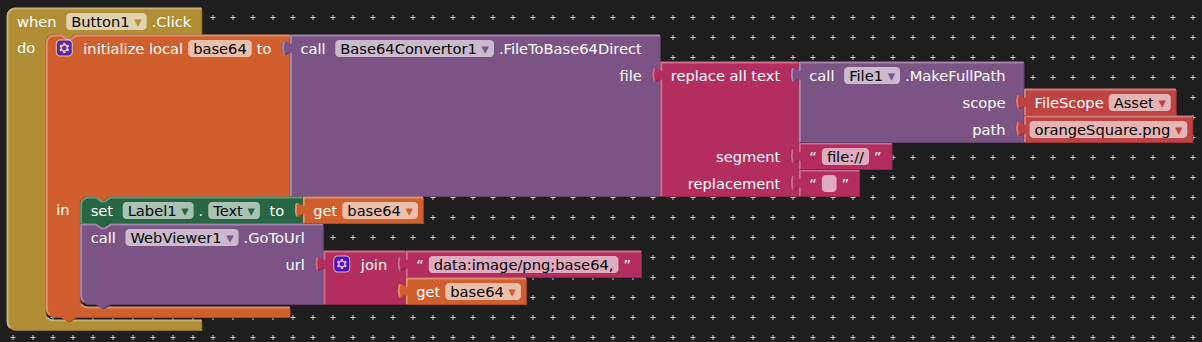
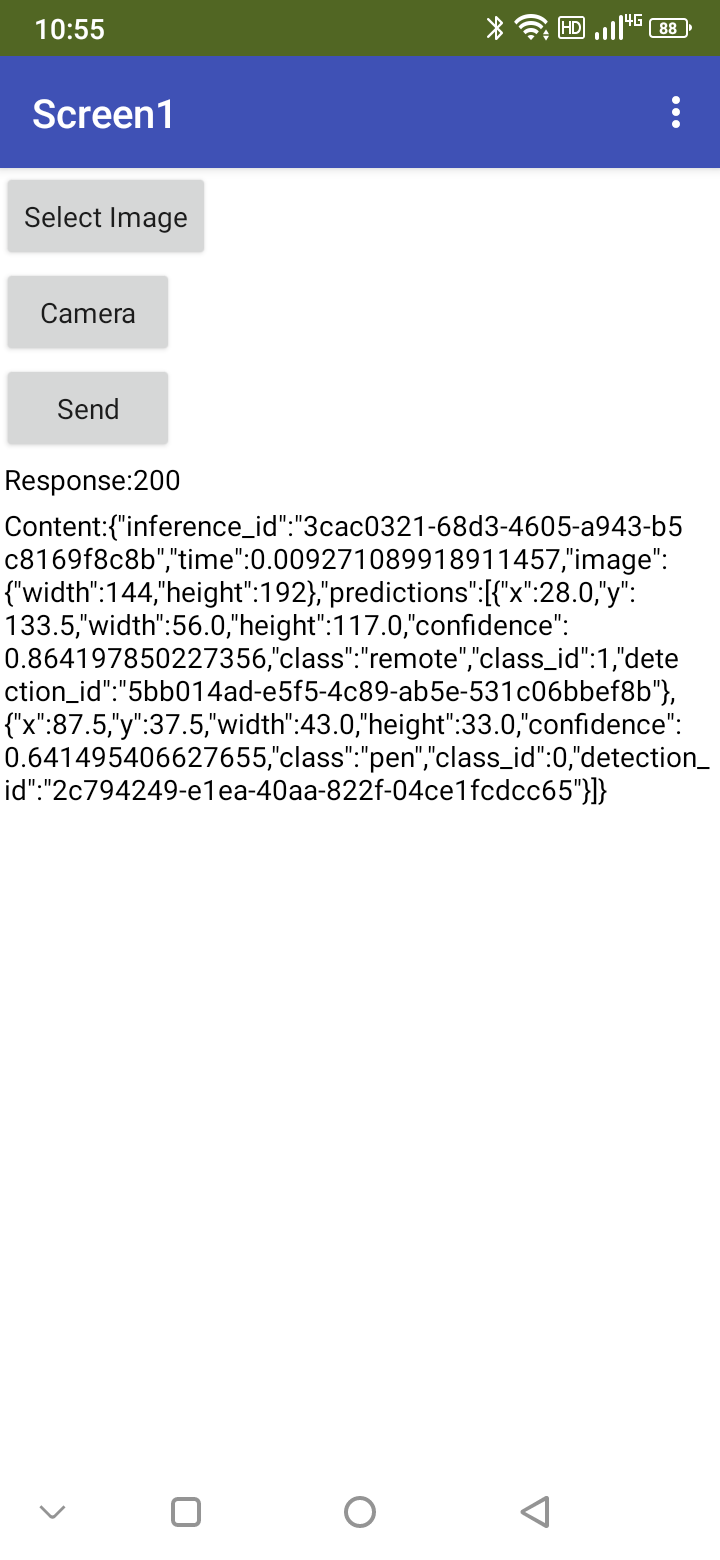
Has anyone successfully sent a base64 image to Roboflow using MIT App Inventor recently? What is the correct way to construct the POST payload and headers? Any help is greatly appreciated!I've attached a screenshot of the string generated by Base641, and I've printed the camera's file path to the label. Finally, the code I wrote is also attached. I would be grateful for your help.