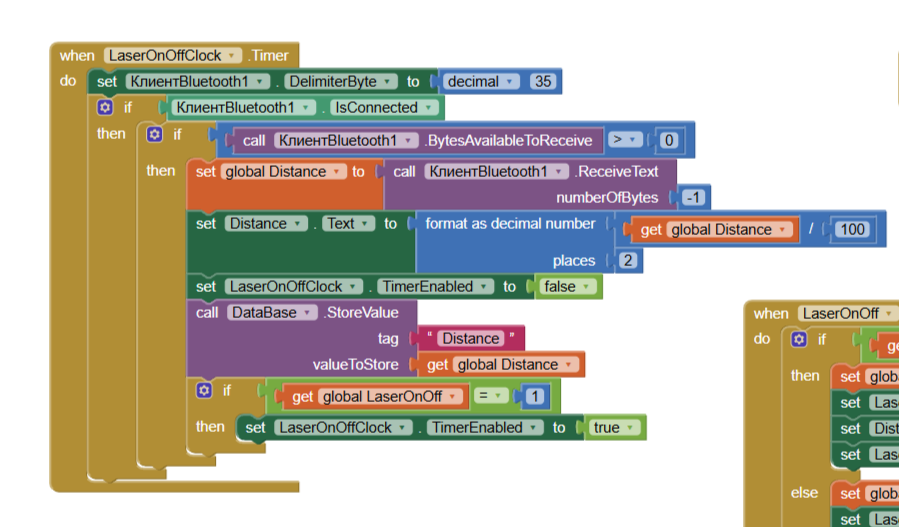
The project uses an ESP32 with a connected TFLuna distance sensor. The sensor scans the distance at a frequency of 100 Hz. At this scanning and data transfer frequency, the application displays the error "Bad arguments to yail divide". The arguments are either empty or contain multiple distance values. However, the distance value is correctly displayed on the screen. Increasing the timer time does not help. In the latter case, the ESP32 has a 0.1-second pause between data sends, the LaserOnOffClock timer is set to 0.01 seconds, and the Pause timer is set to 0.3 seconds.
Ideally, it would be desirable to display the distance on the display in real time, updating it at least every 0.1 second. However, even when the update frequency was set to 1 second, the error still occurred. Can anyone suggest a way to fix this error? Perhaps by separating the sent data with a specific symbol? Or completely change the time algorithm? This algorithm works well with one-time measurements. But when there is a flow of data, everything breaks down.
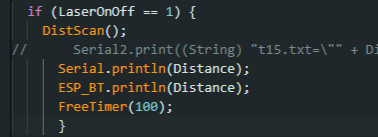
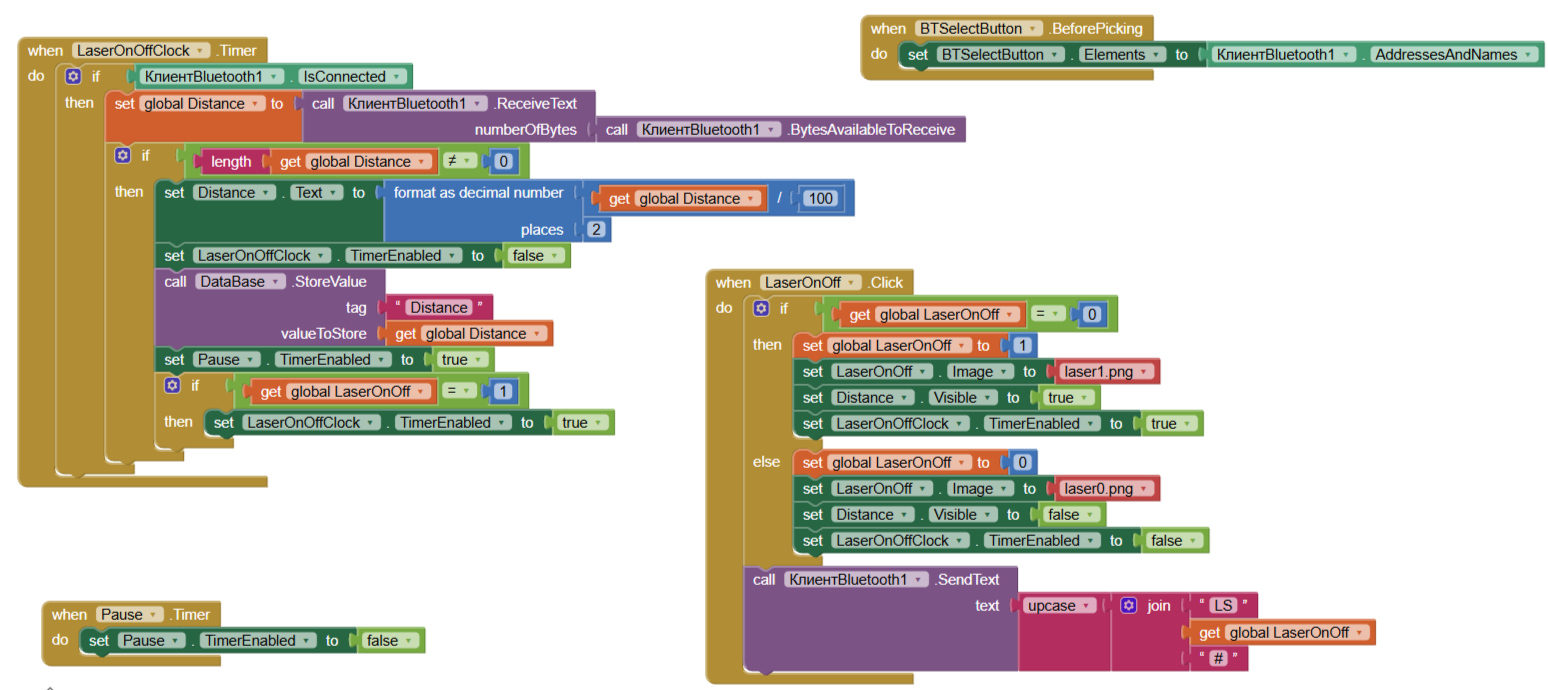
First of all: I assume that the ESP32 is sending data to the phone via Classic BT and not BLE, because I don’t see the use of any UUID’s in both your app and Arduino code.
Having said that, I suggest you to change the way of receiving: instead of receive until the incoming buffer is emptied, since you use a .println() to send the entire string, it is better to set the blocks in the following way:
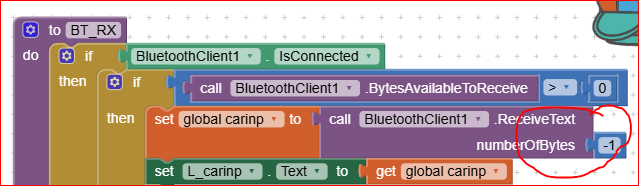
and set in the Screen1.Initialize the terminator character as:

I attach here below an example from which you can get some help (I hope  )
)
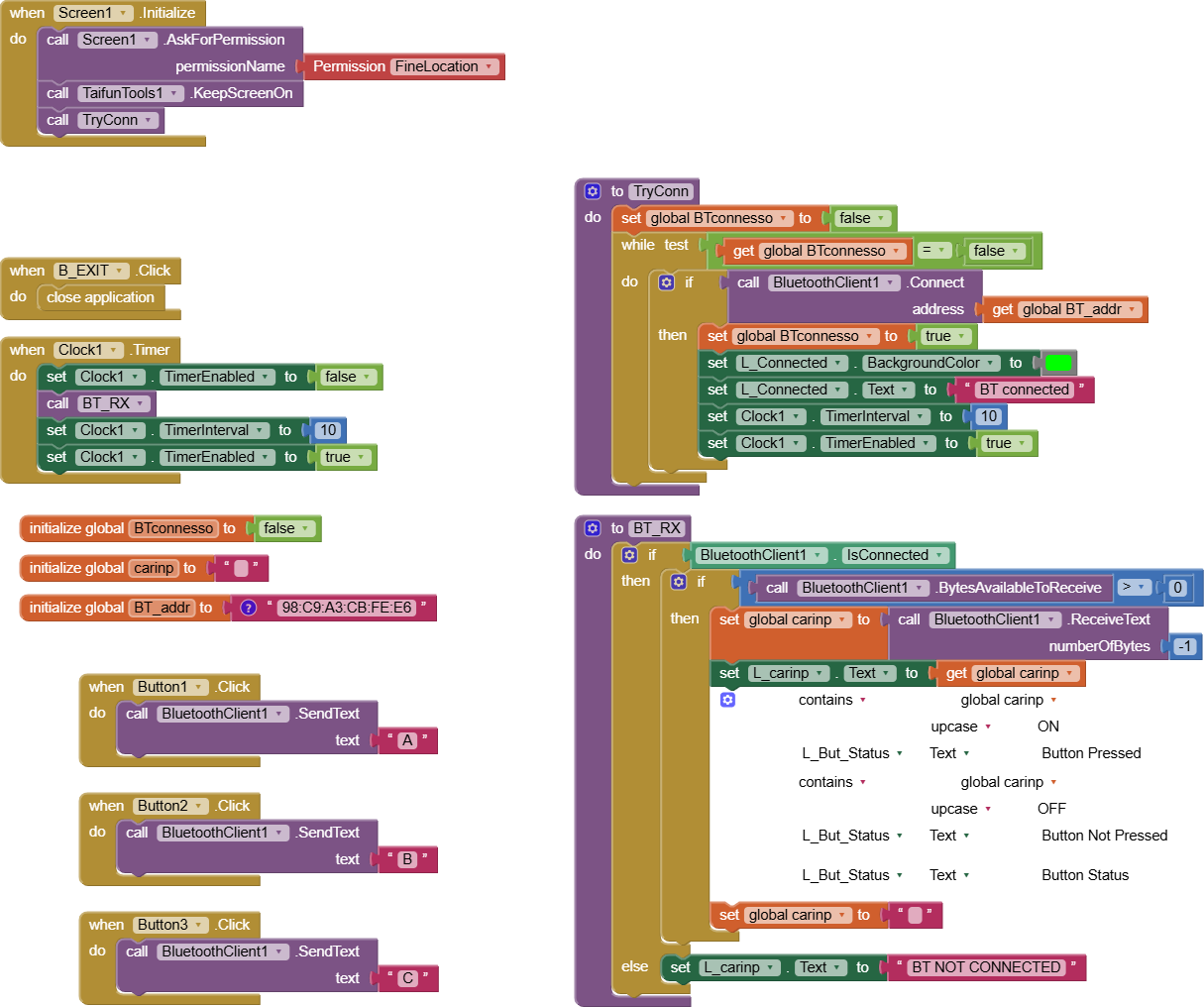
Then, the clock1 (to receive data from BT) shall be put at the rate of 10 ms, because I believe that by putting a faster period, it woud lead to an overloading of activity on the phone.
Depending on the ESP32 system speed you can send a position update from the ESP32 every 20 ms, so to allow the phone to correctly receive the string. This is the typical sampling theory: the polling rate shall (i.e.”must”) be faster, at least twice, with respect to the sensor update.
In other words: be careful to correctly set the overall (ESP32 and app) timings.
Best wishes !
The following is the ESP32 code that works with my example:
BT_Send_Monitor.ino (2.5 KB)
Doing what @uskiara said your tx and rx will remain in sync.
As you are dividing the Distance variable, I’ll add a check that Distance is a number ( s… happens, especially in transmissions ; - )
Sure, you’re definitely correct, a check that the incoming data is what it’ s expected is a good basic practice, but I believe that the divde error arises because he’s receiving a string that contains more than one data set, and therefore the string shall be split accordingly before any operation on it (such as divde). Let’s see what happens 
Ciao.
Thanks for the answer!
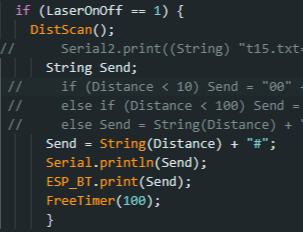
Based on your advice, as well as through trial and error, I did the following: I removed the PauseClock timer and set the LaserOnOffClock timer to 0.1 seconds. Instead of using println(), I used print(). I added a "#" symbol to the Distance in the ESP32 code and designated it as a break. The error stopped appearing, which is great. However, I encountered another issue: the delay between changing the distance and displaying it on the smartphone display increased to 4 seconds. This means that I need to wait approximately 4 seconds to see the correct distance. This is certainly better than errors. But it's not a real-time display of the distance.
To add to the information, after setting the data transfer pause on the ESP32 from 0.1 to 0.2 seconds, everything worked without such large gaps. The pause between changing the distance and displaying it on the display was less than 1 second. Thank you again!
Nice to read that you’ve made a step beyond !
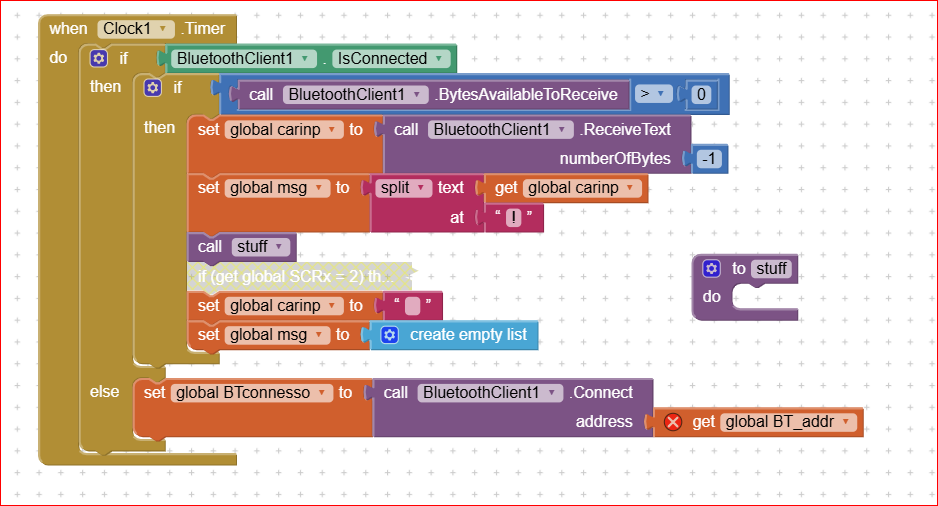
Now we have to solve the realtime issue. Typically I’m in degree to get new data from the BT interface (ESP 32 or Arduino UNO/NANO/ + HC05/06) every 10 milliseconds. Better to say: in my app the clock1 trhat “polls” the incoming BT line fires every 10 ms and if a buffer is full , the clock gets it, or if the buffer is in progress to be filled by the incoming BT, it waits until the Linefeed iis received (0x0A or 10 decimal). Of course the Arduino system has to send out the BT data in a time manner compatible. If in your string you send multiple data, you have to separate them by means of a separator. If I have correctly understood you use the “#” character, which is good, but at this point you shall split the received string at every # and assign each value to an element of a string.like (in my app I was splitting at the character “|”):
Nice to read also this, but please be also aware that in some cases (not every version) the “delay()” function in Arduino completely stops the CPU, and this is not really nice in a realtime environment.
To avoid this I typically use a self made delay, like:
void MyDelay(unsigned long timeout)
{ unsigned long now = millis();
while ( (millis() - now ) < timeout) ; // stays here but leaves the cpu alive
}
in the code :
MyDelay(1000UL); waits 1 second
Yes, I was informed about this by smart people at the time. Therefore, I use a FreeTimer() function similar to yours:
void FreeTimer(int FTDelayLength) { // Timer for any values
FTDelay = millis();
while(millis() - FTDelayLength < FTDelay) {
}
// This is just a pause. Nothing happens
}

 .
.
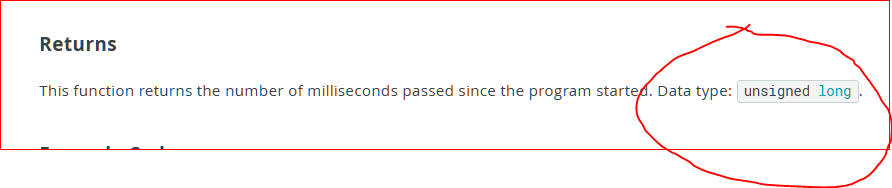
please be aware that millis() works with unsigned long, therefore using it with int could lead to a unwanted casting or behaviour…..
That's right. In my code:
int FTDelayLength;
unsigned long FTDelay = 0;
Great !!!
Enjoy your (working) system 