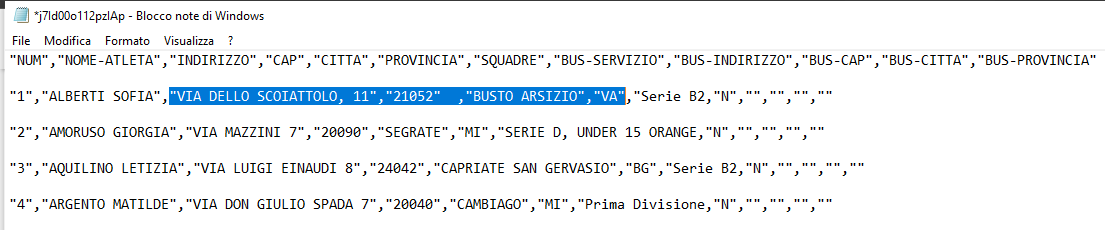
Hi,i need to read data of link below to create a ListView or saved into tinyDB but i don't know which is correct ask input format.
https://areariservata.volleyballteam.it/index.php/api/athletes/j7Id00o112pzIAp
Hi,i need to read data of link below to create a ListView or saved into tinyDB but i don't know which is correct ask input format.
https://areariservata.volleyballteam.it/index.php/api/athletes/j7Id00o112pzIAp
Try using the extension Tableview TableView Extension v3 - Extensions - AppyBuilder
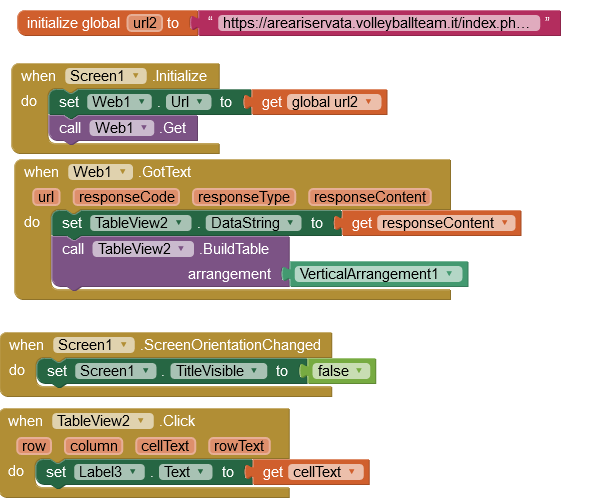
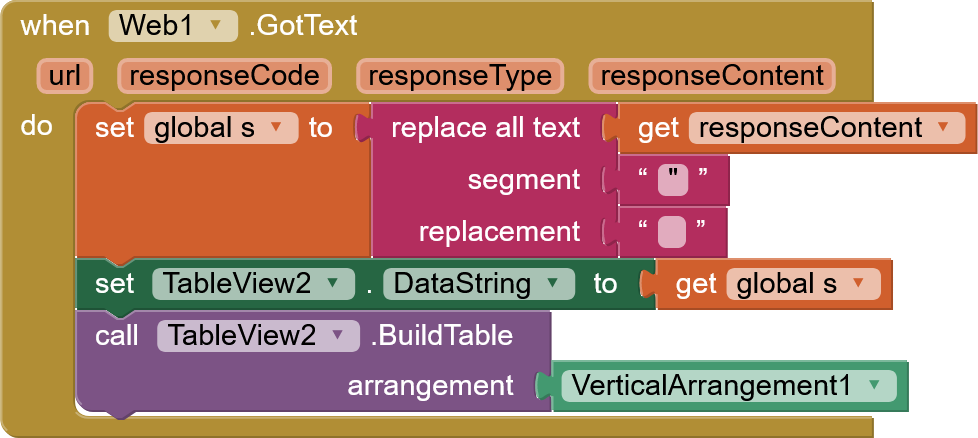
with this code
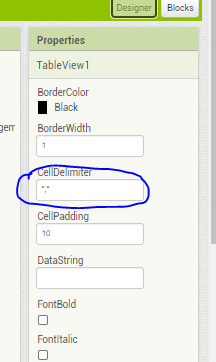
set the delimiter to \n in the designer for the Tableview extension
Dear
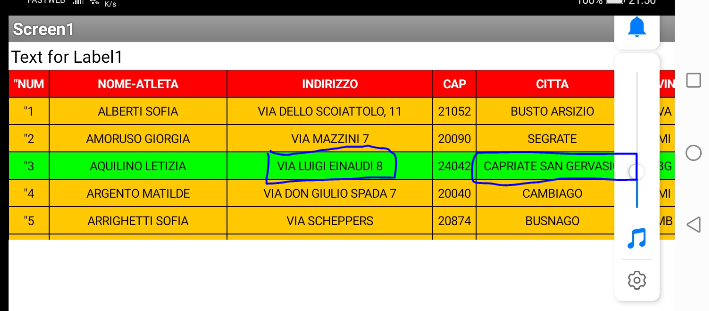
thanks so much for your time ,it works correctly.
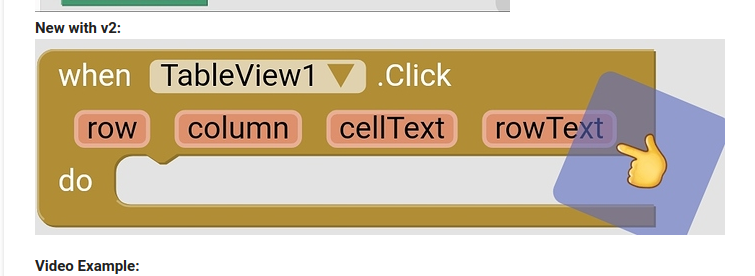
next step i would like to get some field from each selected raw .
You need to use text replacement blocks to remove all the double quotes before feeding the TableView
Thank you TIMAI2
probably i'm doing in a wrong way ,what i have to do is :
1-read from: https://areariservata.volleyballteam.it/index.php/api/athletes/j7Id00o112pzIAp
2-select from a list one row
3-send to google map only cell with address,city (now i send all data in a row...not correct)
4-make a list (filtered by squadra) and calculate distance+time (now i send all data in a row...not correct with NAVIGATE.
Hi
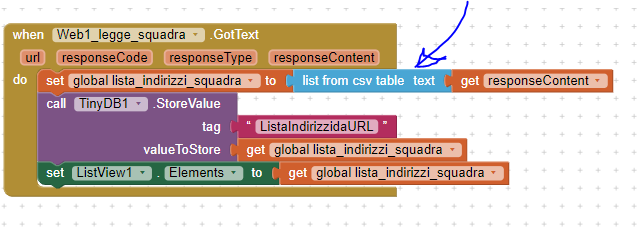
i found solution to read from URL,see attached .aia .but i'm still looking how to display and select in a right way
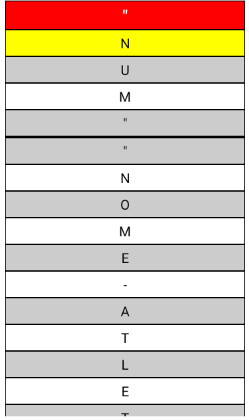
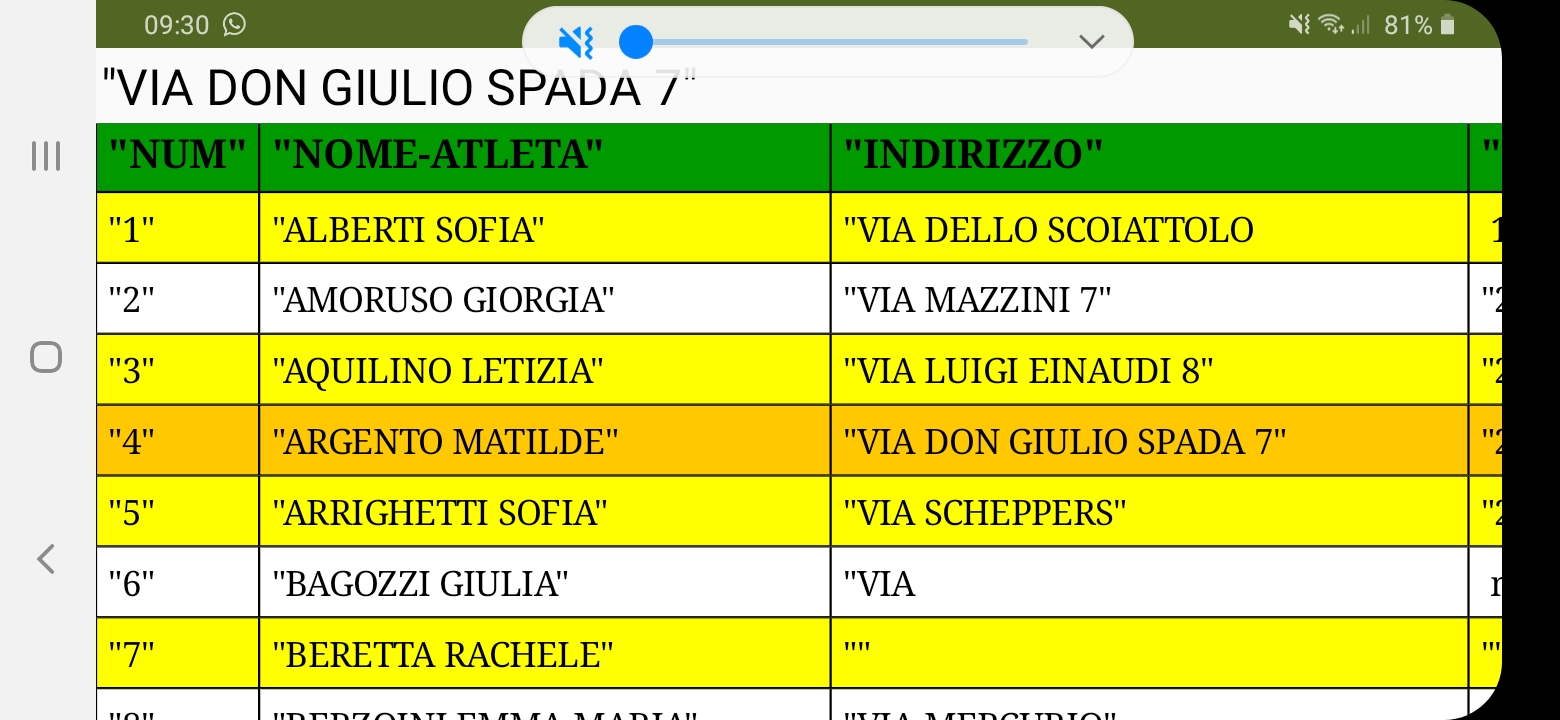
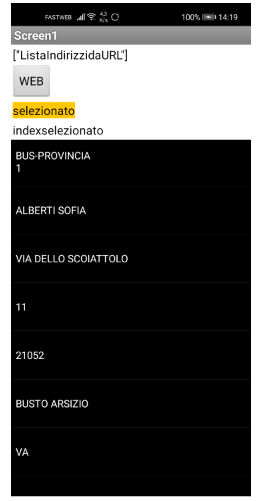
now display list is like this ,each field is a row:
Help is really appreciate.
Attached .aia filetest_WEB.aia (2.9 KB)