Hi everyone,
basically, when I call the relevant tag from TinyDB, instead of returning the corresponding numeric result, it returns "True." Obviously, the variables are all declared with a numeric value, not a Boolean.
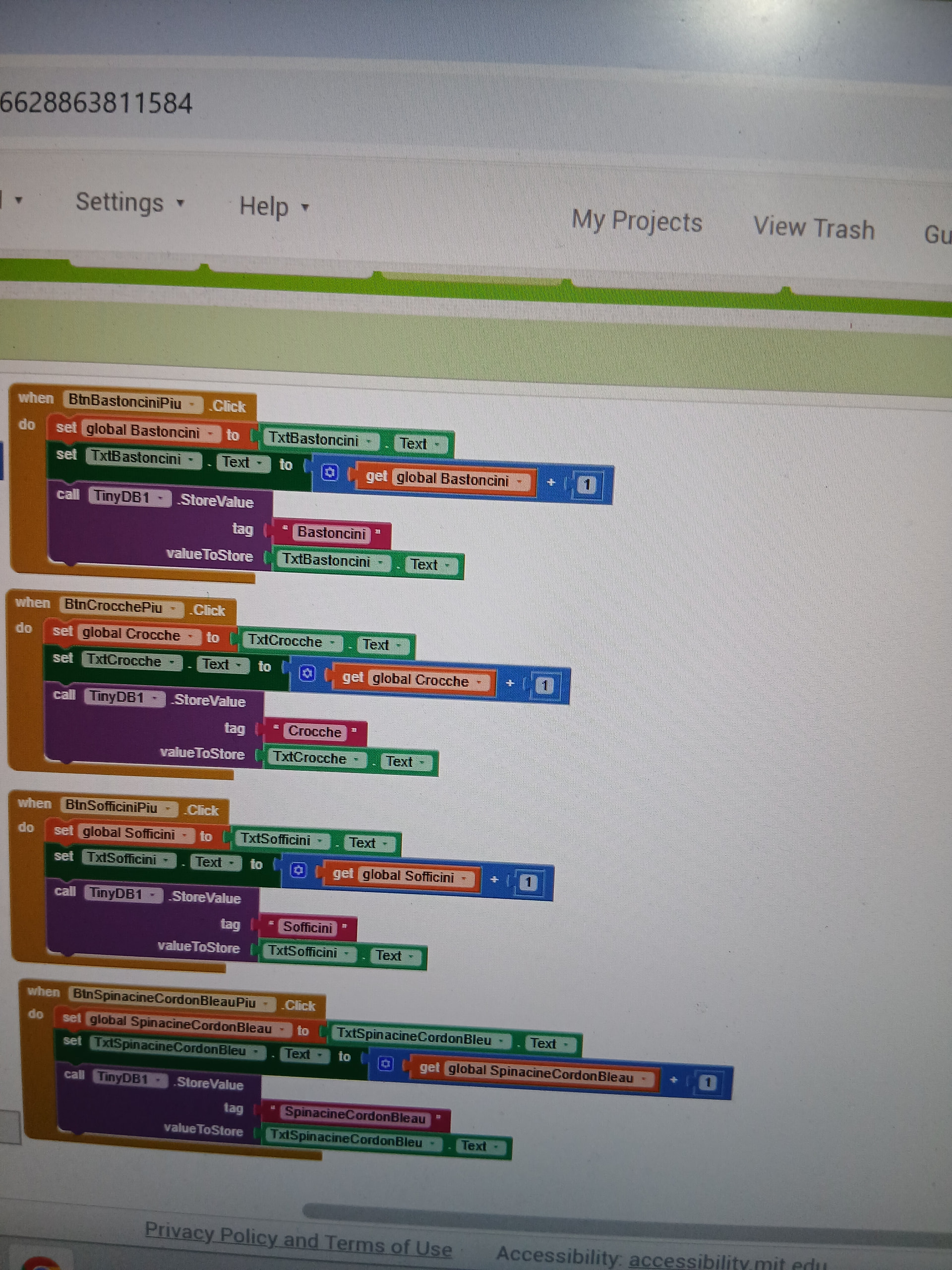
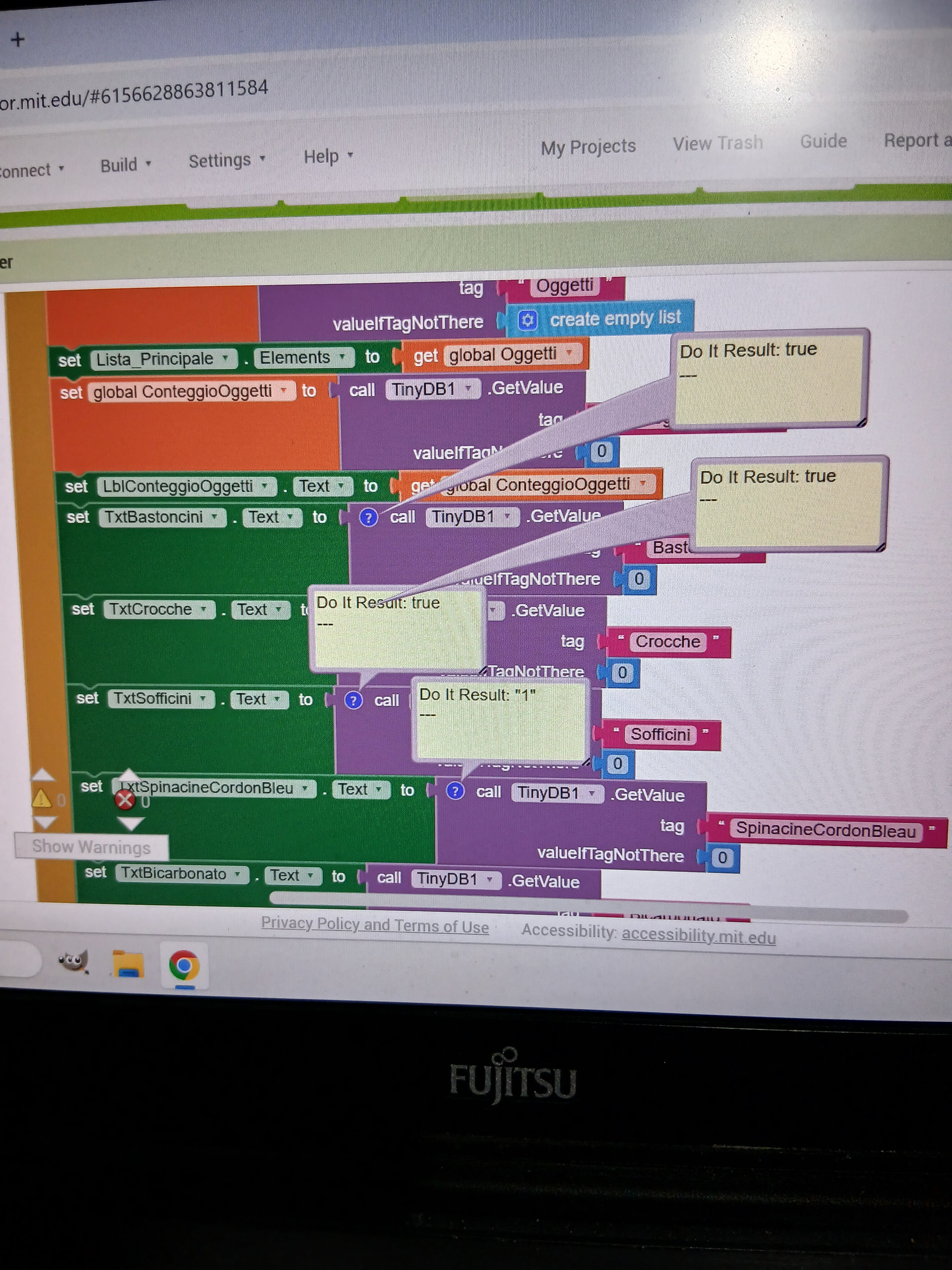
What do you get when you add 1 + true?
Could those text boxes have been initialized with true instead of a number before the Click events?
At one time in the past, have you been storing Textbox.NumbersOnly in TinyDB instead of Textbox.Text, and the resulting true value stuck around to the present?
Clear TinyDB and restart testing
TinyDB.ClearAll
Taifun
Further advice, for after you flush out your corrupted TinyDB values ...
Keep only one version of the truth, not three (Label.Text, global variable, TinyDB tag/value.)
Let the TinyDB tag/value be the one true version of the truth, since it is persistent across screens and app runs.
If you want to add 1 to a value, do it directly from and to TinyDB:
- store value in TinyDB (1 + get value from TinyDB, default 0)
- (optional: Show new value in Label.Text, but never let your app read that value.)
This way keeps the truth in only one place, and avoids confusion and the opportunity for corruption of your data.
You never needed those global variables. They are only a handicap, adding to the confusion.
Taifun, actually deleting all the tags solved the problem... but I'm curious to know what could have happened. But now I find myself with another little problem; basically, when I go to add 4 products to the ListView, 3 products are displayed, while when I try to scroll the ListView, the 4th product is there but it is displayed as a sort of "Ghost" that appears and disappears in the view.
I finally solved it by setting the Image Height and Image Width values to 3000
For example
Taifun
Not
This topic was automatically closed 7 days after the last reply. New replies are no longer allowed.