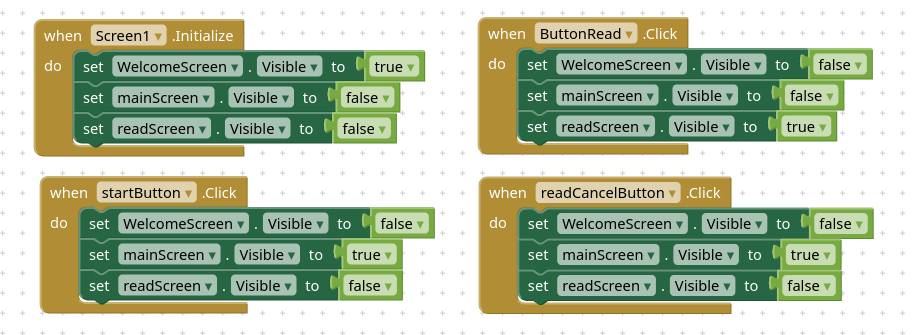
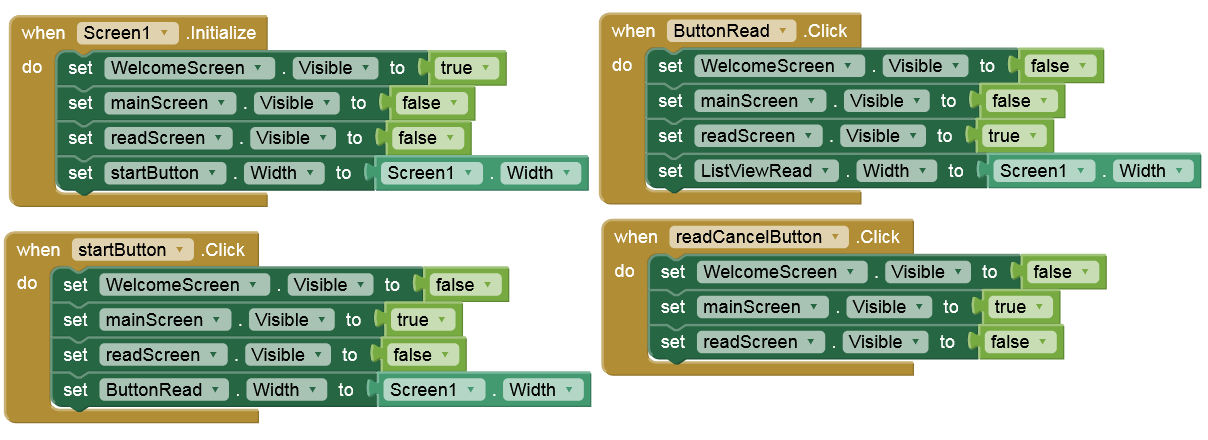
On my iphone the width of arrangements seem to adjust to the widest button and not filling the screen even though all width are set to “fill parent” in the designer for everything.
This is an interesting issue, especially since it only appears on iOS. If all arrangements are already set to "Fill Parent," it might be worth checking whether one of the visible components is forcing the layout to recalculate based on its content size when visibility changes. Have you tried placing a simple test arrangement with fixed buttons to see if the behavior still occurs? That could help determine whether the problem is related to the arrangement itself or to one of the components inside it.
I also experimented a bit and without adding any blocks, I could also make it work by changing the width from “fill parent” to “100%” on all (emulated) screens.
I do think though that “fill parent” should work as “100%” in this case, but apparently it does not on iOS.