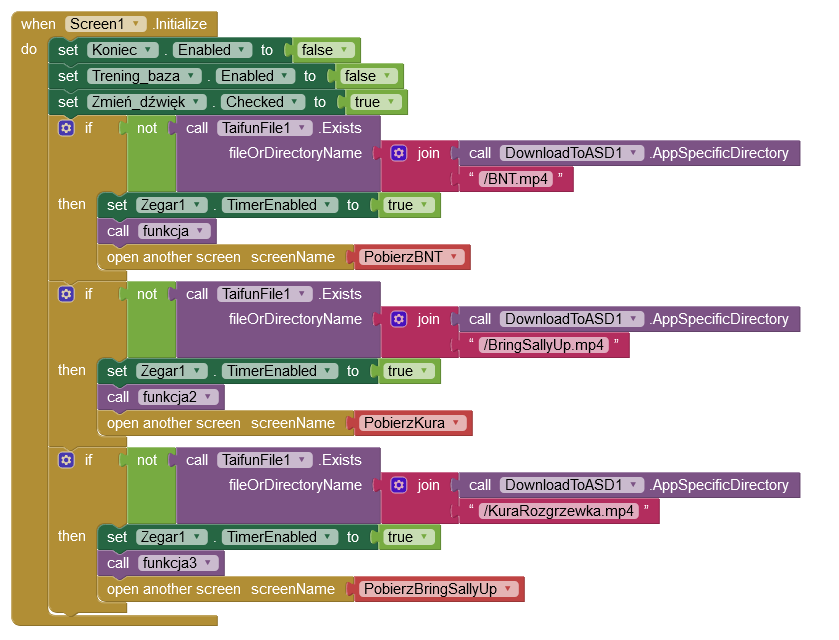
Thanks for the replies, I went a step further and tried downloading files from google drive.
The application is structured as follows:
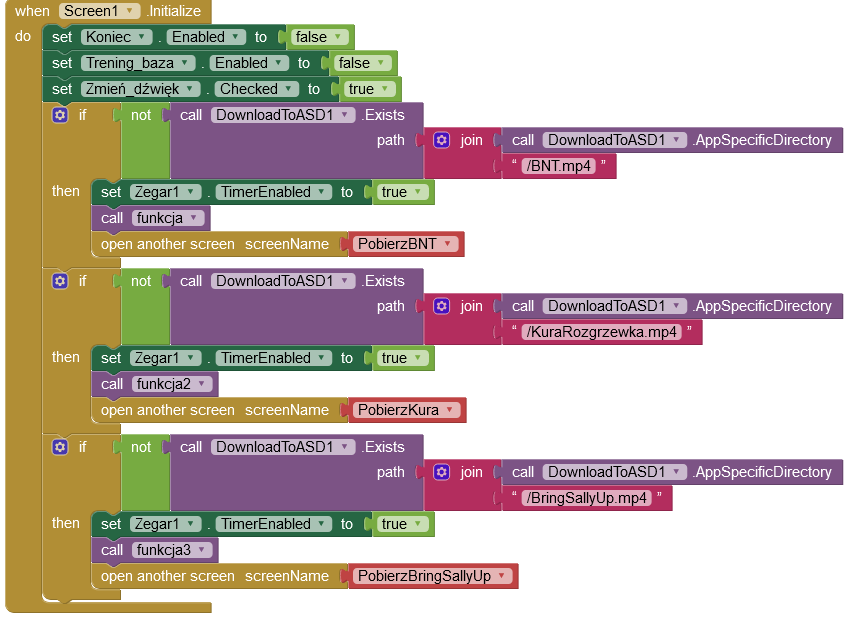
Starting the application initializes Screen1, where it checks if the file exists.
If the file does not exist, a new screen is opened with the entire description of the file download, and Screen1 is closed.
When it reaches 100%, click the Close button, which takes you back to the Screen1 page.
When Initialization detects the absence of the second file, the pattern repeats itself.
Unfortunately, the application itself closes the windows without reaching 100% of the file download status. App crash message pops up.
The files are downloaded, which means it's working fine, but I'd like to avoid crashing the app.
I did as in this topic, but it didn't work:
Inicialization:
Download screen:
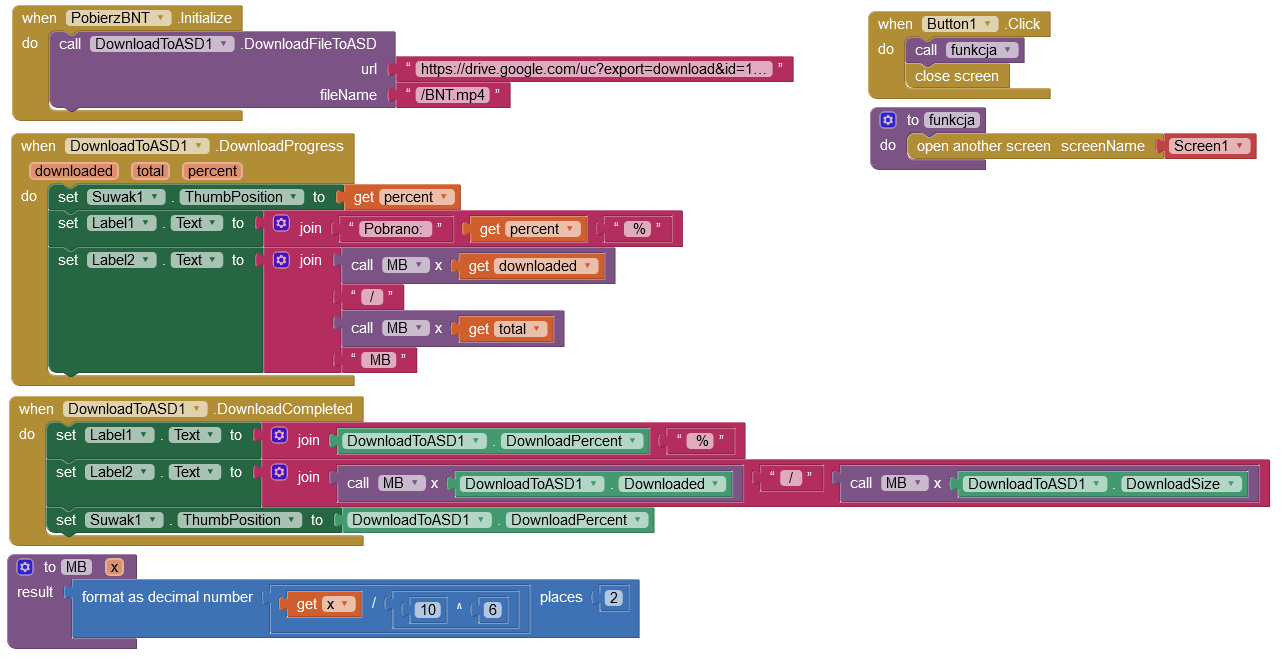
The file should be 66.7 MB and the app shows 69.99 MB. I have a mistake somewhere?
Maybe I'm checking if the file exists wrong?
I tried that option but it didn't change anything. What's the problem?