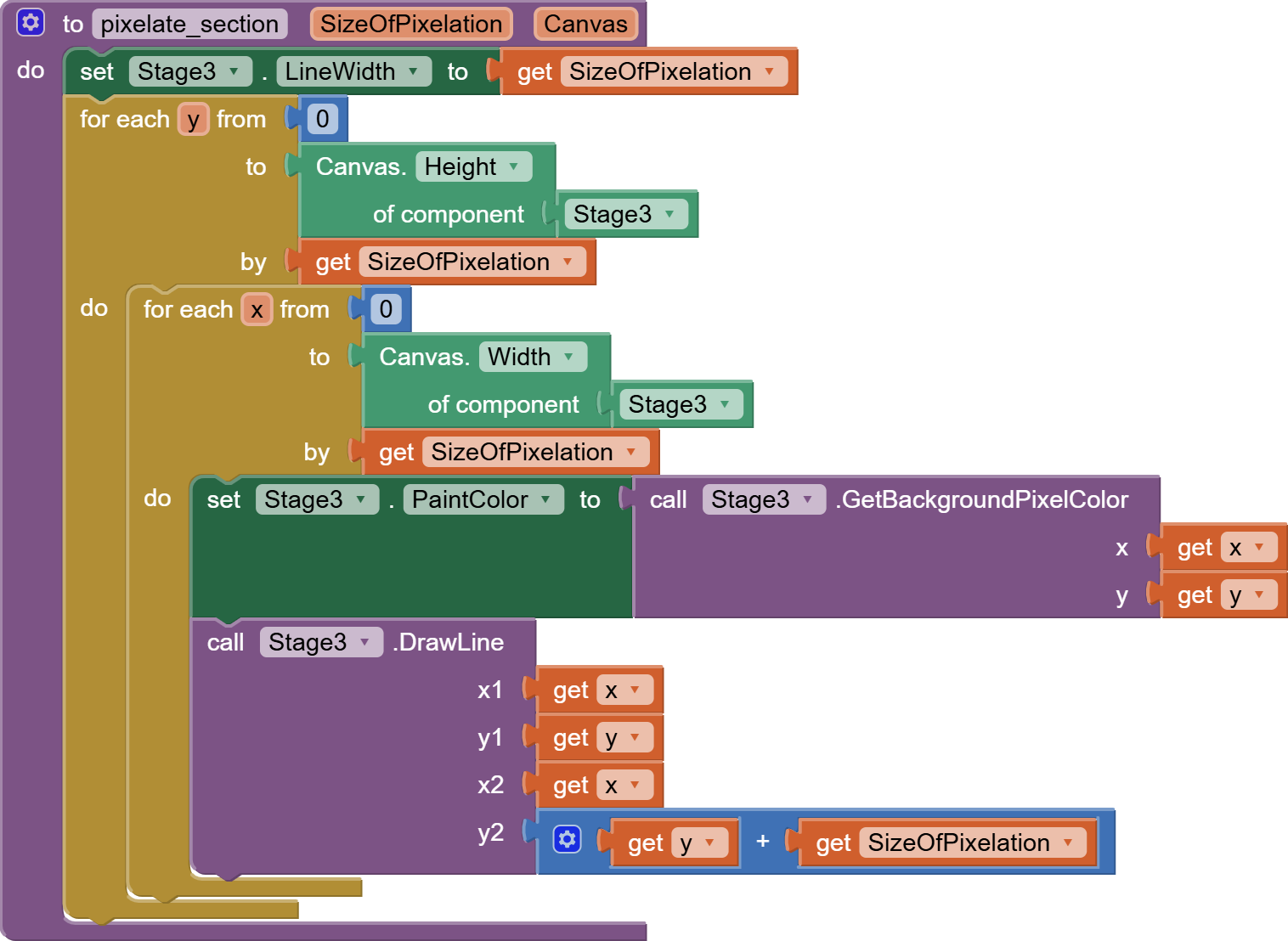
In canvas’ FAQ there is also Selection Tool on images and Pixelate filter by Italo , but the code images and videos are now lost . Has anyone alternatives or has anyone the example avaliable even after so much time ? Thanks in advice
P.S. : This community is a bit different from when I entered last time
I’ve a bit changed the code to pixelate all the image and not a selected part . But something doesn’t work well because in images with transparent background where was transparent is black ( Well , maybe this is not even an error ) but also it doesn’t pixelate all the image but lets some pieces filled with semi-transaprent color …
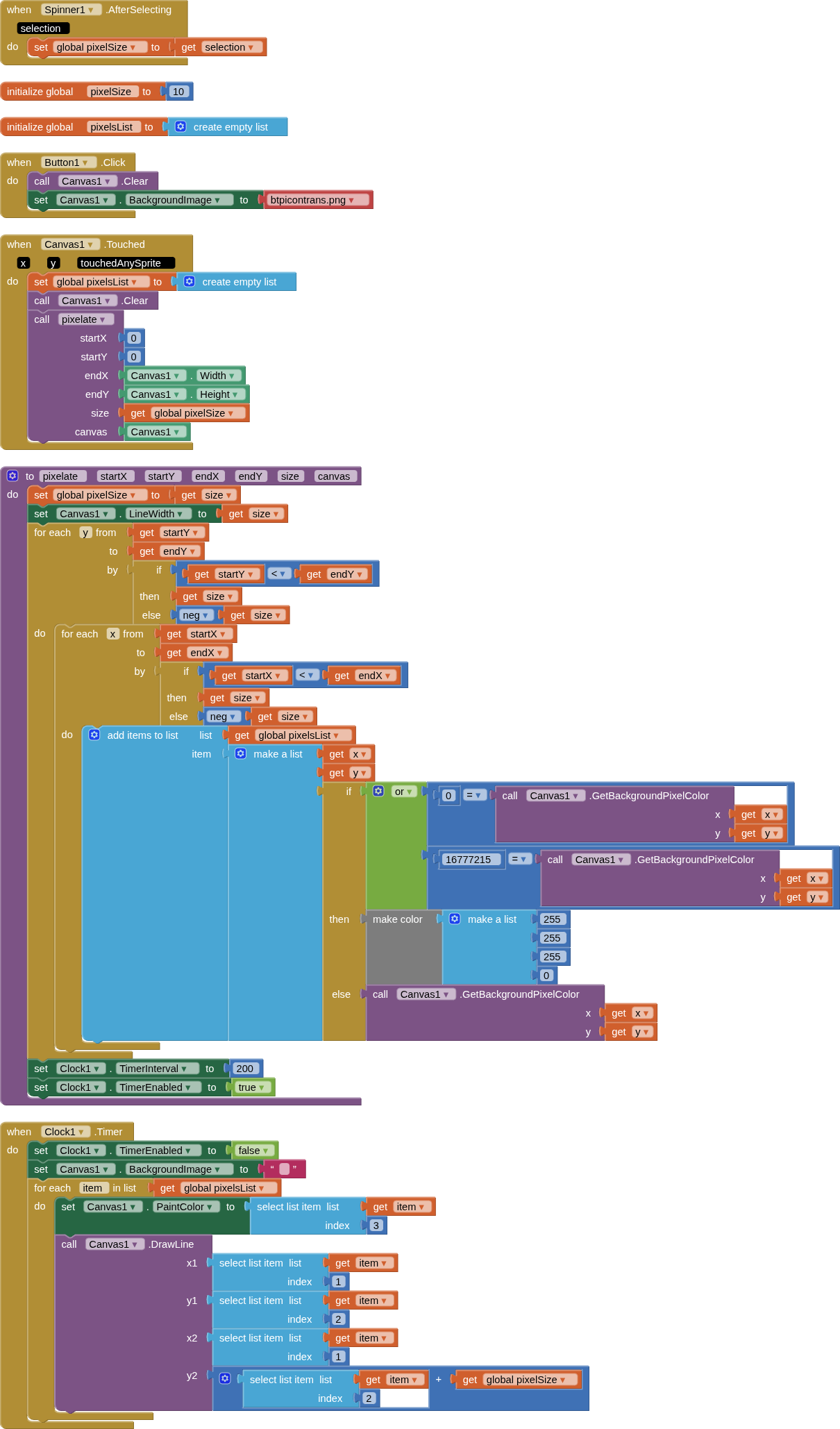
Based upon my tests with images with transparency, getPixelBackgroundColor seems to set the found colour to 0 or to 16777215 - which results in BLACK.
Using an if/else/then blocks to replace either of these with makeColor 255,255,255,0 seems to fix things.
I also found that where an image may have colours that are semi transparent it is difficult to see these show up when placed above the base image. I built a list of the x,y,colour coordinates, then removed the base image and then set the pixelated image.
Will provide blocks when the code server comes back online
Big thanks to everyone , now it works well ! I used the same code I’ve shown in post 6 but modified with your suggestion , thanks ! I didn’t said it before but …
Yes it is . Width is 100 pixel and pixelation size is 10 . I tried to modify the “ for each x “ section changing “ to “ to stage’s width plus 10 , but the result it gives me at that column just white pixels , for any image
Sorry , that was an image I made in Paint and I used to explain what the procedure is not pixelating ( the " red part " ) . Now , with a method I recently discovered , pixelates also the " red part " , but allways with white color ...
P.S. : Wow , this " My saved apps " on companion function is very useful ! So now we don't have even to install it ! Was it inserted because of the new android limitations ?