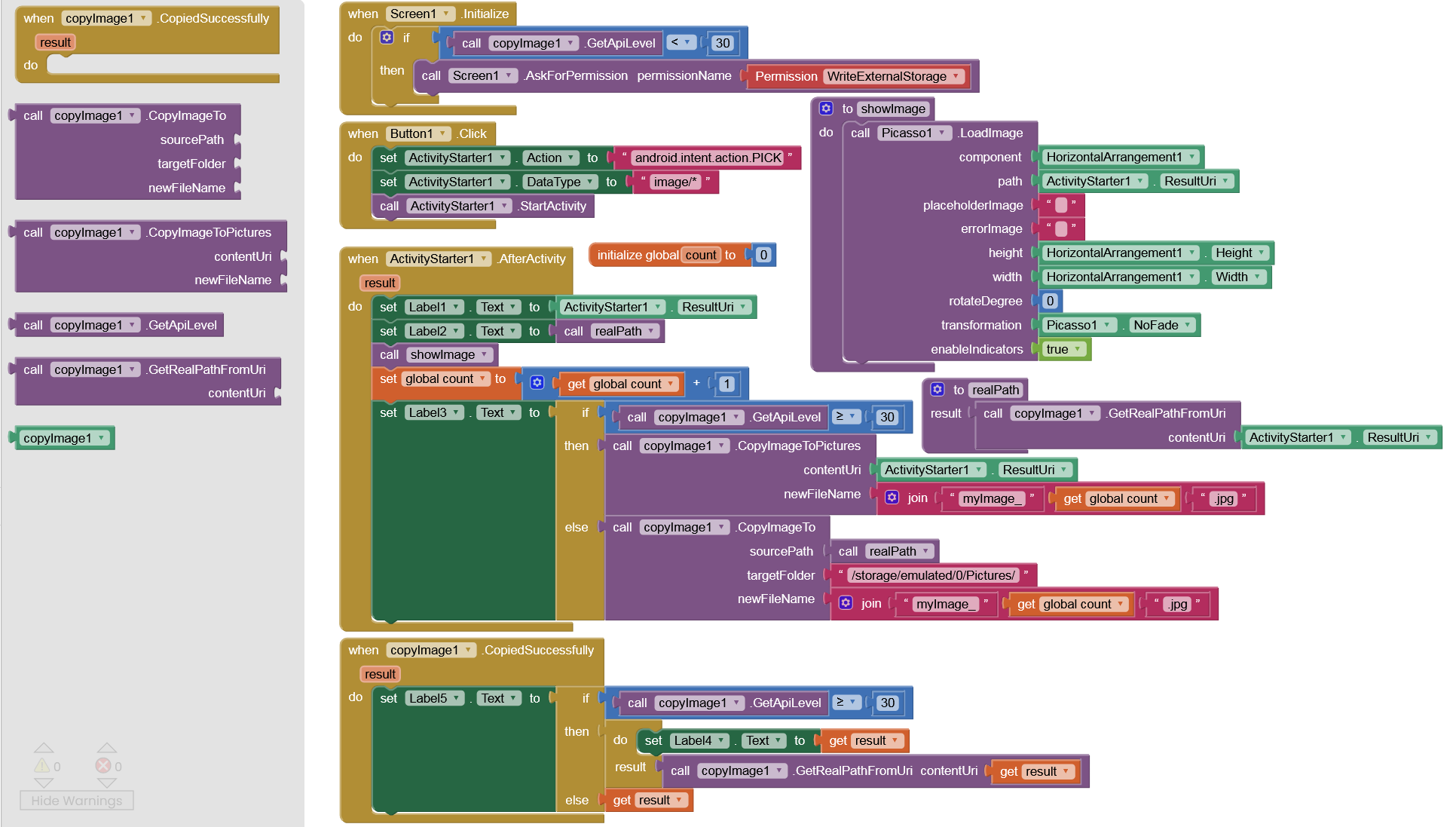
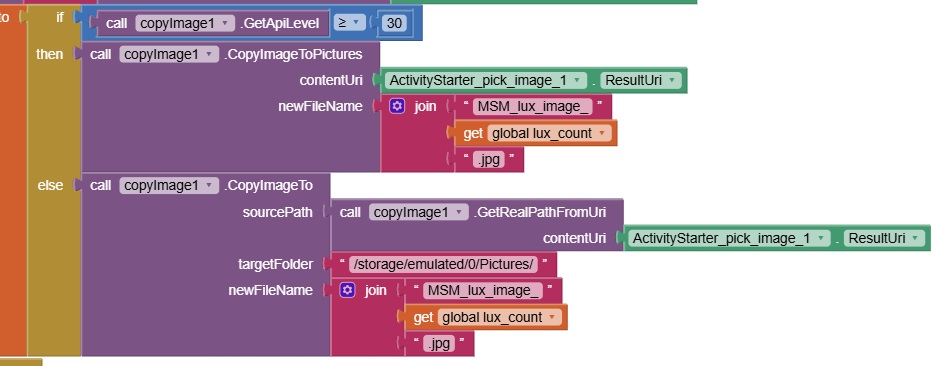
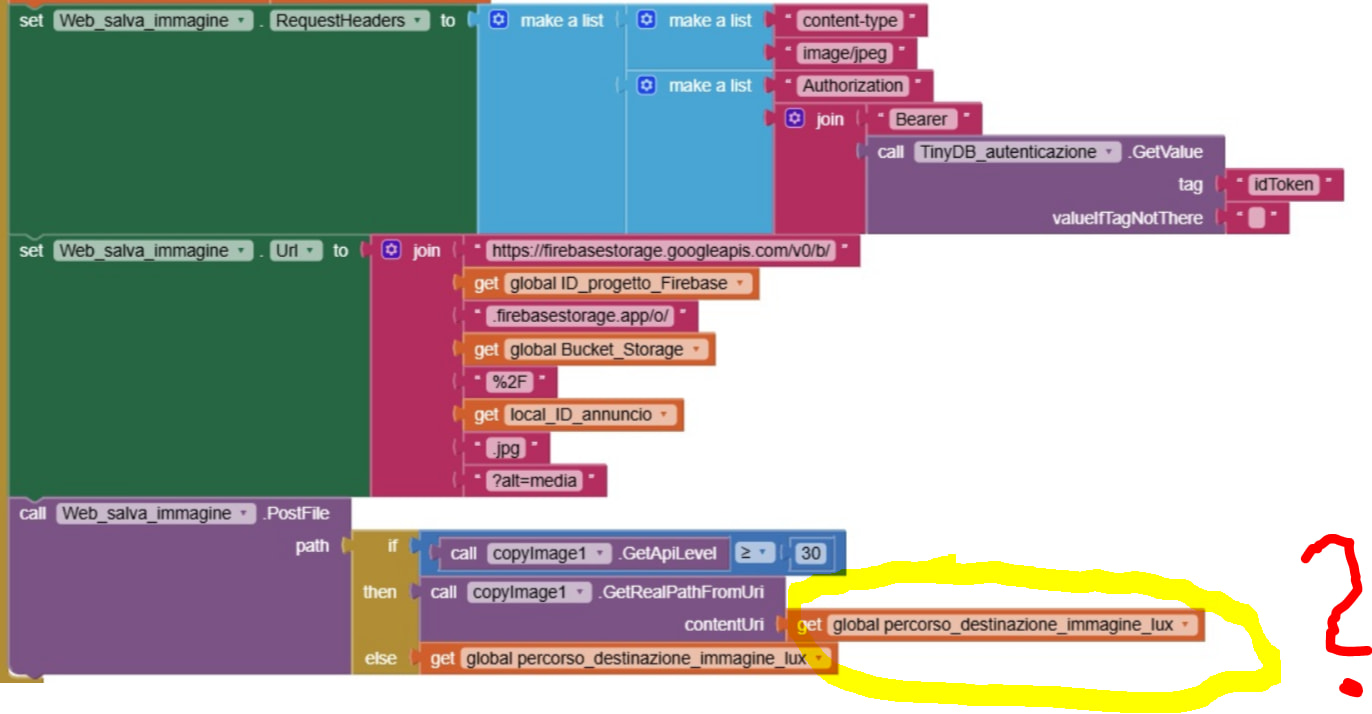
Pick an image via ActivityStarter and display it with Picasso (without READ permission) on all Android versions. On Android 11+, the image can then be copied to the Shared folder /Pictures using its contentUri, granting full access to it via the app. The new (copied) image can then be edited/compressed as desired, without (storage) permissions.
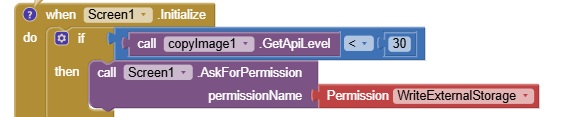
On Android < 11, WRITE_EXTERNAL_STORAGE permission is of course required for this. Access must then be done via the real path (i.e., not via contentUri).
In this way, READ_EXTERNAL_STORAGE and READ_MEDIA_IMAGES (from Android 13 onwards) and SAF can be avoided (on Android 11+). In addition, READ_MEDIA_IMAGES is no longer permitted without special permission from Google since May 2025. See also my guide Some Basics on Android Storage.
Note:
I used the File component (as a dummy) to declare WRITE permission in the Manifest. In the next update, I will ensure that WRITE_EXTERNAL_STORAGE is automatically declared in the Manifest (on Android < 11) without having to use the File component.
Hi @Anke ! Thank you for your job.
I have some questions.
1 - Is the file component needed? I see that it is not used in blocks. I don't understand why it is in your app
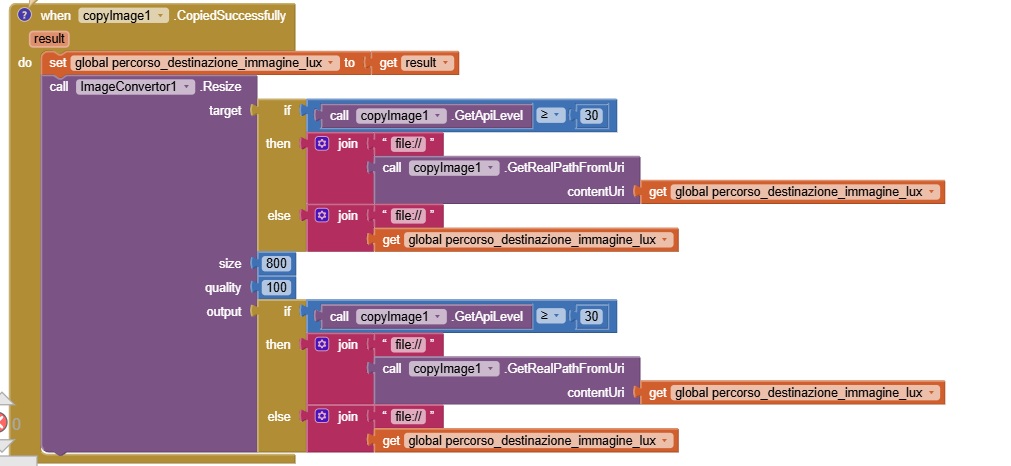
2 - I have to resize my image before save it. I'm going to use extension ImageConvertor by TIMAI2 after copyImage. Is the right choice?
3 - Do you think I will have permission problems due to "output" path asked in Image Convertor Resize block?
4 - what is the right order in app flow?
First CopyImage, After Resize
First Resize, After CopyImage
I see that with you app I solve permission problems, but I would avoid to reintroduce these with "resize" block of ImageConvertor.
Can you suggest the right use of your app + ImageConvertor resize block in order to avoid permission problems?
Thank you so much!
I am going to risk referring you back to here (you seem to be going around in circles, so we might as well do the same!):
(instead of the firebase storage route, if you want the "owned" resized image in your shared storage, you can just copy/move it from your ASD). See:
I also suggest you actually try all the alternatives you ask questions about, and then come back with your results, before asking any further questions.
Hi @TIMAI2, sorry for it, but as I often explained you I'm not an expert and I try to well understand the work flow by asking to teacher as you, @Anke and other people ( thank you so much for your patience!!).
I have the feeling that in this case solution by Anke (copyImage+imageConvertor) is simpler... so I only kindly ask a reply to my doubts...
I think that @Anke and you can easily give me the info I asked.
Thank you!
WRITE permission is only needed for Android < 11. On Android 11+ no storage permissions at all are required.
Copy it to a Shared folder (/Pictures, /DCIM, /Documents), resize it and do what you want with this image file on Android 11+ without permissions. (As I said, on Android < 11 you must request WRITE permission.)
It's possible that the image selected as the background for an application will remain permanently until it's changed. When the application is closed and reopened, the chosen background image will reappear.