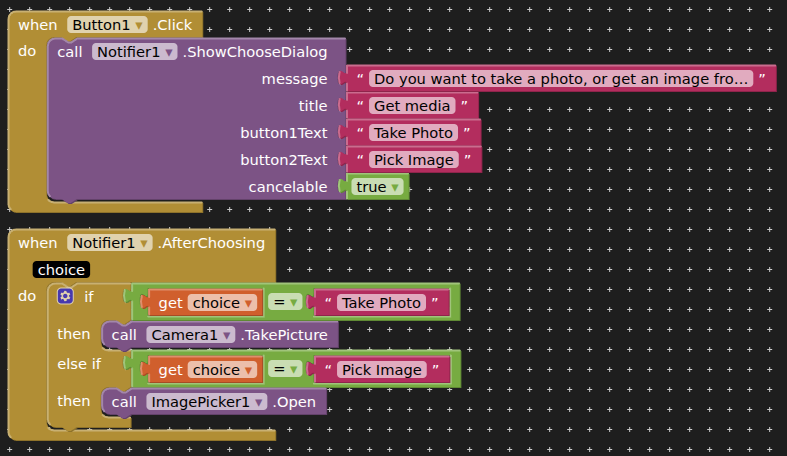
In the app i created ,i have set it up so that when the button is clicked,the camera opens and take a photo.i want to it so that when the button clicked,i can upload a photo from the gallery instead .if possible pls show me how to do it.
A very good way to learn App Inventor is to read the free Inventor's Manual here in the AI2 free online eBook App Inventor 2 Book: Create Your Own Android Apps ... the links are at the bottom of the Web page. The book 'teaches' users how to program with AI2 blocks.
KIO4-PDF does not paginate. What you could do is split your containing arrangement into two, then make two pdfs. Alternately, search out another extension that can paginate ?
The method for this has already been shown in previous posts in this topic.
I presume you mean you want to be able to return to a previously created "shipment" and to continue editing. You will need to save all the details to a database, text entries, image paths etc. (tinydb or sqlite) and then recover these when you load the shipment. This scenario has been covered several times on the community. Do a search or look through the FAQ.
How about a hybrid approach where you reuse the Arrangement that generated a one page pdf and add a page number to it.
Generate numbered single page pdf files and share them one by one.
Since shipments only grow and never change otherwise, this moves the storage burden onto whoever is collecting the shared one page pdf files.
Add the page number to the pdf file name, after the shipment number, with a couple of leading zeroes to allow for sorting the directory listings by file name.