 PUSH NOTIFICATION PRO EXTENSION🔥
Real-time Push Notifications for AI2 Made Apps
An Alternative For Onesignal/FCM · No FCM Server Keys · No Paid Plans
 Firebase Auth Built-in
  Real-time & Polling Modes
 Auto Image Notifications
  Secure Write API
 Notification History
  Android 5.0+ Built using FAST
==================================
 INTRODUCTION
Ever wanted push notifications in your App Inventor app without
paying for OneSignal, setting up a server, or dealing with FCM
server keys? That's exactly what PushNotificationPro solves and it's really easy to use.
It uses your own Firebase Realtime Database as the backbone.
The extension runs a persistent background service that watches
your database. The moment data changes, a notification pops up
on the device — automatically.
No server. No monthly fee. Just Firebase + this extension.
=========================
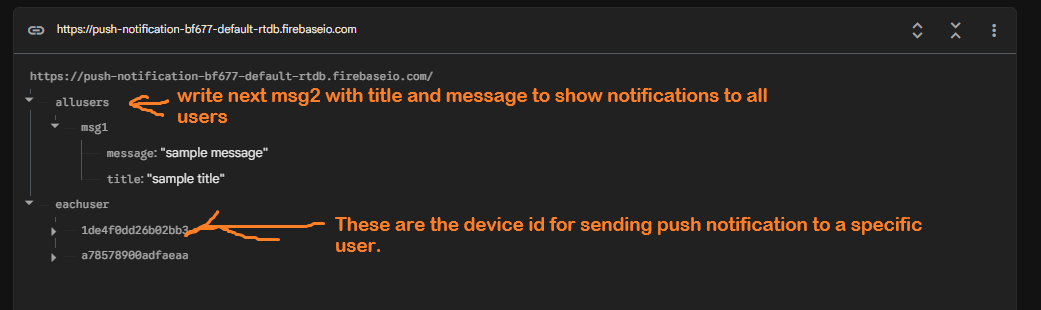
The database structure in Firebase:
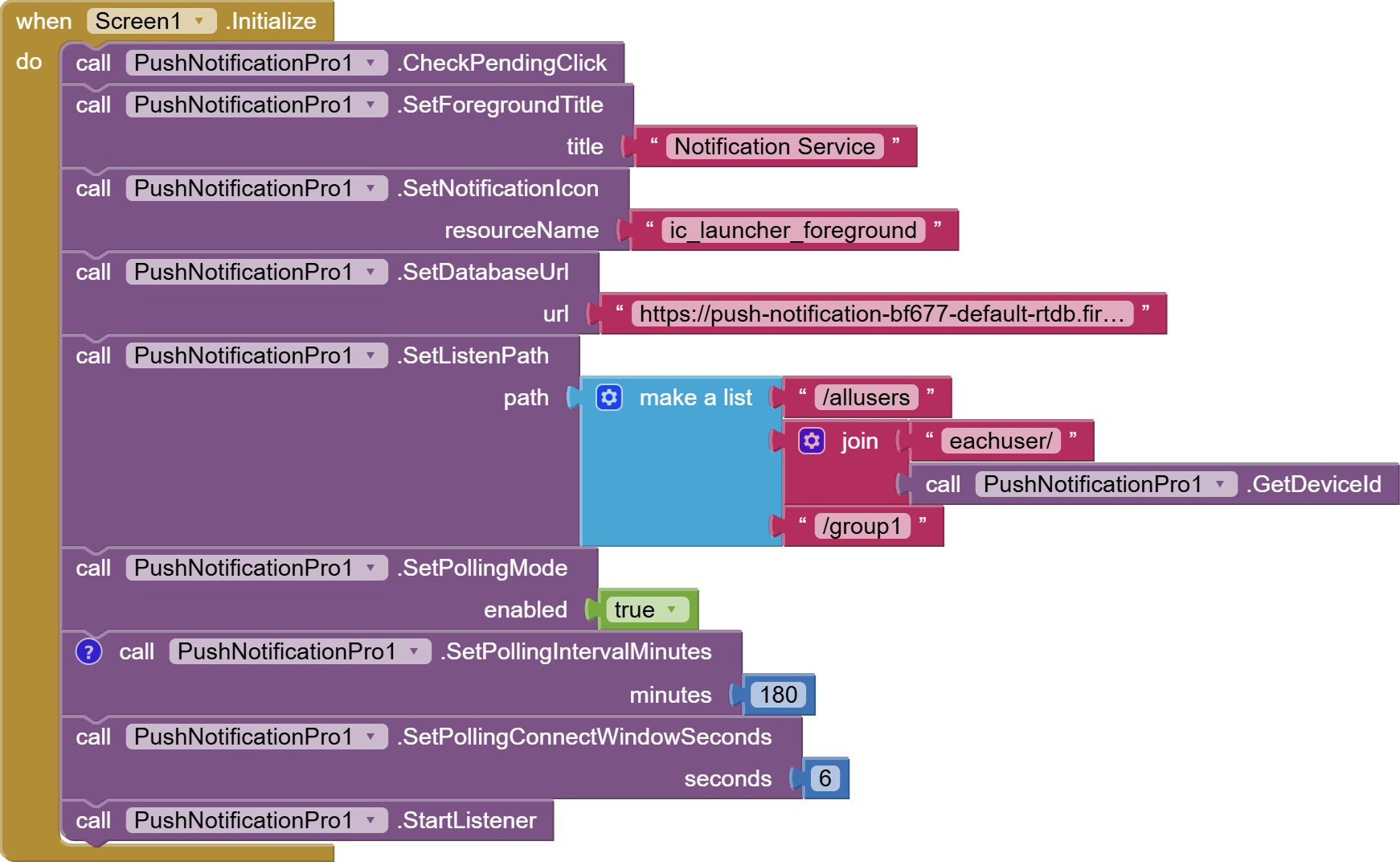
 1. QUICK START — WITHOUT AUTHENTICATION (100% SECURE)
Note: with this setup you can send notifications securely from the console and cannot send notifications from the app and app will show notifications in every 3 hours because we set 180minutes in polling interval. See example below.
Set Your Firebase Realtime Database Rules
{
"rules": {
".read": true,
".write": false
}
}
===========================
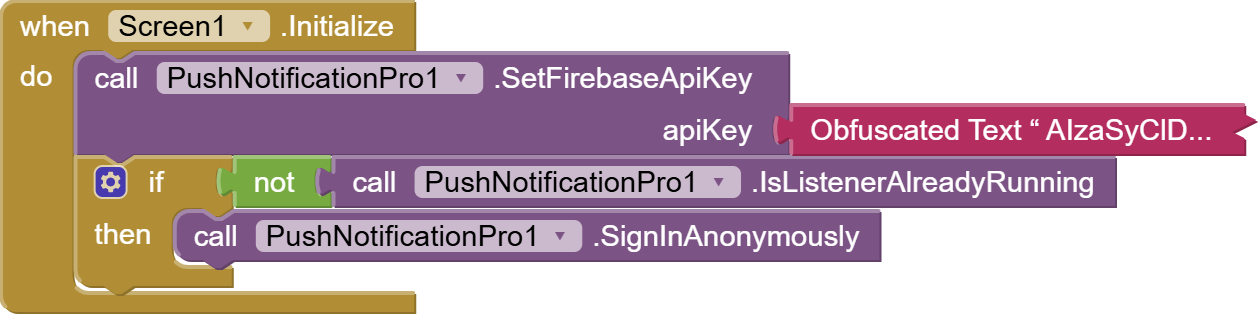
2. WITH AUTHENTICATION, ONLY AUTHENTICATED USERS CAN SEND/RECIEVE NOTIFICATIONS.
Note: with this setup you can send notifications securely from the console & app too & app will show notifications in every 58 minutes because we set 58minutes in polling interval. See example below.
Set Your Firebase Realtime Database Rules
{
"rules": {
".read": "auth != null",
".write": "auth != null"
}
}
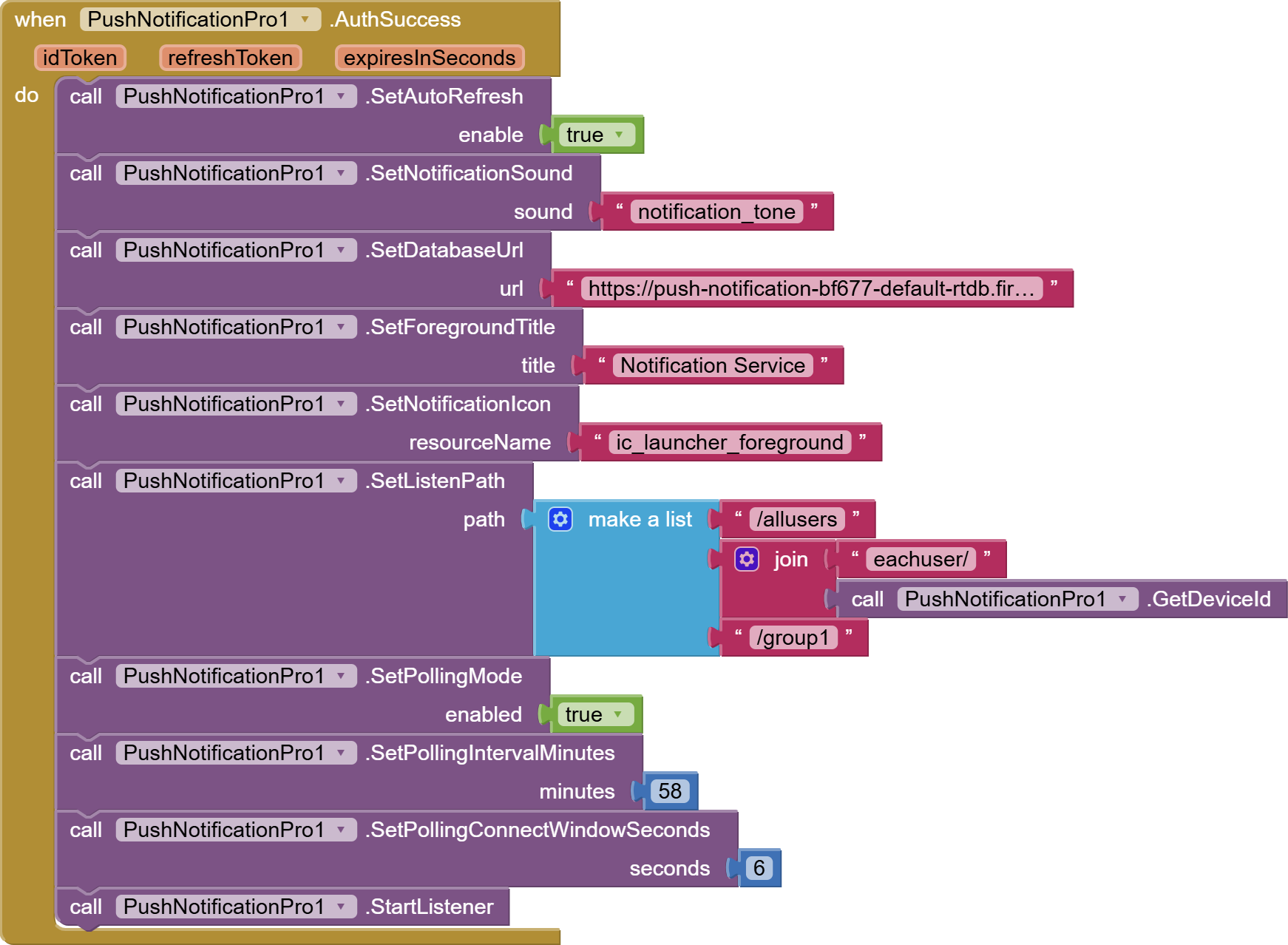
============================================
3. WITH AUTHENTICATION, ONLY AUTHENTICATED USERS CAN RECIEVE NOTIFICATIONS BUT ONLY SPECIFIC AUTHENTICATED USER CAN SEND NOTIFICATION.
Set Your Firebase Realtime Database Rules
{
"rules": {
".read": "auth != null",
".write": "auth != null && auth.uid === 'PASTE_UID_HERE'"
}
}
(Go to authentication in firebase console, you can see UID of authenticated users)
================================
4. CREATE AUTHENTICATED USERS-
OR
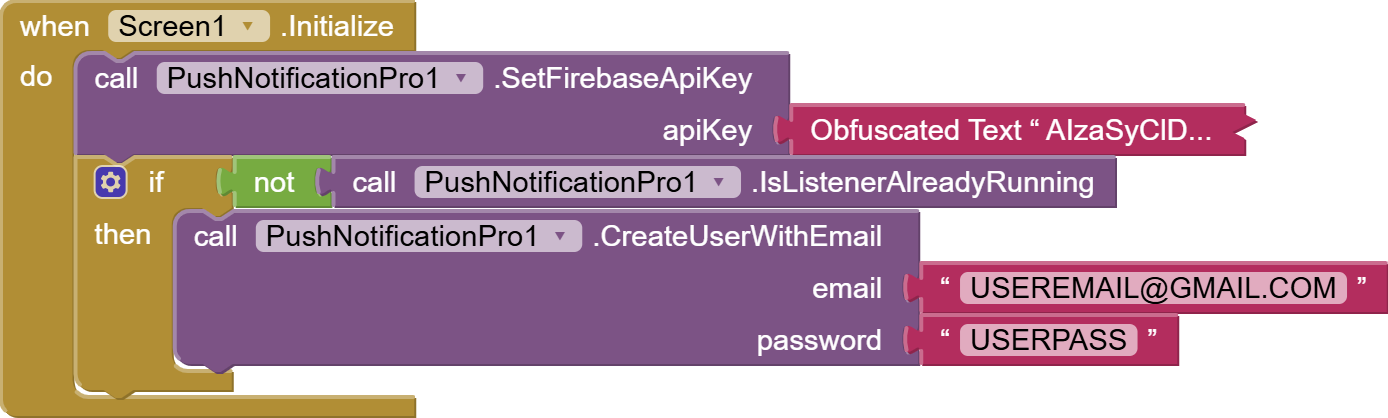
====================================
5. SIGN-IN AUTHENTICATED USERS-
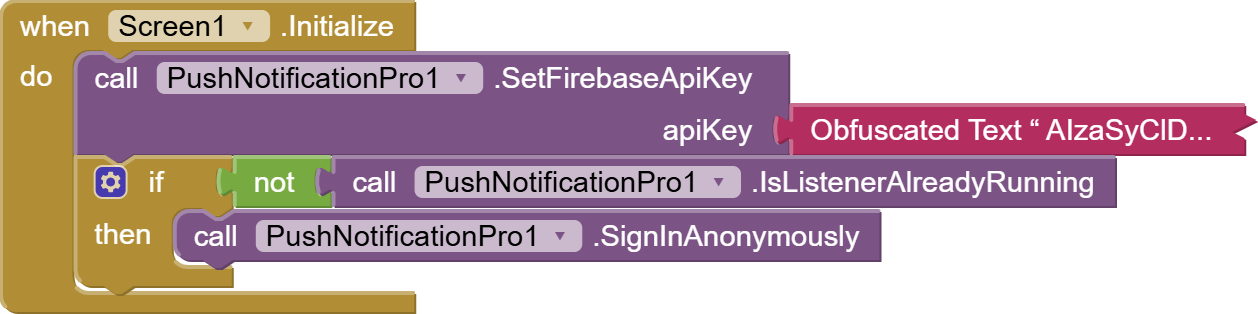
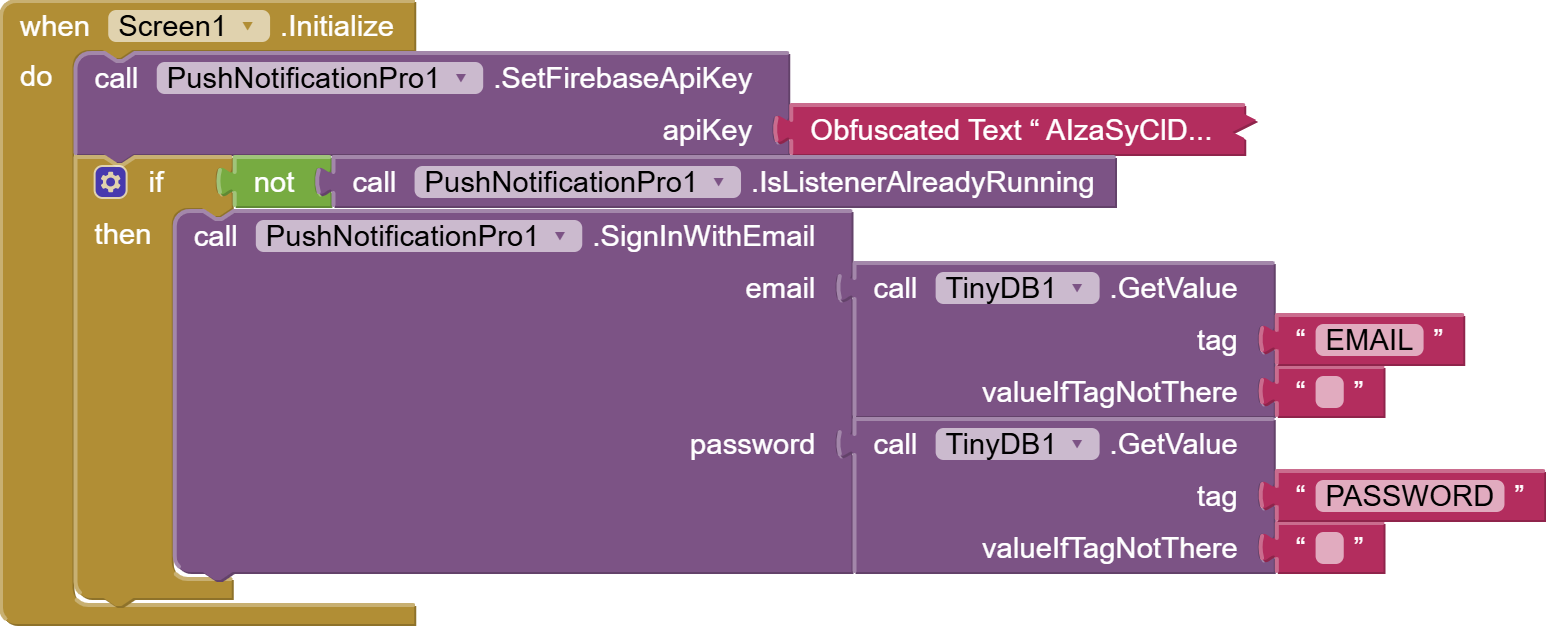
TRIGGERS 'AuthSuccess' event.
====================================
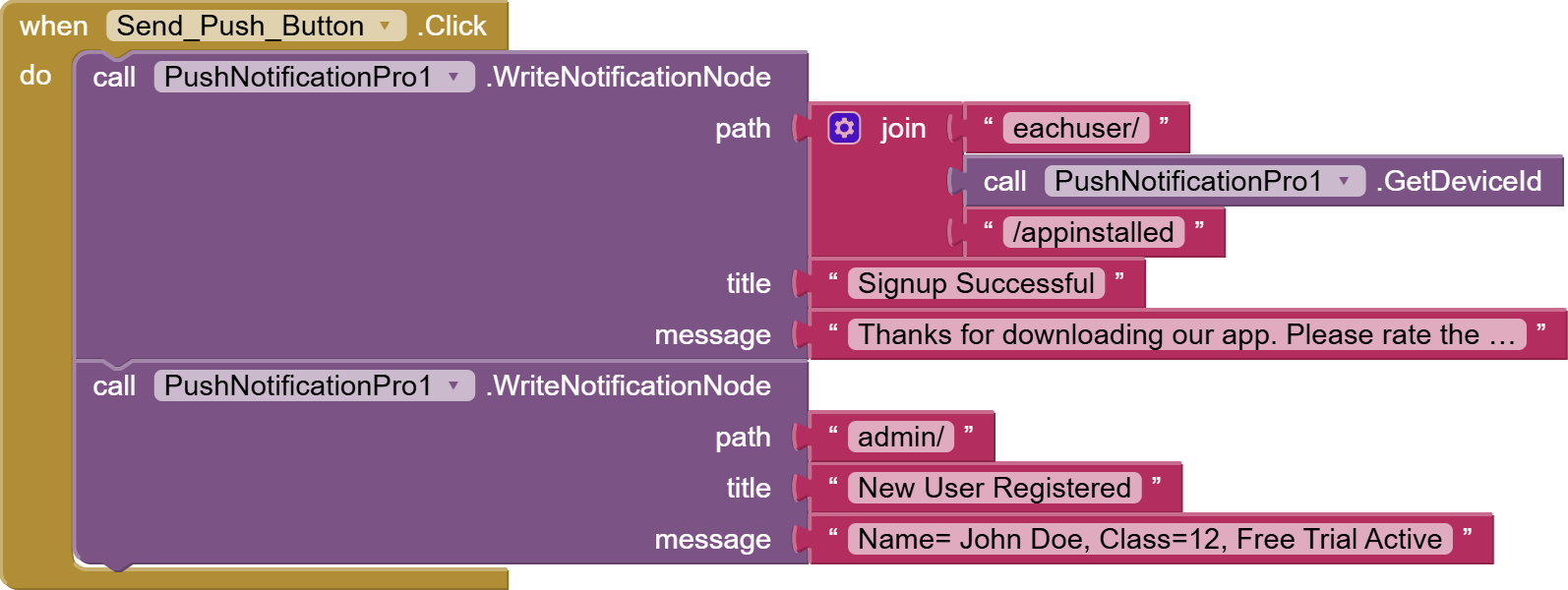
6. SEND NOTIFICATION FROM APP (AUTHENTICATION RECOMMENDED)
====================================
7. NOTIFICATIONS STYLES USAGE (AUTOMATIC HANDLING):
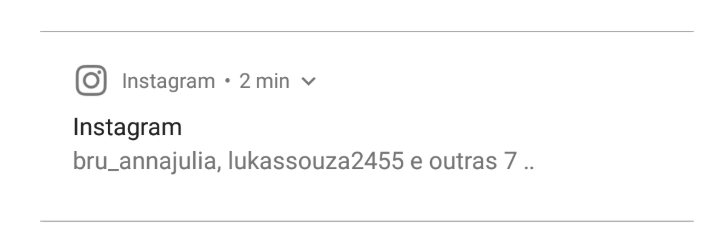
(i) Expandable Text Only: title=text, message=text
example:
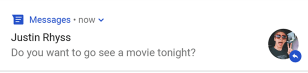
(ii) Text with small icon: title= image url, message=text
example:
(iii) Text with large image: title=text, message= image url

(iv) In-app notification custom style anything---->set this in event 'PushReceived'-->App must be in running mode.
==================================
8.SetNotificationIcon
resourceName-
Set 'ic_notification' for bell icon
Set 'ic_launcher_foreground' for app icon.
==================================
9.Method GetAllSavedNotifications
Show users all the notifications WITHIN THE APP.
==================================
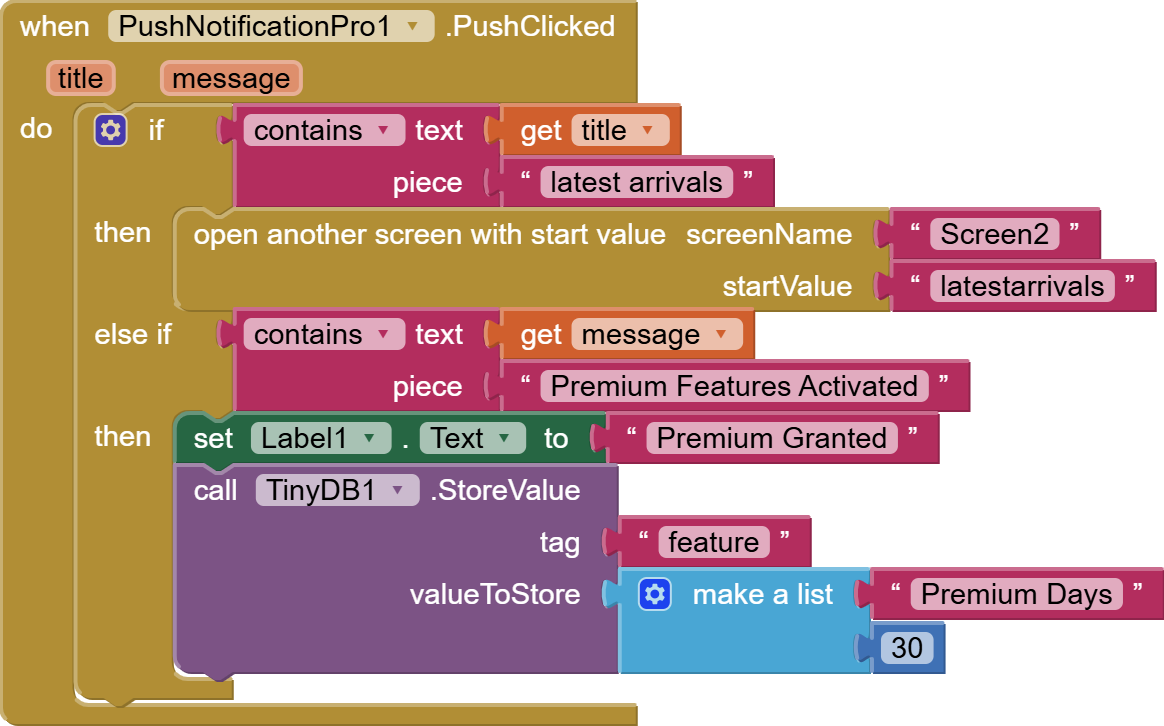
10. Method PushClicked:

(please use check pending click method when screen initialized, this is very important and required if setting up tasks for notification click)
=====================================
11. Trial Extension:
com.pushnotificationpro.extension.pushnotificationpro.aix (66.7 KB)
=====================================
12. Licensed Extension:
Price $6 | INR 500
Click Here To Purchase Licensed Extension
For other extensions & services visit our Google Site: Bharat Technologies
If anyone facing problem for getting API Key, Enabling Authentication In Firebase & Needs Video Tutorial Please Inform By Replying To This Post, A dedicated video tutorial will be provided