

 OneSignalPush
 Extension specifications
| Package | in.sarthakdev.onesignalpush |
| Version | 1.0 |
| Price | $7.99 USD |
| Category | Tools |
| Updated | 23 September 2026 |
| Platforms | MIT App Inventor, Kodular, Niotron, Android Builder, Thunkable |
| Built using | FAST |
| Store | OneSignalPush for App Inventor | SarthakDev.in |
Paid buyers get this AIX by email after checkout. Import it from Projects → Import extension.
 About
About
Send OneSignal pushes from an admin app, and receive them on this device. Set AppId, connect the same Firebase project in the OneSignal dashboard, then call StartReceiving. Keep RestApiKey out of the app your users install.
 Features
- Receive on this device: subscribe, show a tray notification, and handle taps
- Receiving uses the App ID only — the REST API key stays out of the user app
- Push to all, segments, External IDs, Subscription IDs, or tag filters
- Schedule sends with send_after and cancel them before delivery
- Delivery stats: successful, failed, errored, clicked, remaining
- Create users, set/remove tags, get and delete users by External ID
- Link this phone to an External ID so an admin app can target it
- Android 13 notification permission, with messages queued while the app is closed
- Works with new os_v2 App API keys and legacy REST keys
🧩 Blocks
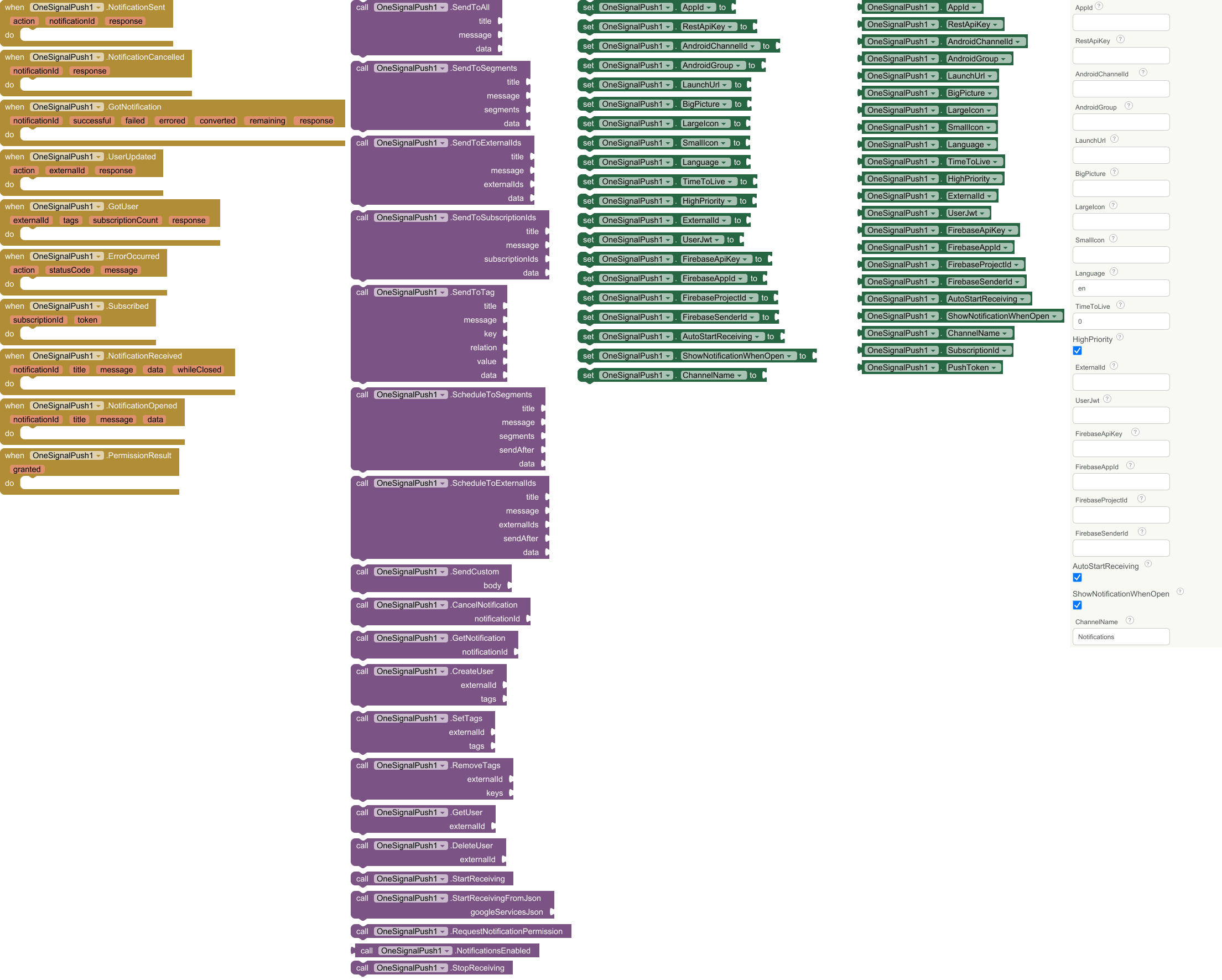
🔔 Events
Notification Sent
Fired when OneSignal accepted a send or schedule. action is the method name. notificationId can be used with GetNotification or CancelNotification.
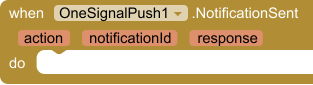
- action (
text) - notificationId (
text) - response (
any)
Notification Cancelled
Fired when a scheduled notification was cancelled.
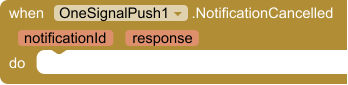
- notificationId (
text) - response (
text)
Got Notification
Fired with delivery stats from GetNotification. response is the full JSON as a dictionary.

- notificationId (
text) - successful (
number) - failed (
number) - errored (
number) - converted (
number) - remaining (
number) - response (
any)
User Updated
Fired after CreateUser, SetTags, RemoveTags or DeleteUser succeeds.
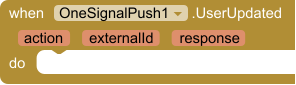
- action (
text) - externalId (
text) - response (
any)
Got User
Fired with the result of GetUser.
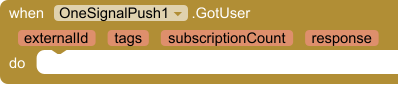
- externalId (
text) - tags (
any) - subscriptionCount (
number) - response (
any)
Error Occurred
Fired when a request fails. action is the method name, statusCode is the HTTP status (0 for local errors such as missing keys or no internet).
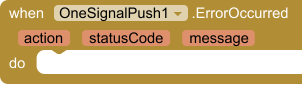
- action (
text) - statusCode (
number) - message (
text)
Subscribed
This device can receive pushes. subscriptionId is the OneSignal subscription id (use it with SendToSubscriptionIds). token is the Firebase token.
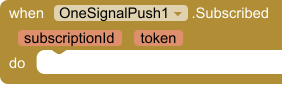
- subscriptionId (
text) - token (
text)
Notification Received
A push arrived on this device. data is the extra key/value pairs. whileClosed is true when it arrived with no screen open and is delivered now.
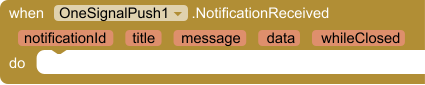
- notificationId (
text) - title (
text) - message (
text) - data (
any) - whileClosed (
boolean)
Notification Opened
The user tapped a notification and the app opened. data is the extra key/value pairs.
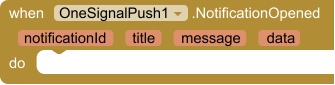
- notificationId (
text) - title (
text) - message (
text) - data (
any)
Permission Result
Result of RequestNotificationPermission.
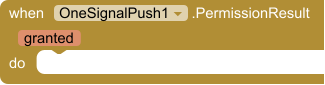
- granted (
boolean)
🔧 Methods
Send To All
Push to every subscribed device (the Total Subscriptions segment). data is an optional dictionary delivered with the notification; use an empty dictionary if you have none.
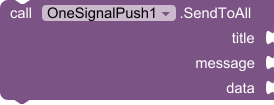
- title (
text) - message (
text) - data (
dictionary)
Send To Segments
Push to one or more OneSignal segments by name, for example Active Subscriptions or a segment you made in the dashboard.
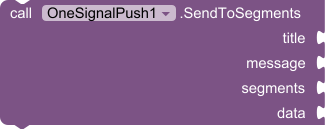
- title (
text) - message (
text) - segments (
list) - data (
dictionary)
Send To External Ids
Push to specific users by the External ID you logged them in with (your own user ID, email, etc).
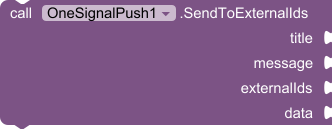
- title (
text) - message (
text) - externalIds (
list) - data (
dictionary)
Send To Subscription Ids
Push to specific devices by OneSignal Subscription ID (formerly Player ID).
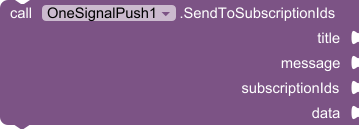
- title (
text) - message (
text) - subscriptionIds (
list) - data (
dictionary)
Send To Tag
Push to users whose tag matches. relation is one of = != > < exists not_exists. value is ignored for exists and not_exists.
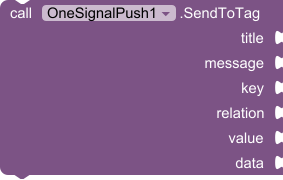
- title (
text) - message (
text) - key (
text) - relation (
text) - value (
text) - data (
dictionary)
Schedule To Segments
Schedule a push to segments for later. sendAfter is a date string OneSignal understands, for example 2026-09-24 10:00:00 GMT+0530. Cancel it with CancelNotification.
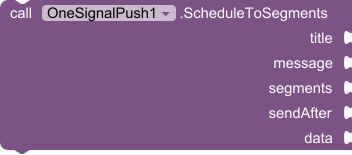
- title (
text) - message (
text) - segments (
list) - sendAfter (
text) - data (
dictionary)
Schedule To External Ids
Schedule a push to users by External ID for later. sendAfter format is the same as ScheduleToSegments.
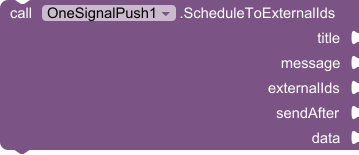
- title (
text) - message (
text) - externalIds (
list) - sendAfter (
text) - data (
dictionary)
Send Custom
Send any OneSignal Create Message body as a dictionary (buttons, filters, delayed_option, etc). app_id is added for you if it is missing.

- body (
dictionary)
Cancel Notification
Cancel a scheduled notification that has not been delivered yet.

- notificationId (
text)
Get Notification
Get delivery stats for a notification: successful, failed, errored, converted (clicked) and remaining.

- notificationId (
text)
Create User
Create a OneSignal user with this External ID and optional tags. If the user already exists OneSignal returns it.
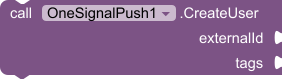
- externalId (
text) - tags (
dictionary)
Set Tags
Add or update tags on a user. Tag values are stored as text. Target them later with SendToTag.
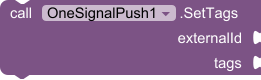
- externalId (
text) - tags (
dictionary)
Remove Tags
Remove tags from a user by key.
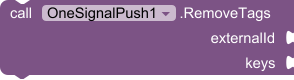
- externalId (
text) - keys (
list)
Get User
Read a user: tags, subscriptions (devices) and the full JSON as a dictionary.
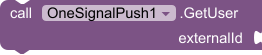
- externalId (
text)
Delete User
Delete a user and all their subscriptions from OneSignal.

- externalId (
text)
Start Receiving
Subscribe this device so it can receive pushes. Uses AppId plus FirebaseApiKey, FirebaseAppId and FirebaseProjectId. Does not use RestApiKey. Fires Subscribed.

Start Receiving From Json
Subscribe this device from the full text of google-services.json. The file must contain an Android client whose package_name is this app's package. Connect that same Firebase project in the OneSignal dashboard (Settings, Google Android, FCM). Fires Subscribed.

- googleServicesJson (
text)
Request Notification Permission
Ask for the Android 13+ notification permission, then update this device's OneSignal subscription. On older Android this returns granted right away. Fires PermissionResult.

Notifications Enabled
True if this app is allowed to show notifications right now.

Stop Receiving
Stop this device from receiving pushes. The OneSignal subscription stays, with enabled set to false. Call StartReceiving to turn it back on.

⚙️ Properties
App Id
OneSignal App ID (Settings → Keys & IDs).

Type: text
Rest Api Key
OneSignal REST API key (Settings → Keys & IDs). Anyone who extracts it from your APK can push to all your users, so only ship it in apps you trust, like an admin app.

Type: text
Android Channel Id
Android notification channel ID from OneSignal (Settings → Push → Android Notification Categories). Leave empty for the default channel.

Type: text
Android Group
Android group key. Notifications with the same group are stacked together.

Type: text
Launch Url
URL opened when the notification is tapped. Leave empty to just open the app.

Type: text
Big Picture
Public https image URL shown as the expanded big picture.

Type: text
Large Icon
Public https image URL shown as the large icon on the right of the notification.

Type: text
Small Icon
Name of a small icon drawable already inside the receiving app. Leave empty for the default.

Type: text
Language
Language code for the title and message, for example en, hi, es. English is always included because OneSignal requires it.

Type: text · Default: en
Time To Live
Seconds OneSignal keeps trying to deliver to offline devices. 0 uses the OneSignal default (3 days).

Type: number · Default: 0
High Priority
Send with high priority so the device wakes up and shows it right away. Default true.

Type: boolean · Default: true
External Id
Your user id for this device. When set, StartReceiving links the phone to this External ID so an admin app can use SendToExternalIds. Leave empty to subscribe anonymously.

Type: text
User Jwt
Only if this OneSignal app has Identity Verification turned on. A JWT from your server for ExternalId. Leave empty otherwise. Never put the REST API key here.

Type: text
Firebase Api Key
Firebase web API key (google-services.json client > api_key > current_key). Required to receive. Starts with AIza.

Type: text
Firebase App Id
Firebase Android app id (google-services.json mobilesdk_app_id), like 1:123:android:abc. The Firebase Android package must be this app's package name.

Type: text
Firebase Project Id
Firebase project id (google-services.json project_info > project_id). The same Firebase project must be connected in the OneSignal dashboard under Google Android (FCM).

Type: text
Firebase Sender Id
Optional Firebase project number (project_info > project_number). Read from FirebaseAppId when blank.

Type: text
Auto Start Receiving
After Screen.Initialize, subscribe this device when AppId and the Firebase keys are already set. Default true.

Type: boolean · Default: true
Show Notification When Open
Show a tray notification while this app is open. NotificationReceived fires either way. Default true.

Type: boolean · Default: true
Channel Name
Name of the notification channel shown in Android settings (Android 8+).

Type: text · Default: Notifications
Subscription Id
OneSignal subscription id for this device, after Subscribed. Use it with SendToSubscriptionIds.

Type: text
Push Token
FCM token for this device, or empty until StartReceiving.

Type: text
 Get the AIX
Paid extension. Buy it on the store, then import from Projects → Import extension.
Built by Sarthak Gupta · hi@sarthakdev.in · sarthakdev.in
