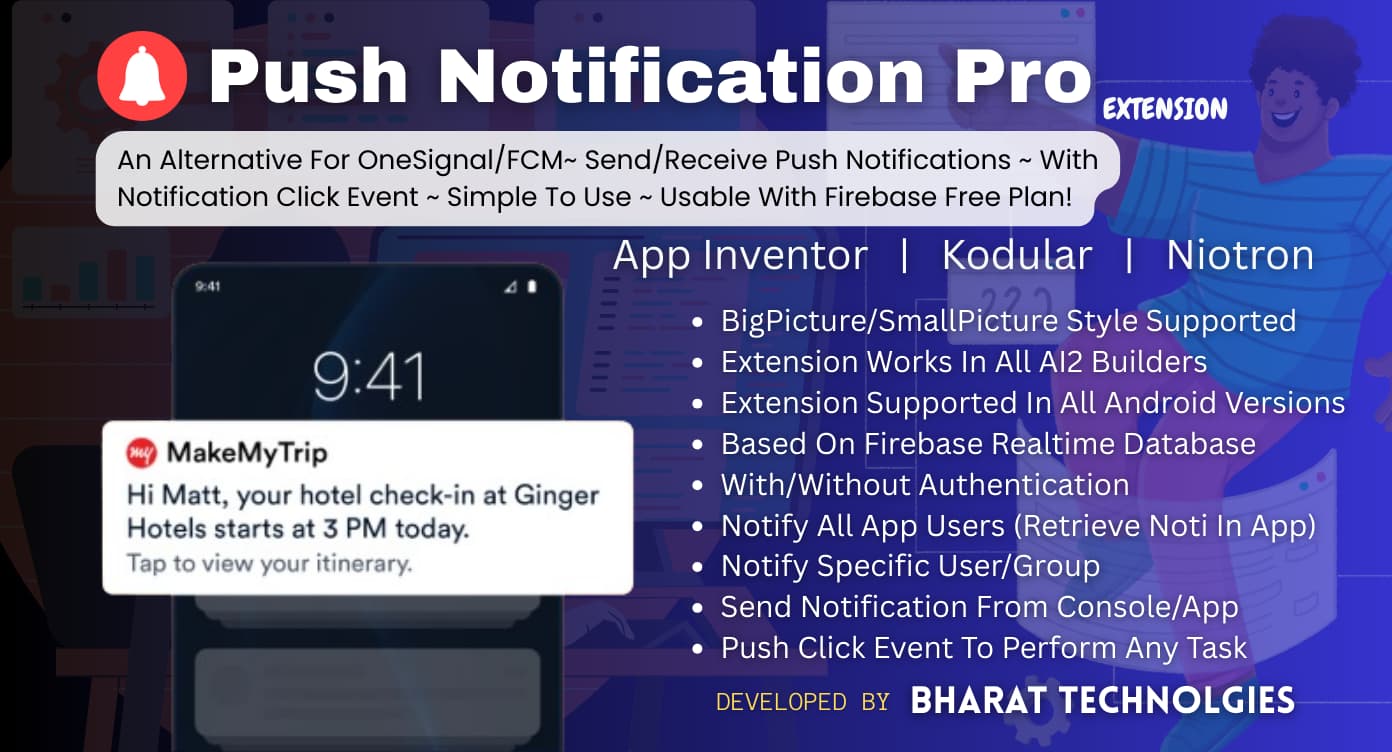
 PUSH NOTIFICATION PRO EXTENSION
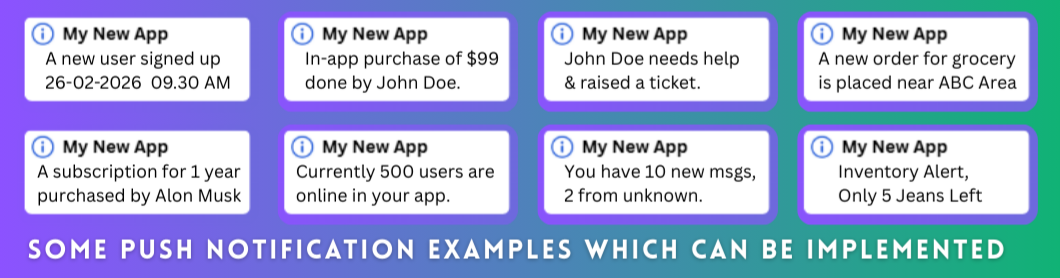
Real-time Push Notifications for AI2 Made Apps
An Alternative For Onesignal/FCM · No FCM Server Keys · No Paid Plans
 Firebase Auth Built-in
  Real-time & Polling Modes
 Auto Image Notifications
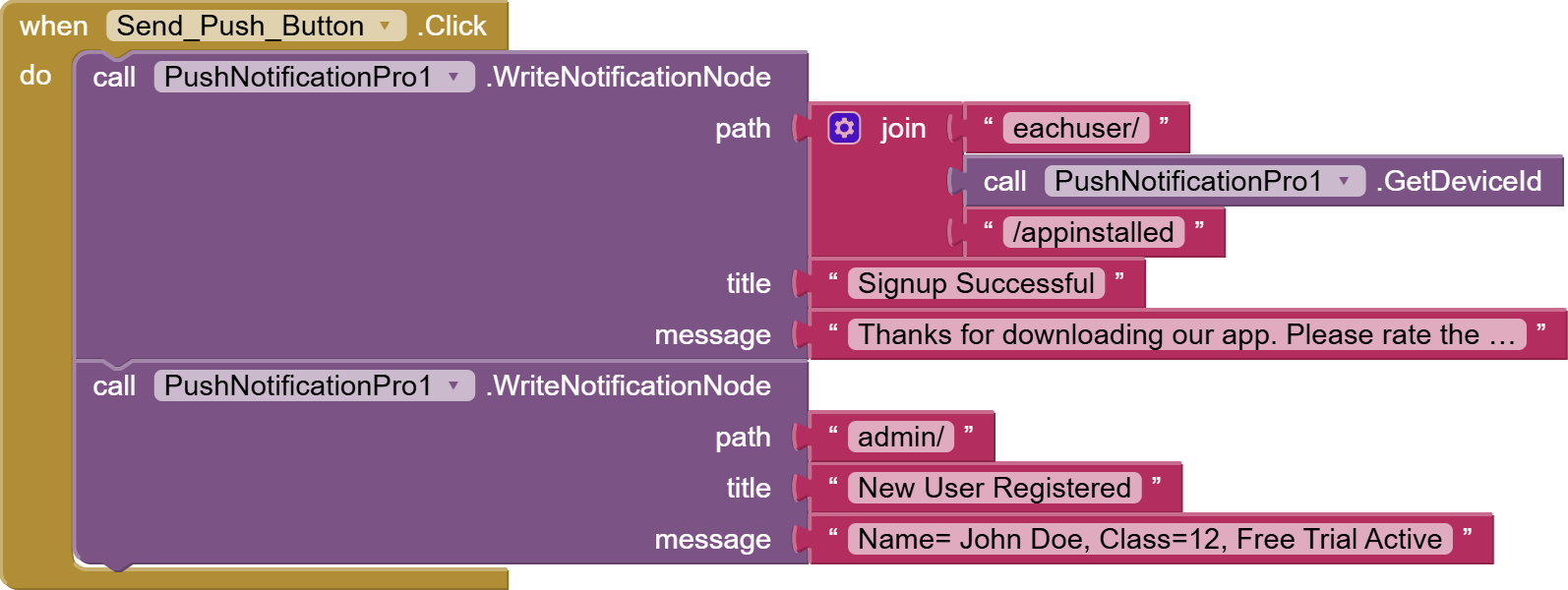
  Secure Write API
 Notification History
  Android 5.0+ Built using FAST
==================================
 INTRODUCTION
Ever wanted push notifications in your App Inventor app without
paying for OneSignal, setting up a server, or dealing with FCM
server keys? That's exactly what PushNotificationPro solves and it's really easy to use.
It uses your own Firebase Realtime Database as the backbone.
The extension runs a persistent background service that watches
your database. The moment data changes, a notification pops up
on the device — automatically.
No server. No monthly fee. Just Firebase + this extension.
=========================
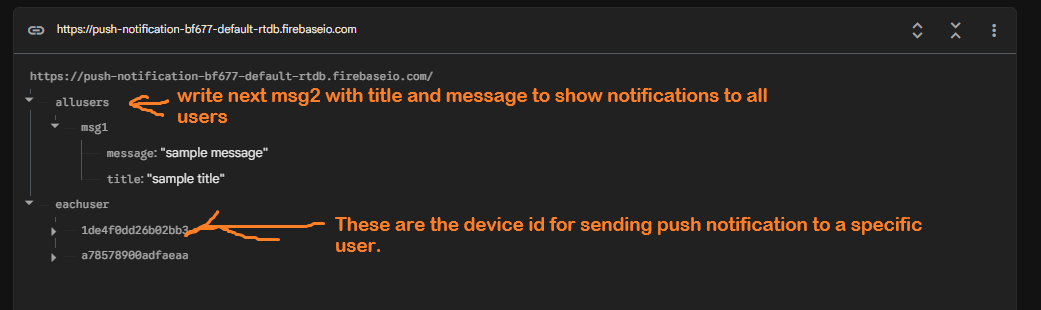
The database structure in Firebase:
PLEASE REMEMBER
Database url must be without '/' at last!
WRONG:


1. SUPER EASY USE— WITHOUT AUTHENTICATION (100% SECURE)
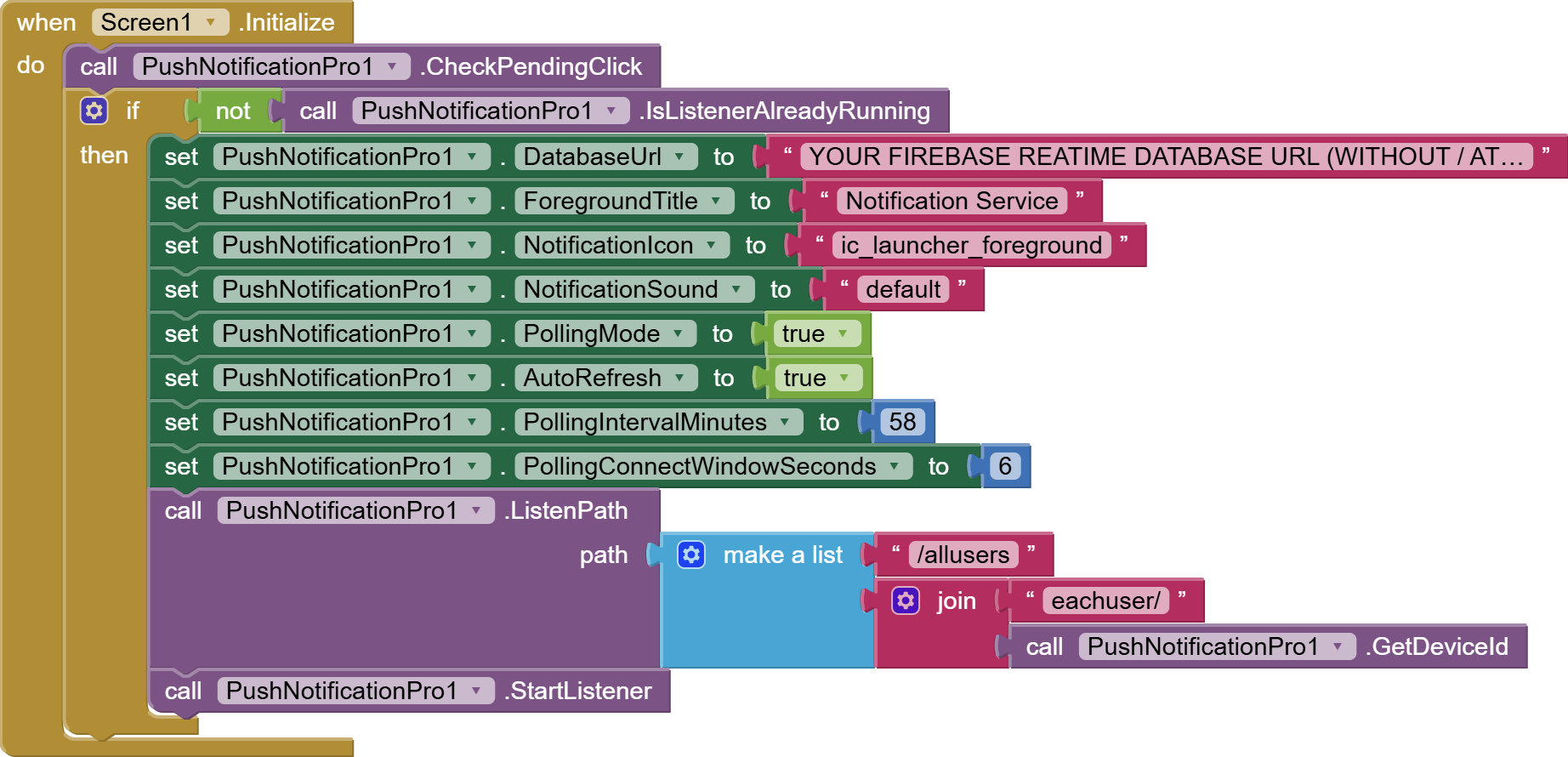
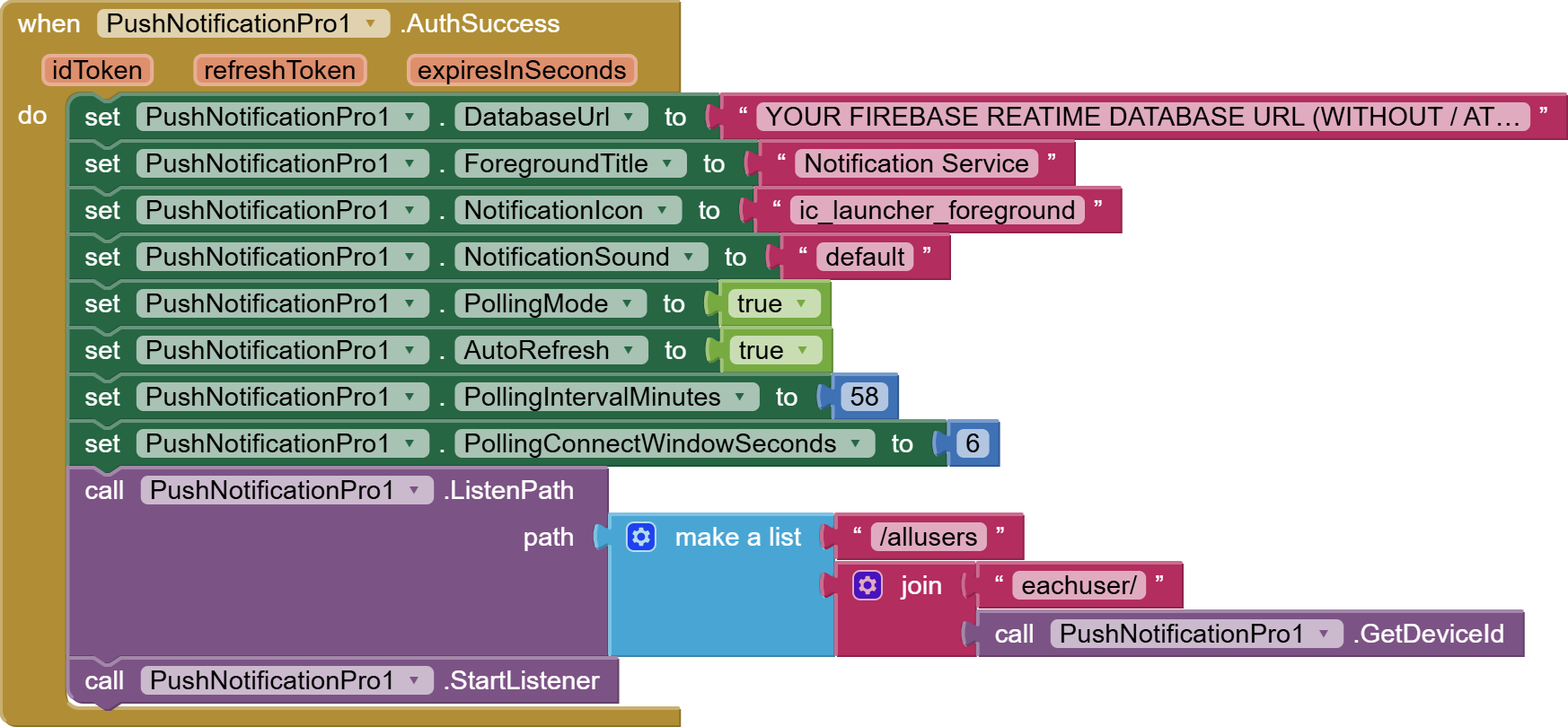
Note: with this setup you can send notifications securely from the console and cannot send notifications from the app and push notifications will be shown in every 58 MINUTES (if any) because we set 58 minutes in polling interval and app will make connection to firebase database for 6 seconds for each polling which is our connect window seconds. See example below.
Set Your Firebase Realtime Database Rules
{
"rules": {
".read": true,
".write": false
}
}
===========================
Note: with this setup you can send notifications securely from the console & app too & app will show notifications in every 58 minutes because we set 58minutes in polling interval. See example below.
Set Your Firebase Realtime Database Rules
{
"rules": {
".read": "auth != null",
".write": "auth != null"
}
}

============================================
Set Your Firebase Realtime Database Rules
{
"rules": {
".read": "auth != null",
".write": "auth != null && auth.uid === 'PASTE_UID_HERE'"
}
}
(Go to authentication in firebase console, you can see UID of authenticated users)
================================
OR

====================================
OR
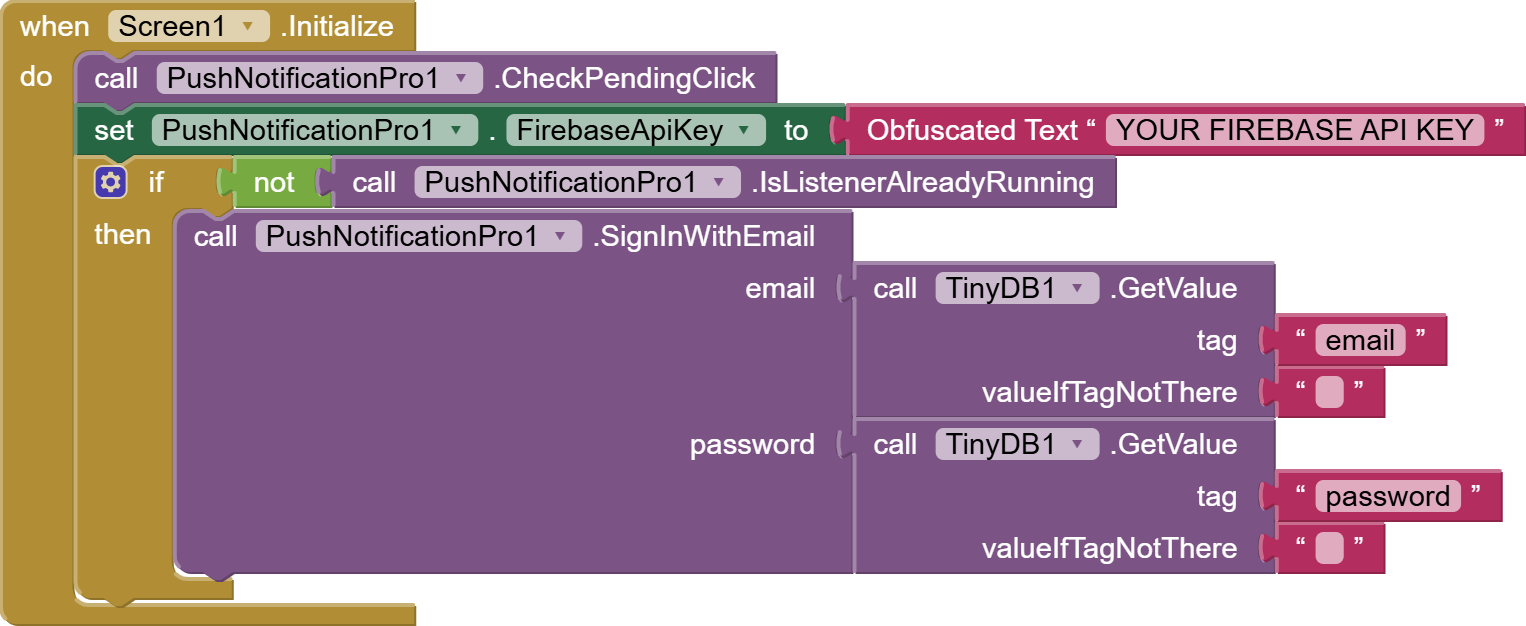
TRIGGERS 'AuthSuccess' event.
====================================
====================================
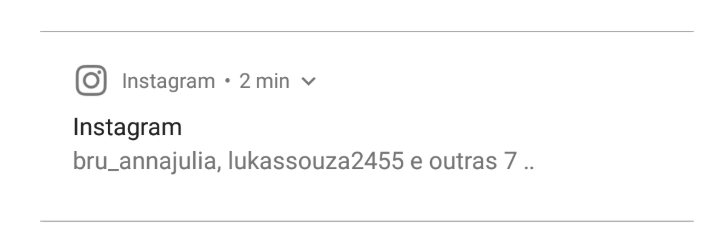
(i) Show Text Only Notification:
Data In Firebase: title = text & message = text
example:
(ii) Show Text with small icon Notification:
Data In Firebase: title = image url & message = text
example:
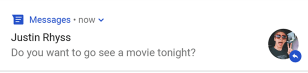
(iii) Show Text with large image Notification:
Data In Firebase: title=text, message= image url

(iv) Show In-app notification custom style any design---->set this custom notification within the app using arrangement or separate screen and show accordingly with the use of event 'PushReceived'-->App must be in running mode not closed.
==================================
resourceName-
Set 'ic_notification' for bell icon
Set 'ic_launcher_foreground' for app icon.
==================================
Show users all the notifications WITHIN THE APP.
==================================

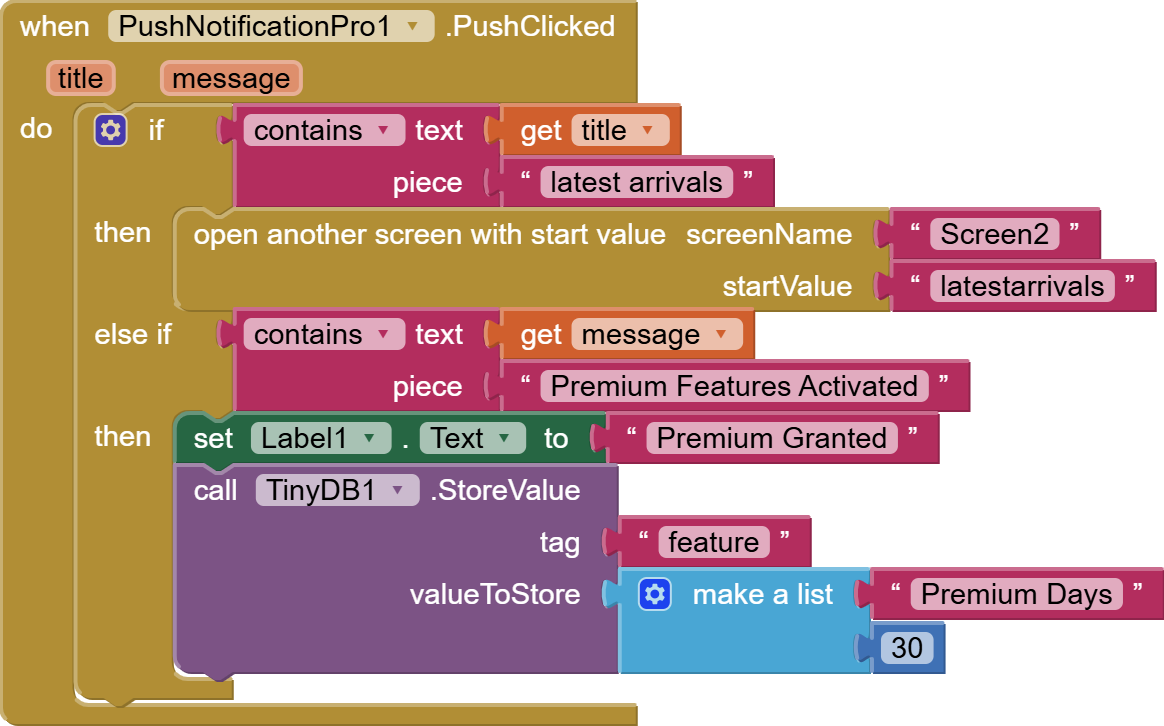
(please use check pending click method when screen initialized, this is very important and required if setting up tasks for notification click)
=====================================
com.pushnotificationpro.extension.pushnotificationpro.aix (73.5 KB)
APP INVENTOR AIA FILE:
push_notification_pro.aia (296.1 KB)
=====================================
Price $3 | INR 250
Click Here To Purchase Licensed Extension
VideoTutorial Guide For Creating Firebase Database & Getting The API Key is available on our website. Sharing link is not allowed here, please visit our website, available in our profile.