Hello MIT App Inventors! 
Monetizing apps built with MIT App Inventor has always been challenging. Many older extensions either crash on modern Android versions (Android 14, 15, 16, or 17), fail with ClassNotFoundException / NoClassDefFoundError, require complicated manual manifest hacking, or lack support for high-eCPM modern formats like Rewarded Interstitial and Google Native Ads.
Today, I am proud to introduce Google AdMob Pro (v5.0) — an ultra-reliable, next-generation Google Mobile Ads extension built specifically for MIT App Inventor 2 with zero crash guarantees, full Android 7.0 through Android 17 compatibility, and powered by the Latest Google Mobile Ads (GMA) SDK v25.5.0!
 Special Launch Offer — 100% FREE!
 Regular Commercial Price: $20 USD | Rs 6,000 PKR | ₹2,000 INR
 Special Launch Celebration: 100% FREE (Limited Time)
 Instant Free Activation Key: Claim your Item ID at https://aixhub.store
(Claim your free lifetime copy and license Item ID from the store today before the promotional launch period concludes!)
 Key Highlights & Features
 Powered by Latest Google Mobile Ads SDK v25.5.0:
- Built with official
play-services-ads-api:25.5.0&user-messaging-platform:4.0.0(UMP). - Fully compliant with Google Play Store's 2026/2027 policy updates, Target SDK 34/35/36+ requirements, and modern Privacy Sandbox AdServices.
- No more outdated SDK warnings or rejection notices on the Google Play Console!
- Built with official
 Full Android 7.0 to 17 Compatibility:
- Fully tested on Android 7 (Nougat), Android 8–11, Android 12–13, Android 14 (API 34), Android 15 (API 35), Android 16 (API 36), and Android 17.
- Solves all Google Play Services manifest issues, Dynamite shim loaders, and
AD_IDpermissions automatically.
 Dual Banner Engine (Zero Height Stretch):
- Adaptive Banner (
LoadAdaptiveBanner): Dynamically adjusts to screen width and calculates the exact optimal responsive height. - Custom Sized Banner (
LoadCustomizeBanner/LoadBannerCustomSize): Set exact custom dimensions (e.g. 300x250 Medium Rectangle, 320x100 Large Banner). The arrangement and banner strictly maintain 1:1 dimensions without stretching or blank vertical gaps!
- Adaptive Banner (
 Full-Screen Interstitial Ads: Ultra-fast caching, smooth transitions, and comprehensive lifecycle callbacks (
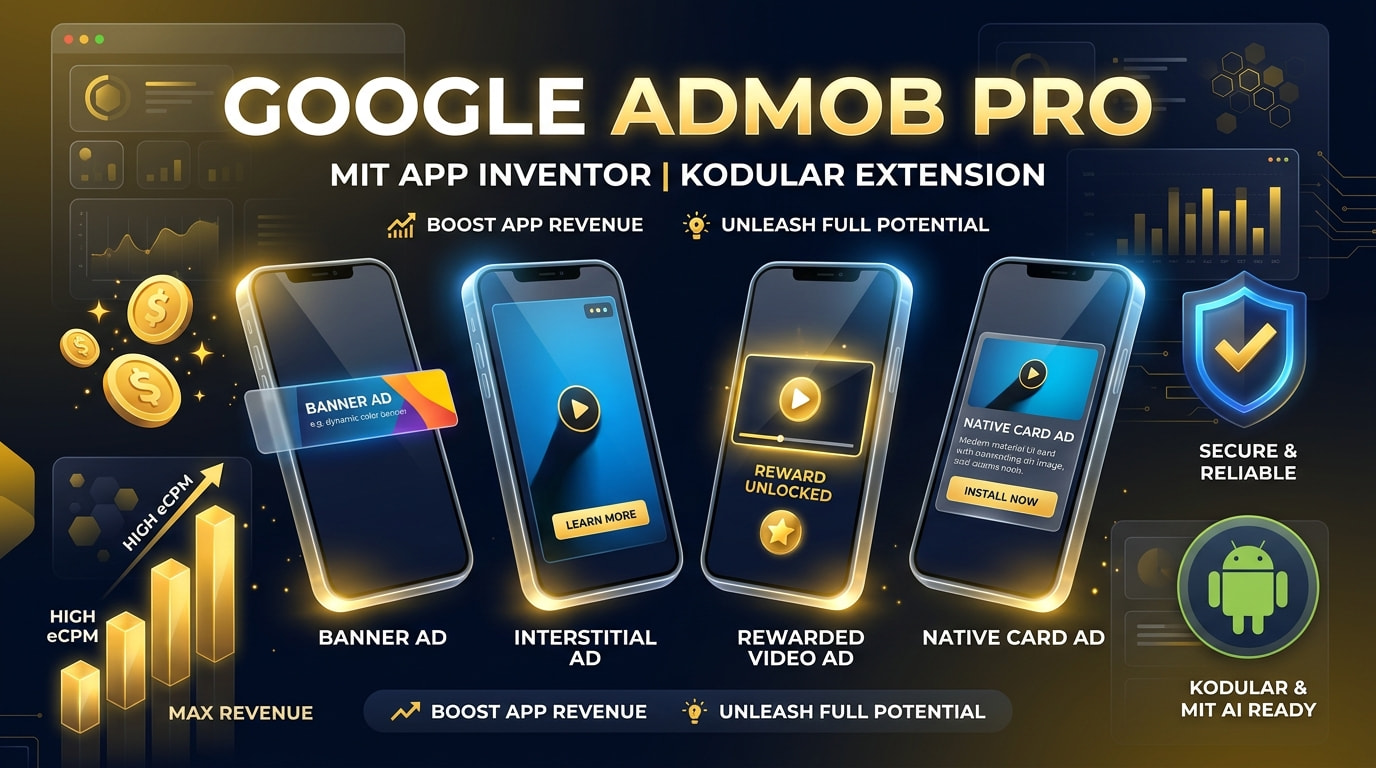
InterstitialAdLoaded,InterstitialAdShowed,InterstitialAdDismissed).- Rewarded Video Ads: Reward users with in-game gold, extra lives, or premium feature unlocks with verified
UserEarnedRewardevents.  Rewarded Interstitial Ads: Google's latest high-eCPM format that lets users earn rewards seamlessly without requiring an explicit opt-in prompt (
LoadRewardedInterstitialAd,ShowRewardedInterstitialAd). Google Native Ads (Auto Material Card): Renders a modern Material Design card with Headline, Star Rating, Body text, Call-to-Action button, and Media View directly inside any arrangement container!
 App Open Ads: High-conversion ads displayed when the app is launched or resumed from the background (
LoadAppOpenAd,ShowAppOpenAd). Google Ad Inspector Tool: Open Google's official real-time diagnostics overlay on your device to inspect ad fill, mediation adapters, and ad requests (
OpenAdInspector). MIT AI2 Companion & Live Testing: Live testing is fully enabled out of the box so you can build and preview your app in real-time without crashes.
 Smart License & Activation System (How it Works)
To ensure high quality, continuous updates, and security:
- Live Testing (MIT AI2 Companion): Works seamlessly for rapid development and testing.
- Installed APK (Production): The extension will serve ads normally. However, to prevent unauthorized redistribution, an Activation Alert Notifier Pop-up will appear if your project is not activated with your registered Email and Item ID.
- How to Remove the Notifier Pop-up (100% Free):
- Visit https://aixhub.store and claim your free Google AdMob Pro license.
- You will instantly receive your unique Item ID.
- Add the
StartSecurityCheckblock inScreen1.Initializewith your registered Email and Item ID. - The security popup will permanently disappear, and your app will run 100% clean and verified!
 Extension Specifications
| Attribute | Details |
|---|---|
| Google Mobile Ads SDK |
v25.5.0 (Latest official Google Play Services Ads SDK) |
 User Messaging Platform (UMP) |
v4.0.0 (GDPR / EU Consent & Global Privacy Standards) |
 Package Name |
com.abid.admobmit2 |
 Extension Version |
5.0 (Full Android 7-17 & Native Ads & Dual Banners) |
 Size |
2.22 MB (Contains all 10 official Google Play Services & AndroidX AARs embedded) |
| Minimum Android SDK |
24 (Android 7.0 Nougat) |
 Target Android SDK |
36 (Android 16 / 17) |
 Total Blocks |
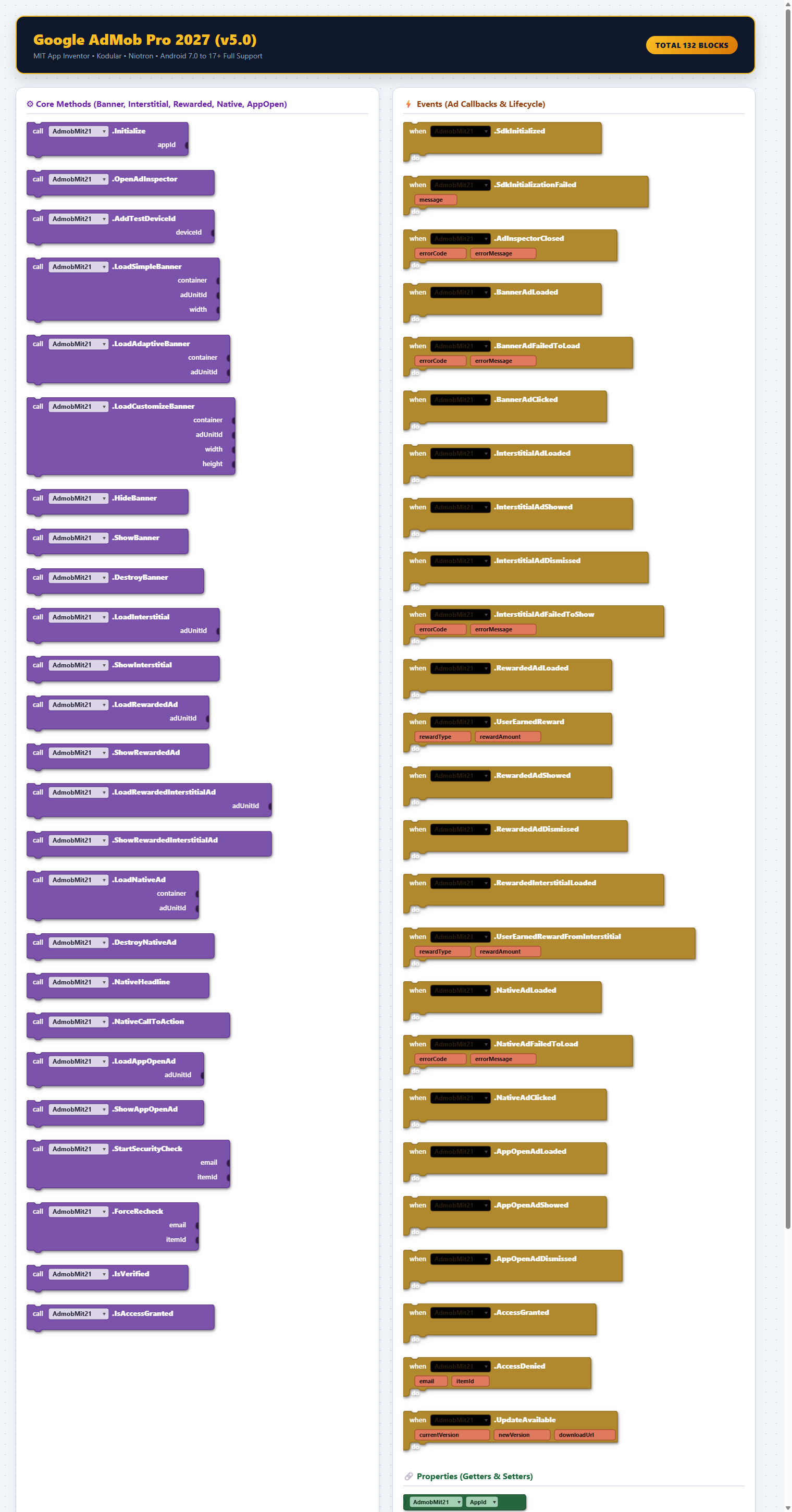
132 Blocks (76 Methods, 46 Events, 10 Properties) |
| Live Companion |
100% Compatible (Automatic Live Test Bypass) |
Blocks Overview
(All 132 blocks are clearly structured into Methods, Ad Callbacks, and Property Getters/Setters)
 Quick Implementation Guide
1. Screen Initialization & Free License Activation
In your Screen1.Initialize, simply call StartSecurityCheck with your registered email and Item ID from aixhub.store, followed by Initialize.
(You can supply your official AdMob App ID or leave it blank to automatically use official Google Test Ads!)
when Screen1.Initialize do
    call AdmobMit21.StartSecurityCheck(email: "your_email@gmail.com", itemId: "APP-ADMOB-7492190334810")
    call AdmobMit21.Initialize(appId: "ca-app-pub-3940256099942544~3347511713")
2. Adaptive Banner Ad
Load a responsive banner directly inside any HorizontalArrangement or VerticalArrangement:
when AdmobMit21.SdkInitialized do
    call AdmobMit21.LoadAdaptiveBanner(
        container: HorizontalArrangement1,
        adUnitId: "ca-app-pub-3940256099942544/6300978111"
    )
3. Custom Sized Banner (Medium Rectangle 300x250)
The arrangement container will strictly conform to the given dimensions without unwanted inflation:
when AdmobMit21.SdkInitialized do
    call AdmobMit21.LoadCustomizeBanner(
        container: HorizontalArrangement1,
        adUnitId: "ca-app-pub-3940256099942544/6300978111",
        width: 300,
        height: 250
    )
4. Full-Screen Interstitial Ads
Preload the ad in advance and display it upon level completion, screen transition, or user actions:
// Preload Ad:
call AdmobMit21.LoadInterstitial(adUnitId: "ca-app-pub-3940256099942544/1033173712")

// Show when loaded:
when AdmobMit21.InterstitialAdLoaded do
    call AdmobMit21.ShowInterstitial()

// Reload on dismiss:
when AdmobMit21.InterstitialAdDismissed do
    call AdmobMit21.LoadInterstitial(adUnitId: "ca-app-pub-3940256099942544/1033173712")
5. Rewarded Video Ads
Reward users with coins or unlock premium perks when they finish watching a video:
when ButtonWatchVideo.Click do
    call AdmobMit21.ShowRewardedAd()

when AdmobMit21.UserEarnedReward(rewardType, rewardAmount) do
    set LabelCoins.Text to (LabelCoins.Text + rewardAmount)
6. Rewarded Interstitial Ads (Modern High-eCPM Format)
Reward users seamlessly without requiring explicit opt-in prompt clicks:
// Load Rewarded Interstitial:
call AdmobMit21.LoadRewardedInterstitialAd(adUnitId: "ca-app-pub-3940256099942544/5354046379")

// Show when loaded:
when AdmobMit21.RewardedInterstitialAdLoaded do
    call AdmobMit21.ShowRewardedInterstitialAd()

// Trigger reward on completion:
when AdmobMit21.RewardedInterstitialUserEarnedReward(rewardType, rewardAmount) do
    set LabelGems.Text to (LabelGems.Text + rewardAmount)
7. Google Native Ads (Material Design Card)
Render a modern native ad inside any layout:
call AdmobMit21.LoadNativeAd(
    container: VerticalArrangementNative,
    adUnitId: "ca-app-pub-3940256099942544/2247696110"
)
8. App Open Ads
Monetize app launches and resumes smoothly:
// Preload App Open Ad:
call AdmobMit21.LoadAppOpenAd(adUnitId: "ca-app-pub-3940256099942544/9257395921")

// Show when ready:
when AdmobMit21.AppOpenAdLoaded do
    call AdmobMit21.ShowAppOpenAd()
Android Permissions Handled Automatically
The extension automatically includes all required permissions in the app manifest:
android.permission.INTERNETandroid.permission.ACCESS_NETWORK_STATEcom.google.android.gms.permission.AD_IDandroid.permission.ACCESS_ADSERVICES_AD_IDandroid.permission.ACCESS_ADSERVICES_ATTRIBUTIONandroid.permission.ACCESS_ADSERVICES_TOPICS
 Downloads & Activation
-
AIX Extension File: com.abid.admobmit2.aix (
com.abid.admobmit2.aix (2.1 MB)
)
-
 Sample AIA Project: AdMob_Pro_Demo.aia (
Admob_Extension_Pro_5.0.aia (2.1 MB)
)
-
Test APK File: AdMob_Pro_Test.apk (Premium AIX Store)
-
100% Free Activation Key (Item ID): https://aixhub.store
-
 WhatsApp Developer Support: +92 344 9490070
Happy Inverting!