Google Sign-In for Android is deprecated and will be removed soon, migrate to Android Credential Manager.
This extension supports Sign in with Google using Android’s Credential Manager, with automatic sign-in for returning users.
It first looks for accounts that have previously signed in to your app, which keeps the flow quick. If none are found, it falls back to showing all accounts on the device in the system’s bottom sheet.
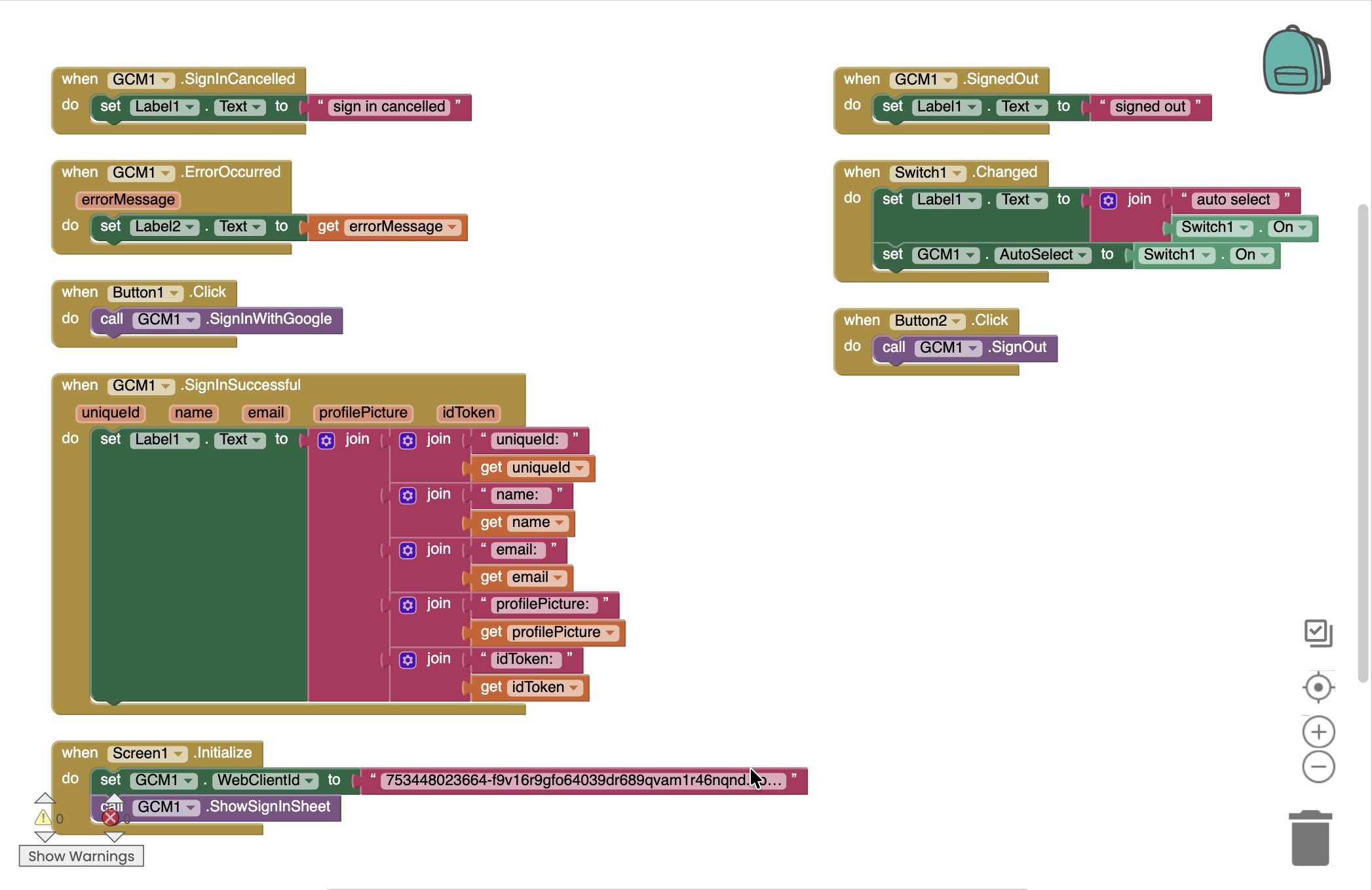
Blocks
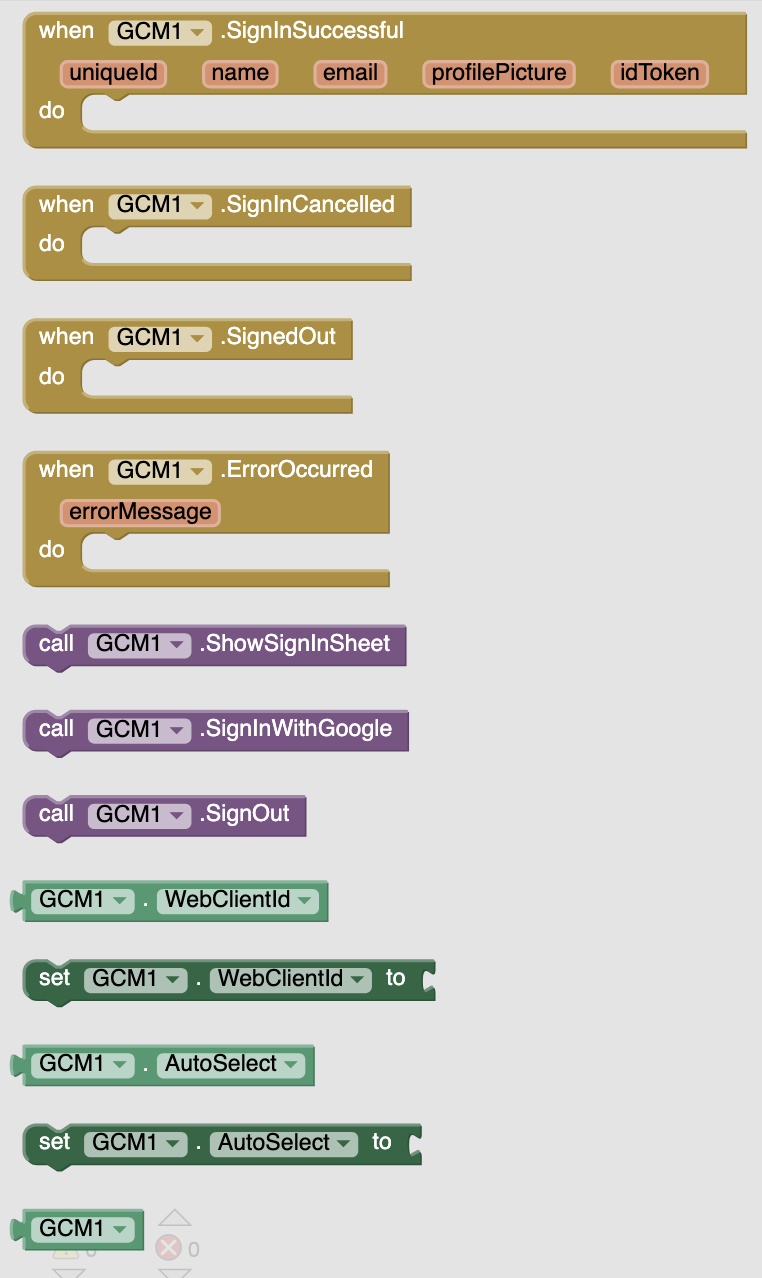
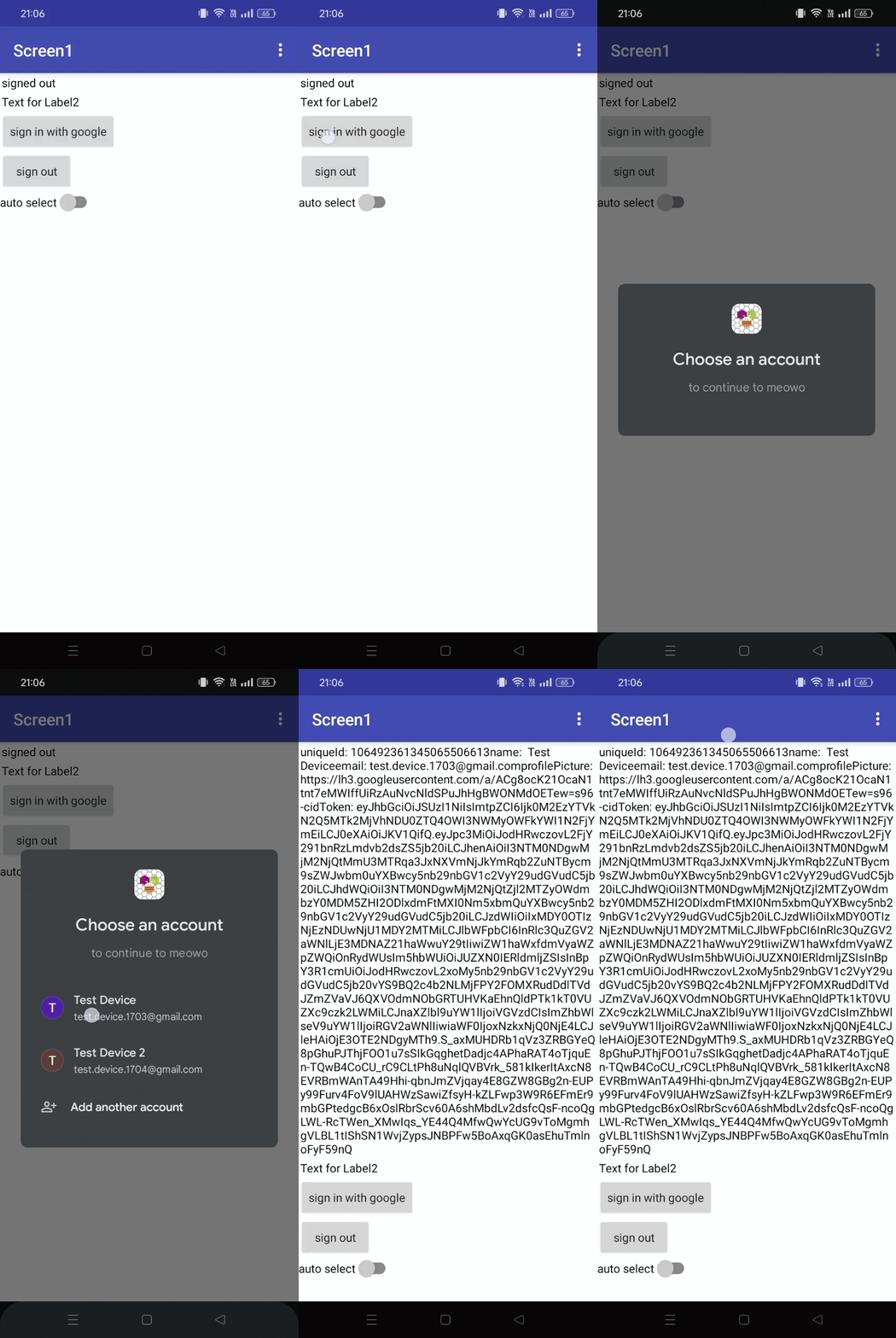
Bottom Sheet Flow vs Button Flow
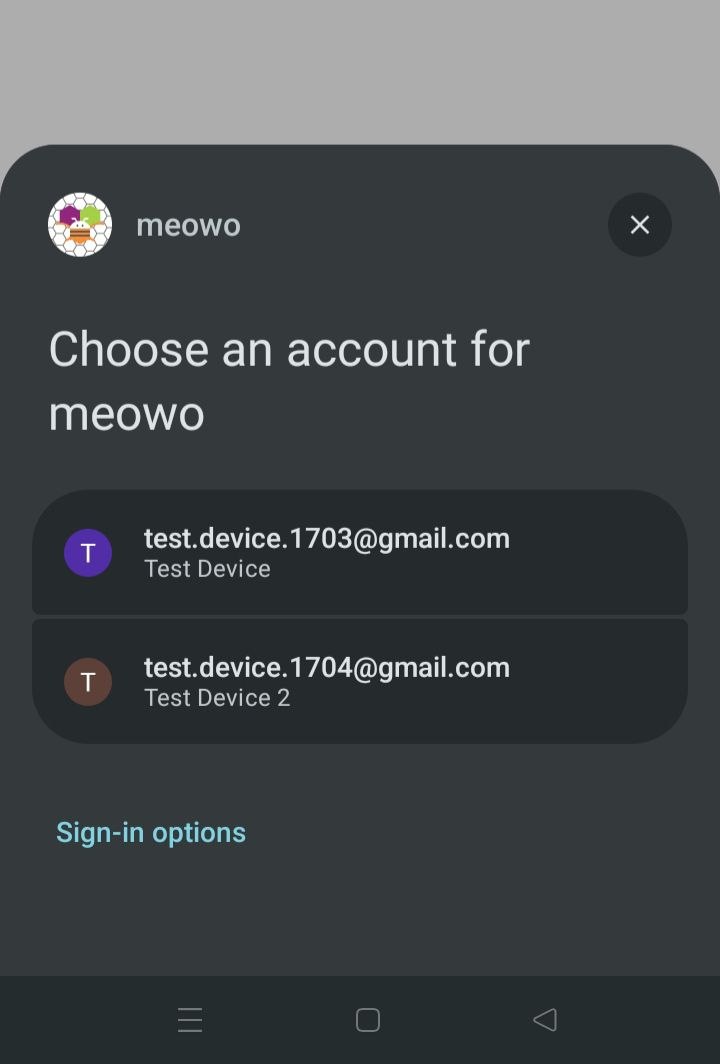
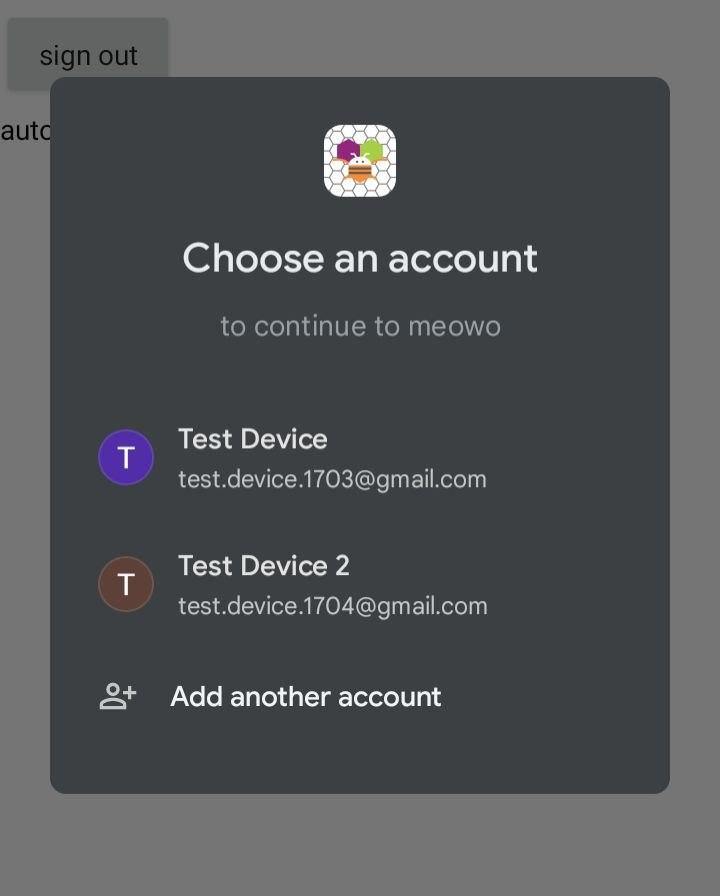
Bottom Sheet Flow: Normal vs Auto Select Enabled

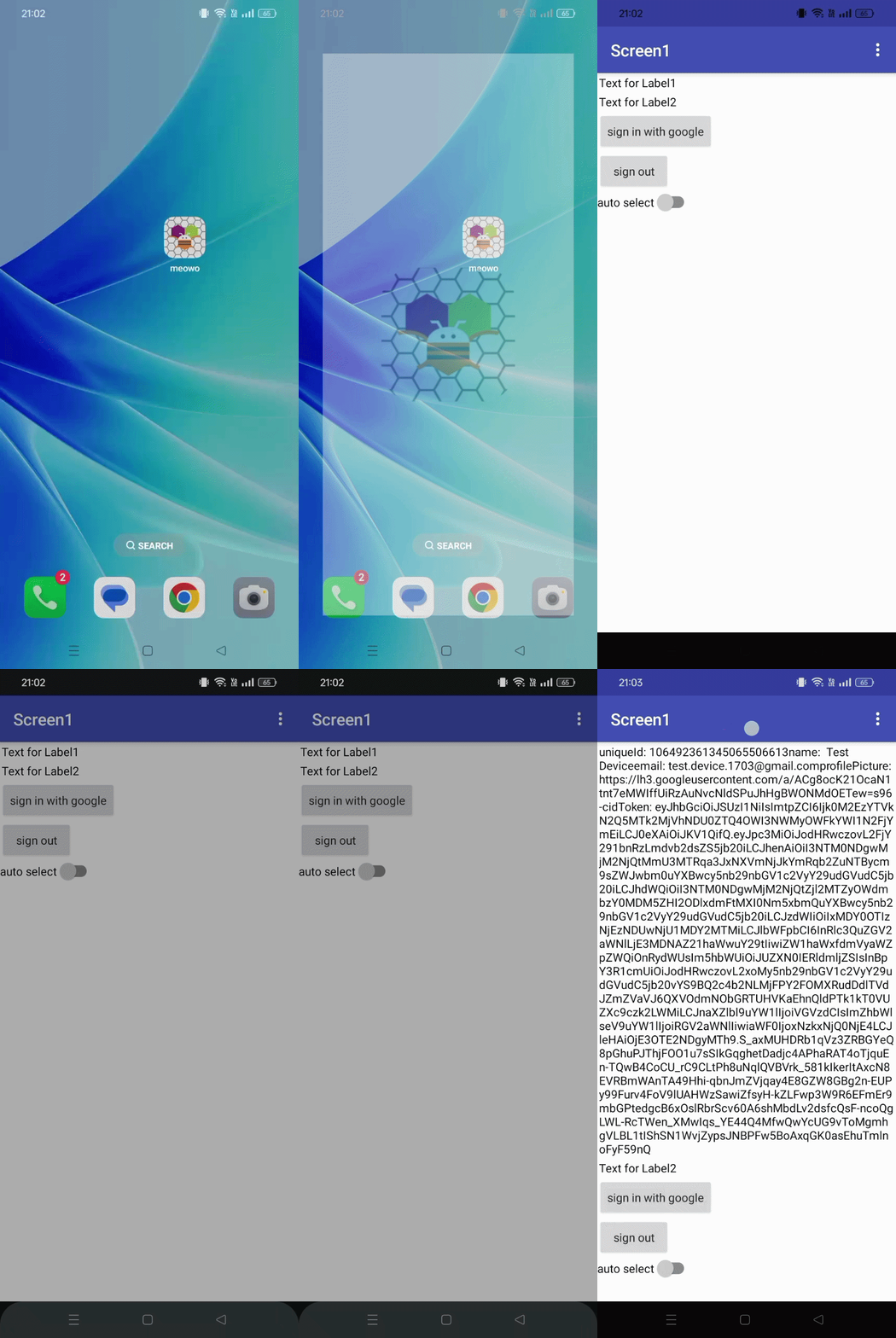
Auto Select works only when:
- Only one authorized account is on the device.
- The user hasn’t signed out of the app using
SignOutblock - Automatic Sign-in is enabled in their Google Account.
Button flow
Blocks for reference
Min SDK: 23 (Android 6.0)
Version name: 1.1
Updated on: 2026-10-10T15:14:00Z
AIX: com.yashsrv.gcm.aix (631.3 KB)
Configure Google Auth Platform (for WebClientId):
- In Google Cloud Console, create or select a project.
- Go to APIs & Services → Google Auth Platform. Set the user type to External, fill in the app details, and add your test accounts under Audience → Test users while in Testing.
- Go to Credentials → Create Credentials → OAuth client ID and create an Android client with your app’s package name and SHA-1. For Play Store builds, use the App signing key SHA-1 from Play Console.
- Create a Web application client and copy its Client ID.
Tips for developers:
- Always treat
uniqueIdas the user's unique identifier, not email, email can change, so index your database withuniqueId. - Send & verify the
idTokenwith your backend and extractuniqueId, name, emailandprofilePicture. Do not trust user provided details. - Google has made the brand verification compulsory if your app is in production, it is automatic now for non-sensitive scopes, roughly takes 5 minutes. Complete it before you launch your app.