Is there an option to remove the option to start applications automatically and set it to manual in the settings panel since otherwise the save boot process does not work
and also if some options were added so that the device's battery controller does not close the process
I'm not sure what you are saying, I guess you are requesting a feature to autostart the application?
Thanks for responding, that function already exists, but some phones do not do it when this option is activated
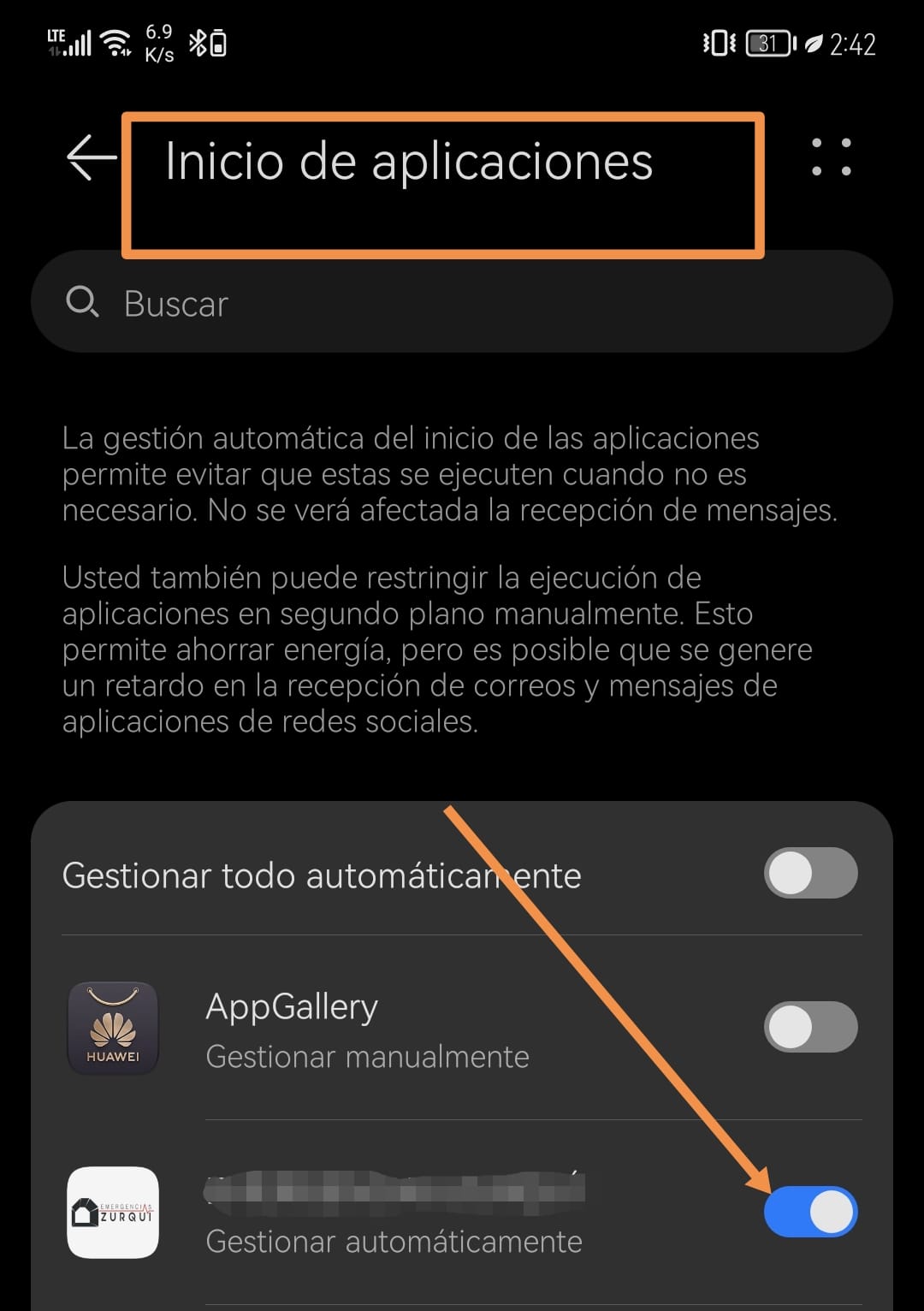
The added screenshot does not help as it is not in English.
If you want the app to autostart in the background, right now the feature is not being supported by the extension.
I'm sorry if it is in Spanish, what happens is that this process works only when battery saving is not active or when the application launch is configured manually
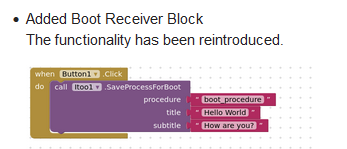
This is actually a device specific issue and there isnt a solution to it. You can guide your users to manually turn of any optimisations:
2 Likes
🧩 Itoo 4.1 Sky
(Please look into the first post for detailed documentation)-
Added support for Firebase and Cloud DB through
ExecuteInternalScriptblock
Look into the resources attached in first post. -
Enhanced existing notification icon block (req. from @Randal_Andress)
-
Added ability to turn off debug mode — thus reducing logs produced (req. from @aeozyalcin)
-
Added
CaptureandReleaseproperties block to save property state of components & reapply it in the background. -
Added simple property block
InBackgroundto check if the app is currently in background. -
Internal enhancements have been made.
I've also rewritten the documentation with a lot of resources and examples attached, please look into it!
xyz.kumaraswamy.itoo.aix (79.7 KB)
I'm a high school student, this is not an easy extension to maintain. Only possible with incredible hardwork and months of research for perfection put into it.
Please consider donating: PayPal.Me
Thanks,
Kumaraswamy B G
6 Likes
Could you provide any other method to donate except PayPal?
Thank you for the code AND documentation updates! I look forward to using and learning about them.
Kind regards,
Randal
1 Like
Thank you for the enhancements and additional documentation 
I have a question about communication between the user interface and a foreground service started using Itoo.CreateProcess.
I have included the blocks photo as well as a test app to illustrate the following example:
The user interface starts a foreground service which registers a Clock Timer event whose processing reads (FetchProperty) and displays (using NotificationStyle) an item of data that has been initialized using StoreProperty...
The user interface may then be restarted and the contents of a textBox may be saved (StoreProperty) by clicking a btn.
When run on a Moto e5play (ApiLevel 26), the subsequent executions of the Timer processing successfully read and display the updated data item.
Is this a legitimate way to pass data from user interface to the foreground service? Or is the only reliable means of passing data from the user interface to the foreground service to use the Broadcast feature?
Kind regards,
-Randal
[Sorry  I completely forgot to upload the blocks .png and the example .aia]

itoo_sandbox.aia (880.1 KB)
Where?
Yes
Taifun
1 Like
Broadcast feature is the best way to communicate live data.
Edit: @Randal_Andress If the Itoo's Store/Fetch property really works fine, then you can use it too
No where! But I just edited the post to add them. Thanks for responding even though it was an incomplete post. Hope this helps explain my question.
-Randal
1 Like
You are calling the NotifyUser procedure from the background... inside that procedure you are using the notifier component and a toast extension to display something... this will not work, because there is no user interface available in the background... use the notification style extension instead
Taifun
1 Like
Taifun, thanks for taking a look at the code!
While I am developing and learning I have taken a "belt and suspenders" plus duct tape approach - trying out three methods of user notification. In addition to the Notifier and SimpleToast (which I now understand cannot be relied upon) I also am calling the NofiticationStyle which, you may have noticed, is called by LargeIconNotificationWithOptions. In the application I am working on, it is the NofificationStyle (with 3 callback buttons) that I really need. It provides feedback into the service (using itooStoreProperty). I can ditch the Notifier and toast methods which for some reason seem to be working on ApiLevel 26...
To clarify, now that you have seen the code, is what I am doing OK - updating data items from user interface using itoo.StoreProperty? I have to ask because I now understand that just because something seems to be working does not mean that it is reliable.
Thanks,
Randal
So what I am doing may not be the "best" way, but it will work, correct?
-Randal
I'm confident that since it works correctly, it can be relied upon.
Store/Fetch property blocks directly write/reads data to files in the app's private files directory.
Yes, I'm also doing that
Taifun