Not working: BLE Connect To Device With Service And Name

I have tried so may ways to get this to work but it's not and not even getting an error message.

I looked through topics from 2025 and found nothing conclusive.

Has anyone actually been able to connect with the BLE.ConnectToDeviceWithServiceAndName call?

If so, do you need to scan for devices first?

Is the Name parameter the name that the device advertises?

Here are relevant parts of the ESP32 device code:
BLEDevice::init("PropBal");
BLEService* pService = pServer->createService(BLEUUID(SERVICE_UUID), 50);
BLEAdvertising* pAdvertising = BLEDevice::getAdvertising();
pAdvertising->addServiceUUID(SERVICE_UUID);
so the device is definitely advertising both Name and ServiceUUID.

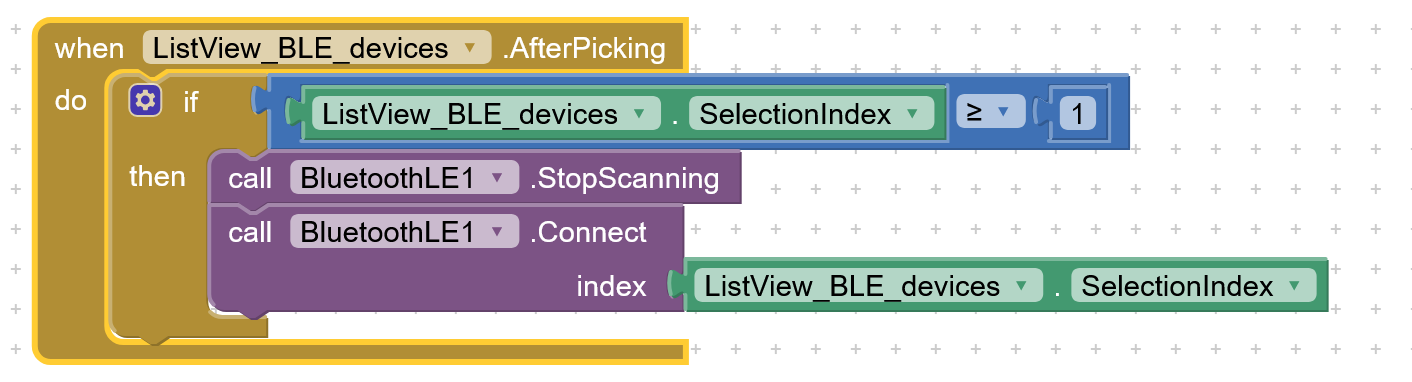
Note that I previously was able to connect (and use blocks with the ServiceUUID parameter) with


but want to automatically connect because I know the ServiceID and name.

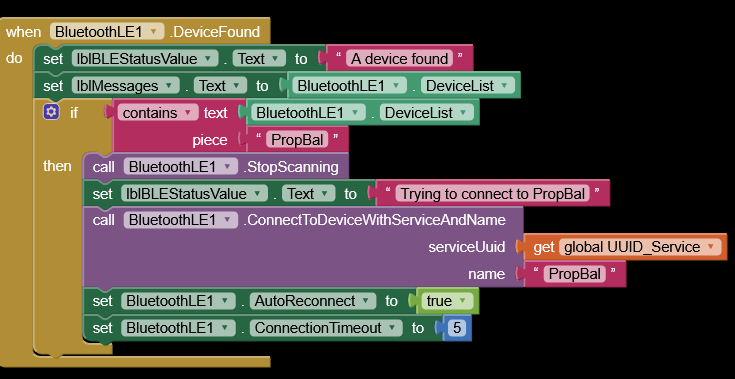
EDIT: Also it appears that using this instead of StartScanning does not work either:


because DeviceFound never triggers.

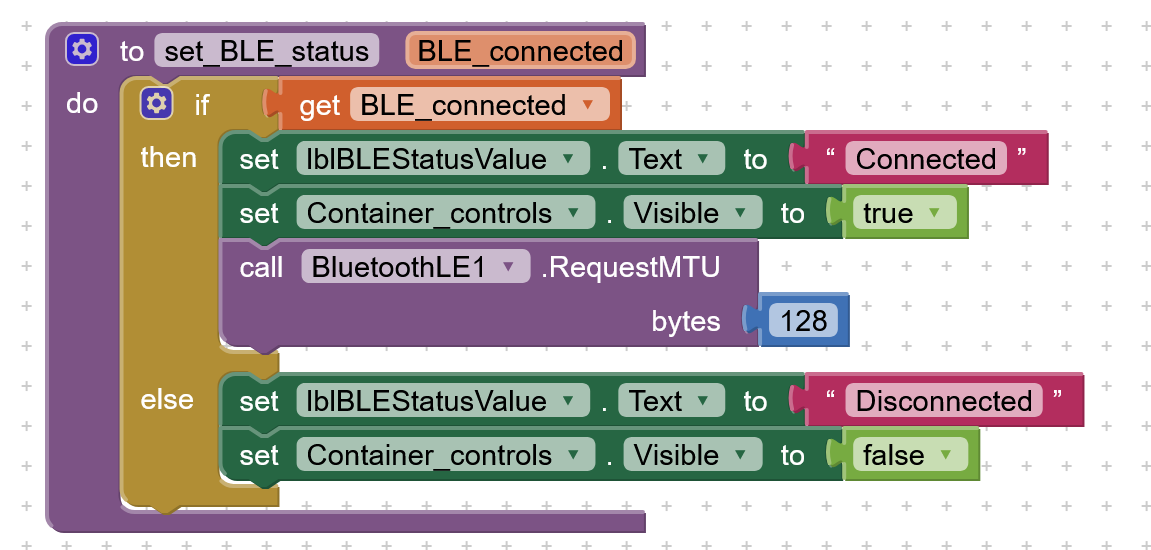
Here are all current blocks:

Looking at an example of implementing iBeacon using ESP32, it looks like you may also have to stop/start the advertising:

Can you confirm that you can see the service UUID in the advertising block with an app like nRF Connect (Android) or LightBlue (iOS)?

Didn't want to clutter up this post but here it is:

pService->start();
BLEAdvertising* pAdvertising = BLEDevice::getAdvertising();
pAdvertising->addServiceUUID(SERVICE_UUID);
pAdvertising->setScanResponse(false);
pAdvertising->setMinPreferred(0x0);
BLEDevice::startAdvertising();
Serial.println("Waiting for client...");

The DeviceList contains MAC address, device Name and a negative number.
If you can show me how to make this into a string I can check if ServiceID exists in it:


All I get when putting it into a label text is "" (square brackets). I don't know what "triplets" are and how to make it into a string. I don't have nRF.
EDIT: Installed nRF. All it shows is Name, MAC address and signal level in dBm. So that's what the negative number is.
Will nRF show ServiceID if advertised?

EDIT EDIT: I added.stop():
BLEAdvertising* pAdvertising = BLEDevice::getAdvertising();
pAdvertising->stop();
pAdvertising->addServiceUUID(SERVICE_UUID);
pAdvertising->setScanResponse(false);
pAdvertising->setMinPreferred(0x0);
BLEDevice::startAdvertising();
Serial.println("Waiting for client...");

But the only way I see the ServiceID in nRF is if I click CONNECT.

Does that mean that BLE in ESP32 does not in fact support SERVICE_UUID advertising in spite of accepting pAdvertising->addServiceUUID(SERVICE_UUID); ?

SOLVED!
Adding stop() is not needed.

But device Name cannot be more than 5 chars! (I guess an MTU limit.)

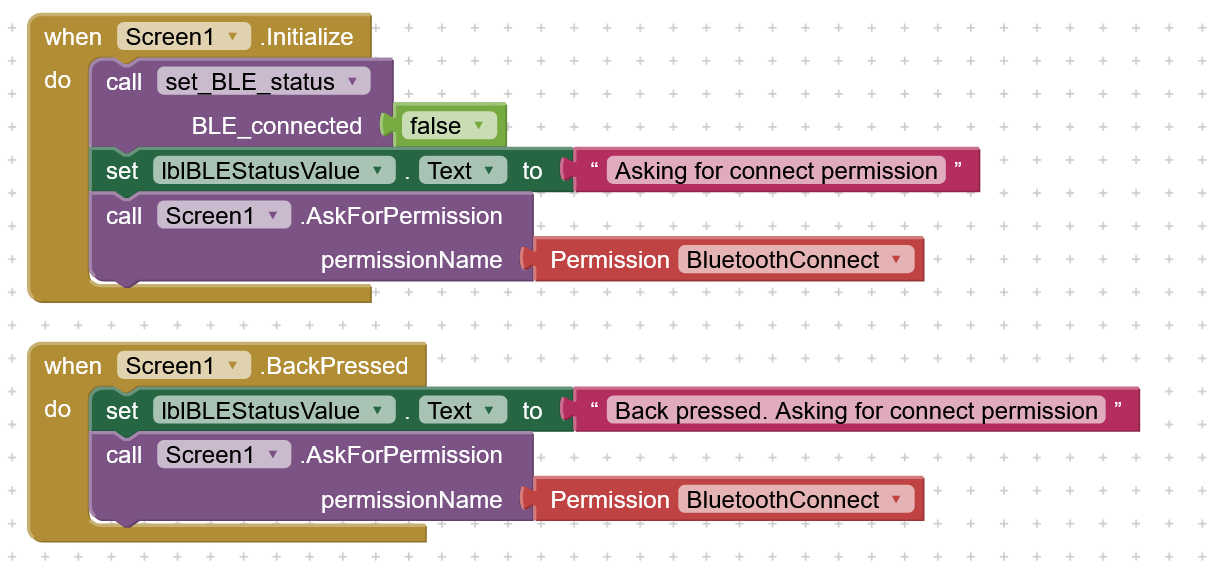
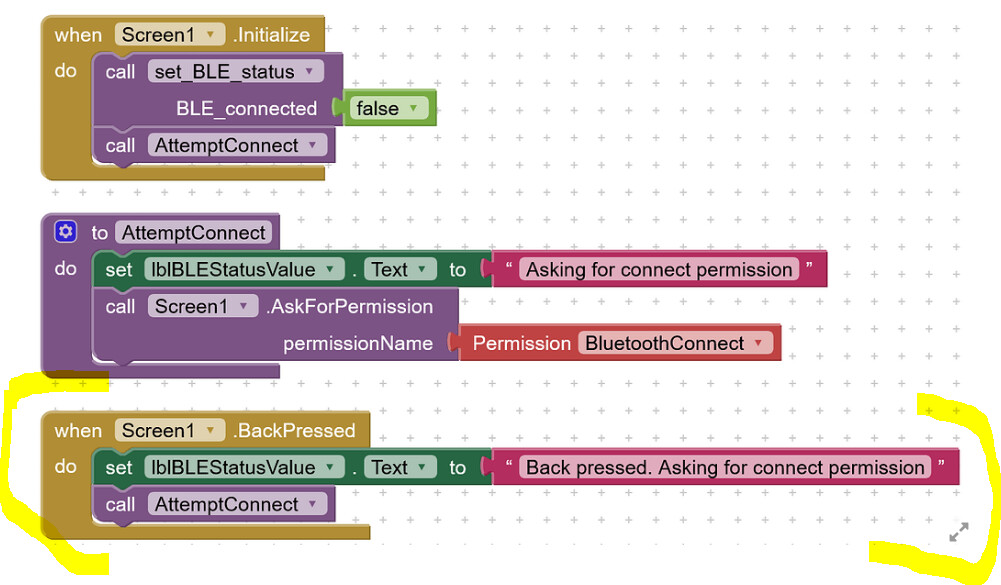
Now I just need to solve why .AskForPermission in the Screen1.Initialize does not work.
Works in the BackPressed block:

1 Like

This will depend on a lot of things, including what type of UUID you are using. But yes, the advertising packet has a certain length and so there are tradeoffs in terms of the service UUIDs, device info, etc.

I'm glad you were able to figure it out. Cheers!

To answer my own question:
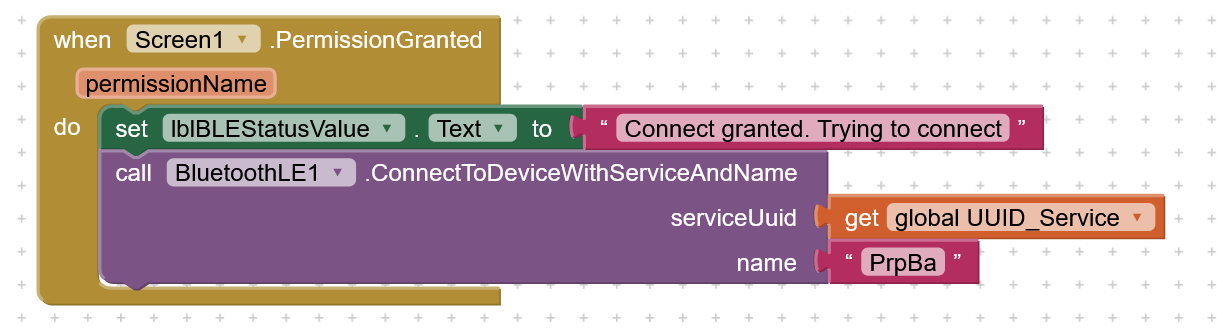
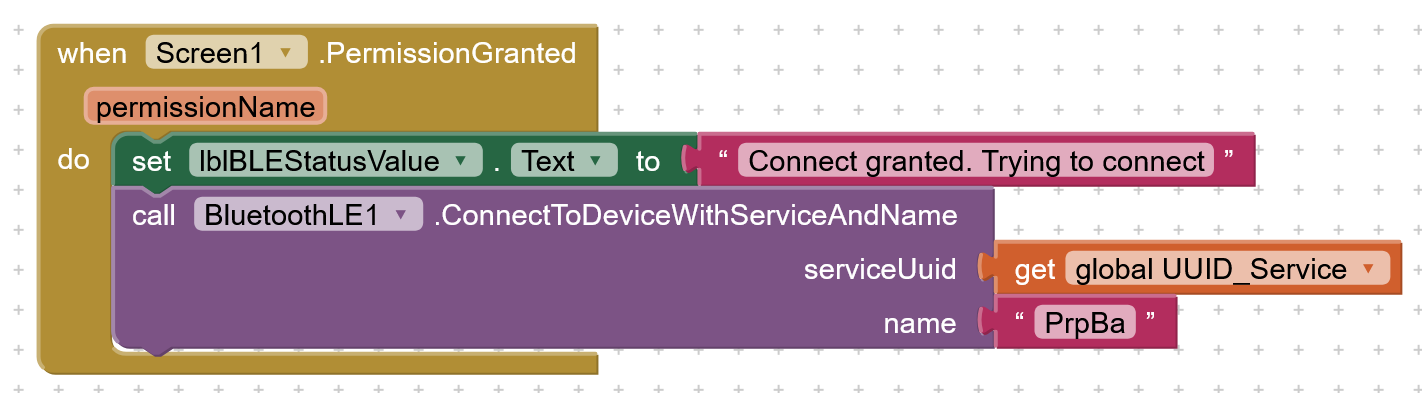
No need to scan. Can attempt to connect as soon as permission to connect has been granted:

Well, looking at raw data in nRF Connect, the ServiceUUID takes up 17 bytes. Name 6 bytes, then couple of two byte values. Total of 27 bytes.

1 Like

Dear @Finn_Lassen
many thanks for having shared your solution, This can indeed help other users.
Best wishes for your project.

The BLE extension requests permissions automatically.

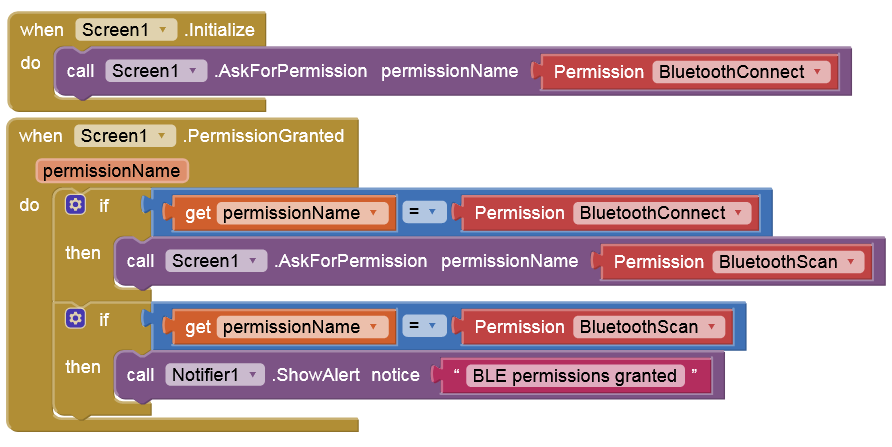
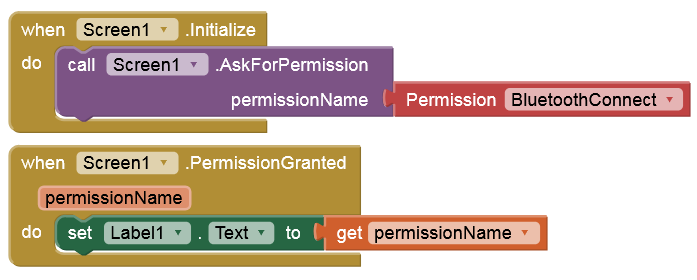
Therefore, it is not necessary to request them manually. This would be the correct way to do it:

1 Like

Problem is why does the second call not execute in .Initialize but it executes in .BackPressed.


Not a big deal, I can just press the Back "button", but I just find it odd and it would be better if fully automatic when start the App.

But you're saying I can skip .AskOfrPermission entirely and start with .ConnectToDeviceWithServiceAndName?

Of course, it does.

These blocks definitely work on the first run:

Look again in my post #10. You only have one call. I have two calls. Or maybe I should say two actions.

And... where is the problem :red_question_mark:

The permission is requested only the first time. Once granted, it is no longer requested.

Of course, it would be a big deal if it wouldn't work the first time. But it does!

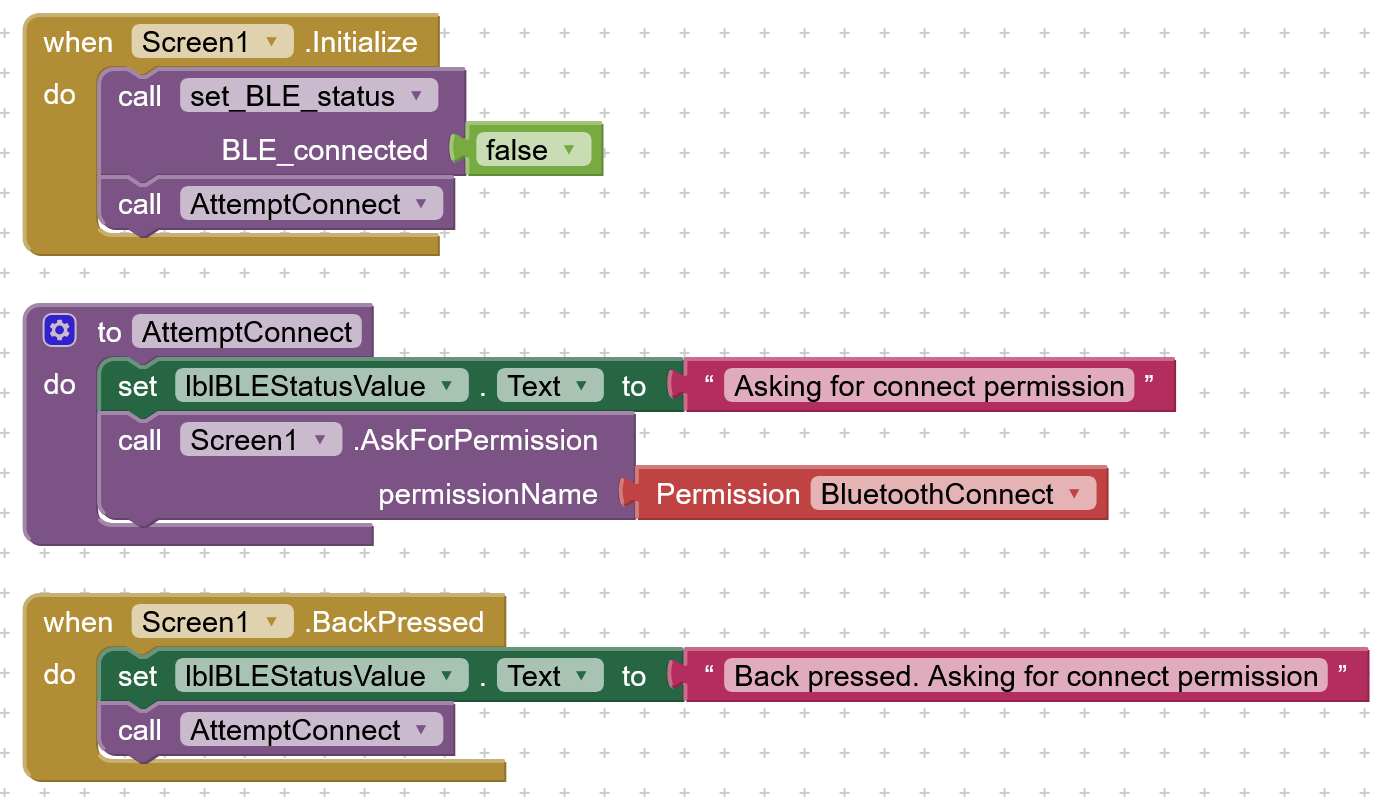
Please get this. I'm not talking about .Initialize executing twice. I'm talking about it not executing the second action (AttemptConnect). It executes Call.setBLE_Status but not Call.AttemptConnect. Please see my blocks in post #10.

I don't get what you are trying to explain. WHAT exactly does NOT work?

I think I'm quite familiar with the BLE extension. I should be able to understand it. :wink:

So why this block?

I use .BackPressed because Call AttemptConnect does NOT execute in .Initialize.

I Googled this and people responding keeps missing the point that any second action in .Initialize does not excute and instead say that of course .Initialize does not execute twice.
Must be a bug in App Inventor that .Initialize can only execute one (the first) action.

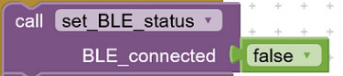
EDIT: Yes I could move "call set_BLE_status" down to the AttemptConnect procedure but that does not handle the bug in App Inventor.
That is simply nonsense. But show this procedure:

image

But why don't you test it yourself. Put two or more actions in .Initialize and see how many actually executes.

Put this procedure in the .PermissionGranted event after both permissions are granted (so SCAN and CONNECT), as I've already shown you in post #12.

Btw, where do you connect?