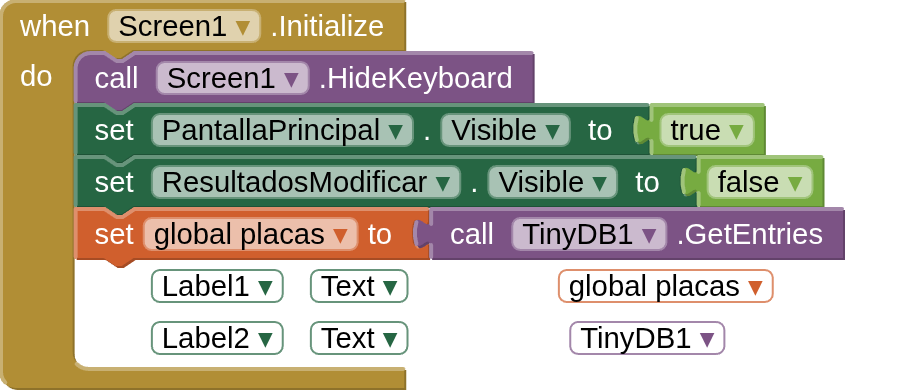
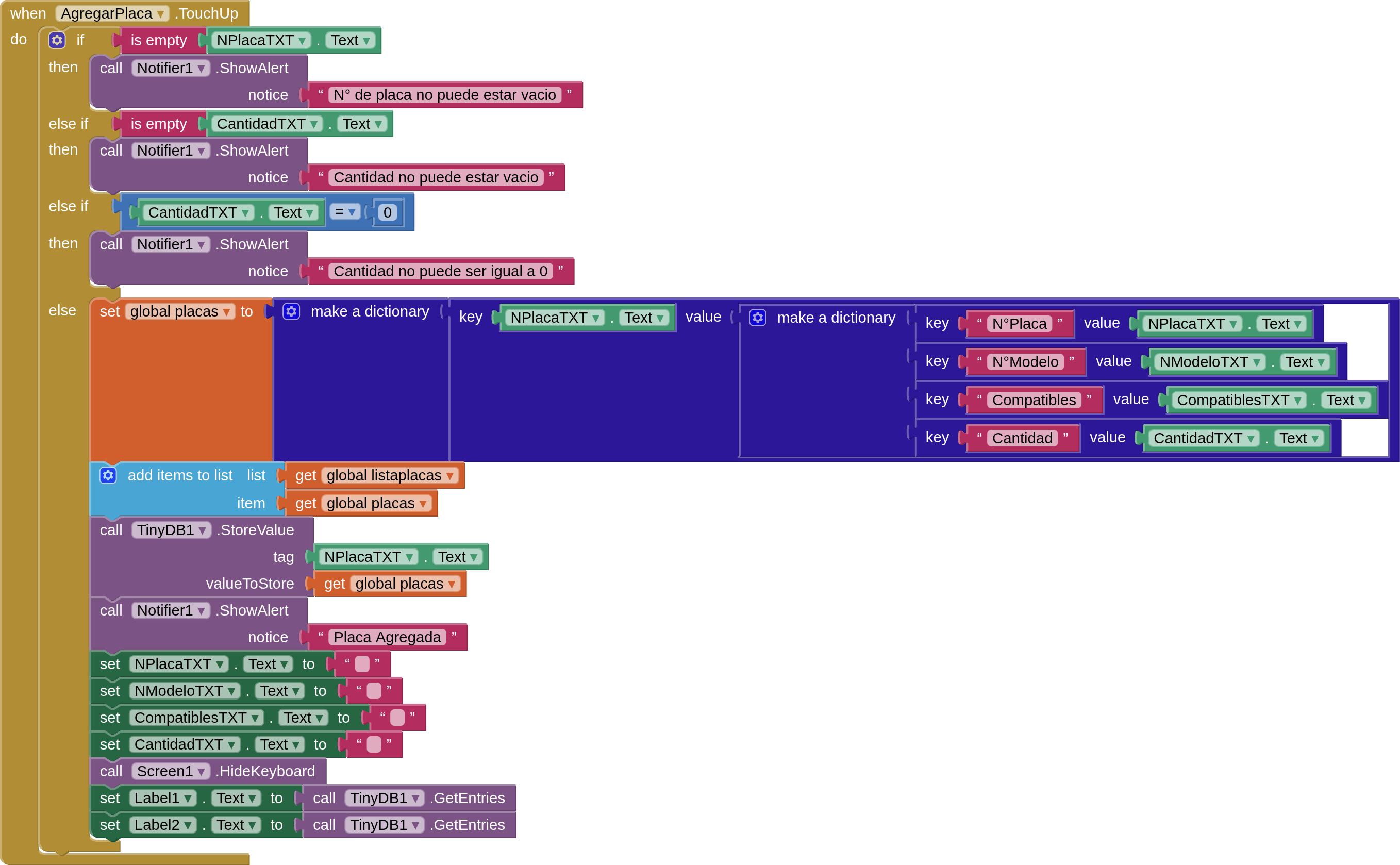
This is to add entries (i have to do a tv boards stock control, compatibilities and from what tv model came), every board has its unique number, so that is what im using as key. Then, as a value, another dictionary wich contains all the values. The ones that cannot be empty are board number and cuantity. The list there is a piece of code that im not using and not plan to use.
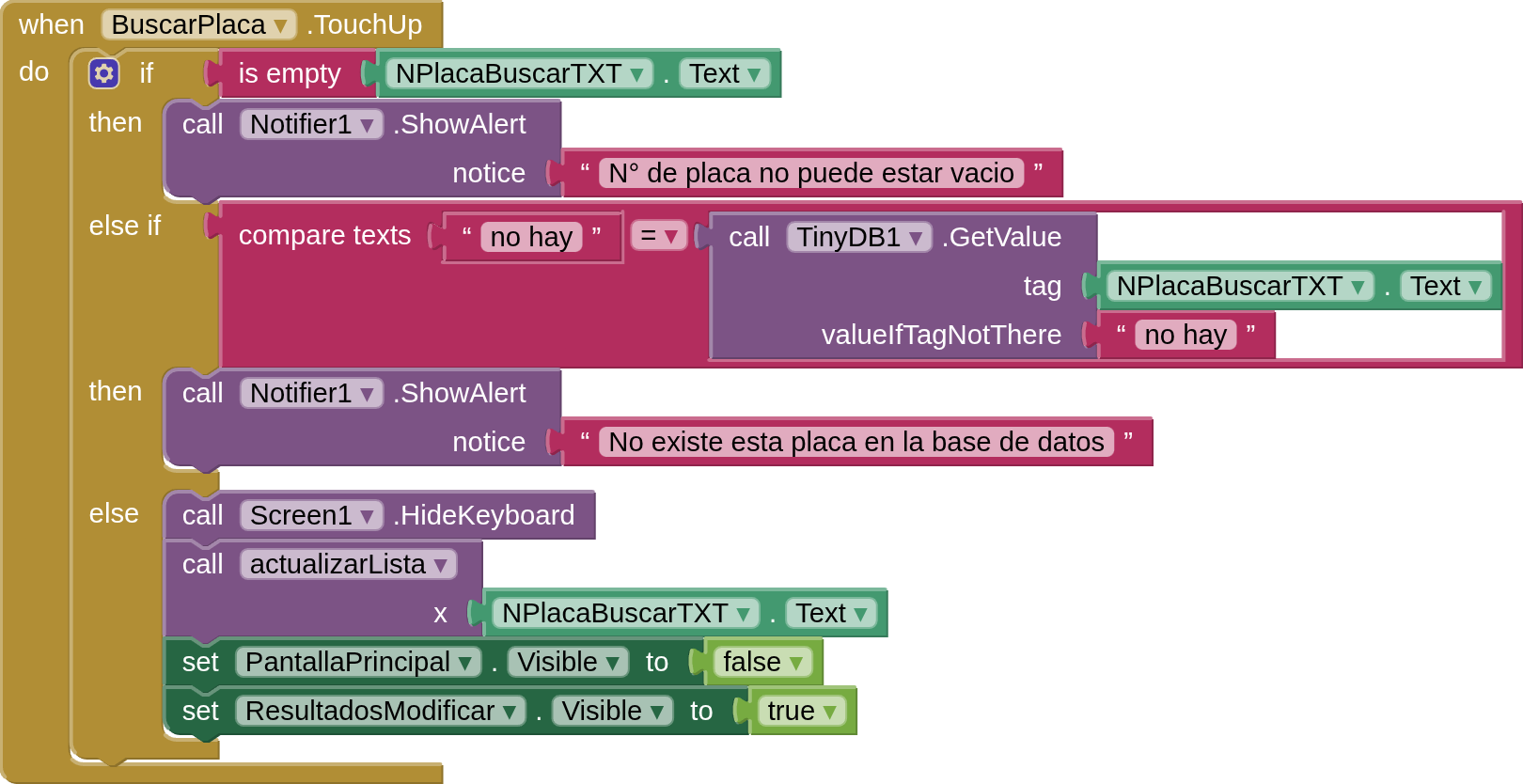
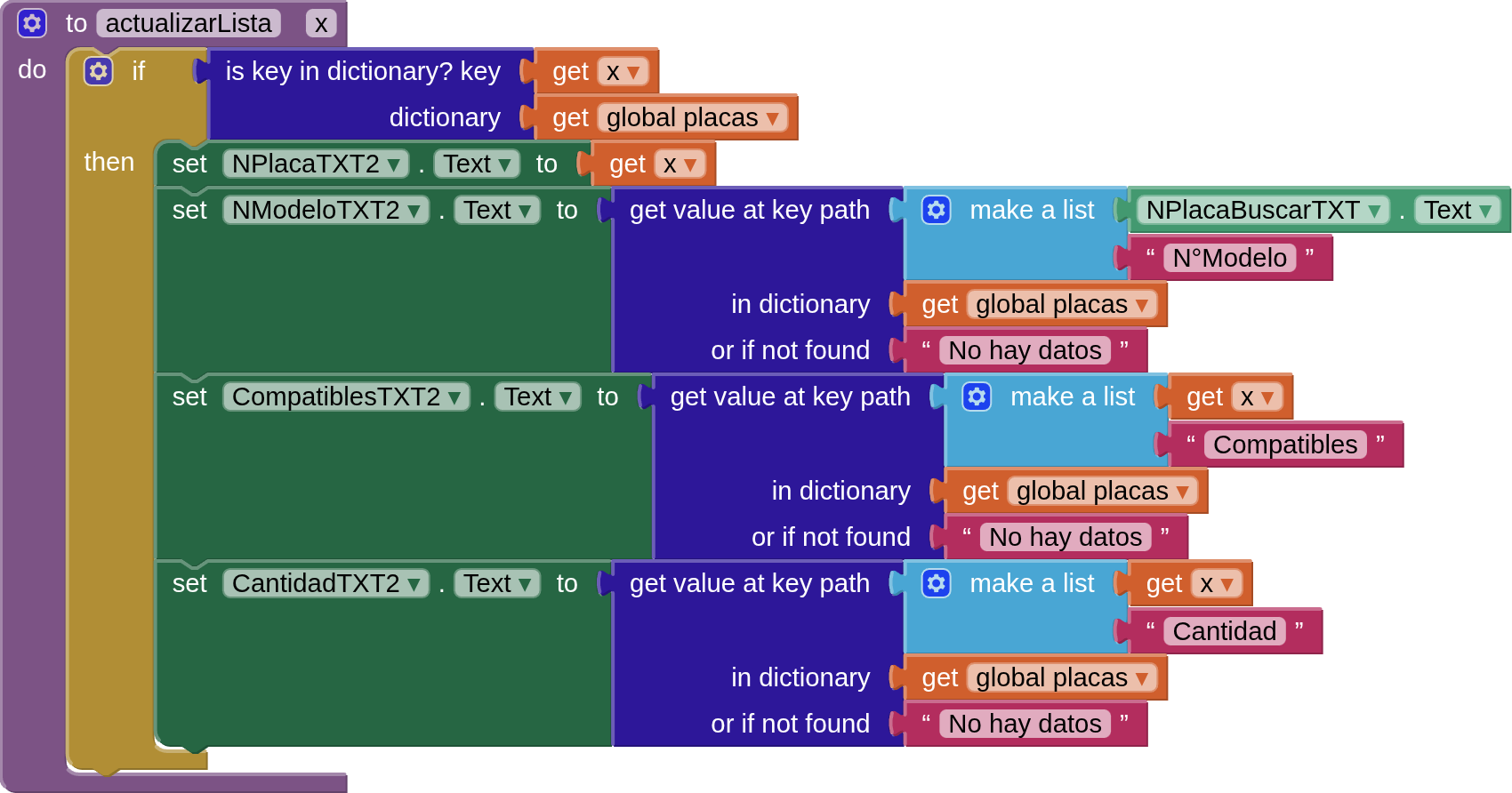
The problem arises when im searching from “global placas” in the search funcion (BuscarPlaca) when i restart the app (same result when i refresh the companion screen), it shows the “N°Placa” in the thexbox, but on every other one shows “No hay datos”. Its driving me nuts. Ive tried everithing. Ill upload the .aia now, just bear in mind, its a mess from trying endlessly.
Suggestions? is it even understandable what im saying? Thanks.
Thats the thing. Listaplacas was a tutorial i was following, to show in a list the data introduced. But, i decided against it and went for another approach, so global listaplacas is.not used. Its a piece of code that i need to delete. Apart from that. Im always using global placas. Maybe ill rework all blocks and just use tinydb for store and retrieval, then use local variables or.not. it depends. The problem is as stated, i cannot seem to reach the secondary keys in the dictionary after a restart of the app. The values ARE stored. If you just do “label.text”-”get tinydb.entries” after a restart, the values are stored but for some reason they do not seem to exist in the path. Only the first key is recognized, it even changes to the next step, but in every field apart from the first key, shows “no hay datos”. BUT, if you add data and then search for it, it works, it doesnt work when you restart the app, thats why i added the “set global placas to get tinydb.entries”, without it, it doesnt find even the primary keys. As stated, i can just rework all,store the data and get the data without variables, but i assume the result will be the same. When i have time tonight, will rework everything and see what happens
Yes, but only if you dont restart the app. Try refreshing the screen in the companion and dont add more data, if compiled on an apk, close completely the app and relaunch it. Just search the data with the “N°Placa” in the last textbox, you will see what it does. It fills the primary key correctly, but the other keys default to the text message if not found. Thats whats drives me crazy.
Edit: SORRY, didnt see the aia you posted. I will check tonight. Thanks!!
Ohhh. Just revised (life got in the way). Thanks to you, i see the “problem”. I was adding one tag and one key in my version that was the same, so (tinydb tag(123)) > (dictionary key(123)) > (value dictionary(key>(value))(key>(value))(key>(value))(key>(value))). When i was searching, i passed the value of the textbox as “key”, and then searched for “key as tag”, so my logic was correct until i searched in the values, because i was short one search key, ignoring the fact that i needed to shearch the tag (same as following key) > key (same as tag) > then search for the keys and values.
Just to show how my own convoluted way of thinking makes things overcomplicated.
Also, your fix was so much more seamless. Just save a tinydb tag as number of board, and under that, store the other values as a single dictionary, that gets rid of nested dictionaries, more simple and efficient. I didnt think of this, i assumed that i needed a tag and then store all data. As i said, that way may be not worng but utterly innefficient and complicated to understand. For such low data entries to store, this is optimal. I learned something new, and in the process, learned why i was getting nowhere. Ill try to “rework” my blocks to work with what i posted. if im correct, i learned a valuable lesson. Always check how many levels are you searching in nested list/dictionaries.