Thank you for your reply.
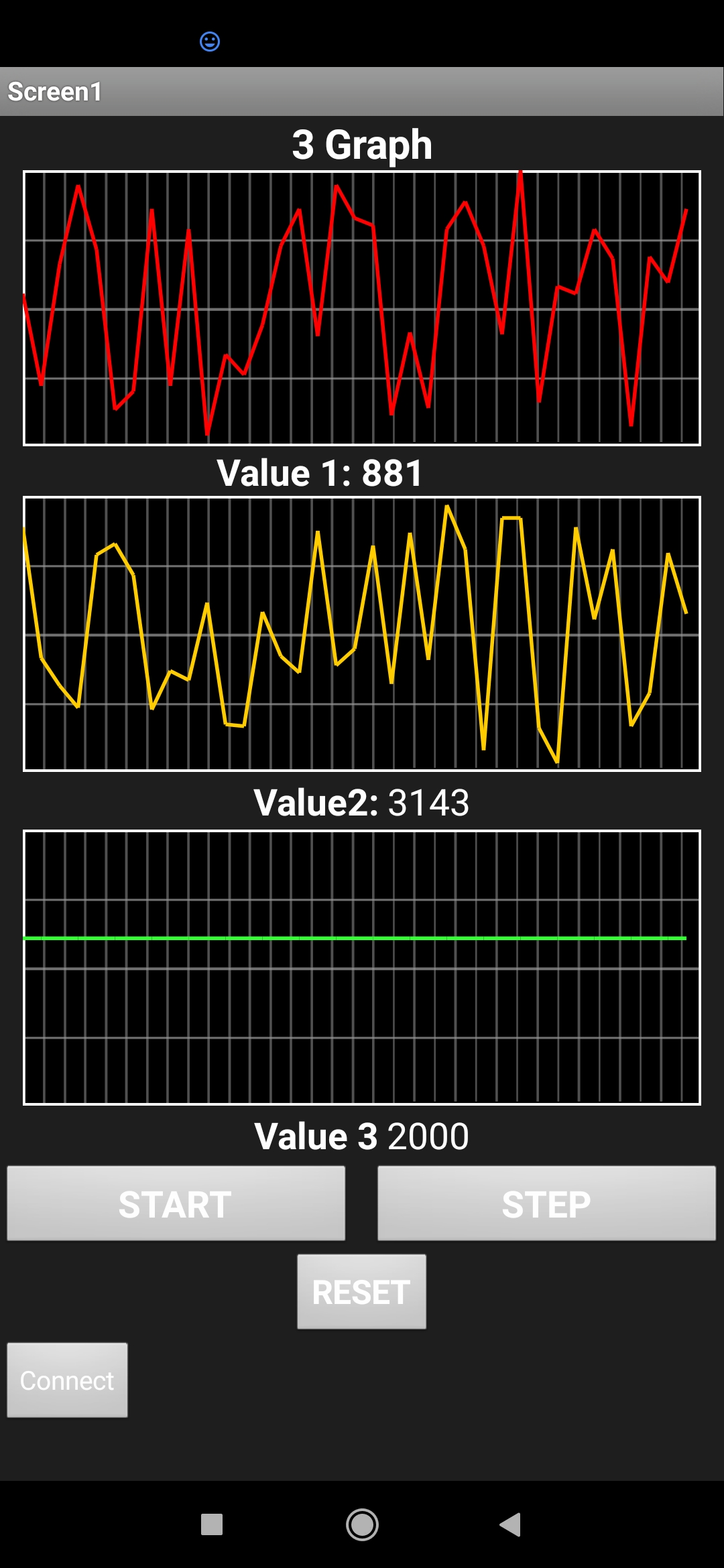
So it will not work on 2 graphs with the same type of inputs? like two random variable graphs?Screenshot_2021-04-06-13-02-42-160_edu.mit.app inventor.aicompanion3|230x500
I manage to make 3 scrolling graphs using the aia codes from the scrolling graph guides.
but when I make it all in one canvas it becomes like this:

is it possible to state each color based on the changing variables?
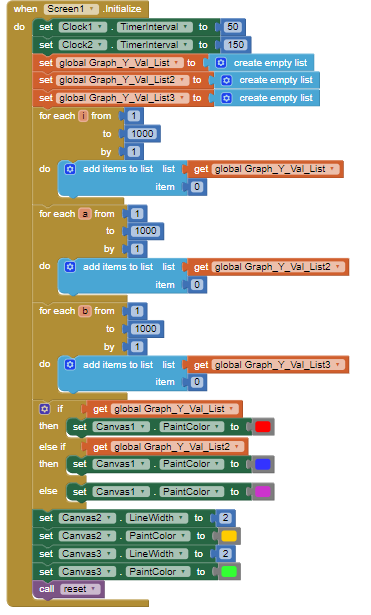
for example, I'm using the global y value and global y value 2 as the statement.