It is just to tell the Android system that whether or not clicking on the action shows the user interface. It does not add any additional functionality on its own.
No! It has been programed to instead start a Itoo procedure in background:
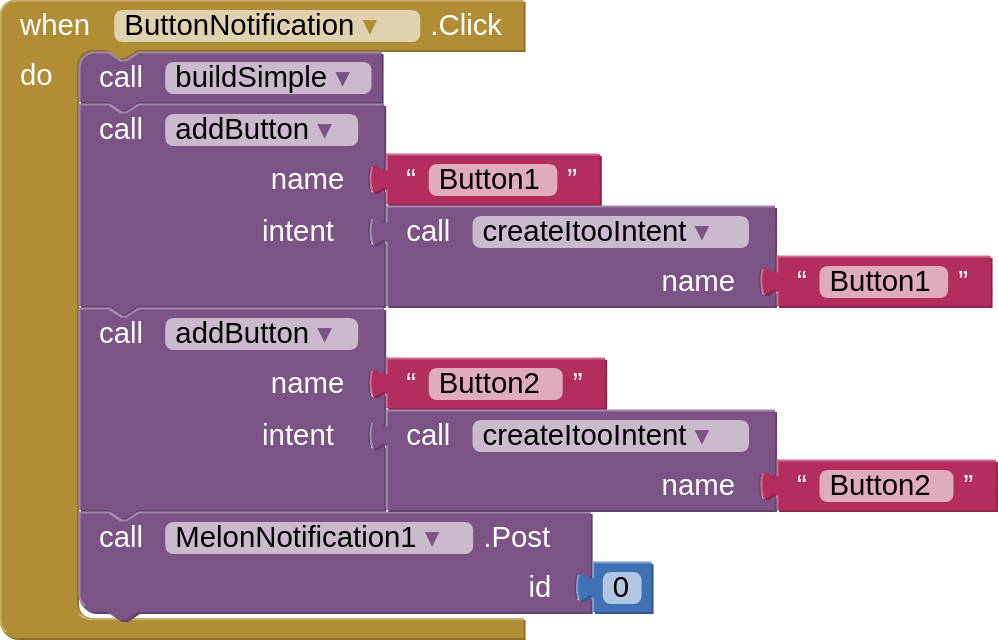

As you can see we are calling createItooIntent. So when you click Button 1, it will change the Label's text to tell you which button has been clicked:

But, if you want clicking on the Button to open up the user interface, then instead of calling the createItooIntent procedure, instead call this block:
