MediaPicker — Android Media Picker Extension
MediaPicker is a lightweight Android media picker extension for Niotron and MIT App Inventor that makes it easy to select images and videos using Android's native picker system.
It is designed with performance, memory usage, WebView compatibility, and low-end devices in mind.

 Features
 Image Picker
Pick images using the native Android Photo Picker.
 Video Picker
Select videos from the device.
 Image + Video Picker
Pick both images and videos from a single picker.
 Android 13+ Photo Picker
Uses the system Photo Picker on Android 13+ when available.
 Automatic Fallback
Falls back to ACTION_OPEN_DOCUMENT and ACTION_GET_CONTENT when the Photo Picker isn't available.
 Multiple Selection
Supports selecting multiple media files where the system picker allows it.
 Background Processing
Image decoding, compression, file copying and Base64 processing run off the UI thread to keep the app responsive.
 Memory Optimized
Images are decoded at an appropriate sample size, while videos and other raw files are streamed directly to disk instead of being loaded completely into memory.
 Image Compression
Resize and compress selected images with configurable quality.
 Image Resizing
Set a maximum image dimension while preserving the aspect ratio.
EXIF Rotation
Automatically corrects image orientation using EXIF metadata.
JPEG / PNG / WEBP
Choose the output format for processed images.
 Optional Base64
Get media as Base64 when needed, including ready-to-use data URLs for WebView applications.
 Local File Path
Returns a real local cache file path for the selected media.
 File Metadata
Returns file name, extension, MIME type and file size.
 File Size Protection
Reject oversized source files using a configurable maximum file size.
 Base64 Size Limit
Optionally limit Base64 generation for large files to avoid unnecessary memory usage.
 Cache Management
Clear all files created by the extension, check cache size, or delete an individual cached file.
 Processing Progress
Events are available to track multi-file processing progress.
 Safe Re-entry Protection
Prevents multiple picker operations from running simultaneously.
Built with Java + Fast Cli
 Blocks
Media Picking
-
PickImage()
Opens the picker restricted to images. -
PickVideo()
Opens the picker restricted to videos. -
PickMedia()
Opens the picker for images and videos. -
AllowMultiple
Enables multiple media selection where supported by the picker.
 Image Processing
-
CompressionQuality
Sets image compression quality from 1–100. -
MaxImageDimension
Sets the maximum width/height for processed images. -
OutputFormat
SelectsJPEG,PNG, orWEBP.
Base64
-
IncludeBase64
Enables or disables Base64 output. -
MaxBase64SizeMB
Sets the maximum file size for Base64 generation.
File Protection
-
MaxFileSizeMB
Sets the maximum allowed source file size. -
IsProcessing
Returns whether a media pick/processing operation is currently running.
Cache
-
ClearCache()
Deletes all cached files created by the extension. -
GetCacheSizeMB()
Returns the total cache size used by the extension. -
DeleteCachedFile(path)
Deletes a specific cached file returned by the extension. -
AutoClearCacheBeforePick
Automatically clears previous picker cache before starting a new pick.
 Events
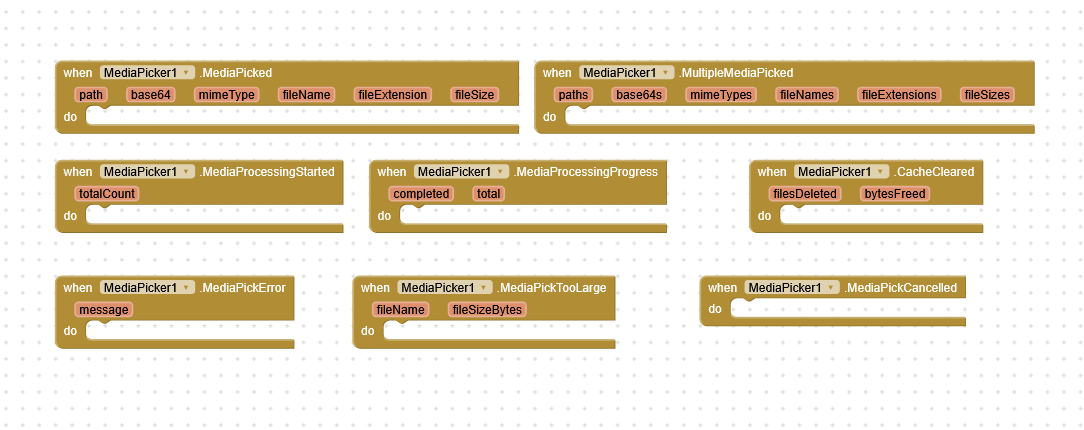
MediaPicked — Fired after a single media file has been successfully processed.
Returns:
-
File path
-
Base64
-
MIME type
-
File name
-
File extension
-
File size
MultipleMediaPicked — Fired when multiple media files are selected.
Returns lists of:
-
Paths
-
Base64 values
-
MIME types
-
File names
-
Extensions
-
File sizes
MediaPickCancelled — Fired when the user cancels the picker.
MediaPickError — Fired when selected media cannot be processed.
MediaProcessingStarted — Fired when background processing begins.
MediaProcessingProgress — Reports completed files and total files during multi-selection.
MediaPickTooLarge — Fired when a selected file exceeds MaxFileSizeMB.
CacheCleared — Fired after the extension clears its cached files.
 Perfect for WebView Apps
MediaPicker is especially useful for HTML/WebView based apps where you want to use the native Android media picker while receiving a local file path or Base64 content that can be passed directly to your WebView.
For example, the returned Base64 can be used as:
data:<mimeType>;base64,<base64>
while the returned local path can be used when your WebView workflow requires an actual file.
 Download
MediaPicker Extension:
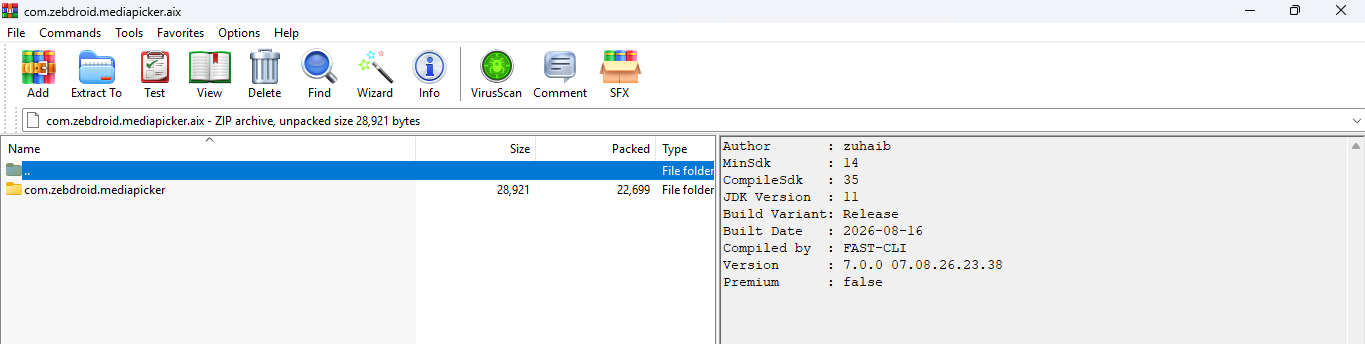
com.zebdroid.mediapicker.aix (23.3 KB)
Compatibility
Designed for modern Android devices with automatic fallback support for older Android versions and devices where the system Photo Picker is unavailable.
 ..
..